
1. Introduksjon
This manual provides instructions for the PUSOKEI 1600DPI 2.4G Ergonomic Wireless Optical Mouse. This device is designed for comfortable use with computers and laptops, featuring a 2.4Ghz wireless connection and adjustable optical resolution.
Nøkkelfunksjoner inkluderer:
- Ergonomisk design for komfortabel håndtering.
- 2.4Ghz wireless connectivity for a stable connection up to 10 meters.
- Adjustable optical resolution: 800, 1200, and 1600 DPI.
- Four buttons for versatile control.
- Intelligent circuit management for power efficiency.

Figure 1: PUSOKEI 2.4G Ergonomic Wireless Optical Mouse on a desk setup.

Figur 2: Side view av musen, visasindens ergonomiske design.
2. Pakkens innhold
Vennligst sjekk pakken for følgende varer:
- 1 x PUSOKEI Wireless Mouse
- 1 x USB mottaker
Note: 2 x AAA batteries are required and are not included in the package.
3. Oppsettveiledning
3.1 Installere batterier
- Finn batteridekselet på undersiden av musen.
- Skyv eller løft forsiktig på dekselet for å åpne rommet.
- Insert two (2) AAA batteries, ensuring the correct polarity (+/-) as indicated inside the compartment.
- Sett på batteridekselet til det klikker ordentlig på plass.

Figur 3: Batterirom med deksel fjernet.
3.2 Koble til USB-mottakeren
- Locate the USB receiver, typically stored within the mouse's battery compartment or packaged separately.
- Koble USB-mottakeren til en ledig USB-port på datamaskinen eller bærbar PC.
- Operativsystemet ditt skal automatisk oppdage og installere de nødvendige driverne. Dette kan ta noen minutter.
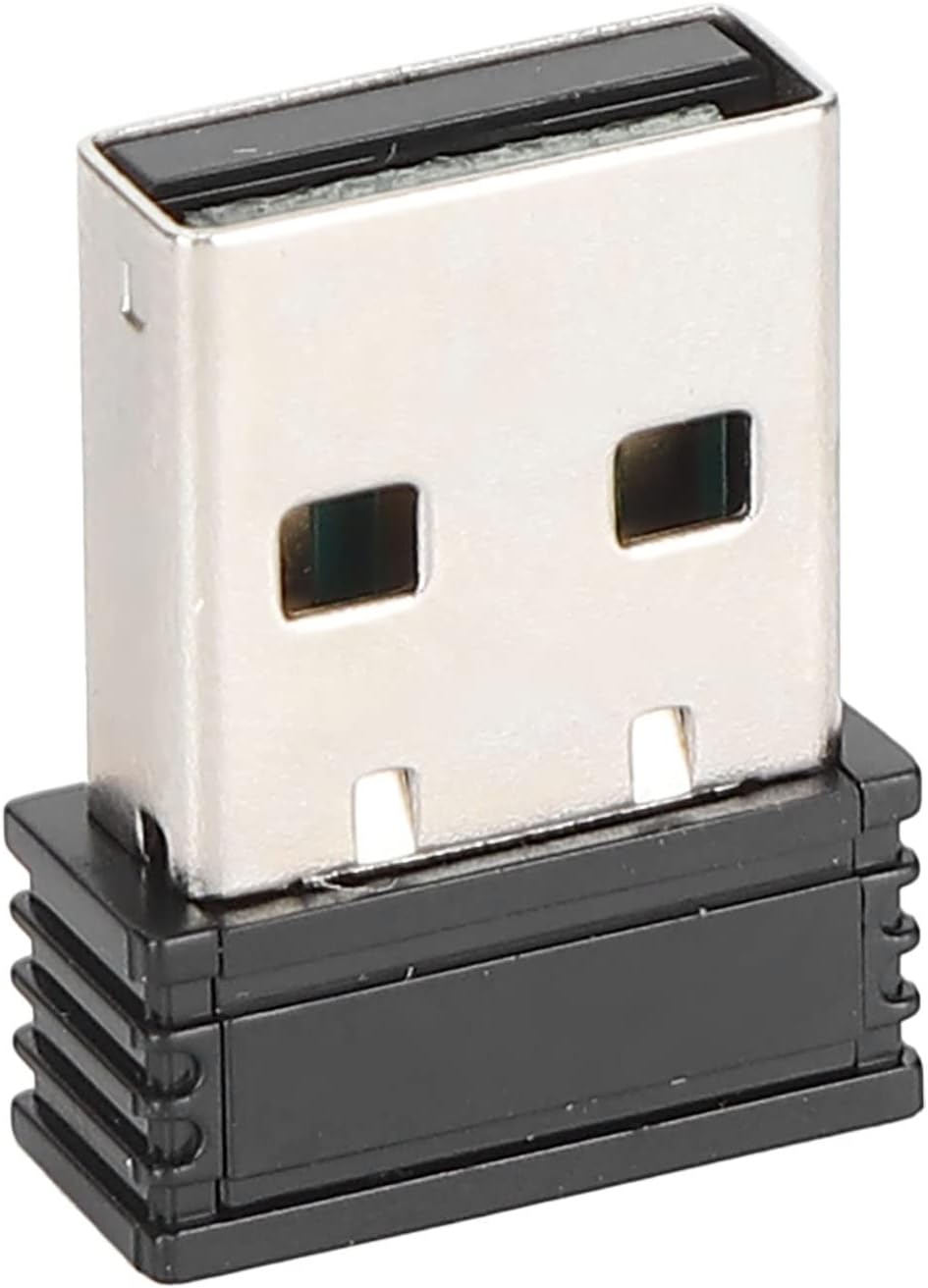
Figure 4: The compact USB receiver.
3.3 Slå på musen
After installing the batteries and connecting the USB receiver:
- Locate the ON/OFF switch on the underside of the mouse.
- Skyv bryteren til «PÅ»-posisjonen.
- The mouse should now be ready for use. Move the mouse to test its functionality.

Figure 5: Underside of the mouse with the ON/OFF switch.
4. Bruksanvisning
4.1 Grunnleggende funksjoner
- Venstre klikk: Primærvalg og aktivering.
- Høyreklikk: Åpner kontekstmenyer.
- Rullehjul: Blar gjennom dokumenter og web sider. Kan også klikkes for midtklikkfunksjonalitet.
4.2 Justering av DPI (følsomhet)
The mouse features an adjustable DPI setting, allowing you to change the cursor sensitivity to suit your preference or task. The available DPI settings are 800, 1200, and 1600 DPI.
- Locate the DPI button, usually positioned below the scroll wheel on the top of the mouse.
- Trykk på DPI-knappen for å bla gjennom de tilgjengelige følsomhetsinnstillingene. Hvert trykk vil bytte til neste DPI-nivå.
- Observe the cursor movement on your screen to determine the desired sensitivity.

Figure 6: DPI button for sensitivity adjustment.
4.3 Trådløs rekkevidde
The mouse operates wirelessly up to a distance of approximately 10 meters (393.7 inches) from the USB receiver. Performance may vary depending on environmental factors and obstacles.
Video 1: Overview of the PUSOKEI 1600DPI 2.4G Ergonomic USB Mouse. This short video demonstrates the mouse's design and highlights its wireless functionality.
5. Vedlikehold
5.1 Batteribytte
When the mouse performance degrades or it stops responding, it is likely time to replace the batteries. Follow the steps in Section 3.1 to replace the two (2) AAA batteries.
5.2 Rengjøring av musen
For å opprettholde optimal ytelse og hygiene:
- Use a soft, dry cloth to wipe the exterior of the mouse.
- For gjenstridig smuss, litt dampSkyll kluten med vann eller et mildt rengjøringsmiddel, og tørk deretter av umiddelbart.
- Avoid using harsh chemicals, abrasive cleaners, or submerging the mouse in liquid.
- Periodically clean the optical sensor area on the underside of the mouse with a cotton swab to ensure accurate tracking.
6. Feilsøking
If you encounter issues with your PUSOKEI Wireless Mouse, please refer to the following common solutions:
| Problem | Mulig årsak | Løsning |
|---|---|---|
| Mouse not responding or intermittent connection | Low batteries, mouse is off, USB receiver disconnected, interference. | 1. Replace AAA batteries. 2. Ensure the ON/OFF switch is in the 'ON' position. 3. Re-insert the USB receiver into a different USB port. 4. Move the mouse closer to the receiver or away from other wireless devices. |
| Cursor movement is erratic or inaccurate | Skitten optisk sensor, uegnet overflate, lav DPI-innstilling. | 1. Clean the optical sensor on the underside of the mouse. 2. Use the mouse on a clean, non-reflective surface or a mouse pad. 3. Press the DPI button to increase sensitivity. |
| USB receiver not recognized by computer | Driver issue, faulty USB port. | 1. Try plugging the USB receiver into a different USB port. 2. Restart your computer. 3. Ensure your operating system is up to date. |
7. Spesifikasjoner
| Trekk | Detalj |
|---|---|
| Merke | PUSOKEI |
| Modellnummer | PUSOKEIgmh839iocb1355-11 |
| Tilkoblingsteknologi | USB, Wireless (2.4Ghz) |
| Bevegelsesdeteksjonsteknologi | Optisk |
| Optisk oppløsning | 800-1200-1600 DPI |
| Antall knapper | 4 |
| Trådløs avstand | Approx. 10m / 393.7in |
| Strømkilde | Batteridrevet (2 x AAA, ikke inkludert) |
| Kompatible enheter | Bærbar datamaskin, personlig datamaskin |
| Operativsystem | Windows (Minimum Windows 7) |
| Materiale | ABS |
| Håndorientering | Ambidekstrøs |
8. Garanti og støtte
Specific warranty information for this product is not provided in the available documentation. For warranty claims, technical support, or further assistance, please contact the retailer or manufacturer directly through their official support channels.