
1. Introduksjon
This manual provides essential information for the safe and efficient use of your OPPO F21 Pro (5G) smartphone. Please read this manual thoroughly before using your device to ensure optimal performance and longevity.
The OPPO F21 Pro (5G) is a high-performance smartphone featuring a 2.2 GHz Octa-core processor, 8GB of RAM, and 128GB of internal storage, expandable via microSDXC. It operates on Android 12 and is powered by a non-removable 4500 mAh Li-Po battery. Key features include a 6.43-inch AMOLED display, a 64 MP AI Triple Camera system, and 5G connectivity.
2. Enhetsoppsett
2.1 Pakkeinnhold
- OPPO F21 Pro (5G) Smartphone
- USB-kabel
- Hurtigstartveiledning (kan variere etter region)
- Sikkerhetsinformasjon (kan variere fra region til region)
2.2 Sette inn SIM-kort og MicroSD-kort
Your OPPO F21 Pro (5G) supports Dual-SIM functionality and a microSDXC card for expanded storage. The device uses Nano-SIM cards.
- Finn SIM-kortskuffen på siden av telefonen.
- Sett SIM-utkastverktøyet (hvis det følger med) inn i det lille hullet ved siden av skuffen, og skyv forsiktig til skuffen spretter ut.
- Plasser Nano-SIM-kortet/-kortene og/eller microSDXC-kortet i de angitte sporene på skuffen. Sørg for at gullkontaktene vender nedover.
- Skyv forsiktig skuffen tilbake i telefonen til den er i flukt med siden.
Viktig merknad om nettverkskompatibilitet for kjøpere i USA:
This smartphone is not compatible with CDMA networks, including VERIZON, SPRINT, and US CELLULAR. Please verify 3G or 4G/LTE compatibility with your network provider before purchase.
2.3 Slå på/av
- For å slå på: Trykk og hold inne av/på-knappen (plassert på høyre side) til OPPO-logoen vises.
- Slik slår du av: Trykk og hold inne av/på-knappen, og velg deretter «Slå av» fra alternativene på skjermen.
- Å starte på nytt: Trykk og hold inne av/på-knappen, og velg deretter «Start på nytt» fra alternativene.
2.4 Første oppsett
Upon first power-on, follow the on-screen instructions to complete the initial setup process. This includes selecting your language, connecting to Wi-Fi, setting up your Google account, and configuring security features like Face Recognition.
3. Betjening av enheten
3.1 Grunnleggende navigering
Your OPPO F21 Pro (5G) runs on Android 12, offering an intuitive user interface. Use gestures or navigation buttons (configurable in settings) to move between apps, return to the home screen, and access recent applications.
3.2 Skjermfunksjoner

The front of the OPPO F21 Pro (5G) features a vibrant AMOLED display with a punch-hole cutout for the front camera.

En detaljert view of the punch-hole front camera, integrated seamlessly into the display.
The device features a 6.43-inch AMOLED display with a resolution of 1080 x 2400 pixels, protected by Schott Xensation glass. This display provides vivid colors and deep blacks for an enhanced viewopplevelse.
3.3 Kamerabruk
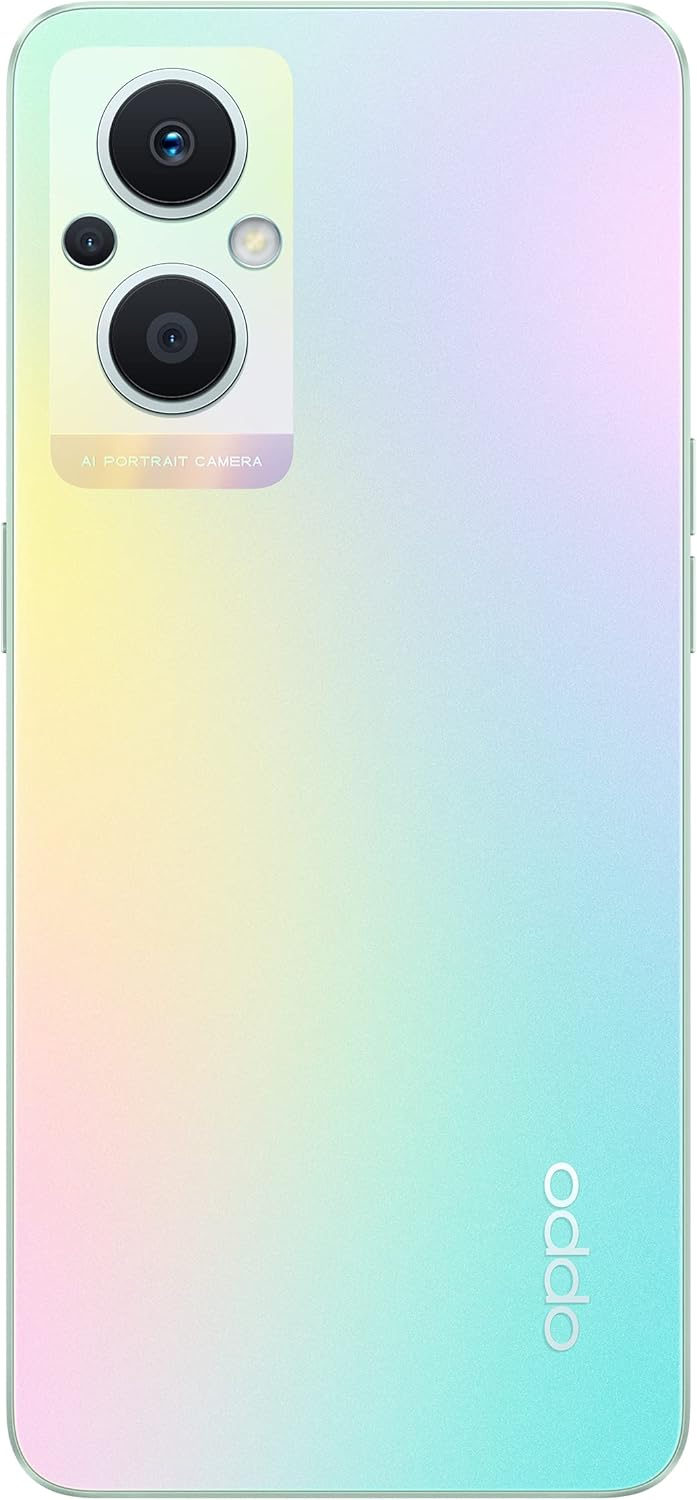
The back of the OPPO F21 Pro (5G) showcases its triple camera system and sleek design.

En detaljert view of the AI Portrait Camera module on the rear, highlighting the lenses and flash.
The OPPO F21 Pro (5G) is equipped with a versatile camera system:
- Bakre kamera: 64 MP (wide, f/1.7, PDAF), 2 MP (macro, f/2.4), 2 MP (depth, f/2.4).
- Frontkamera: 16 MP (wide, f/2.4).
Access the Camera app from your home screen or app drawer. Select various shooting modes such as Photo, Video, Portrait, Macro, and more. Tap the screen to focus and press the shutter button to capture images or start/stop video recording.
3.4 Tilkobling
- 5G-nettverk: Supports N1/ N8/ N28/ N41/ N77/ N78 SA/NSA bands.
- Wi-Fi: Koble til trådløse nettverk for internettilgang.
- Bluetooth: Kombiner med trådløst tilbehør som hodetelefoner og høyttalere.
- USB Type-C: For lading og dataoverføring.
3.5 Sikkerhetsfunksjoner
The device includes Face Recognition for convenient and secure unlocking. You can set this up in the Security settings menu.
4. Vedlikehold
4.1 Batteristell
Your OPPO F21 Pro (5G) is equipped with a 4500 mAh Lithium-Polymer battery. To maximize battery life:
- Unngå ekstreme temperaturer.
- Use the original charger and USB cable provided.
- Unngå å utlade batteriet helt ofte.
- Optimize battery settings in the device's settings menu.
4.2 Rengjøring av enheten
The device is rated as Water Resistant. To clean your phone:
- Slå av enheten før rengjøring.
- Bruk en myk, lofri klut.
- Unngå bruk av sterke kjemikalier, slipende rengjøringsmidler eller trykkluft.
- Ikke senk enheten i vann.
4.3 Programvareoppdateringer
Regularly check for and install software updates to ensure your device has the latest features, security patches, and performance improvements. You can check for updates in the device's Settings menu under 'About phone' or 'Software update'.
5. Feilsøking
If you encounter issues with your OPPO F21 Pro (5G), try the following basic troubleshooting steps:
- Enheten svarer ikke: Trykk og hold inne av/på-knappen i omtrent 10–15 sekunder for å tvinge frem en omstart.
- Nettverksproblemer: Ensure your SIM card is correctly inserted. Check your network settings and ensure mobile data or Wi-Fi is enabled. Restart your device.
- Appkrasj: Lukk og åpne appen på nytt. Tøm appens hurtigbuffer og data i Innstillinger > Apper. Hvis problemet vedvarer, avinstaller og installer appen på nytt.
- Batteriet tømmes raskt: Review battery usage in Settings to identify power-hungry apps. Reduce screen brightness, disable unnecessary features (GPS, Bluetooth, Wi-Fi) when not in use.
- Full lagring: Slett unødvendig files, photos, and videos. Move media to a microSD card if installed. Clear app caches.
For mer komplekse problemer, se den offisielle OPPO-kundestøtten webnettstedet eller kontakt kundeservice.
6. Spesifikasjoner

En overview of the OPPO F21 Pro (5G) showcasing its main features including the 64MP AI Triple Camera, AMOLED screen, and Qualcomm Snapdragon 5G SoC.

The OPPO F21 Pro (5G) in Rainbow Spectrum, displaying both its front and rear aesthetics.
| Trekk | Spesifikasjon |
|---|---|
| Merke | OPPO |
| Modellnavn | OPPO F21 Pro (5G) |
| Operativsystem | Android 12.0 |
| Prosessor | Qualcomm SM6375 Snapdragon 695 5G (6 nm), åttekjerners (2x2.2 GHz Kryo 660 Gold og 6x1.7 GHz Kryo 660 Silver) |
| VÆR | 8 GB |
| Intern lagring | 128 GB |
| Utvidbar lagring | microSDXC |
| Skjermstørrelse | 6.43 tommer (16.33 centimeter) |
| Visningstype | AMOLED |
| Oppløsning | 1080 x 2400 piksler |
| Bakre kamera | 64 MP (vidvinkel), 2 MP (makro), 2 MP (dybde) |
| Frontkamera | 16 MP (vidvinkel) |
| Batterikapasitet | 4500 mAh (Lithium-Polymer, non-removable) |
| Mobilteknologi | 5G (dobbelt SIM-kort) |
| Trådløs teknologi | Wi-Fi, Bluetooth |
| Koblingstype | USB Type C |
| Biometrisk sikkerhet | Ansiktsgjenkjenning |
| Vannmotstandsnivå | Vannbestandig |
| Dimensjoner | 6.3 x 2.87 x 0.31 tommer |
| Varevekt | 173 gram |
7. Garantiinformasjon
Your OPPO F21 Pro (5G) smartphone comes with a 1 års produsentgarantiDenne garantien dekker material- og produksjonsfeil ved normal bruk. Vennligst ta vare på kjøpsbeviset for garantikrav.
The warranty does not cover damage caused by misuse, accidents, unauthorized modifications, or normal wear and tear. For full terms and conditions, please refer to the warranty card included in your product packaging or visit the official OPPO webnettstedet.
8. Støtte
For ytterligere hjelp, teknisk støtte eller for å finne servicesentre, kan du gå til den offisielle OPPO-støtten. webnettsted:
You may also find helpful FAQs and community forums on the support webnettstedet.