
Introduksjon
This manual provides instructions for the setup, operation, and maintenance of your YAOHUIMI replacement remote control for Fujitsu air conditioning units. This remote is designed to be compatible with a wide range of Fujitsu split type and wall-mounted inverter air conditioners, including models such as ASG18RBA-W, ABU22, AB14A, AB14R, AB18A, AB18R, AB24A, AB24R, and many others listed in the compatibility section.
Please read this manual carefully before using the remote control to ensure proper function and to maximize its lifespan.
Oppsett
1. Installasjon av batteri
Fjernkontrollen krever to AAA-batterier (ikke inkludert). Følg disse trinnene for å installere dem:
- Finn batteriromdekselet på baksiden av fjernkontrollen.
- Skyv dekselet nedover, eller trykk på låsen og løft for å åpne.
- Insert two new AAA batteries, ensuring the positive (+) and negative (-) terminals match the diagrams inside the compartment.
- Sett på batteridekselet igjen, og skyv det tilbake på plass til det klikker ordentlig.

Image: Back of the remote control with the battery compartment indicated.
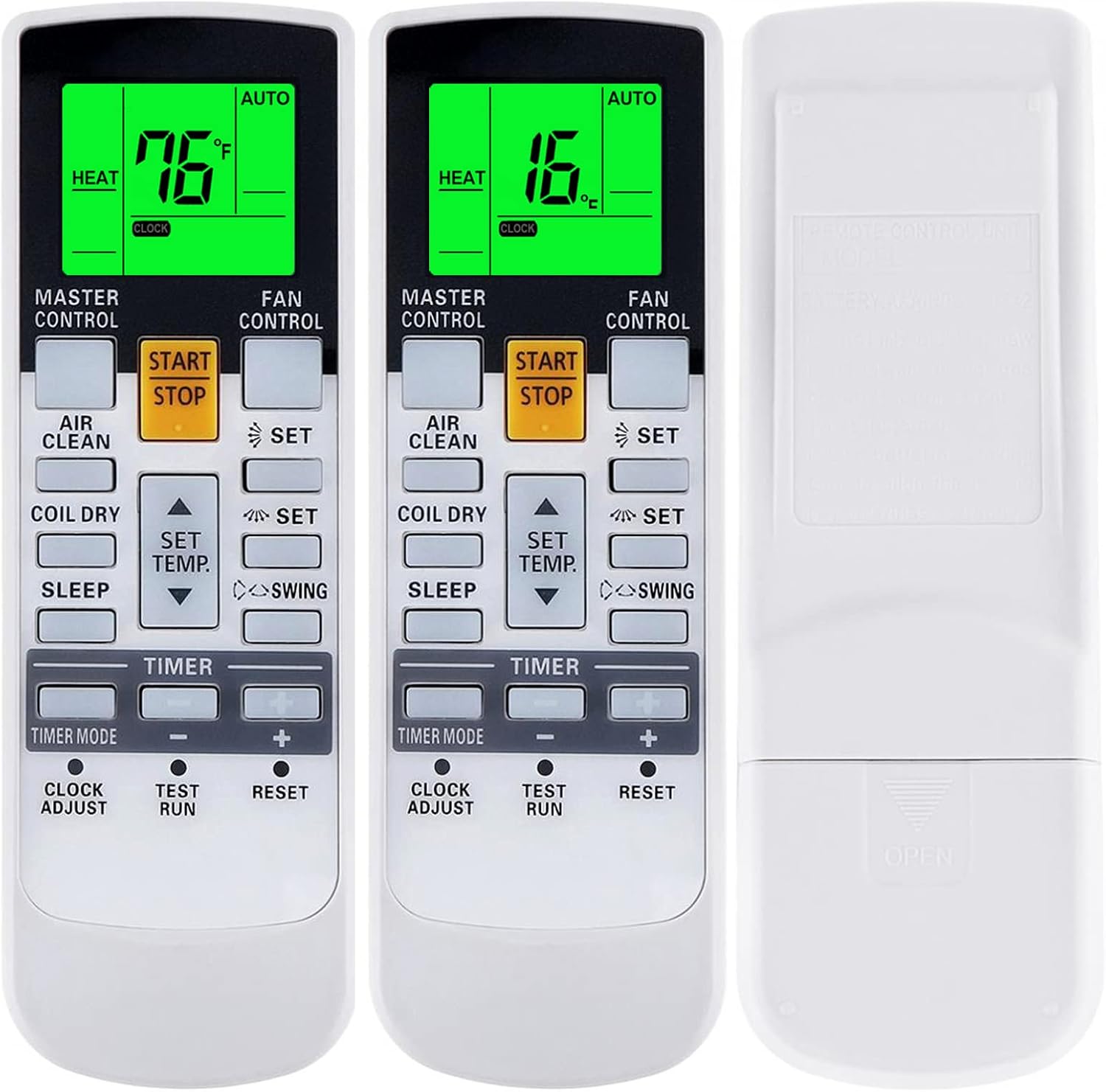
Bilde: Forside og bakside views of the remote, showing how to open the battery cover.
2. Førstegangsbruk
This replacement remote control is pre-programmed and generally does not require pairing. Once batteries are installed, it should be ready for immediate use with compatible Fujitsu air conditioning units. Point the remote directly at the indoor unit's receiver.
Bruksanvisning
Gjør deg kjent med knappene og funksjonene deres:
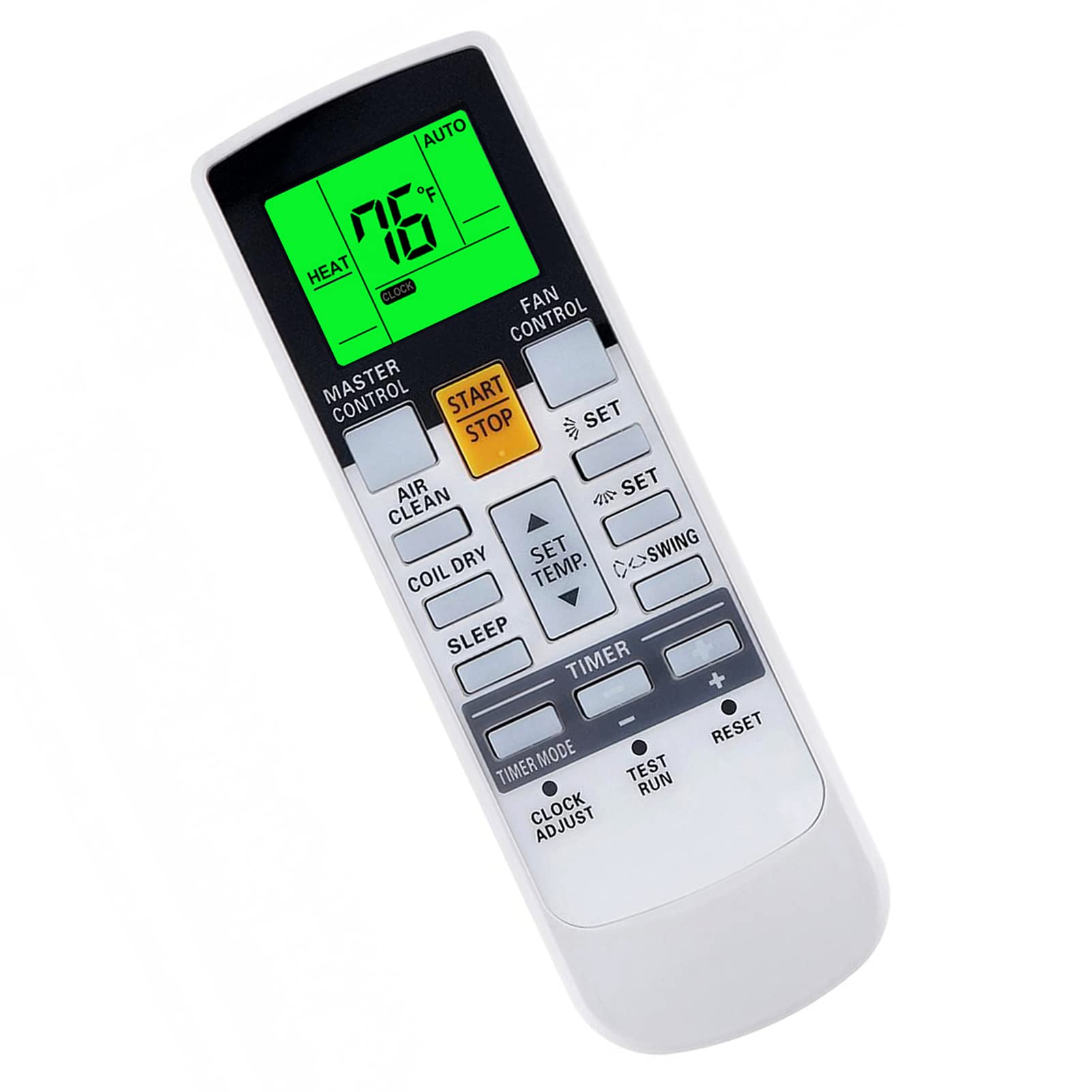
Bilde: Overview of the remote control's buttons and display.
- START STOPP: Powers the air conditioner ON or OFF.
- MASTERKONTROLL: Blar gjennom driftsmoduser (f.eks. Auto, Kjøling, Tørking, Varme, Vifte).
- VIFTEKONTROLL: Justerer viftehastigheten (f.eks. Auto, Lav, Middels, Høy).
- SET TEMP. (Up/Down Arrows): Justerer ønsket temperatur.
- SVINGE: Controls the louver swing function.
- LUFTRENS: Activates or deactivates the air purification function (if available on your AC unit).
- TØRKING AV SPOLER: Initiates the coil dry function to prevent mold growth.
- SOVE: Activates the sleep mode for comfortable night operation.
- TIMER MODUS: Sets or cancels timer functions.
- KLOKKEN JUSTERES: Stiller inn gjeldende klokkeslett på fjernkontrollens display.
- TESTKJØRING: Kun for tjenestebruk.
- NULLSTILLE: Resets the remote control to factory default settings.
Spesielle funksjoner
- Fahrenheit and Celsius Display: The remote control can display temperature in both Fahrenheit (°F) and Celsius (°C). This is typically toggled by a specific button or a combination of buttons (refer to your AC unit's manual if unsure, or try pressing the 'SET' button while adjusting temperature).
- Grønt bakgrunnsbelysning: The display features a green backlight for easy operation in low-light conditions. This backlight activates automatically when buttons are pressed.

Image: Remote display showing temperature in both Fahrenheit and Celsius, highlighting the green backlight.
Advanced Functions (If Applicable)
Some Fujitsu AC units support advanced heating or economy functions. These functions are only available if your original remote control had corresponding buttons. To activate these, press and hold the indicated button for approximately 4 seconds:
- 10°C VARME: Maintains a minimum temperature of 10°C (50°F) to prevent freezing.
- 50°F HEAT: Same as 10°C HEAT.
- MINI.HEAT: A low-power heating mode.
- ØKONOMI: Operates the unit in an energy-saving mode.

Image: Instructions for activating advanced heating and economy functions by holding a button.
Vedlikehold
Batteribytte
Replace batteries when the remote control's display becomes dim or when the remote no longer responds to button presses. Always replace both batteries at the same time with new AAA batteries. Do not mix old and new batteries, or different types of batteries.
Rengjøring
Tørk av fjernkontrollen med en myk, tørr klut. Ikke bruk flytende rengjøringsmidler, spray eller slipende materialer, da disse kan skade fjernkontrollens overflate eller interne komponenter.
Feilsøking
- Fjernkontrollen svarer ikke:
- Sjekk om batteriene er riktig installert med riktig polaritet.
- Bytt ut gamle batterier med nye.
- Ensure there are no obstructions between the remote control and the air conditioner's indoor unit.
- Make sure you are within the effective operating range (typically 8 meters or 26 feet).
- Skjermen er svak eller tom:
- Dette indikerer vanligvis lav batteristrøm. Skift batteriene.
- Air conditioner not performing desired function:
- Verify that the air conditioner unit is powered on and not in standby mode.
- Confirm that the selected mode (Cool, Heat, Fan, etc.) and temperature settings are appropriate.
- Ensure the remote control is compatible with your specific Fujitsu AC model. While this remote is broadly compatible, some very old or very new models might have unique protocols.
Spesifikasjoner
| Merke | YAOHUIMI |
| Modellnummer | A420220331-BEIGUANG-99 |
| Kompatible enheter | Fujitsu ASG18RBA-W, ABU22, AB14A, AB14R, AB18A, AB18R, AB24A, AB24R, and many other Fujitsu Split Type and Wall Mounted Inverter Air Conditioners (refer to product description for extensive list) |
| Tilkoblingsteknologi | Infrarød |
| Kontrollertype | Knappkontroll |
| Spesielle funksjoner | Ergonomic design, Fahrenheit/Celsius display, Green Backlight |
| Strømkilde | 2 x AAA-batterier (ikke inkludert) |
Garantiinformasjon
Please refer to the seller's return policy and any specific warranty information provided at the time of purchase. Typically, replacement remote controls come with a limited warranty against manufacturing defects. Keep your proof of purchase for any warranty claims.
Kundestøtte
If you encounter any issues that cannot be resolved using the troubleshooting guide, or if you have questions regarding compatibility or functionality, please contact the seller or manufacturer directly through the platform where the purchase was made. Provide your order number and the model number of your remote control (A420220331-BEIGUANG-99) for faster assistance.