
1. Introduksjon
This manual provides essential instructions for the installation, operation, and maintenance of your Chieftec Scorpion 3 White ATX Case (Model GL-03W-OP). Please read this manual thoroughly before beginning assembly to ensure proper setup and to maximize the lifespan of your product.
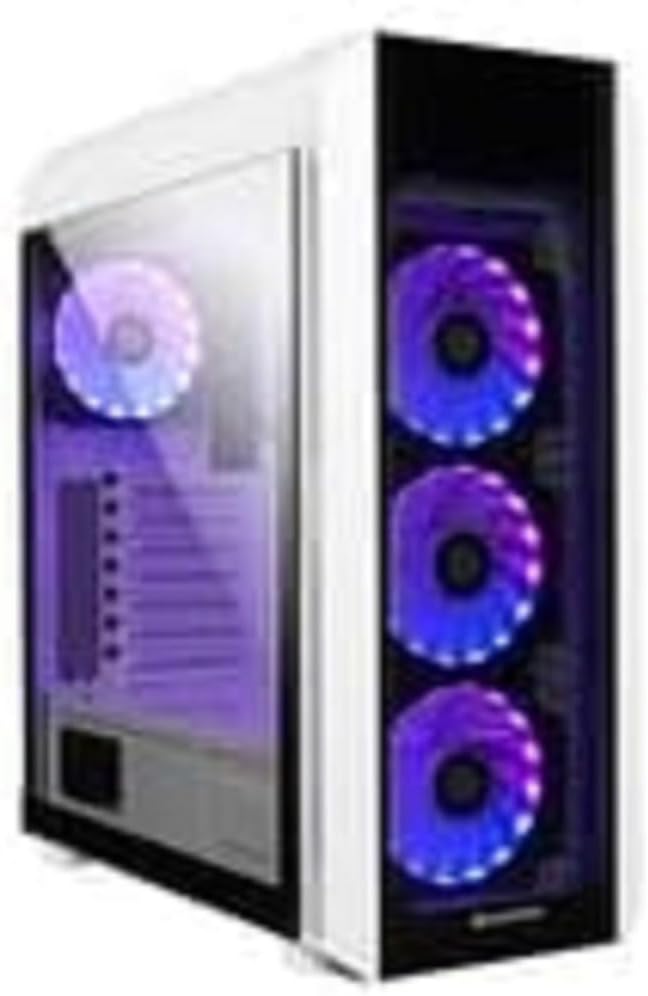
Figur 1: The Chieftec Scorpion 3 White ATX Case, showcasing its white exterior, tempered glass side panel, and three front-mounted, illuminated cooling fans. A single illuminated fan is visible at the rear.
2. Oppsett og komponentinstallasjon
This section guides you through the process of installing your computer components into the Chieftec Scorpion 3 White ATX Case.
2.1. Forberedelse
- Ensure you have all necessary components: motherboard, CPU, RAM, graphics card, storage drives, and power supply unit (PSU).
- Gather tools: Phillips head screwdriver, zip ties for cable management.
- Arbeid på en ren, statisk fri overflate. Vurder å bruke en antistatisk håndleddsstropp.
2.2. Åpning av saken
- Carefully remove the side panels. Typically, the tempered glass side panel is secured with thumbscrews at the rear.
- Set the panels aside on a soft, non-abrasive surface to prevent scratches.
2.3. Installasjon av strømforsyningsenhet (PSU)
- The Chieftec Scorpion 3 supports rear-mount PSUs.
- Slide the PSU into its designated bay at the bottom rear of the case.
- Secure the PSU with screws from the exterior rear of the case.
2.4. Installasjon av hovedkort
- Install the I/O shield into the cutout at the rear of the case.
- Align your ATX motherboard with the pre-installed standoffs.
- Plasser hovedkortet forsiktig på avstandsstykkene og fest det med skruer.
2.5. Installasjon av lagringsstasjon
- Finn diskbrønnene for 2.5" SSD-er og 3.5" harddisker.
- Install your storage drives into the appropriate bays and secure them.
2.6. Grafikkort og utvidelseskort
- Fjern de nødvendige PCIe-spordekslene fra baksiden av kabinettet.
- Insert your graphics card or other expansion cards into the motherboard's PCIe slots and secure them with screws.
2.7. Kabeladministrasjon
- Route all cables (PSU, data, front panel) through the designated cutouts to the rear of the motherboard tray.
- Use zip ties or Velcro straps to bundle and secure cables for improved airflow and aesthetics.
2.8. Closing the Case
- Once all components are installed and cables managed, reattach the side panels.
- Secure the tempered glass panel with its thumbscrews.
3. Betjening av etuiet
The Chieftec Scorpion 3 White ATX Case provides the housing and cooling for your PC components. Its operation primarily involves the use of the front panel controls and integrated cooling system.
3.1. Kontroller på frontpanelet
- Strømknapp: Press to turn on or off your computer.
- Tilbakestill-knapp: Press to restart your computer.
- USB-porter: Koble til USB-enheter.
- Lydkontakter: Koble til hodetelefoner og mikrofoner.
3.2. Kjølesystem
The case is equipped with multiple fan mounts and pre-installed 120mm fans to ensure optimal airflow.
- Ensure all fans are properly connected to your motherboard or a fan controller.
- Monitor system temperatures using software to ensure adequate cooling.
- The illuminated fans provide aesthetic appeal and can often be controlled via motherboard software for RGB lighting effects.
4. Vedlikehold
Regular maintenance helps ensure optimal performance and longevity of your Chieftec Scorpion 3 White ATX Case and its components.
4.1. Støvrengjøring
- Hyppighet: Clean dust filters and interior components every 3-6 months, or more frequently in dusty environments.
- Støvfiltre: The case features removable dust filters (e.g., top, front, bottom). Gently remove and clean them with water and mild soap, or use a vacuum cleaner. Ensure they are completely dry before reinstallation.
- Interiør: Use compressed air to blow dust out of fans, heatsinks, and other components. Hold fan blades gently to prevent over-spinning.
4.2. Utvendig rengjøring
- Tørk av de utvendige overflatene med en myk, damp klut. Unngå slipende rengjøringsmidler eller løsemidler.
- For the tempered glass panel, use a glass cleaner and a microfiber cloth to prevent streaks.
5. Feilsøking
This section addresses common issues you might encounter with your PC build within the Chieftec Scorpion 3 White ATX Case.
5.1. Systemet slår seg ikke på
- Sjekk strømtilkoblinger: Ensure the PSU is switched on and all power cables (24-pin ATX, 8-pin CPU, PCIe power) are securely connected to the motherboard and components.
- Frontpanelkontakter: Verify that the front panel power switch cable is correctly connected to the motherboard's front panel header. Refer to your motherboard manual for the correct pinout.
- Strømforsyningsfunksjonalitet: Test the PSU independently if possible, or try a known working PSU.
5.2. Vifter spinner ikke eller RGB lyser ikke opp
- Viftetilkoblinger: Sørg for at alle viftestrømkablene er ordentlig koblet til hovedkortets viftehoder eller en viftekontroller.
- RGB-tilkoblinger: If applicable, verify that RGB cables are connected to the correct RGB headers on the motherboard or a dedicated RGB controller.
- Programvarekontroll: Check your motherboard's BIOS/UEFI settings or dedicated fan/RGB control software for fan speed and lighting settings.
5.3. Poor Airflow or High Temperatures
- Støvoppbygging: Clean dust filters and internal components as described in the Maintenance section.
- Vifteorientering: Ensure fans are oriented correctly for optimal airflow (e.g., front fans as intake, rear/top fans as exhaust).
- Kabeladministrasjon: Improve cable management to reduce obstructions to airflow.
6. Spesifikasjoner
Detailed technical specifications for the Chieftec Scorpion 3 White ATX Case (Model GL-03W-OP).
| Trekk | Detalj |
|---|---|
| Merke | Chieftec |
| Serie | Scorpion 3 White |
| Modellnummer | GL-03W-OP |
| Sakstype | Mid Tower |
| Hovedkortkompatibilitet | ATX |
| Materiale | Akrylnitril Butadien Styren (ABS) Plast |
| Farge | Black (Note: Product name indicates White, but specification lists Black. Please verify product color upon receipt.) |
| Varevekt | 2.2 pund |
| Produktdimensjoner (LxBxH) | 19.69 x 19.69 x 11.02 tommer |
| Strømforsyningsmonteringstype | Bakmontering |
| Kjølemetode | Luft |
| Viftestørrelse | 120 Millimeters (pre-installed fans) |
Note: Specifications are subject to change without prior notice. Please refer to the manufacturer's official webnettsted for den mest oppdaterte informasjonen.
7. Garantiinformasjon
Chieftec products are manufactured to high-quality standards. For specific warranty terms and conditions applicable to your Chieftec Scorpion 3 White ATX Case (Model GL-03W-OP), please refer to the warranty card included with your product or visit the official Chieftec webnettstedet.
Typically, product warranties cover defects in materials and workmanship under normal use. Damage resulting from improper installation, accident, abuse, modification, or unauthorized repair is generally not covered.
8. Kundestøtte
Should you encounter any issues or have questions regarding your Chieftec Scorpion 3 White ATX Case, please contact Chieftec customer support.
- Online støtte: Visit the official Chieftec webnettsted for vanlige spørsmål, drivernedlastinger og støtteressurser.
- Kontaktinformasjon: Refer to the product packaging or Chieftec's official webnettsted for regional kontaktinformasjon (telefon, e-post).
When contacting support, please have your product model (GL-03W-OP) and purchase information readily available.