
Acctim Digital Bedside Mini Alarm Clock
Modell: 16231 - Bruksanvisning
Introduksjon
Thank you for choosing the Acctim Digital Bedside Mini Alarm Clock. This compact and functional alarm clock is designed for convenience and reliability. Please read this manual carefully to ensure proper setup and operation of your device.
Nøkkelfunksjoner:
- Clear LCD Screen with White Backlight
- Crescendo Alarm
- Justerbar volumkontroll
- Kompakt og bærbar design

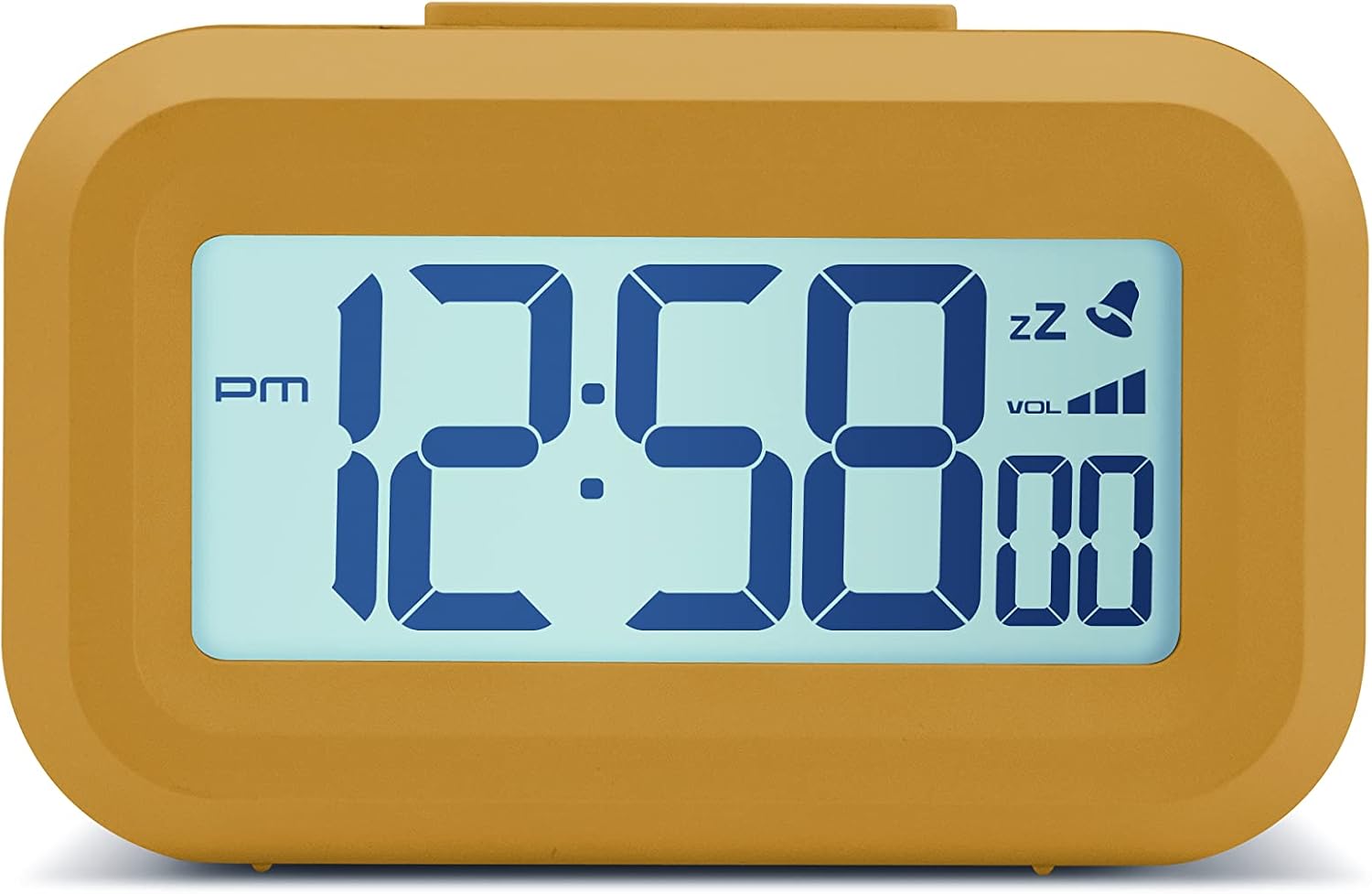
Front view of the Acctim Digital Bedside Mini Alarm Clock, displaying the time.
Oppsett
1. Installasjon av batteri
The alarm clock requires 2 x AAA batteries (not included). To install the batteries:
- Finn batteridekselet på baksiden av klokken.
- Skyv dekselet nedover for å åpne.
- Sett inn to AAA-batterier, og sørg for at polariteten (+ og -) er riktig veiledet som angitt inni batterirommet.
- Sett på batteridekselet ved å skyve det oppover til det klikker på plass.
Tilbake view på vekkerklokken, som uthever batterirommet og kontrollknappene.
2. Førstegangs oppstart
Once batteries are correctly installed, the LCD display should activate, showing a default time or flashing digits. The clock is now ready for time and alarm settings.
Bruksanvisning
Knappefunksjoner:
- SETT: Used to enter time/alarm setting modes and confirm selections.
- UP (▲): Used to increase values during setting.
- DOWN (▼): Used to decrease values during setting.
- VOL (■): Used to adjust alarm volume.
- Øverste knapp: Aktiverer bakgrunnsbelysning og snooze-funksjon.
1. Stille inn tid
- Trykk på SETT knappen én gang. Timetallene vil begynne å blinke.
- Bruk UP or NED knappene for å justere timen. Vær oppmerksom på AM/PM-indikatoren.
- Pressen SETT igjen. Minuttsifrene vil blinke.
- Bruk UP or NED knapper for å justere minuttene.
- Pressen SETT a third time to confirm the time setting and exit the time setting mode.
2. Stille inn alarmen
- Trykk på SETT button twice. The alarm hour digits will begin to flash, and an alarm icon (bell) may appear on the display.
- Bruk UP or NED knapper for å justere alarmtiden.
- Pressen SETT igjen. Alarmminuttsifrene vil blinke.
- Bruk UP or NED knappene for å justere alarmminuttene.
- Pressen SETT a third time to confirm the alarm setting. The alarm icon will remain visible, indicating the alarm is active.
- For å deaktivere alarmen, trykk på SETT -knappen til alarmikonet forsvinner fra displayet.
3. Snooze-funksjon
Når alarmen går, trykker du på den store Topp knapp on the clock. The alarm will temporarily stop and sound again after approximately 5 minutes. The snooze icon (zz) will typically flash on the display.
4. Aktivering av bakgrunnsbelysning
To illuminate the display temporarily, press the large Topp knapp. The white backlight will activate for a few seconds, making the time visible in low-light conditions.

The alarm clock display with its white backlight activated for improved visibility.
5. Justering av alarmvolum
The alarm features an adjustable volume control. While the alarm is sounding, or in alarm setting mode, press the VOL button (square button on the back) to cycle through available volume levels. The display may show a volume indicator.
Vedlikehold
Rengjøring
To clean the clock, use a soft, dry cloth. Avoid using abrasive cleaners, solvents, or chemical sprays, as these can damage the casing eller skjerm.
Batteribytte
Replace the AAA batteries when the display becomes dim, the backlight is weak, or the clock functions become erratic. Always replace both batteries at the same time with new ones.
Feilsøking
- Skjermen er tom eller svak:
Check if the batteries are inserted correctly. Replace with fresh AAA batteries. - Alarmen lyder ikke:
Ensure the alarm time is set correctly and the alarm icon is visible on the display. Check the alarm volume level. - Incorrect time displayed:
Re-enter the correct time following the 'Setting the Time' instructions. - Knapper reagerer ikke:
Remove and reinsert the batteries to perform a soft reset. If the issue persists, replace the batteries.
Spesifikasjoner
- Merke: Acctim
- Modellnummer: 16231
- Visningstype: Digital LCD
- Spesielle funksjoner: Adjustable Volume, Alarm, Illuminated (Backlight), Snooze
- Produktdimensjoner: 8.8 cm B x 5.5 cm H (omtrent 3.54 cm B x 2.17 cm H)
- Strømkilde: Batteridrevet (2 x AAA, ikke inkludert)
- Romtype: Soverom
- Form: Rektangulær
- Materiale: Plast
- Varevekt: 0.06 kilo

Diagram showing the approximate dimensions of the alarm clock.
Garanti og støtte
This Acctim product is covered by a manufacturer's warranty. For specific warranty details, technical support, or service inquiries, please refer to the warranty card included with your purchase or visit the official Acctim webIkke forsøk å reparere enheten selv, da dette kan ugyldiggjøre garantien.