
Produkt overview
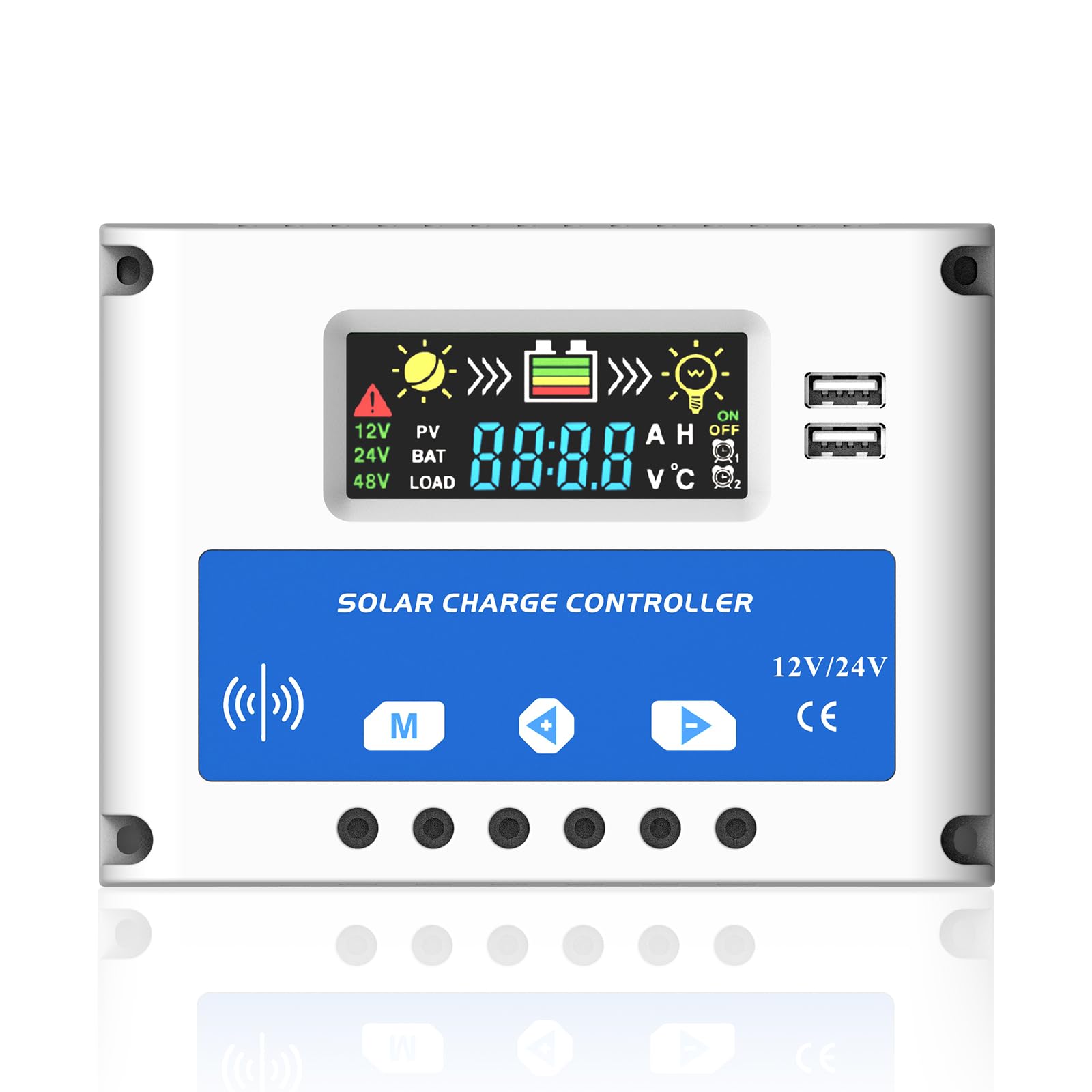
Figur 0: Front view of the Anern PSC 20A Solar Charge Controller, highlighting its LCD screen and control buttons.
The Anern PSC 20A Solar Charge Controller is designed to manage the power flow from your solar panels to your battery bank, ensuring efficient charging and protecting your battery from overcharge and over-discharge. This intelligent controller automatically detects 12V/24V system voltages and features a clear LCD display for monitoring system status and adjusting parameters. It includes dual USB ports for charging external devices.
Nøkkelfunksjoner
- Automatic management of solar panel and battery operation.
- Built-in industrial micro-controller for stable performance.
- Large LCD display for real-time data and adjustable parameters.
- Helt 3-stage PWM charge management (Bulk, ABS, Float).
- Multiple protection functions: short-circuit, open-circuit, reverse polarity, over-load, low voltage, and overcharge protection.
- Dual 5V/2A USB ports for device charging.
Sikkerhetsinstruksjoner
Please read and understand these safety instructions before installation and operation to prevent damage to the controller, battery, or other components.
- This controller is only suitable for lead-acid batteries: OPEN, AGM, and GEL types. It is not compatible with nickel-metal hydride, lithium-ion, or other battery types.
- The charge controller is designed exclusively for regulating solar modules. Do not connect any other charging sources to the charge regulator.
- The LCD display may have a voltage error of 0.2V - 0.3V, which is considered normal.
- Ensure battery cables are as short as possible to minimize power loss and maximize efficiency.
Spesifikasjoner
| Parameter | Verdi |
| Batteri voltage | 12V/24V Auto Adapt |
| Ladestrøm | 20A |
| Utløpsstrøm | 10A |
| Float Voltage | 13.7V (justerbar) |
| USB-utgang | 5V/2A (Dual USB) |
| Driftstemperatur | -35°C til +60°C |
| Produktdimensjoner | 12 x 5 x 17 cm |
| Produktvekt | 140 g (ca. 4.94 oz) |
| Visningstype | LCD |
| Materiale | Plast |
Oppsett og installasjon
Follow these steps for proper installation of the solar charge controller. Ensure all connections are secure and correct to prevent damage.
- Koble til batteriet: First, connect the battery to the charge controller. Ensure correct polarity (+ to + and - to -). The controller will automatically detect the battery voltage (12V eller 24V).
- Connect the Solar Panels: Next, connect the solar panels (PV array) to the charge controller. Again, observe correct polarity.
- Koble til likestrømslasten: Finally, connect your DC load (e.g., lights) to the charge controller.
Important Wiring Sequence:
Battery → Solar Panels → DC Load

Figur 1: Wiring diagram illustrating the connection sequence for the solar charge controller, including solar panels, battery, and load. Ensure positive and negative terminals are correctly matched.
Beskyttelsesfunksjoner
The controller incorporates several protection features to safeguard your system:

Figur 2: Overview of the controller's built-in protection mechanisms, including safeguards against reverse polarity, over-voltage, under voltage, and over-current conditions.
Operasjon
LCD-skjermgrensesnitt
The LCD provides real-time information about your solar system. The interface includes icons and numerical values for easy monitoring.

Figur 3: Detaljert view of the LCD display, explaining each icon and its corresponding meaning for system status monitoring.
Last arbeidsmoduser
The controller offers three distinct load working modes, which can be configured via the LCD interface:
- 24H (24-hour operation): The load operates continuously for 24 hours.
- 0H (Light control mode): The load works only after dark.
- 1H-23H (Light and time control modes): The load works after dark for a set duration, configurable from 1 to 23 hours.

Figur 4: Visual representation of the three selectable load operating modes and their respective icons.
Vedlikehold
The Anern PSC 20A Solar Charge Controller is designed for low maintenance. However, regular checks can ensure optimal performance and longevity:
- Periodically inspect all wiring connections to ensure they are tight and free from corrosion.
- Keep the controller clean and free from dust and debris. Use a dry cloth for cleaning.
- Sørg for tilstrekkelig ventilasjon rundt kontrolleren for å forhindre overoppheting.
- Monitor the LCD display regularly for any error codes or unusual readings.
Feilsøking
Denne delen tar for seg vanlige problemer du kan støte på med solcelleladekontrolleren din.
Vanlige spørsmål og svar
- Q: Why does the LCD screen become blank?
- A: The solar controller will stop outputting when the battery voltage drops below approximately 8V. In this state, the LCD screen will go blank. When the solar panels begin charging the battery again, the controller will resume output once the battery voltage går tilbake til 12.6V.
If you encounter other issues not listed here, please refer to the support section.
Garanti og støtte
For warranty information or technical support, please contact Anern customer service through the retailer where you purchased the product or visit the official Anern website. Please have your model number (PSC-20A) and purchase details ready when contacting support.