
Introduksjon
This manual provides essential information for the safe and efficient use of your SHARP 24EA4E 24-inch HD-Ready LED TV. Please read these instructions thoroughly before operating the television and retain them for future reference. This television is designed for use in living rooms, bedrooms, or guest rooms, offering an elegant design and intuitive operation.
Pakkeinnhold
Before beginning installation, ensure all items listed below are present in your package:
- SHARP 24EA4E LED TV Unit
- Fjernkontroll
- 2 x AAA-batterier (for fjernkontroll)
- TV Stand Installation Kit
- Hurtigstartguide

Image: SHARP 24EA4E LED TV with its included stand.
Oppsett
1. Fysisk installasjon
Your television can be placed on a flat surface using the included stand or mounted on a wall using a VESA-compatible bracket (not included). The VESA standard for this model is 100 x 100 mm.
- Montering av stativ: Carefully attach the TV stand to the bottom of the television using the screws provided in the installation kit. Ensure the stand is securely fastened before placing the TV on a stable surface.
- Veggmontering: If wall mounting, refer to the instructions provided with your VESA 100 x 100 mm wall mount bracket. Ensure proper ventilation around the TV.

Bilde: Side view of the SHARP 24EA4E LED TV, illustrating the stand attachment.
2. Koble til eksterne enheter
The SHARP 24EA4E offers various connection options for your external devices:
- HDMI-porter (x2): Connect Blu-Ray players, game consoles, satellite boxes, or other HDMI-enabled devices.
- USB-port (x1): For playing media (music, movies, photos) from USB storage devices.
- SCART Input: For tilkobling av eldre enheter.
- Satellite Input (DVB-S/S2): Connect your satellite dish.
- RF Input (DVB-T/T2/C): Connect your terrestrial antenna or cable TV.
- Headphone Jack (3.5mm Audio): For privat lytting.
- CI Port: For Conditional Access Modules (CAM) to decrypt encrypted channels.
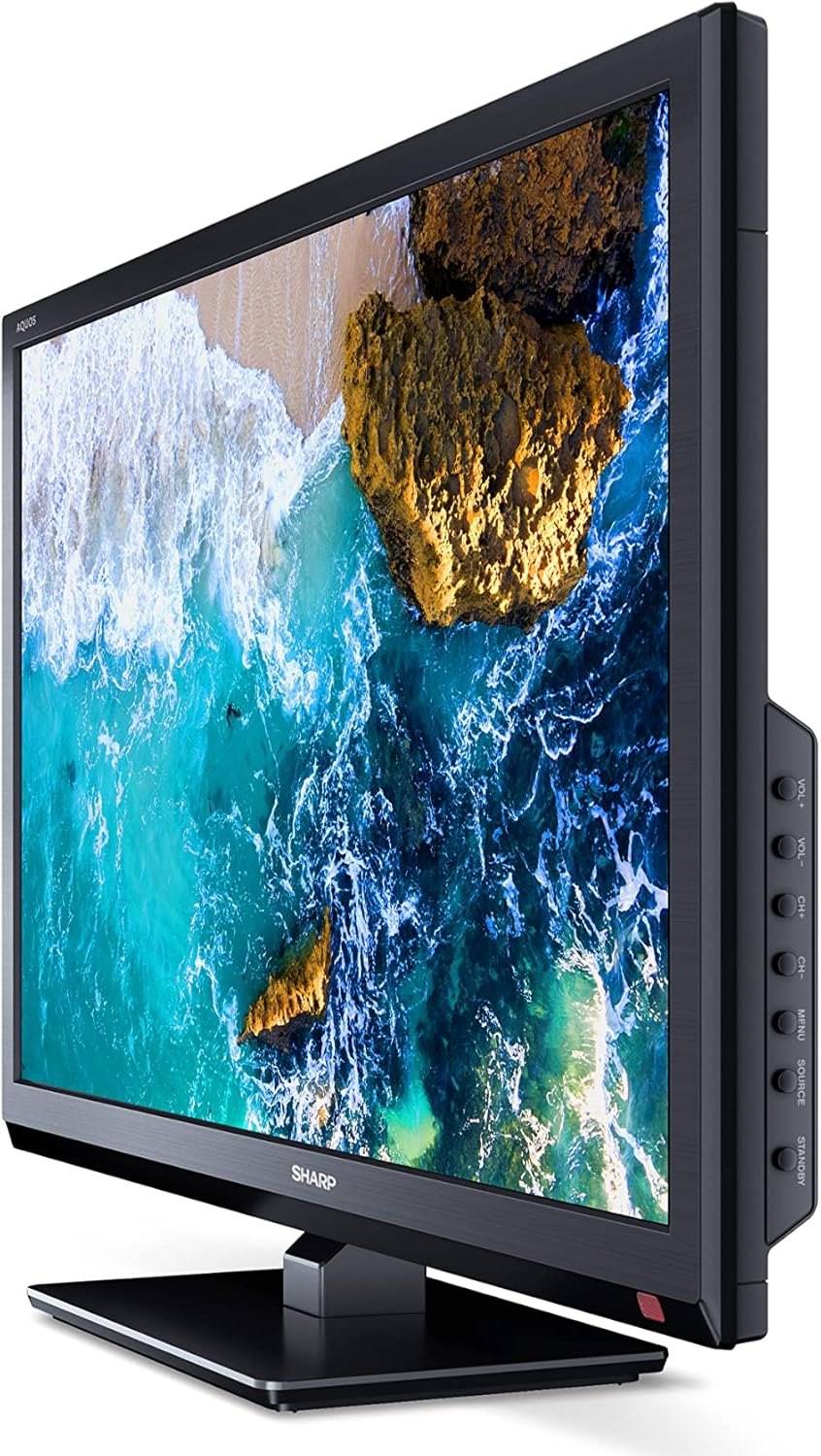
Bilde: Side view of the SHARP 24EA4E LED TV, highlighting the various input ports.
After connecting all desired devices, plug the TV's power cord into a suitable electrical outlet (220V).
Bruksanvisning
1. First-Time Setup and Channel Scan
Upon first power-on, the TV will guide you through an initial setup process. Follow the on-screen prompts to select your language, country, and perform a channel scan for DVB-T/T2 (terrestrial), DVB-C (cable), or DVB-S/S2 (satellite) signals.
2. Fjernkontrollfunksjoner
The included infrared remote control allows full operation of your TV. Insert the 2 AAA batteries into the remote control, ensuring correct polarity.
- Strømknapp: Slår TV-en på eller av.
- Channel Buttons (CH+/-): Bytter kanal.
- Volume Buttons (VOL+/-): Justerer volumnivået.
- Kildeknapp: Selects input sources (HDMI, AV, USB, TV).
- Menyknapp: Accesses the TV's main menu for settings adjustments.
- Navigasjonsknapper: Brukes til å navigere i menyer og velge alternativer.
- OK -knapp: Bekrefter valg.
- Avslutt-knapp: Exits menus.
- Numeriske knapper (0-9): Direkte kanalvalg.

Bilde: Side view of the SHARP 24EA4E LED TV, showing the physical control buttons on the side panel.
3. Medieavspilling via USB
You can play various media files directly from a USB storage device:
- Insert your USB drive into the USB port on the TV.
- Select the USB input source using the remote control's Source button.
- Naviger gjennom files and folders using the remote control and select the desired media (music, video, or photo) to play.
Vedlikehold
To ensure the longevity and optimal performance of your SHARP 24EA4E TV, follow these maintenance guidelines:
- Rengjøring av skjermen: Tørk forsiktig av skjermen med en myk, lofri klut. For gjenstridige merker, tørk littampRengjør kluten med vann eller et spesielt skjermrensemiddel. Spray aldri væske direkte på skjermen.
- Rengjøring av kabinettet: Bruk en myk, tørr klut til å tørke av TV-kabinettet. Unngå bruk av slipende rengjøringsmidler eller løsemidler.
- Ventilasjon: Sørg for at ventilasjonsåpningene på baksiden av TV-en ikke er blokkert for å forhindre overoppheting.
- Strømledning: Sjekk strømledningen regelmessig for skader. Kontakt kvalifisert servicepersonell for utskifting hvis den er skadet.
Feilsøking
Hvis du støter på problemer med TV-en, kan du se følgende vanlige feilsøkingstrinn:
| Problem | Mulig løsning |
|---|---|
| Ingen strøm | Check if the power cord is securely plugged into both the TV and the wall outlet. Ensure the wall outlet is functional. |
| Ikke noe bilde, men det er lyd | Sjekk valget av inngangskilde. Sørg for at eksterne enheter er slått på og riktig tilkoblet. |
| Ingen lyd, men bildet er der | Check the volume level and mute status. Ensure audio cables are connected correctly for external devices. |
| Dårlig bildekvalitet | Check antenna/cable connections. Adjust picture settings in the TV menu. For external devices, check their output resolution. |
| Fjernkontrollen virker ikke | Skift ut AAA-batteriene. Sørg for at det ikke er noen hindringer mellom fjernkontrollen og TV-ens IR-sensor. |
Hvis problemet vedvarer etter at du har prøvd disse løsningene, kan du kontakte SHARPs kundestøtte.
Spesifikasjoner
Key technical specifications for the SHARP 24EA4E LED TV:
- Modell: 24EA4E
- Skjermteknologi: LED
- Skjermstørrelse: 24 tommer (60 cm diagonalt)
- Oppløsning: 1366 x 768 piksler (HD-klar)
- Aspektforhold: 16:9
- Oppdateringsfrekvens: 60 Hz (Active Motion 100)
- Kontrastforhold: 100000:1
- Responstid: 8 millisekunder
- Viewvinkel: 178 grader
- Lydutgang: 2 x 5W speakers, Dolby Digital, Dolby Digital Plus, Surround Sound
- Tuner-teknologi: DVB-T/T2 (Terrestrial), DVB-C (Cable), DVB-S/S2 (Satellite) - MPEG4 + HEVC/H.265 (10-bit)
- Tilkobling: 2 x HDMI, 1 x USB, 1 x SCART, RF Input, Satellite Input, 3.5mm Audio (Headphone Jack), CI Port
- Operativsystem: Linux
- Strømforbruk: 17 Watts (in SDR mode)
- Voltage: 220V
- Mål (med stativ): 56 cm (B) x 38.5 cm (H) x 14 cm (D)
- Vekt: 3.8 kg
- VESA-standard: 100 x 100 mm

Image: Diagram showing the dimensions of the SHARP 24EA4E LED TV.
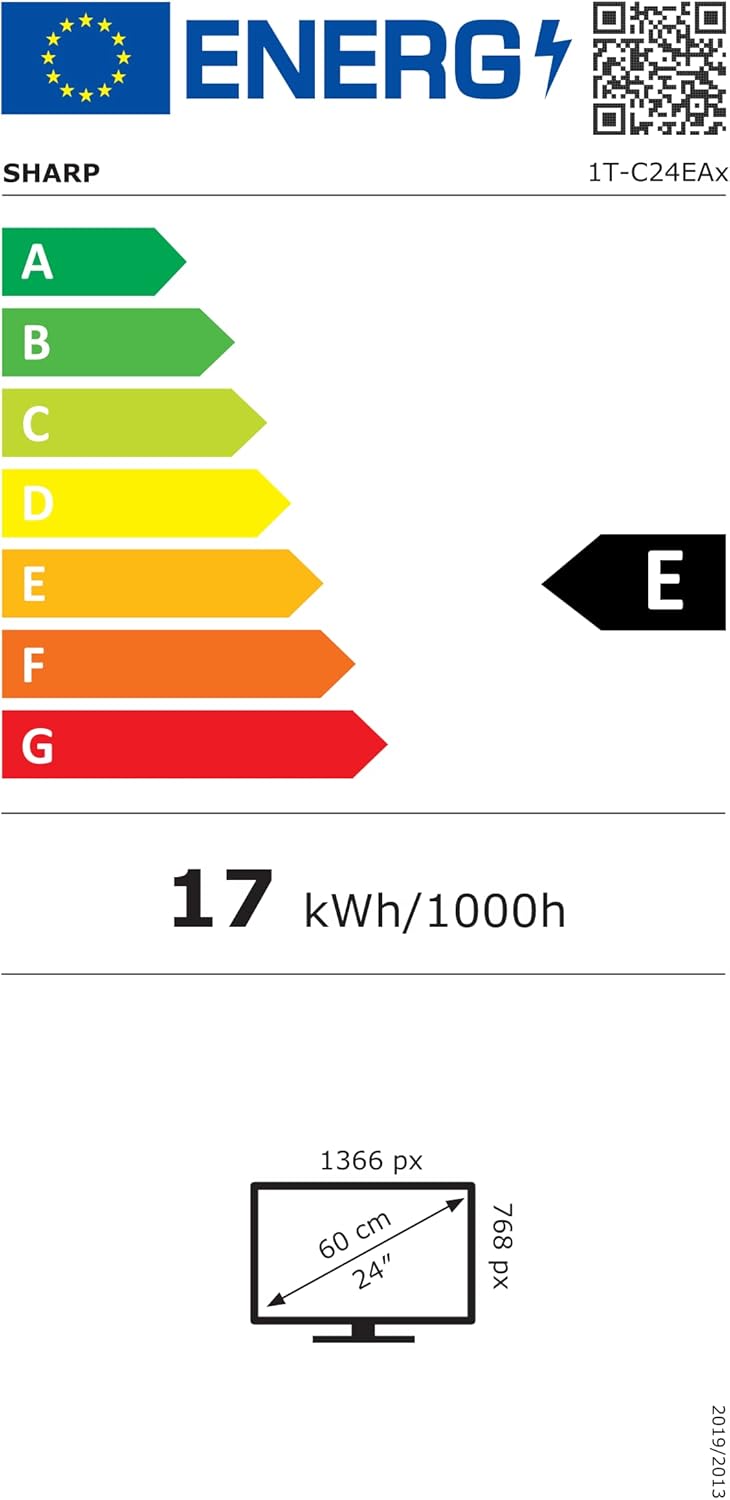
Image: EU Energy Label for the SHARP 24EA4E LED TV, indicating Energy Class E and 17 kWh/1000h consumption.
For mer detaljert produktinformasjon, se den offisielle EU EPREL-databasen: https://eprel.ec.europa.eu/qr/1242293
Garanti og støtte
Your SHARP 24EA4E LED TV comes with a manufacturer's warranty. The minimum guaranteed product support is 2 years, and the minimum guaranteed availability of spare parts is 8 years from the date of market introduction.
For warranty claims, technical assistance, or further support, please contact your retailer or visit the official SHARP support webnettstedet. Ta vare på kjøpsbeviset for garantivalidering.