
1. Introduksjon
The Maxcom MM724 is a simple mobile phone designed for ease of use, featuring straightforward software and practical functions. It is particularly suitable for users who prefer a device without complicated menus. Key features include an emergency SOS button, a built-in flashlight, and Bluetooth connectivity for hearing aid compatibility.
2. Pakkens innhold
Vennligst kryss av i boksen for følgende elementer:
- 1 Maxcom MM724 Mobile Phone
- 1 Desktop Charger
- 1 Matching Cords (for charger)
- 1 Brukerhåndbok (dette dokumentet)
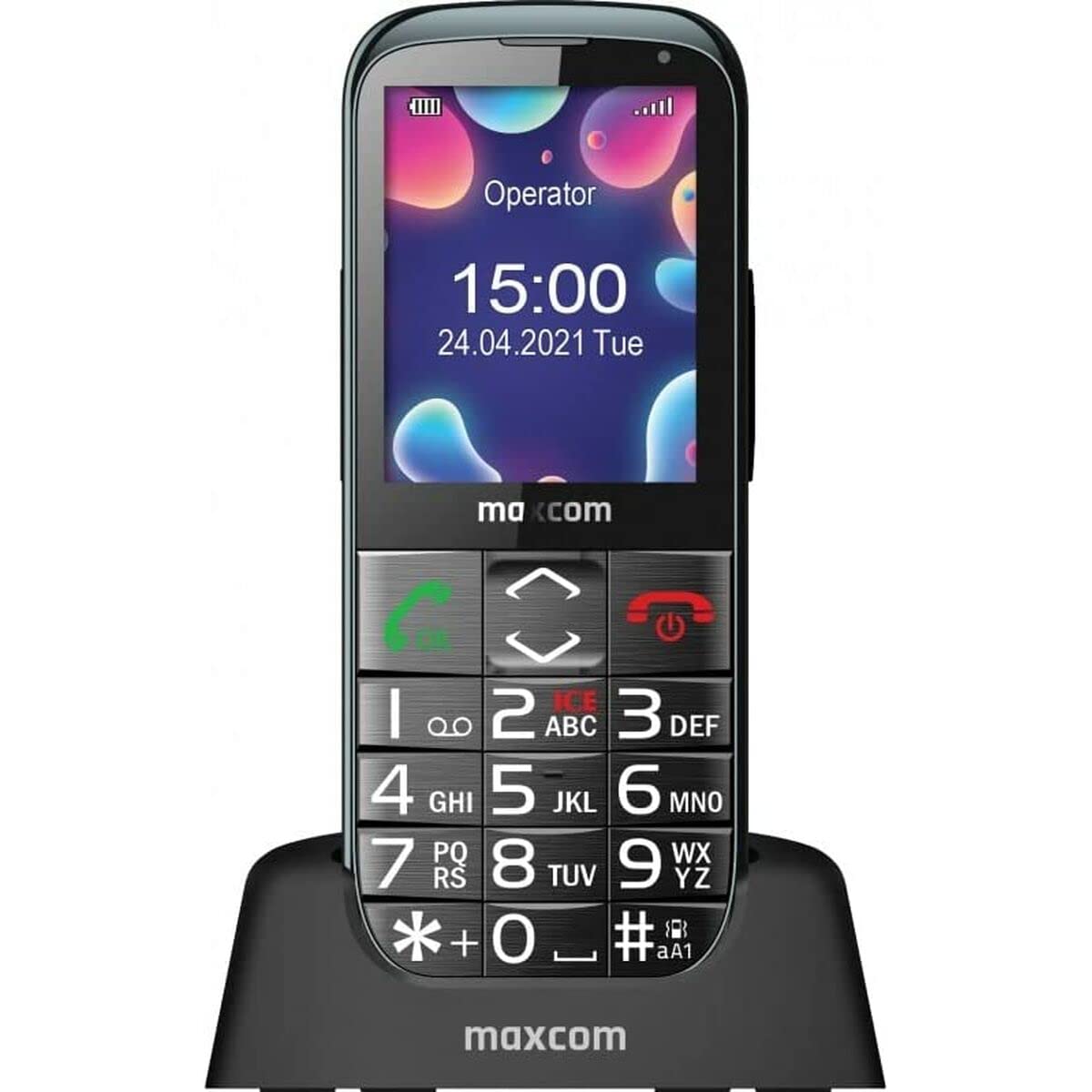
Image: The Maxcom MM724 simple mobile phone, typically black, with a clear display and large buttons.
3. Oppsett
3.1. Sette inn SIM-kortet og batteriet
- Fjern forsiktig bakdekselet på telefonen.
- Sett SIM-kortet/-kortet/-kortene inn i det/de angitte sporet/sporene med gullkontaktene vendt ned.
- Sett inn batteriet, og sørg for at kontaktene er riktig justert.
- Sett bakdekselet på plass igjen til det klikker ordentlig på plass.
3.2. Lading av enheten
The Maxcom MM724 uses a convenient desktop charger. To charge your phone:
- Connect the charger cord to a power outlet.
- Place the phone upright into the desktop charging cradle.
- Ensure the charging indicator on the phone or cradle illuminates, indicating that charging has begun.
- For optimal battery life, keep the phone in the cradle when not in use to ensure it is always charged.
4. Bruksanvisning
4.1. Slå på/av
- For å slå på: Trykk og hold inne av/på-knappen (vanligvis rød) til skjermen lyser.
- Slik slår du av: Trykk og hold inne av/avslutt samtale-knappen til av/på-alternativene vises, og bekreft deretter.
4.2. Ringe og motta anrop
- Slik ringer du: Dial the number using the keypad and press the Call button (usually green).
- Slik mottar du et anrop: Press the Call button when the phone rings. The phone is designed to ring very loudly to ensure calls are not missed.
- Slik avslutter du en samtale: Press the Power/End Call button.
4.3. Sende og motta meldinger
Navigate to the 'Messages' menu to compose new SMS messages or read incoming ones. Use the keypad to type your message.
4.4. Bruk av SOS-knappen
The SOS button is located on the back of the phone and is designed for emergencies.
- Oppsett: Access the phone's settings to pre-define a list of emergency contacts.
- Aktivering: In an emergency, press and hold the SOS button. The phone will automatically call the pre-defined contacts in sequence until one answers.
4.5. Aktivering av lommelykten
The phone features a dedicated button for the flashlight, making it easy to activate when needed. Refer to your phone's specific button layout for its location.
4.6. Bluetooth and Hearing Aid Compatibility
The Maxcom MM724 supports Bluetooth connectivity, allowing it to pair with compatible devices, including certain hearing aids. This enables hands-free calling.
- Paring: Go to the Bluetooth settings on your phone and enable Bluetooth. Put your hearing aid into pairing mode (consult your hearing aid's manual). Select your hearing aid from the list of available devices on the phone to pair.
- Note: Compatibility with hearing aids depends on the hearing aid's features. Consult your audiologist for specific compatibility information. The phone also features a ring line and additional gain for improved audio performance with or without hearing aids.
5. Vedlikehold
- Rengjøring: Bruk en myk, tørr klut til å rengjøre telefonens skjerm og kabinett. Unngå å bruke flytende rengjøringsmidler eller slipende materialer.
- Batteripleie: Keep the battery charged regularly. Avoid extreme temperatures, which can affect battery performance and lifespan.
- Lagring: Oppbevar telefonen på et kjølig og tørt sted når den ikke er i bruk over lengre tid.
6. Feilsøking
- Telefonen slår seg ikke på: Ensure the battery is correctly inserted and charged. Connect the phone to the charger and try again.
- Ikke noe nettverkssignal: Check if the SIM card is properly inserted. Move to an area with better network coverage. Contact your service provider if the issue persists.
- Kan ikke ringe/motta anrop: Verify that you have sufficient credit or an active plan. Check network signal strength.
- Problemer med Bluetooth-paring: Ensure both devices are in pairing mode and within range. Try restarting both the phone and the Bluetooth device.
7. Spesifikasjoner
| Merke | Maxcom |
| Modellnavn | MM724 |
| Operativsystem | Android |
| Skjermstørrelse | 3 tommer |
| Tilkoblingsteknologi | Bluetooth |
| Mobilteknologi | 4G |
| Trådløs nettverksteknologi | GSM |
| Farge | Svart |
| Varevekt | 85 gram |
| Trådløs bærer | Ulåst |
8. Garanti og støtte
Warranty information for the Maxcom MM724 mobile phone is typically provided with your purchase documentation or can be found on the official Maxcom website. For technical support or service inquiries, please refer to the contact information provided by your retailer or the manufacturer.