
1. Introduksjon
This manual provides essential instructions for the safe and efficient operation, maintenance, and troubleshooting of your Cecotec Cumbia Power Matic-ccino 9000 S automatic coffee machine. Please read this manual thoroughly before first use and keep it for future reference.
The Cecotec Cumbia Power Matic-ccino 9000 S is a mega-automatic coffee machine featuring a Plug&Play system, designed to prepare a wide variety of coffees with a single touch. It offers 20 types of hot beverages, including espresso, ristretto, lungo, doppio, americano, latte, flat white, latte macchiato, cortado, hot milk, and cappuccino.
Key features include a Custom Coffee System for personalizing intensity, temperature, pressure, coffee quantity, milk, cream, and foam, as well as the pouring order. The machine can memorize your favorite coffee settings for quick access. It incorporates a rapid Thermoblock heating system for optimal temperature and a powerful 19-bar ForceAroma pressure pump for maximum cream and aroma. The All Cappuccino System automatically adds milk or foam for perfect lattes and cappuccinos.
The machine is equipped with a high-quality, interactive touch control panel, a 250g bean reservoir with an airtight lid, an integrated conical grinder with 5 grinding levels, and a removable 1.7L water tank. It also includes a 500ml Full Latte milk tank accessory and features an adjustable coffee spout (10.5 cm to 15 cm) and a cup warmer tray.

Bilde 1.1: Overview of the Cecotec Cumbia Power Matic-ccino 9000 S coffee machine, showing two cups of coffee being dispensed and the milk tank.
2. Sikkerhetsinstruksjoner
Følg alltid grunnleggende sikkerhetsregler når du bruker elektriske apparater for å redusere risikoen for brann, elektrisk støt og skade.
- Les alle instruksjonene før bruk.
- Ikke senk apparatet, strømledningen eller støpselet ned i vann eller andre væsker.
- Sørg for at voltagVolumverdien som er angitt på apparatet samsvarer med den lokale strømforsyningen.tage.
- Oppbevar apparatet utilgjengelig for barn.
- Koble apparatet fra strømuttaket når det ikke er i bruk og før rengjøring.
- Ikke bruk apparatet med en skadet ledning eller støpsel.
- Ikke bruk tilbehør som ikke er anbefalt av produsenten.
- Bruk apparatet kun til det det er tiltenkt for bruk i husholdningen.
- Unngå kontakt med varme overflater.
3. Produktkomponenter
Familiarize yourself with the main parts of your coffee machine:
- Control Panel / Touch Screen
- Coffee Bean Hopper with Airtight Lid
- Water Tank (Removable, 1.7L capacity)
- Coffee Spout (Adjustable height)
- Drip Tray and Grids
- Kvernet kaffebeholder
- Milk Tank (Full Latte, 500ml capacity)
- Koppvarmerbrett
- Strømledning

Image 3.1: Close-up of the interactive touch control panel, showing beverage selection options.
4. Oppsett
4.1 Utpakking og første plassering
- Fjern forsiktig alt emballasjemateriale.
- Place the machine on a stable, flat, heat-resistant surface, away from water sources and direct heat.
- Sørg for tilstrekkelig ventilasjon rundt apparatet.
4.2 Innledende rengjøring
- Wash the removable water tank, milk tank, drip tray, and ground coffee container with warm, soapy water. Rinse thoroughly and dry.
- Tørk utsiden av maskinen med adamp klut.
4.3 Fylle vanntanken
- Remove the 1.7L water tank from the back of the machine.
- Fill it with fresh, cold tap water up to the MAX level indicator.
- Reinsert the water tank securely into its position.
4.4 Fylle bønnebeholderen
- Open the airtight lid of the coffee bean hopper located on top of the machine.
- Hell ferske kaffebønner i beholderen. Ikke overfyll.
- Close the lid firmly to preserve aroma.
4.5 Connecting the Milk Tank (Optional)
- If preparing milk-based beverages, fill the 500ml Full Latte milk tank with fresh milk.
- Connect the milk tank to the designated port on the coffee machine as per the diagram in the quick start guide.
4.6 Første gangs bruk / Klargjøring
- Koble maskinen til en jordet stikkontakt.
- Follow the on-screen instructions for the initial priming cycle. This typically involves dispensing hot water to rinse the internal circuits.
5. Bruksanvisning
5.1 Strøm på/av
- Press the power button on the touch screen to turn the machine on. It will perform a brief self-cleaning cycle.
- To turn off, press the power button again. The machine will perform a final rinse before shutting down.
5.2 Selecting a Beverage
- On the touch screen, browse through the 20 available beverage options.
- Tap on your desired drink (e.g., Espresso, Latte, Cappuccino).
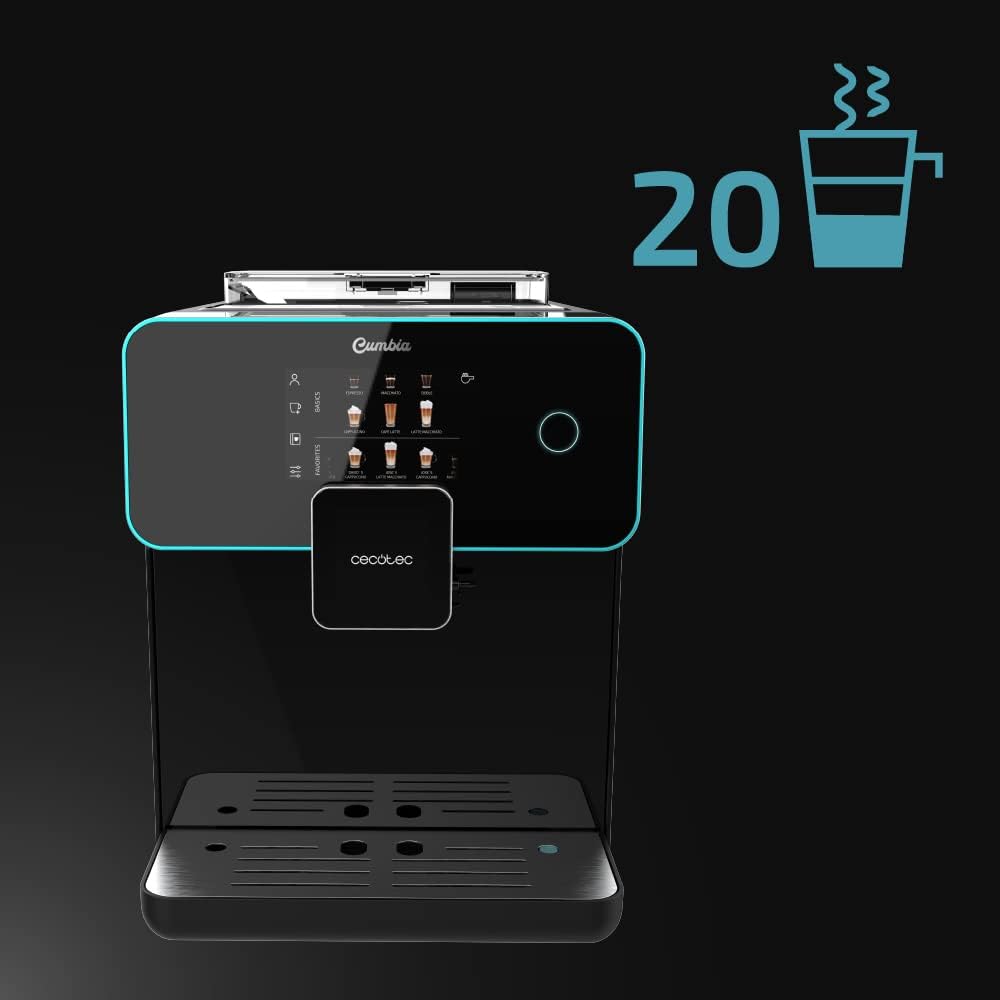
Image 5.1: The touch screen displaying the wide selection of 20 hot beverages available.
5.3 Customizing Beverages (Custom Coffee System)
- After selecting a drink, the Custom Coffee System interface will appear.
- Adjust parameters such as coffee intensity, temperature, pressure, coffee quantity, milk quantity, and foam level using the on-screen sliders.
- You can also customize the pouring order (e.g., milk first or coffee first).
- Confirm your selections to start brewing.

Image 5.2: The 'Custom Coffee' interface, allowing users to personalize various aspects of their drink.
5.4 Saving Favorite Coffees
- After customizing a beverage, you can save it as a favorite for quick access.
- Follow the on-screen prompt to name and save your personalized drink. It will appear on the main screen under your profile.

Image 5.3: Icon indicating the ability to save up to 10 user profiles or favorite drink settings.
5.5 Adjusting Spout Height
- The coffee spout can be adjusted vertically from 10.5 cm to 15 cm.
- Manually slide the spout up or down to fit your cup size, from small espresso cups to tall breakfast mugs.
5.6 Using the Cup Warmer Tray
- Place cups on the designated cup warmer tray on top of the machine.
- This feature helps maintain coffee temperature and enhances aroma and cream.
6. Vedlikehold
Regelmessig rengjøring og vedlikehold sikrer optimal ytelse og levetid for kaffemaskinen din.
6.1 Daglig rengjøring
- Dryppskål: Tøm og skyll dryppskålen og risten daglig.
- Beholder for malt kaffe: Empty the ground coffee container when prompted or daily to prevent mold growth.
- Melkesystem: After each milk-based beverage, perform a quick rinse cycle for the milk system as prompted by the machine. For thorough cleaning, disassemble and wash the milk tank and frothing components with warm, soapy water.
6.2 Rengjøring av vanntank
- Clean the water tank weekly with warm, soapy water. Rinse thoroughly to remove any soap residue.
6.3 Bean Hopper and Grinder Maintenance
- Periodically empty the bean hopper and wipe it clean with a dry cloth. Ensure no coffee residue accumulates.
- The integrated conical grinder has 5 grinding levels. Adjust as needed for your preferred coffee strength. Refer to the on-screen menu for grinder adjustment options.
6.4 Avkalking
- Maskinen vil indikere når avkalking er nødvendig.
- Use a descaling solution recommended by Cecotec and follow the on-screen instructions for the descaling process.
- Regular descaling is crucial for maintaining machine performance and coffee quality, especially in areas with hard water.

Image 6.1: Icon representing the machine's 'Always Clean' feature, highlighting its automatic cleaning cycles.
7. Feilsøking
Denne delen tar for seg vanlige problemer du kan støte på. Kontakt kundestøtte for problemer som ikke er oppført her.
| Problem | Mulig årsak | Løsning |
|---|---|---|
| Ingen kaffe serveres | Vanntanken er tom; kaffebønnene er tomme; bryggeenheten er tett. | Refill water tank; refill bean hopper; clean the brewing unit as per maintenance instructions. |
| Kaffen er for svak | Malingsgraden er for grov; for liten kaffemengde; gamle kaffebønner. | Adjust grinder to a finer setting; increase coffee intensity in Custom Coffee settings; use fresh coffee beans. |
| Melken skummer ikke riktig | Milk tank or frothing components dirty; milk type unsuitable; milk temperature too high/low. | Clean milk tank and frothing system thoroughly; use cold, fresh milk (preferably semi-skimmed or full-fat); ensure milk is cold. |
| Feilmelding på skjermen | Specific machine fault; component not correctly inserted. | Refer to the specific error code in the full manual (if available) or contact customer support. Ensure all removable parts are correctly seated. |
8. Spesifikasjoner
| Trekk | Detalj |
|---|---|
| Merke | Cecotec |
| Modellnummer | 01644 |
| Farge | Serie Nera |
| Produktdimensjoner (L x B x H) | 51.5 x 35.5 x 44 cm |
| Varevekt | 11.1 kilo |
| Vanntankkapasitet | 1.7 liter |
| Melketankens kapasitet | 500 ml (Full Latte accessory) |
| Makt | 1500 watt |
| Trykkpumpe | 19 Bars (ForceAroma Technology) |
| Kapasitet for kaffebønnebeholder | 250 g |
| Kvernetype | Integrated Conical Grinder (5 levels) |
| Coffee Spout Height Adjustment | 10.5 cm til 15 cm |
| Spesielle funksjoner | Milk Frother, Touch Control Panel, Thermoblock System, Custom Coffee System, Auto-off |
| Materiale | Plast |
| Reservedeler tilgjengelig | 10 år |
9. Garanti og støtte
9.1 Garantiinformasjon
Your Cecotec Cumbia Power Matic-ccino 9000 S coffee machine is covered by a manufacturer's warranty. Please refer to the warranty card included with your product or visit the official Cecotec webnettstedet for detaljerte vilkår og betingelser. Ta vare på kjøpsbeviset for garantikrav.
9.2 Kundestøtte
For technical assistance, spare parts, or any questions regarding your product, please contact Cecotec customer support. Contact details can typically be found on the official Cecotec webnettstedet eller i produktemballasjen.