
Introduksjon
The Godox SL60IIBi is an upgraded 75W bi-color LED video light designed for professional video recording and photography. It offers enhanced output, convenient APP control via Bluetooth, and a compact design for portability. This manual provides detailed instructions for the safe and efficient use of your SL60IIBi LED video light.

Image: The Godox SL60IIBi (right) and SL60IID (left) LED video lights, showcasing their design and light output.
Hva er i esken
Kontroller at alle komponentene er til stede når du pakker ut:
- SL60IIBi Light Body
- LED Bowens Mount Reflector
- Strømledning
- Beskyttelsesdeksel
- Ren klut
- 6 Color Cloth (set)
Oppsett
- Montering av lyset: Attach the SL60IIBi light body to a compatible light stand using its adjustable mounting bracket. Ensure the light is securely fastened.
- Feste reflektoren: Align the LED Bowens Mount Reflector with the Bowens mount on the front of the light body. Insert and twist clockwise until it locks into place.
- Strømtilkobling: Connect the power cord to the light body's power input and then to a suitable power outlet.
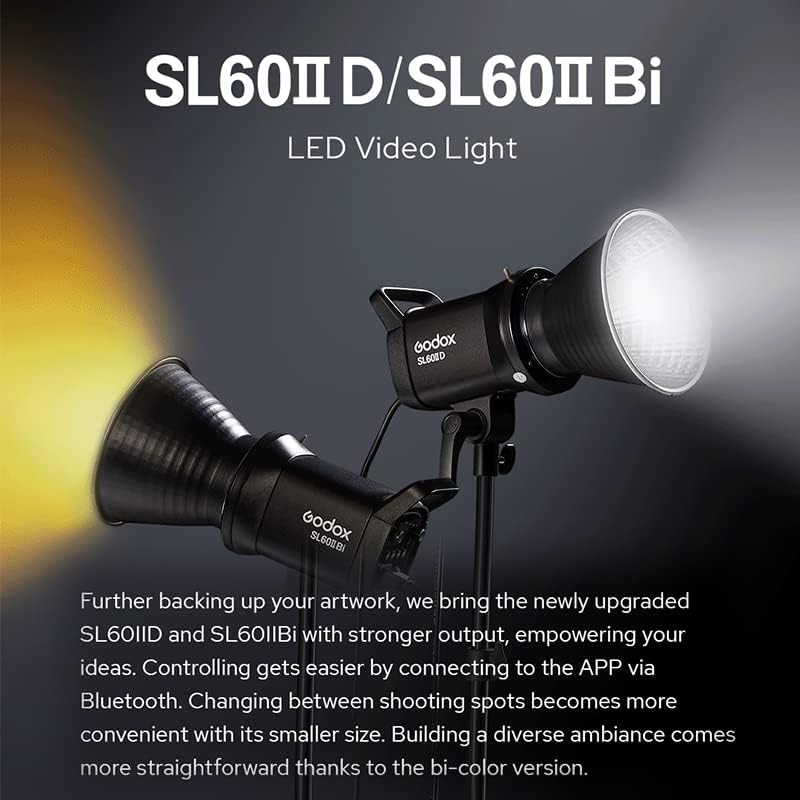
Image: The Godox SL60IIBi with its standard Bowens mount reflector, ready for use.
Bruksanvisning
Slå på/av
Locate the power switch on the back panel of the light. Flip the switch to the "ON" position to power on the device. Flip to "OFF" to power off.
Justering av lysstyrke
Roter DIM dial on the control panel to adjust the brightness from 0% to 100%. The current brightness level will be displayed on the screen.

Image: The SL60IIBi's control panel with a visual representation of brightness adjustment from 0% to 100%.
Justering av fargetemperatur
For the bi-color SL60IIBi model, rotate the CCT/FX knob to adjust the color temperature between 2800K and 6500K. The selected color temperature will be shown on the display.

Image: The SL60IIBi displaying its adjustable color temperature range from 2800K to 6500K.
FX-effekter
The SL60IIBi features 11 special effects. Press the FX button to enter or exit the effects mode. Rotate the CCT/FX knob to cycle through the available effects, such as Flash, Storm, TV, Broken Bulb, Candle, Fire, and Firework.
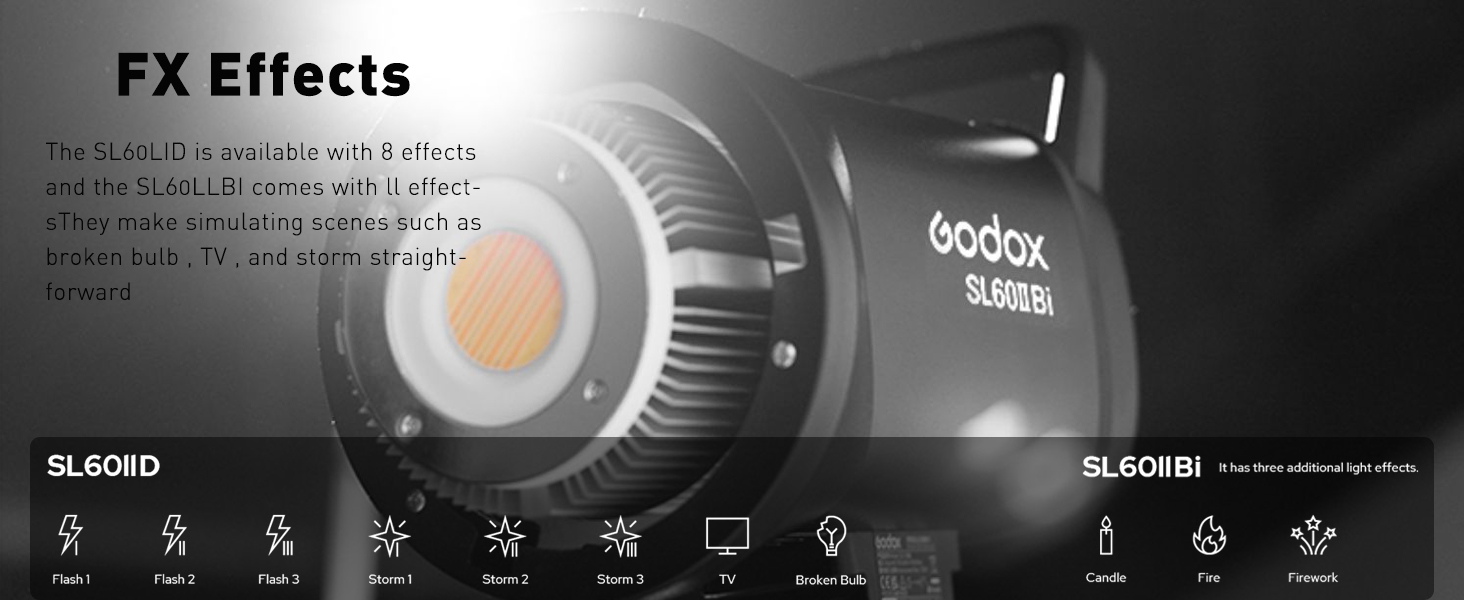
Image: Icons representing the various FX effects available on the Godox SL60IIBi.
Remote Control (Optional RC-A6)
To control the light remotely, synchronize an optional RC-A6 remote control with the SL60IIBi. Ensure the channel (CH), group (GR), and ID settings on both the light and the remote match for proper communication.
APP Control (Godox Light APP)
The SL60IIBi supports Bluetooth connectivity for control via the Godox Light APP.
- Aktiver Bluetooth: Press the Bluetooth button on the light's control panel.
- Reset Bluetooth (if needed): Press and hold the Bluetooth button for 4 seconds to reset the Bluetooth connection.
- Koble til via APP: Open the Godox Light APP on your smartphone or tablet, search for the SL60IIBi, and connect.
- Kontrollfunksjoner: Use the app to adjust brightness, change color temperature, and control FX effects.

Image: The Godox Light APP interface demonstrating control over the SL60IIBi's settings.
Fleksibel vinkeljustering
The light's mounting bracket allows for flexible adjustment of the beam direction, enabling easy lighting setup from various angles.

Image: The Godox SL60IIBi demonstrating its flexible tilt and swivel capabilities for precise light positioning.
Vedlikehold
The SL60IIBi features an upgraded, quieter fan system designed to maintain optimal operating temperature without excessive noise. Ensure the fan vents are clear of obstructions to allow for proper airflow and prevent overheating. Regularly clean the light body and reflector with the provided clean cloth to maintain performance and longevity.
Spesifikasjoner
| Trekk | Detalj |
|---|---|
| Merke | GODOX |
| Modellnavn | SL60IIBI |
| Modellnummer | SL60IIBi |
| Strømutgang | 75W |
| Fargetemperatur | 2800K–6500K (tofarget) |
| FX-effekter | 11 |
| Kontrollmetoder | Panel, Remote Control (Optional), APP Control (Bluetooth) |
| Kompatible monteringer | Bowens Mount |
| Tilkoblingsteknologi | Trådløs, Bluetooth |
| Eksponeringskontrolltype | Håndbok |
| Vannmotstandsnivå | Ikke vannbestandig |
Feilsøking
If the light does not power on, ensure the power cord is securely connected and the power switch is in the "ON" position. If remote or APP control is not working, verify that the channel, group, and ID settings are correctly matched, and that Bluetooth is enabled and paired. For persistent issues, refer to the full product manual or contact customer support.
Garanti og støtte
This product comes with a 1-year warranty. For detailed warranty information, technical support, or service inquiries, please contact Godox customer service or visit the official Godox webnettstedet.
Offisiell produktvideo
Video: An official operation tutorial for the Godox SL60IIBi and SL60IID LED Video Lights, demonstrating key features and controls.