
1. Introduksjon
Thank you for choosing the LFF DAB/FM Digital Radio YT81107. This manual provides essential information for the safe and efficient use of your new radio. Please read these instructions carefully before operating the device and retain them for future reference.
Sikkerhetsinformasjon
- Ikke utsett enheten for regn eller fuktighet for å unngå brann eller elektrisk støt.
- Ikke åpne c-enasing. Overlat all service til kvalifisert personell.
- Bruk kun den spesifiserte strømadapteren eller batteriene.
- Unngå ekstreme temperaturer, direkte sollys og støvete omgivelser.
2. Produktet er overview
The LFF DAB/FM Digital Radio YT81107 offers versatile listening options with DAB+ and FM radio, Bluetooth connectivity, and convenient features like a dual alarm and sleep timer. Its compact design and dual power options make it suitable for various environments.
Nøkkelfunksjoner
- DAB+ and FM Digital Radio Tuner
- Bluetooth Connectivity for Audio Streaming
- LCD-skjerm i full farge
- 60 Preset Stations (30 DAB+, 30 FM)
- Dual Alarm Clock Function
- Justerbar Sleep Timer
- 3.5 mm hodetelefonutgang
- AC Power Adapter or Battery Operated (4x AA batteries, not included)

Figur 2.1: Foran view of the LFF DAB/FM Digital Radio highlighting its main features.
Kontroller og komponenter
Familiarize yourself with the buttons and ports on your radio:

Figur 2.2: Foran og over view of the radio with labeled controls.
- Strøm / modus-knapp: Turns the radio on/off and switches between modes (DAB, FM, Bluetooth).
- Meny/Info-knapp: Accesses menu settings or displays station information.
- Alarmknapp: Stiller inn og administrerer alarmer.
- Forhåndsinnstilte knapper (1–5): Quickly access saved favorite stations.
- Volume Knob/Select: Rotates to adjust volume or navigate menus; press to confirm selection.
- Tuning/Scroll Buttons: Navigerer gjennom stasjoner eller menyalternativer.
- Utstilling: Full-color LCD screen.
- Høyttaler: Integrert lydutgang.
- Antenne: Uttrekkbar teleskopantenne for radiomottak.
- DC IN-port: For tilkobling av strømadapteren.
- Hodetelefonkontakt: 3.5 mm utgang for privat lytting.
- Batterirom: Located on the back for 4x AA batteries.
3. Oppsett
Slå på radioen
Your radio can be powered by the included AC adapter or by batteries for portable use.
- Vekselstrøm: Connect the supplied AC adapter to the DC IN port on the back of the radio and plug it into a standard wall outlet.
- Batteristrøm: Open the battery compartment on the back and insert 4x 1.5V AA (LR6) batteries (not included), ensuring correct polarity. Close the compartment securely.

Figure 3.1: Power options and physical dimensions of the radio.
Antennejustering
For optimal radio reception, fully extend the telescopic antenna. Adjust its position for the best signal quality.
4. Bruksanvisning
Slå av/på og modusvalg
- Trykk på Strøm/modus -knappen for å slå radioen av eller på.
- While on, press the Strøm/modus button repeatedly to cycle through available modes: DAB, FM, and Bluetooth.
DAB/FM Radio Operation
Sørg for at antennen er helt utstrakt for best mulig mottak.

Figure 4.1: Radio reception ranges and preset capacity.
- Automatisk skanning: I DAB- eller FM-modus, trykk og hold nede Meny/Info button to initiate an automatic scan for available stations. The radio will store them automatically.
- Manuell innstilling: Bruk Tuning/Scroll knappene for å justere frekvensen manuelt.
- Valg av stasjoner: Roter Volume Knob/Select to browse through available stations. Press the knob to select a station.
- Lagre forhåndsinnstillinger: To save a station, tune to the desired station, then press and hold one of the Preset Buttons (1-5) until the display confirms it's saved. You can save up to 30 DAB+ and 30 FM stations.
- Gjenkalle forhåndsinnstillinger: Trykk kort på en av Preset Buttons (1-5) to recall a saved station.
Bluetooth-modus
Connect your smartphone, tablet, or other Bluetooth-enabled device to stream audio wirelessly.
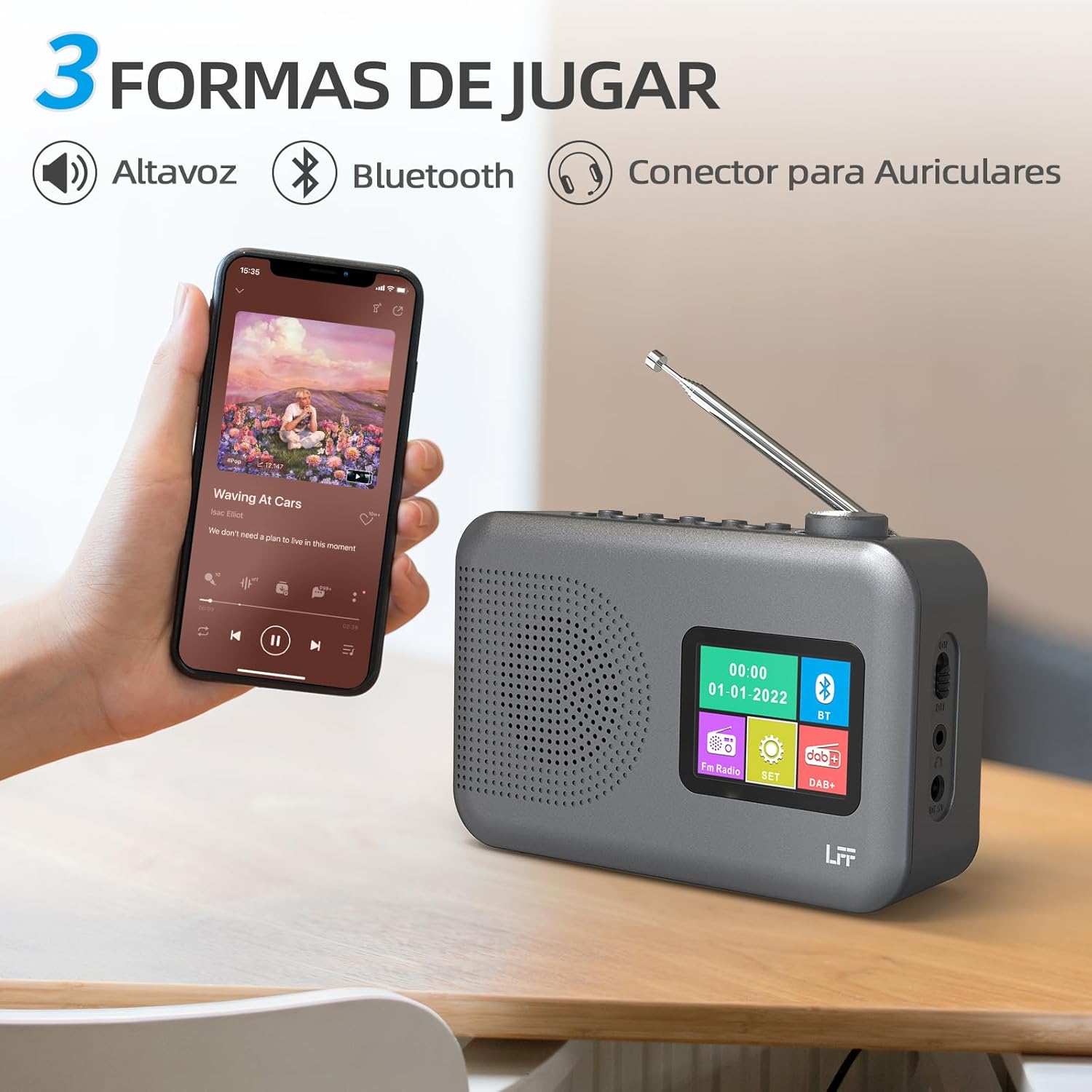
Figure 4.2: Bluetooth connectivity and audio playback options.
- Sett radioen i Bluetooth-modus ved hjelp av Strøm/modus knappen. Displayet vil vise «Bluetooth Pairing» eller lignende.
- On your device, enable Bluetooth and search for "LFF YT81107" (or similar).
- Select the radio to pair. Once connected, you can play audio from your device through the radio's speaker.
- Adjust volume using the radio's Volumknapp or your connected device.
Vekkerklokkefunksjon
Sett opp opptil to uavhengige alarmer.
- Trykk på Alarm knappen for å angi alarminnstillinger.
- Bruk Tuning/Scroll knapper og Volume Knob/Select to set the alarm time, source (DAB, FM, or buzzer), and frequency (daily, weekdays, weekends, once).
- Trykk på Alarm knappen igjen for å bekrefte og aktivere alarmen.
- When an alarm sounds, press any button (except Power) to snooze, or press the Strøm/modus knappen for å slå den av.
Sleep Timer
Søvntimeren lar radioen slå seg av automatisk etter en angitt periode.

Figure 4.3: Sleep timer function in use.
- Trykk på Meny/Info knappen for å få tilgang til hovedmenyen.
- Navigate to the "Sleep Timer" option using the Tuning/Scroll og trykk på Volume Knob/Select.
- Select your desired duration (15, 30, 45, 60, 90, or 120 minutes) and confirm. The radio will automatically turn off after the selected time.
Bruk av hodetelefoner
For private listening, connect standard 3.5mm headphones to the headphone jack on the side of the radio. The internal speaker will be muted automatically.
Note: This radio does not support Bluetooth headphones. The 3.5mm headphone jack is for wired headphones only.
5. Vedlikehold
- Rengjøring: Tørk av radioen med en myk, tørr klut. Ikke bruk slipende rengjøringsmidler eller løsemidler.
- Batteribytte: If using batteries, replace all four AA batteries when the low battery indicator appears on the display or when performance degrades. Ensure proper disposal of old batteries.
- Lagring: Hvis radioen skal oppbevares over lengre tid, må du ta ut batteriene for å forhindre lekkasje.
6. Feilsøking
| Problem | Mulig årsak | Løsning |
|---|---|---|
| Ingen strøm | AC adapter not connected or faulty; batteries depleted or incorrectly inserted. | Sjekk tilkoblingen til strømadapteren og stikkontakten. Skift batterier eller sørg for at polariteten er riktig plassert. |
| Dårlig radiomottak | Antenne ikke strukket ut; område med svakt signal; interferens. | Trekk den teleskopiske antennen helt ut og juster den. Prøv å flytte radioen til et annet sted. |
| Bluetooth kobler ikke til | Radio not in Bluetooth mode; device not in pairing mode; radio already connected to another device. | Ensure radio is in Bluetooth mode. Put your device in pairing mode. Disconnect from other Bluetooth devices. |
| Alarmen går ikke | Alarm not activated; volume too low; incorrect alarm settings. | Check alarm settings and ensure it is enabled. Increase volume. Verify alarm time and source. |
7. Spesifikasjoner
| Trekk | Detalj |
|---|---|
| Modellnummer | YT81107 |
| Merke | LFF utvidelse |
| Tuningteknologi | DAB+, FM |
| Radioband støttes | DAB+ (174.928 - 239.2 MHz), FM (87.5 - 108 MHz) |
| Tilkobling | Bluetooth, 3.5mm Headphone Jack |
| Strømkilde | AC Adapter (included), 4x 1.5V AA (LR6) Batteries (not included) |
| Dimensjoner (L x B x H) | 16.1 cm x 5.9 cm x 10.9 cm |
| Farge | Grå |
| Spesielle funksjoner | DAB Radio, DAB Plus Radio, DAB+ Radio, FM Radio, Color Display, Bluetooth, Dual Alarm, Sleep Timer |
| Kompatible enheter | Headphones, MP3 Player, Smartphone, Laptop, Speaker, Tablet |
8. Garanti og støtte
LFF is committed to providing high-quality products. If you encounter any quality issues with your LFF DAB/FM Digital Radio YT81107, please contact us directly. Our customer support team is available to assist you and resolve any problems you may experience.
Se kjøpsdokumentasjonen for spesifikke garantivilkår og kontaktinformasjon.