
1. Introduksjon
The PHOTONTEK XT 1000W CO2 Pro LED is a high-performance grow light designed for professional indoor cultivation. This fixture delivers a balanced, full-spectrum light with high Photosynthetic Photon Flux Density (PPFD) levels, optimized for plant growth cycles. It is engineered for use in 5'x5' coverage areas, particularly when supplemented with CO2, but can also be adapted for 6'x6' areas without CO2 supplementation. This manual provides essential information for the safe and effective installation, operation, and maintenance of your PHOTONTEK XT 1000W CO2 Pro LED grow light.
2. Sikkerhetsinformasjon
Please read all safety warnings and instructions carefully before installing or operating the PHOTONTEK XT 1000W CO2 Pro LED. Failure to follow these instructions may result in electric shock, fire, or other serious injury.
- Always disconnect power before installation, maintenance, or moving the fixture.
- Do not operate the fixture with a damaged cord or plug.
- Sørg for at armaturen er forsvarlig montert for å forhindre at den faller ned.
- Do not look directly at the operating LEDs; prolonged exposure can cause eye damage.
- Maintain adequate ventilation around the fixture to prevent overheating.
- Dette produktet er kun beregnet for innendørs bruk.
- Holdes unna vann og andre væsker.
3. Hva er i esken
Ved utpakking, kontroller at alle komponenter er til stede og uskadet.
- PHOTONTEK XT 1000W CO2 Pro LED Panel
- Strømledning
- Hanging Kit (typically includes hangers/ratchets)
- Bruksanvisning (dette dokumentet)
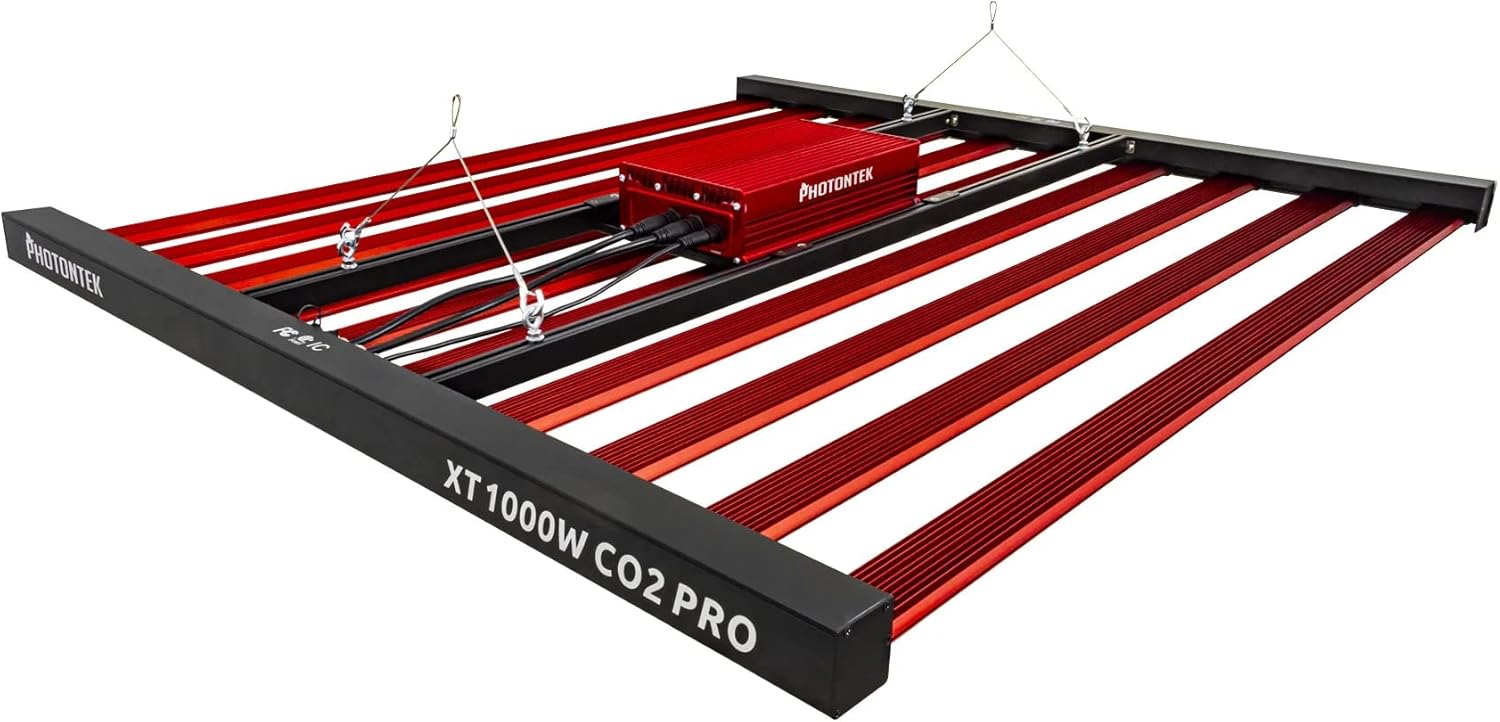
Figur 1: The PHOTONTEK XT 1000W CO2 Pro LED grow light, showing the multi-bar design and central driver box. This image illustrates the complete fixture as it would appear when assembled and ready for hanging.
4. Oppsett og installasjon
4.1 Utpakking og inspeksjon
- Fjern forsiktig alle komponenter fra emballasjen.
- Inspect the fixture for any signs of damage during transit. Contact your supplier immediately if any damage is found.
- Ensure all listed components in "What's in the Box" are present.
4.2 Montering av armaturet
The PHOTONTEK XT 1000W CO2 Pro LED is designed to be suspended above your plant canopy.
- Identify a sturdy overhead structure capable of supporting the weight of the fixture (approximately 39.7 pounds or 17.999 kg).
- Attach the provided hanging cables or ratchets to the designated hanging points on the fixture.
- Securely attach the other end of the hanging system to your overhead structure.
- Adjust the hanging height to achieve the desired distance from the plant canopy. Refer to the "Operating Instructions" section for recommended hanging heights based on CO2 usage.

Figur 2: Side profile of the PHOTONTEK XT 1000W CO2 Pro LED, illustrating its slim design and the distribution of LED bars. This view helps in understanding the fixture's dimensions for proper placement.
4.3 Elektrisk tilkobling
Sørg for at strømkilden samsvarer med voltage requirements of the fixture (277 Volts AC).
- Connect the power cord to the input port on the fixture's driver box. Ensure a secure connection.
- Koble den andre enden av strømledningen til en jordet stikkontakt.
- If using a dimmer or external controller (Control Method: App, Switch Style: Dimmer, Push Button), connect it according to its specific instructions to the designated dimming ports on the fixture.
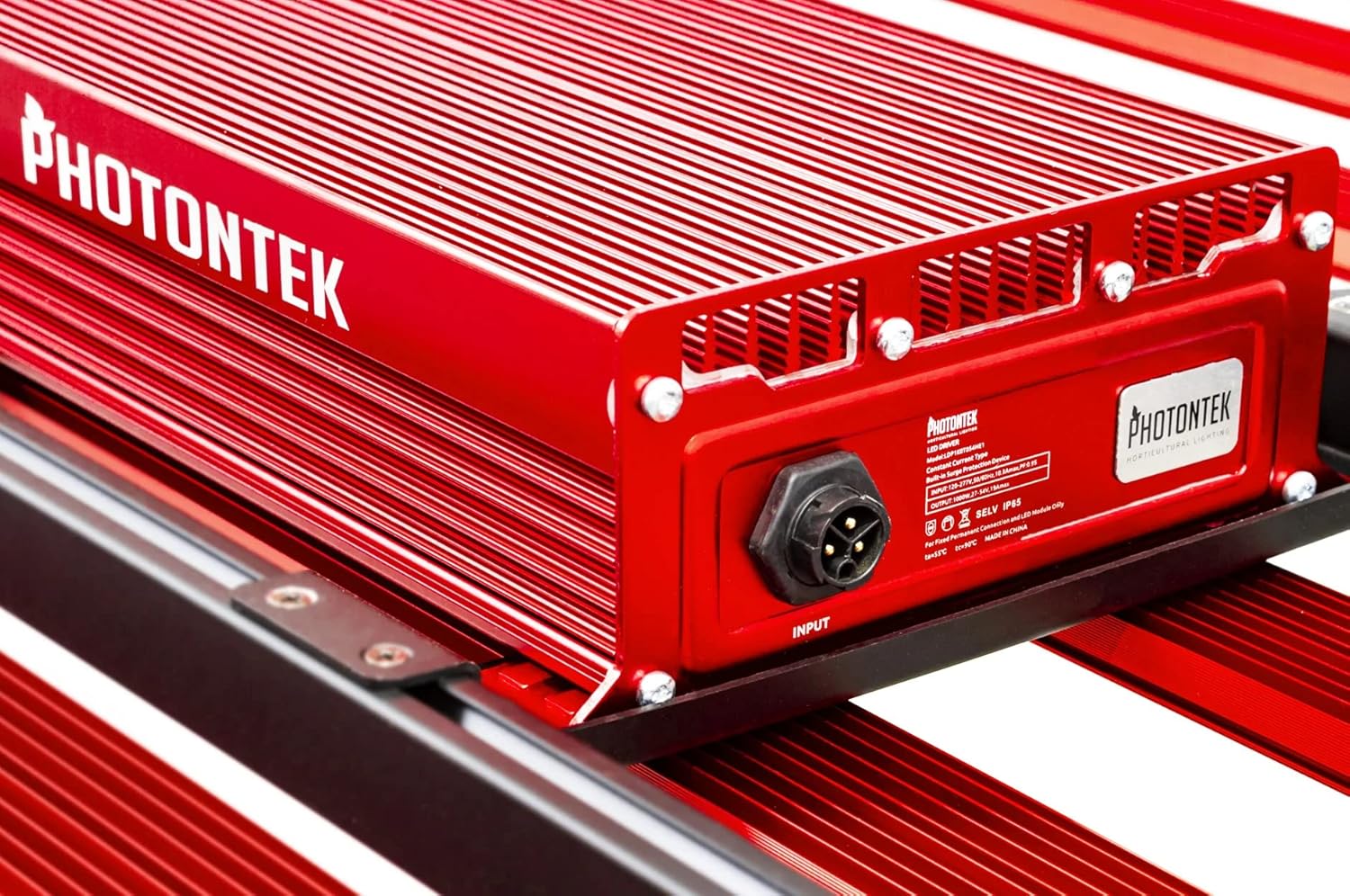
Figur 3: Detaljert view of the PHOTONTEK XT 1000W CO2 Pro LED driver box, highlighting the input port and product labeling. This shows where the main power connection is made.
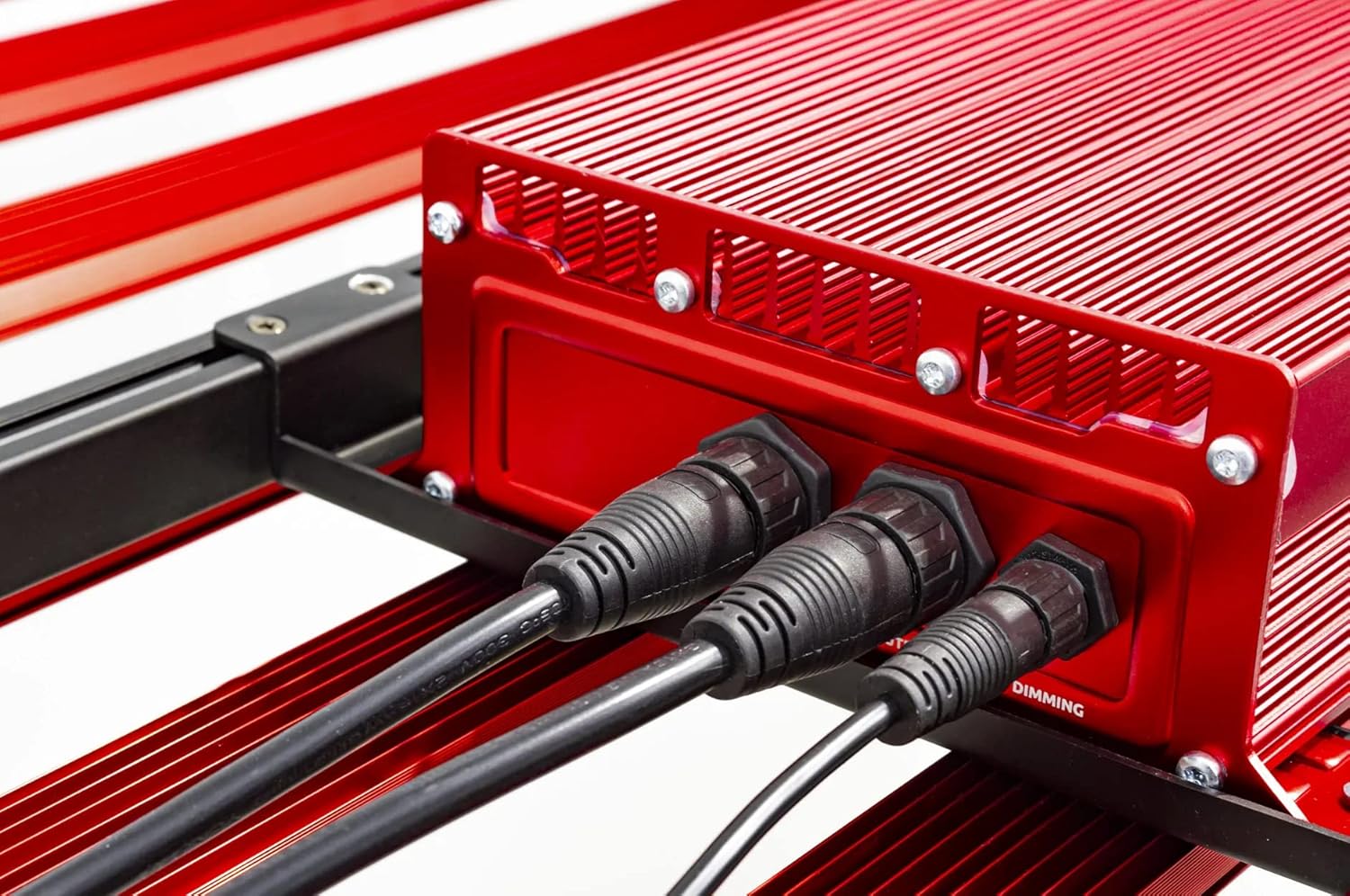
Figur 4: Close-up of the connection ports on the PHOTONTEK XT 1000W CO2 Pro LED driver, showing both power input and dimming control ports. This image clarifies where to connect the power cord and any optional dimming accessories.
5. Bruksanvisning
5.1 Slå på/av
Once the fixture is securely mounted and connected to power, it can be turned on.
- To power on, ensure the power cord is plugged into a live outlet. If using a timer, set the desired light cycle.
- To power off, disconnect the power cord from the outlet or use a connected timer/controller.
5.2 Light Intensity and Spectrum
The PHOTONTEK XT 1000W CO2 Pro LED provides a full spectrum light. The intensity can be adjusted using the integrated dimmer or an external app/controller.
- Dimmerkontroll: Use the push-button dimmer switch (if present) or the app control to adjust light output from 0-100%.
- Recommended PPFD Levels:
- For 5'x5' coverage with CO2 supplementation: Aim for PPFD levels up to 1500 µmol/s/m². Maintain CO2 levels up to 1500 PPM, matching PPFD levels 1:1 once exceeding 1000 µmol/s/m².
- For 6'x6' coverage without CO2 supplementation: Increase the distance between the fixture and the plant canopy to achieve optimal PPFD levels for the specific growth stage. This will result in lower overall PPFD intensity compared to CO2-supplemented setups.

Figur 5: Nærbilde view of the individual LED diodes on one of the light bars of the PHOTONTEK XT 1000W CO2 Pro LED. This illustrates the quality and density of the light-emitting components.
6. Vedlikehold
Regular maintenance ensures optimal performance and longevity of your PHOTONTEK XT 1000W CO2 Pro LED.
- Rengjøring: Periodically clean the LED bars and driver box with a soft, dry cloth to remove dust and debris. Ensure the fixture is unplugged and cool before cleaning. Do not use abrasive cleaners or solvents.
- Undersøkelse: Regularly inspect the power cord, hanging cables, and all connections for any signs of wear or damage. Replace any damaged components immediately.
- Ventilasjon: Ensure that the ventilation openings on the driver box are not obstructed to allow for proper heat dissipation.
7. Feilsøking
If you encounter issues with your PHOTONTEK XT 1000W CO2 Pro LED, refer to the following common problems and solutions.
| Problem | Mulig årsak | Løsning |
|---|---|---|
| Armaturen slås ikke på. | No power supply; loose connection; faulty power cord/outlet. | Check power cord connection; verify outlet is live; try a different outlet; inspect power cord for damage. |
| Lysutgangen er svak eller flimrer. | Dimmer setting too low; loose connection; power supply issue. | Adjust dimmer setting; check all electrical connections; ensure stable power supply. |
| Fixture is overheating. | Poor ventilation; obstructed vents. | Sørg for tilstrekkelig luftstrøm rundt armaturen; fjern eventuelle hindringer fra ventilasjonsåpningene. |
| Appkontroll fungerer ikke. | Connectivity issue; app malfunction; incorrect setup. | Check Bluetooth/Wi-Fi connection; restart the app and fixture; refer to app-specific instructions. |
If the problem persists after attempting these solutions, please contact PHOTONTEK customer support.
8. Spesifikasjoner
Detailed technical specifications for the PHOTONTEK XT 1000W CO2 Pro LED.
| Trekk | Detalj |
|---|---|
| Merke | PHOTONTEK |
| Modell | XT 1000W CO2 Pro LED |
| Lys type | LED |
| Spesialfunksjon | Fullt spekter |
| Wattage | 1000 watt |
| Lys farge | Dagslys hvit |
| Voltage | 277 volt (AC) |
| Antall enheter | 1.0 telling |
| Antall varer | 1 |
| Materiale | Aluminium, plast |
| Innendørs/utendørs bruk | Innendørs |
| Strømkilde | Elektrisk med ledning |
| Strømforbruk | 1000 watt |
| Lyskildetype | LED |
| Varevekt | 39.7 pund (17.999 kg) |
| Lyskilde Wattage | 1000 watt |
| Kontrollmetode | App |
| Gjennomsnittlig liv | 5 år |
| Effektivitet | 2.9 µmol/J |
| Stil | Moderne |
| UPC | 751448506226 |
| Delenummer | 751448506226 |
| Antall lys | 1 (fixture) |
| Inkluderte komponenter | LED-panel |
| Skyggemateriale | Plast |
| Lysretning | LED (Direct) |
| Bytt stil | Dimmer, Push Button |
| Bryter installasjonstype | Wall Mount (for external controller) |
| Dato først tilgjengelig | 13. juli 2022 |
9. Garanti og støtte
PHOTONTEK products are manufactured to high standards and are designed for durability.
- Garantiinformasjon: Specific warranty terms and conditions are typically provided with your purchase documentation or can be found on the official PHOTONTEK webnettstedet. Vennligst ta vare på kjøpsbeviset for garantikrav.
- Kundestøtte: For technical assistance, troubleshooting beyond this manual, or warranty inquiries, please contact PHOTONTEK customer support directly through their official webnettstedet eller kontaktinformasjonen som følger med produktet ditt.