
AUSEK 5K Underwater Waterproof Camera
AUSEK 5K Action Camera User Manual
Model: 5K Underwater Waterproof Camera
Introduksjon
This manual provides detailed instructions for the proper use and maintenance of your AUSEK 5K Action Camera. Please read this manual thoroughly before operating the camera to ensure optimal performance and longevity. Keep this manual for future reference.
Produkt overview
The AUSEK 5K Action Camera is designed for capturing high-quality video and photos in various environments, including underwater. It features dual touch screens, Electronic Image Stabilization (EIS), and Wi-Fi connectivity.

Figur 1: Foran og bak view of the AUSEK 5K Action Camera, showcasing its compact design and dual screens.
Nøkkelfunksjoner
- 5K-videoopptak: Capture ultra-high-definition videos at 30 frames per second.
- 48 MP bildeoppløsning: Take crisp, detailed still images.
- Dual Touch Screens: Features a 2.0-inch IPS HD main screen and a 1.44-inch secondary screen for versatile framing and control.
- Waterproof up to 30M: Designed for underwater use with the included waterproof case.
- EIS-stabilisering: Electronic Image Stabilization ensures smooth footage even during dynamic activities.
- 170° vidvinkelobjektiv: Capture a broader field of view, ideal for action shots and landscapes.
- Wi-Fi-tilkobling: Connect to the XDV PRO app for remote control and instant sharing.
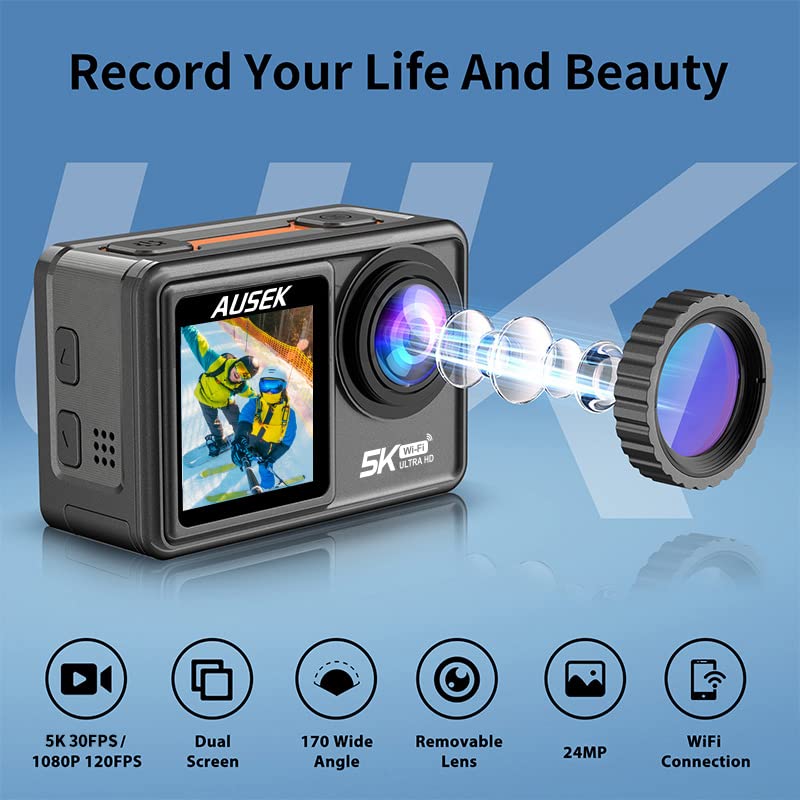
Figure 2: Visual representation of the camera's key features, including 5K 30FPS video, dual screens, 170-degree wide angle, removable lens, 24MP photo, and WiFi connection.
Oppsett
1. Lader batteriet
Lad kamerabatteriet helt opp før første gangs bruk. Koble kameraet til en USB-strømkilde med den medfølgende USB-kabelen. Ladeindikatorlampen lyser under lading og slukker når batteriet er fulladet.
Note:
- The camera comes with a 1050mAh polymer lithium battery.
- An extra battery is included in the package.
2. Sette inn et MicroSD-kort
The camera supports up to a 256GB microSD card. Use a high-speed (Class 10 or UHS-I/UHS-3) microSD card for optimal performance, especially when recording 5K video.
- Finn microSD-kortsporet på kameraet.
- Sett inn microSD-kortet med gullkontaktene ned til det klikker på plass.
- For å ta ut, skyv kortet forsiktig inn til det spretter ut.
3. Feste det vanntette etuiet
For underwater activities or protection against dust and impact, use the included waterproof case. Ensure the case is properly sealed before submerging the camera.
Advarsel:
- Always check the waterproof case for any damage or debris before use.
- The camera is waterproof up to 30 meters with the case.

Figure 3: The AUSEK 5K Action Camera shown in its waterproof housing, ready for underwater use, demonstrating its capability for diving mode up to 40 meters.
Bruksanvisning
Slå på/av
- For å slå på: Trykk og hold inne av/på-/modusknappen i noen sekunder.
- Slik slår du av: Press and hold the Power/Mode button again until the camera shuts down.
Modusbytte
Press the Power/Mode button briefly to cycle through different modes (e.g., Video, Photo, Playback, Settings).
Using Dual Touch Screens
The camera features a 2.0-inch IPS HD main touch screen and a 1.44-inch secondary screen. You can easily frame your shots and switch between modes by long-pressing a key. The front screen is particularly useful for vlogging and selfies.
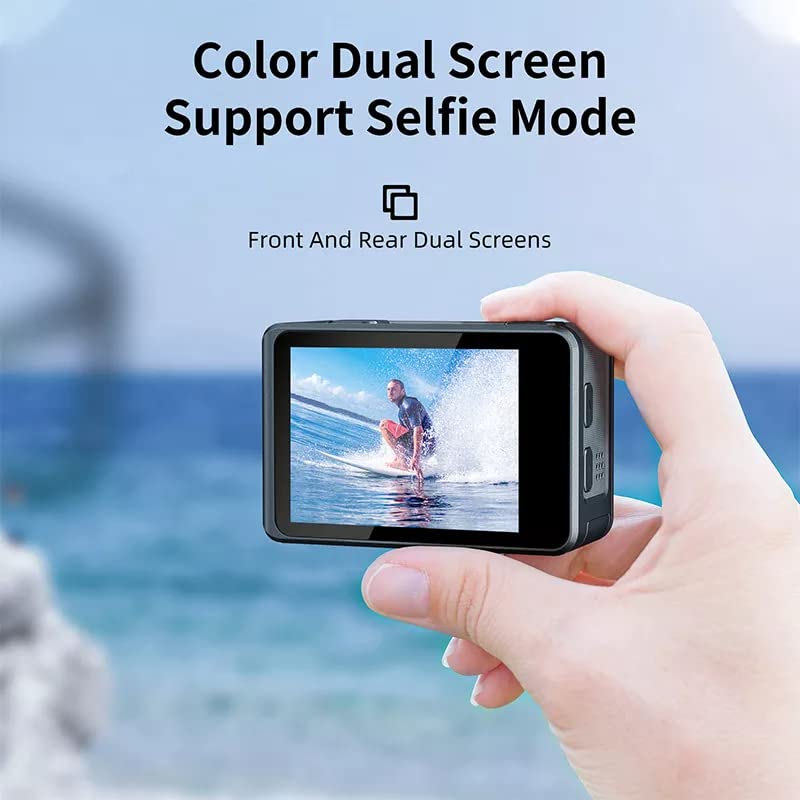
Figure 4: Demonstrating the dual screen capability, with the front screen active for selfie or vlogging mode, showing a person surfing.
Videoopptak
In Video mode, press the Shutter/OK button to start recording. Press it again to stop. The camera supports video resolutions up to 5K at 30fps and 4K at 60fps.
Tupp:
- Enable EIS (Electronic Image Stabilization) for smoother footage, especially during high-action shots.
- Distortion correction is available for select video resolutions to reduce visual distortions.
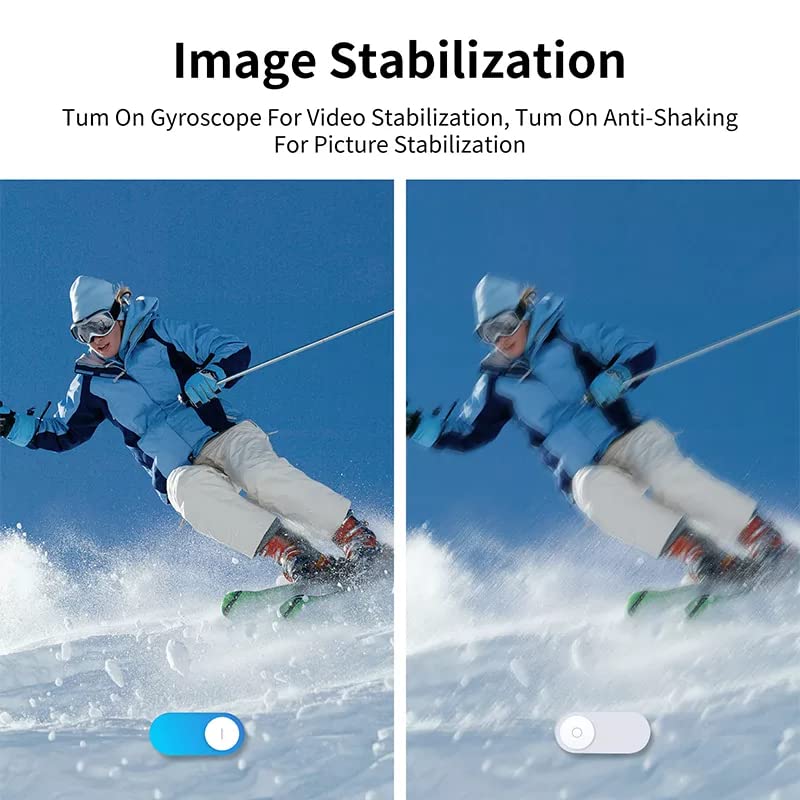
Figure 5: Comparison showing the effect of Electronic Image Stabilization (EIS) on video footage, with a clear difference between stabilization off and on, depicting a skier.
Fotoopptak
In Photo mode, press the Shutter/OK button to take a picture. The camera captures photos up to 48MP resolution.
Vidvinkelobjektiv:
The 170° wide-angle lens allows for a broader perspective. Adjust the field of view in the camera settings if desired.
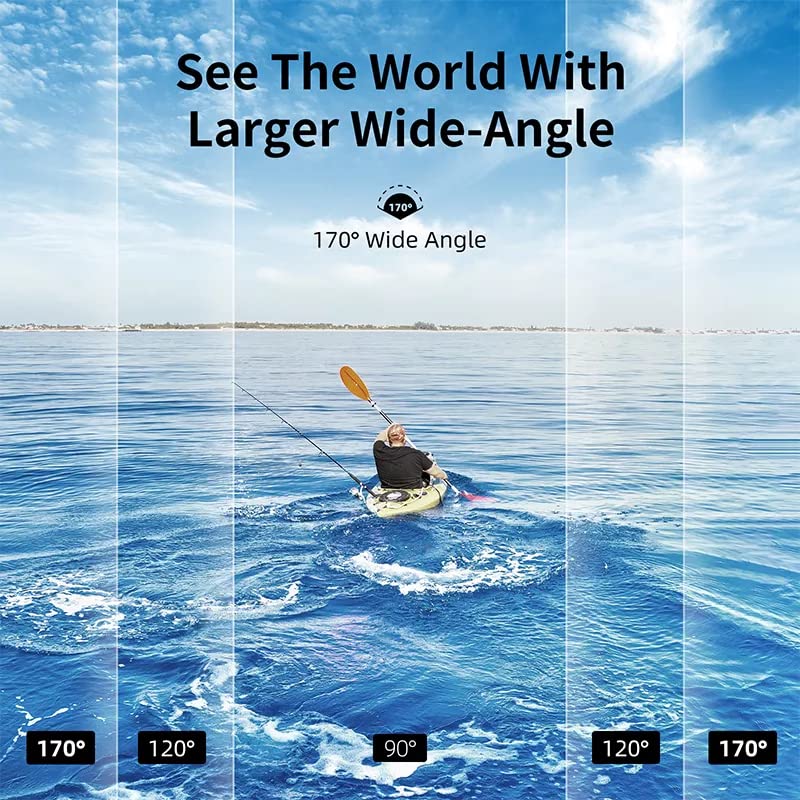
Figure 6: Visual demonstration of the 170-degree wide-angle lens, showing how it captures a significantly broader scene compared to narrower angles, with a person kayaking on water.
Wi-Fi-tilkobling og appkontroll
The camera features built-in Wi-Fi for seamless control via the XDV PRO mobile application. This allows you to remotely control the camera, view Lev footage, og overføring files til smarttelefonen eller nettbrettet ditt.
- Download the "XDV PRO" app from your device's app store.
- On the camera, navigate to the Wi-Fi settings and enable Wi-Fi. The camera's Wi-Fi network name (SSID) and password will be displayed.
- Koble til kameraets Wi-Fi-nettverk på smarttelefonen/nettbrettet.
- Open the XDV PRO app and connect to the camera. You can now control the camera and access its media.

Figure 7: Illustration of the camera's Wi-Fi connectivity, showing a smartphone remotely controlling the camera and sharing content to social media platforms.
Vedlikehold
- Rengjøring: Use a soft, dry cloth to clean the camera body. For the lens, use a specialized lens cleaning cloth. Do not use harsh chemicals.
- Vanntett etuipleie: After using the waterproof case in saltwater, rinse it thoroughly with fresh water and let it air dry. Ensure no sand or debris is trapped in the seals.
- Batteripleie: Store the battery in a cool, dry place. If not using the camera for an extended period, charge the battery periodically to maintain its health.
- Lagring: Store the camera and accessories in the provided carry case to protect them from dust and physical damage.
Feilsøking
| Problem | Mulig årsak | Løsning |
|---|---|---|
| Kameraet slår seg ikke på. | Battery is drained or not inserted correctly. | Lad batteriet. Sørg for at batteriet er satt inn med riktig polaritet. |
| Kan ikke ta opp video/bilder. | MicroSD card is full, corrupted, or not inserted. | Insert a microSD card. Format the card (this will erase all data). Delete unnecessary files. |
| Problemer med Wi-Fi-tilkoblingen. | Incorrect password, camera Wi-Fi not enabled, or app issues. | Ensure Wi-Fi is enabled on camera. Re-enter password. Restart camera and app. |
| Footage er ustø. | EIS is disabled. | Enable Electronic Image Stabilization (EIS) in the camera settings. |
| Vannlekkasje i vanntett hus. | Case not properly sealed or damaged. | Inspect seals for debris or damage. Ensure case is securely latched. Do not use if damaged. |
Spesifikasjoner
| Trekk | Detalj |
|---|---|
| Merke | AUSEK |
| Modellnavn | 5K Bike Motovlogging Camera |
| Vare modellnummer | 5K Underwater Waterproof Camera |
| Videoopptaksoppløsning | 5K (30fps), 4K (60fps) |
| Bildeoppløsning | Opptil 48 MP |
| Bildestabilisering | Elektronisk bildestabilisering (EIS) |
| Linsetype | 170° vidvinkel |
| Skjermteknologi | LCD |
| Skjermstørrelse | 2.0 Inches (Main IPS HD Touch), 1.44 Inches (Secondary) |
| Vanntett dybde | 30M (with waterproof case) |
| Tilkobling | Wi-Fi |
| Flash-minnetype | Micro SD, SD (up to 256GB) |
| Batteri | 1050mAh Polymer Lithium |
| Varevekt | 400 g |
| Produktdimensjoner | 10 x 10 x 10 cm |
| Medietyper som støttes | AVI, MP4 |
Hva er i esken
The AUSEK 5K Action Camera package includes the following items:
- 5K handlingskamera
- Vanntett etui
- Bæreveske
- Fjernkontroll
- Brukerhåndbok (dette dokumentet)
- Accessories (various mounts, clips, straps, USB cable, extra battery)
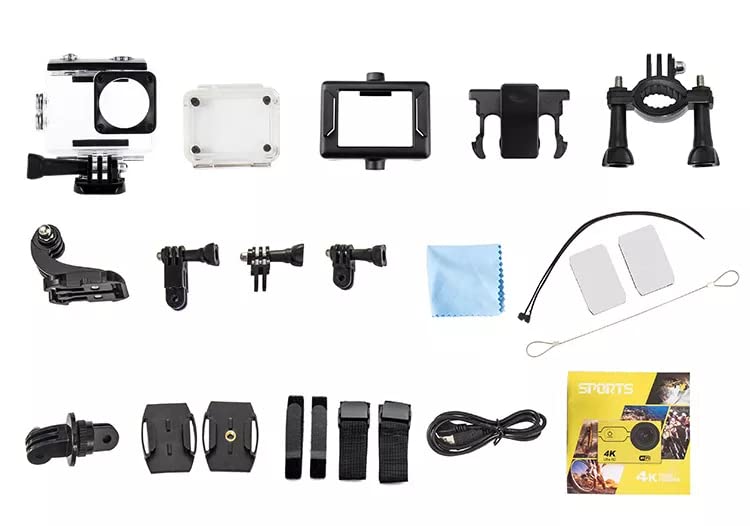
Figur 8: En overview of the comprehensive accessory kit included with the AUSEK 5K Action Camera, featuring various mounts, clips, straps, and the waterproof case.
Garanti og støtte
Your AUSEK 5K Action Camera comes with a 1 års garanti fra kjøpsdatoen. Denne garantien dekker produksjonsfeil og utførelse ved normal bruk.
Ekskluderinger:
- Damage caused by misuse, accident, unauthorized modification, or neglect.
- Damage from natural disasters or improper storage.
- Normal slitasje.
For warranty claims or technical support, please contact AUSEK customer service:
Kundestøtte: 08048977694
Produsent: AUSHA EXPORTS P LTD-140, SECTOR 27, GURUGRAM-122009
Please have your purchase receipt and product model number ready when contacting support.
Ask a question about this manual
Ask about setup, troubleshooting, compatibility, parts, safety, or missing instructions. Manuals+ will review the question and use this page’s manual context to help answer it.