
Fenton RP118B
Fenton RP118B Bluetooth-platespiller brukerhåndbok
Model: RP118B
1. Introduksjon
This manual provides essential information for the safe and efficient operation of your Fenton RP118B Bluetooth Turntable. Please read it thoroughly before using the device and retain it for future reference.

Image 1.1: The Fenton RP118B Bluetooth Turntable in its open position, showcasing a vinyl record ready for playback.
2. Sikkerhetsinstruksjoner
- Strømkilde: Sørg for at strømforsyningen samsvarer med voltage spesifisert på enheten.
- Vann og fuktighet: Ikke utsett enheten for regn eller fuktighet. Ikke plasser gjenstander fylt med væske, som for eksempel vaser, oppå enheten.
- Ventilasjon: Sørg for tilstrekkelig ventilasjon. Ikke dekk til ventilasjonsåpningene.
- Varme: Ikke plasser enheten i nærheten av varmekilder som radiatorer, varmeventiler, ovner eller andre apparater (inkludert ampløftere) som produserer varme.
- Rengjøring: Rengjør kun med en tørr klut.
- Service: Overlat all service til kvalifisert servicepersonell.
3. Pakkens innhold
Kontroller at alle gjenstander er til stede ved utpakking:
- Fenton RP118B Bluetooth Turntable
- Strømadapter
- USB Cable (for PC encoding)
- Bruksanvisning
4. Produktet er overview
The Fenton RP118B turntable is designed for playing vinyl records. Its black polyurethane leather suitcase design provides a classic aesthetic. This turntable offers three playback speeds (33, 45, and 78 RPM). It features integrated stereo speakers for clear sound reproduction. Bluetooth connectivity allows for connecting external speakers, headphones, and other devices. The PC encoding function via USB enables conversion of vinyl records to MP3 files for digital archiving. The turntable includes a tonearm with manual or automatic stop functionality and a 3.5mm AUX input. Its belt drive system ensures stable record playback. The RP118B combines traditional vinyl playback with modern features in a compact format.

Bilde 4.1: Overview of the Fenton RP118B's key features, including USB encoding, headphone output, integrated speakers, Bluetooth, and Line In.
4.1. Kontroller og tilkoblinger

Bilde 4.2: Detaljert view of the turntable's control panel and connection ports.
- Tallerken: Støtter vinylplaten.
- Tonearm: Holder pekepennen og sporer platesporene.
- Stylus/Needle: Leser lydinformasjonen fra opptaket.
- Hastighetsvelger: Switch between 33, 45, and 78 RPM.
- Automatisk stoppbryter: Enables or disables automatic tonearm stop at the end of a record.
- Strøm-/volumknapp: Slår enheten av/på og justerer høyttalervolumet.
- Indikatorlys: Viser strøm- og Bluetooth-status.
- Hodetelefonkontakt: For tilkobling av hodetelefoner.
- Line In (AUX) Jack: For tilkobling av eksterne lydkilder.
- USB-port: For PC connection for MP3 encoding.
- Line Out (RCA) Jacks: For tilkobling til ekstern amplifiers eller drevne høyttalere.
- DC 5V-inngang: For tilkobling av strømadapter.
- BT OUT/PHONO/BT IN Switch: Selects Bluetooth transmission, Phono output, or Bluetooth reception mode.
5. Oppsett
5.1. Utpakking og plassering
- Ta platespilleren forsiktig ut av emballasjen.
- Place the unit on a stable, level surface away from direct sunlight, heat sources, and excessive dust or vibration.
- Remove any protective materials from the tonearm and stylus.
5.2. Strømtilkobling
- Connect the DC 5V power adapter to the DC 5V input port on the turntable.
- Koble adapteren til en passende stikkontakt.
5.3. External Audio Connections (Optional)
- To External Speakers/Amplivligere: Connect RCA cables (not included) from the "Line Out" jacks on the turntable to the audio input of your amplifier eller drevne høyttalere.
- Til hodetelefoner: Koble 3.5 mm hodetelefoner til hodetelefonkontakten.
- From External Audio Source (AUX In): Connect a 3.5mm audio cable (not included) from your external device (e.g., MP3 player, smartphone) to the "Line In" jack on the turntable.
6. Bruksanvisning
6.1. Spille av en vinylplate
- Åpne lokket på dreieskiven.
- Legg en vinylplate på tallerkenen.
- Velg riktig hastighet (33, 45 eller 78 o/min) med hastighetsvelgeren. For 45 o/min-plater, plasser den medfølgende 45 o/min-adapteren på spindelen.
- Vri av/på-knappen med klokken for å slå på enheten.
- Set the BT OUT/PHONO/BT IN switch to "PHONO" mode.
- Lift the tonearm using the cue lever and position it over the desired track of the record.
- Gently lower the tonearm onto the record using the cue lever. The record will begin to play.
- Juster volumet med av/på-knappen.
- At the end of the record, if the Auto Stop switch is ON, the platter will stop rotating. If OFF, the platter will continue to rotate, and you must manually lift the tonearm.
- To stop playback, lift the tonearm and return it to its rest.

Image 6.1: The three-speed turntable platter, capable of playing 33 1/3, 45, and 78 RPM records.
6.2. Bluetooth Reception (BT IN)
Use this function to stream audio from your smartphone or tablet to the turntable's built-in speakers.
- Vri av/på-knappen med klokken for å slå på enheten.
- Set the BT OUT/PHONO/BT IN switch to "BT IN" mode. The indicator light will flash, indicating pairing mode.
- Enable Bluetooth on your smartphone or tablet and search for "Fenton RP118B" (or similar).
- Select the turntable from the list of available devices to pair. Once paired, the indicator light will stop flashing and remain solid.
- Play music from your device. Audio will be streamed through the turntable's speakers.
- Juster volumet med av/på-/volumknappen på platespilleren og/eller den tilkoblede enheten.

Image 6.2: The turntable utilizing Bluetooth wireless technology to receive audio from a smartphone.
6.3. Bluetooth Transmission (BT OUT)
Use this function to stream audio from your playing vinyl record to external Bluetooth speakers or headphones.
- Ensure your external Bluetooth speaker or headphones are in pairing mode.
- Vri av/på-knappen med klokken for å slå på enheten.
- Set the BT OUT/PHONO/BT IN switch to "BT OUT" mode. The indicator light will flash.
- The turntable will automatically search for and attempt to pair with nearby Bluetooth audio devices.
- Når paringen er fullført, vil indikatorlampen slutte å blinke.
- Begin playing a vinyl record as described in section 6.1. The audio will be transmitted to your paired Bluetooth device.
- Adjust the volume on your connected Bluetooth speaker or headphones.
6.4. USB Encoding (Vinyl to MP3)
This feature allows you to convert your vinyl records into digital MP3 files på datamaskinen din.
- Koble platespilleren til datamaskinen med den medfølgende USB-kabelen.
- Install the necessary recording software on your computer (software typically provided on a CD or available for download from the manufacturer's webnettstedet).
- Follow the instructions provided with the recording software to capture the audio from your vinyl record.
- Play the vinyl record on the turntable as you would normally. The audio will be sent to your computer for recording.
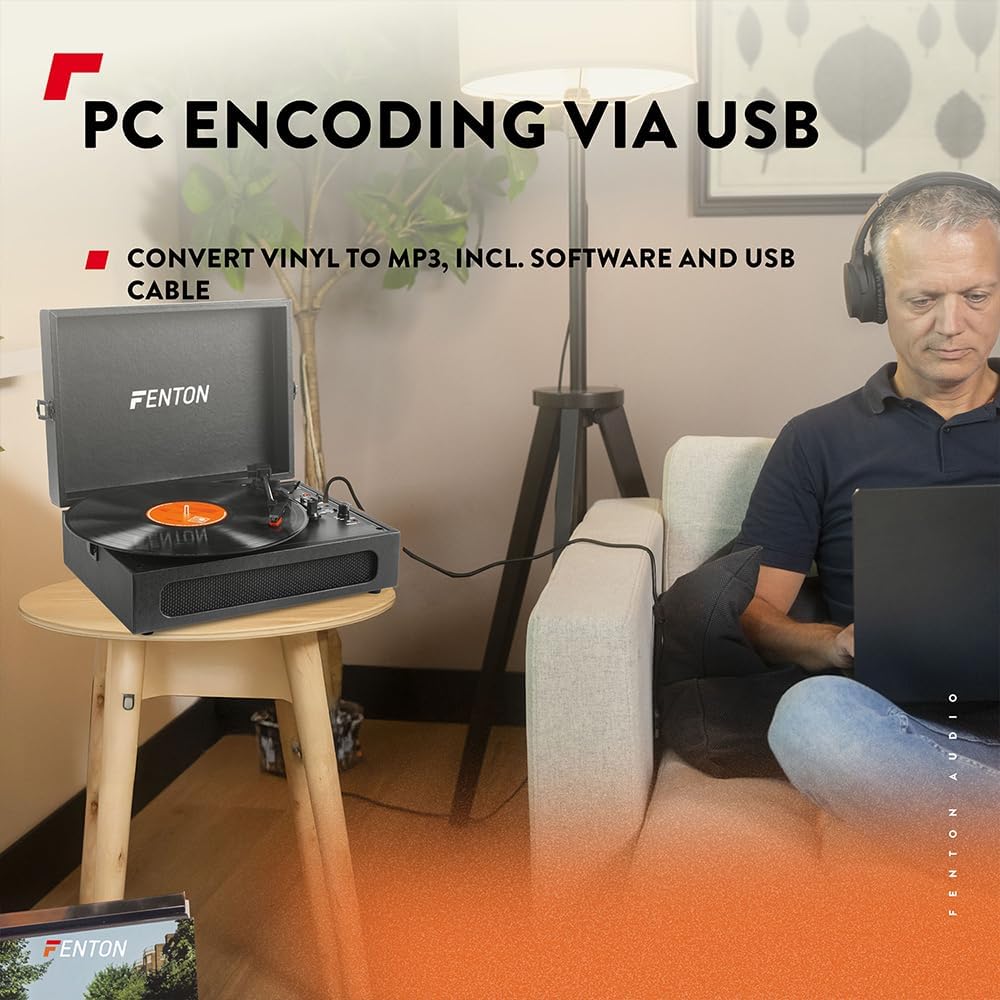
Image 6.3: USB encoding in progress, converting vinyl audio to MP3 files på en datamaskin.
6.5. Using the AUX Input (Line In)
Connect an external audio device (e.g., smartphone, MP3 player) to the turntable's built-in speakers.
- Connect a 3.5mm audio cable from your external device's headphone or line-out jack to the "Line In" jack on the turntable.
- Vri av/på-knappen med klokken for å slå på enheten.
- Ensure the BT OUT/PHONO/BT IN switch is not in "BT IN" mode (it can be in PHONO or BT OUT, as Line In is a separate input).
- Play audio from your external device. The sound will be routed through the turntable's speakers.
- Juster volumet med av/på-/volumknappen på platespilleren og/eller den tilkoblede enheten.
7. Vedlikehold
7.1. Rengjøring av platespilleren
- Koble alltid enheten fra strømuttaket før rengjøring.
- Bruk en myk, tørr klut til å tørke av de utvendige overflatene. Ikke bruk slipende rengjøringsmidler, voks eller løsemidler.
- Børst forsiktig pennen med en myk børste som er beregnet for rengjøring av pennen, og beveg den bakfra og fremover.
- Hold støvdekselet lukket når det ikke er i bruk for å forhindre støvansamling.
7.2. Utskifting av pekepenn
The stylus is a consumable part and will wear out over time. A worn stylus can damage your records and degrade sound quality. Replace the stylus after approximately 300-500 hours of playback, or if you notice a significant drop in sound quality or visible damage.
- Rådfør deg med produsentens website or your retailer for compatible replacement styli.
- Follow the instructions provided with the replacement stylus for proper installation.
8. Feilsøking
| Problem | Mulig årsak | Løsning |
|---|---|---|
| Ingen strøm | Power adapter not connected; Power outlet not working; Power/Volume knob off. | Ensure power adapter is securely connected. Try a different outlet. Turn Power/Volume knob clockwise to ON. |
| Ingen lyd fra høyttalere | Volume too low; BT OUT/PHONO/BT IN switch in incorrect position; Headphones connected. | Increase volume. Set switch to "PHONO" for vinyl or "BT IN" for Bluetooth reception. Disconnect headphones. |
| Lyd forvrengt eller hoppende | Record dirty or damaged; Stylus worn or dirty; Turntable not level. | Clean record. Clean or replace stylus. Place turntable on a level surface. |
| Problemer med Bluetooth-paring | Device too far; Turntable not in pairing mode; Incorrect BT mode selected. | Move device closer. Ensure turntable is in "BT IN" (for reception) or "BT OUT" (for transmission) mode and indicator is flashing. Restart both devices. |
| Record stops prematurely (Auto Stop) | Auto Stop switch is ON. | This is normal operation. If you prefer continuous rotation, set the Auto Stop switch to OFF. |
9. Spesifikasjoner
| Merke | Fenton |
| Modellnummer | RP118B |
| Farge | Svart |
| Materiale | Polyuretan |
| Motortype | Belte-drevet |
| Avspillingshastigheter | 33 1/3, 45, 78 RPM |
| Kompatible enheter | Personal computer, MP3 player, smartphone, headphones, speakers, tablet |
| Bluetooth-versjon | 5.0 (for reception and transmission) |
| USB-funksjonalitet | PC encoding (Vinyl to MP3) |
| Lydutganger | RCA Line Out, 3.5mm Headphone Jack |
| Lydinnganger | 3.5 mm AUX-inngang |
| Integrerte høyttalere | Yes, stereo |
| Varevekt | 3.25 kilo |
| Strømforsyning | DC 5V (Adapter included) |

Image 9.1: Dimensions of the Fenton RP118B turntable.
10. Garanti og støtte
For warranty information, please refer to the documentation included with your purchase or visit the official Fenton website. For technical support or service inquiries, please contact your retailer or the manufacturer directly.
Manufacturer: Tronios B.V.
Ask a question about this manual
Ask about setup, troubleshooting, compatibility, parts, safety, or missing instructions. Manuals+ will review the question and use this page’s manual context to help answer it.