
1. Introduksjon
This manual provides detailed instructions for setting up, operating, and maintaining your Beelink EQ13 Mini PC. The Beelink EQ13 is a compact and efficient mini PC powered by an Intel N100 processor, designed for various applications including office work, multimedia playback, and light computing tasks. Please read this manual thoroughly before using the device.
2. Pakkens innhold
Bekreft at alle varene som er oppført nedenfor er inkludert i pakken din:
- 1 x Beelink EQ13 N100 Mini PC
- 1 x AC Cable
- 1 x brukerhåndbok
- 1 x 100 cm HDMI-kabel
- 1 x Pakkeboks
3. Produktet er overview
3.1 Oppsett av front- og bakpanel
Familiarize yourself with the ports and connectors on your Beelink EQ13 Mini PC.

Image: Front panel with USB-C and USB 3.2 ports, power button. Rear panel with dual HDMI, dual LAN, USB 3.2, and USB 2.0 ports.
- Frontpanel: 1x USB-C Port (10Gbps), 1x USB 3.2 Port (10Gbps), Power Button.
- Bakpanel: 2x HDMI Ports (4K@60Hz), 2x 1000Mbps LAN Ports, 2x USB 3.2 Ports (10Gbps), 1x USB 2.0 Port (480Mbps), Power Input.
3.2 Built-in Power Supply
The Beelink EQ13 features a built-in power supply, simplifying cable management. Only one AC cable is required to power the device.

Image: The Beelink EQ13 Mini PC connected to an AC power outlet, demonstrating its built-in power supply design.
3.3 Interne komponenter
The Beelink EQ13 is equipped with 16GB DDR4 3200MHz memory and a 500GB M.2 2280 PCIe 3.0 SSD.

Bilde: En intern view of the Beelink EQ13 Mini PC, highlighting the 16GB DDR4 RAM module and the 500GB M.2 PCIe 3.0 SSD.
4. Installasjonsinstruksjoner
4.1 Koble til eksterne enheter
- Koble til skjermen: Use the provided HDMI cable to connect your monitor(s) to the HDMI ports on the rear panel of the Mini PC. The EQ13 supports dual 4K@60Hz displays.
- Koble til tastatur og mus: Plug your USB keyboard and mouse into the available USB ports on the front or rear panel.
- Koble til nettverk (valgfritt): For a wired connection, connect an Ethernet cable from your router or modem to one of the 1000Mbps LAN ports on the rear panel. For wireless, the device supports WiFi 6.
4.2 Slå på
- Koble til strøm: Plug the AC power cable into the power input on the rear of the Mini PC, then connect the other end to a wall outlet.
- Oppstart: Press the power button located on the front panel. The power indicator light will illuminate.
- Førstegangs oppsett: Follow the on-screen instructions to complete the operating system setup (e.g., Windows 11).
5. Bruksanvisning
5.1 Grunnleggende betjening
- Slå på/av: Press the power button to turn on. To turn off, use the operating system's shutdown function or press and hold the power button for 5 seconds.
- Start på nytt: Bruk operativsystemets omstartsfunksjon.
5.2 Nettverkstilkobling
- Kablet LAN: Connect an Ethernet cable to one of the two 1000Mbps LAN ports for a stable wired network connection.
- Wireless (WiFi 6): The Mini PC supports WiFi 6 (802.11ax). Access network settings in your operating system to connect to available wireless networks.

Bilde: Bak view of the Beelink EQ13 Mini PC highlighting the two 1000Mbps LAN ports with Ethernet cables connected.
5.3 Bluetooth-tilkobling
The Beelink EQ13 includes Bluetooth 5.2 (AX101) for connecting wireless devices.
- Enable Bluetooth in your operating system settings.
- Pair with compatible devices such as keyboards, mice, speakers, or headphones.
5.4 Oppsett av dobbel skjerm
The Mini PC supports dual 4K@60Hz displays via its two HDMI ports, enhancing productivity.
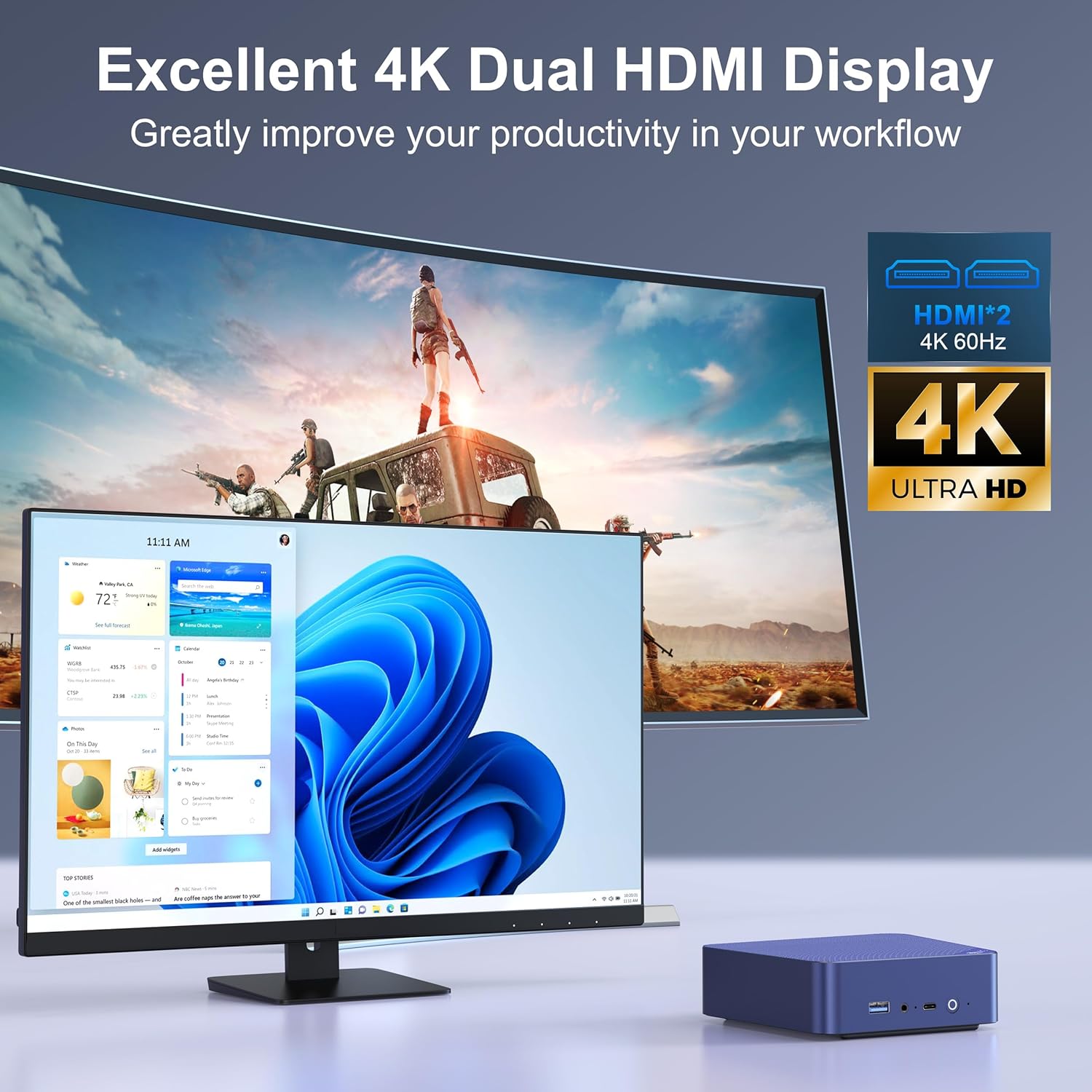
Image: The Beelink EQ13 Mini PC connected to two monitors, demonstrating its dual 4K HDMI display capability.
5.5 Ytelse og bruk
Equipped with an Intel N100 processor, 16GB DDR4 RAM, and a 500GB PCIe 3.0 SSD, the EQ13 is suitable for various tasks:
- Kontorarbeid: Efficiently handle documents, spreadsheets, and presentations.
- Multimediaavspilling: Enjoy 4K video streaming and other media content.
- Web Bla gjennom: Smooth internet browsing experience.
- Virtual Machines/NAS: Capable for light virtualization or network-attached storage applications.

Image: A visual representation of the Beelink EQ13 Mini PC's versatility, showing it handling web browsing, 4K video, multimedia playback, and office applications simultaneously.
6. Vedlikehold
6.1 Kjølesystem
The Beelink EQ13 incorporates an MSC2.0 Cooling System with a new airflow design and dustproof filter at the bottom. This design ensures stable operation and near-silent performance.
- Ensure the bottom air intake vents are not obstructed to maintain optimal airflow.
- Periodically clean the dust filter to prevent dust accumulation.

Image: An illustration depicting the silent operation of the Beelink EQ13 Mini PC, emphasizing its new cooling system design.
6.2 Lagringsutvidelse
The 500GB M.2 2280 SSD can be expanded up to 2TB. Refer to the internal components image in Section 3.3 for the location of the SSD slot. For storage upgrades, it is recommended to consult a qualified technician or refer to specific upgrade guides provided by Beelink.
7. Feilsøking
- Ingen strøm: Ensure the AC cable is securely connected to both the Mini PC and the power outlet. Try a different power outlet.
- Ingen visning: Check HDMI cable connections to both the Mini PC and the monitor. Ensure the monitor is powered on and set to the correct input source.
- Ingen nettverkstilkobling: For wired connections, verify the Ethernet cable is properly connected. For wireless, check WiFi settings in the operating system and ensure the router is functioning.
- Perifere problemer: If a keyboard or mouse is not responding, try connecting it to a different USB port. Ensure Bluetooth devices are properly paired.
- Systemet svarer ikke: If the system freezes, press and hold the power button for 5-10 seconds to force a shutdown, then restart the device.
8. Spesifikasjoner
| Trekk | Detalj |
|---|---|
| Merke | Beelink |
| Modellnavn | EQ13 N100 |
| CPU modell | Intel Processor N100 (4C/4T, up to 3.4GHz) |
| Grafisk koprosessor | Intel Iris Plus-grafikk |
| RAM-minne | 16GB DDR4 3200MHz SODIMM |
| Lagring | 500GB M.2 2280 PCIe 3.0 SSD (Expandable up to 2TB) |
| Operativsystem | OS (Pre-installed Windows 11 mentioned in product description) |
| Videoutgang | 2x HDMI (Max 4K@60Hz Dual Display) |
| LAN | Dual 1000Mbps Ethernet Ports |
| Trådløs tilkobling | WiFi 6 (802.11ax), Bluetooth 5.2 (AX101) |
| USB-porter | 1x Front USB-C (10Gbps), 3x USB 3.2 (10Gbps), 1x USB 2.0 (480Mbps) |
| Strømforbruk | 25 Watts (TDP) |
| Kjølemetode | Air (MSC2.0 Cooling System) |
| Farge | Marineblå |
9. Garanti og støtte
The Beelink EQ13 Mini PC comes with a 1 års garanti.
For technical support, warranty claims, or further assistance, please contact the manufacturer, Shenzhen AZW Technology Co., Ltd., or visit the official Beelink support channels.
Manufacturer: Shenzhen AZW Technology Co., Ltd.
For mer informasjon kan du besøke Beelink Store on Amazon.