
1. Introduksjon
Thank you for choosing BUGANI Open Ear Headphones, Model MH22109. These headphones are designed to provide a comfortable, open-ear listening experience with advanced Bluetooth 5.3 technology, immersive stereo sound, and clear call functionality. This manual will guide you through the setup, operation, and maintenance of your new headphones.
2. Sikkerhetsinformasjon
- Do not expose the headphones or charging case to extreme temperatures, direct sunlight, or fire.
- Unngå å bruke hodetelefonene på for høyt volum over lengre tid for å unngå hørselsskader.
- Keep the device away from water and liquids, although it is IPX5 rated for sweat and light splashes, it is not designed for submersion.
- Ikke forsøk å demontere eller modifisere enheten. Dette vil ugyldiggjøre garantien.
- Bruk kun den medfølgende ladekabelen eller en sertifisert Type-C-kabel til lading.
- Vær oppmerksom på omgivelsene dine når du bruker hodetelefoner med åpne øren, spesielt i trafikk eller farlige miljøer.
3. Pakkens innhold
The BUGANI Open Ear Headphones package includes the following items:
- BUGANI åpne øretelefoner (venstre og høyre)
- Ladeetui
- USB Type-C ladekabel (ikke eksplisitt oppført, men standard)
- Brukerhåndbok (dette dokumentet)

Image: The BUGANI Open Ear Headphones and their transparent charging case.
4. Produktet er overview
The BUGANI Open Ear Headphones feature a unique design that rests gently on your ears without entering the ear canal, providing comfort and situational awareness. The charging case protects the earbuds and provides extended battery life.

Image: A woman wearing the BUGANI Open Ear Headphones, illustrating the open-ear design and comfortable fit.

Image: A man relaxing and listening to music with the headphones, highlighting the immersive stereo sound.
5. Oppsett
5.1 Lade hodetelefonene og etuiet
Lad hodetelefonene og ladeetuiet helt opp før første gangs bruk.
- Plasser øreproppene i ladeetuiet. Sørg for at de er riktig plassert.
- Koble Type-C-ladekabelen til ladeporten på etuiet, og koble den andre enden til en USB-strømadapter (ikke inkludert) eller en datamaskins USB-port.
- The LED indicator on the charging case will show the charging status. A full charge for the case typically takes 1-2 hours.
- The earbuds provide up to 6 hours of playtime on a single charge, and the charging case extends total playtime to approximately 30 hours.

Image: The charging case with earbuds, displaying the battery level, next to a smartphone playing music, illustrating the 30-hour playtime.
5.2 Bluetooth-paring
The headphones feature one-step auto-pairing for convenience.
- Åpne ladeetuiet. Øreproppene slår seg på automatisk og går inn i paringsmodus.
- Aktiver Bluetooth på enheten din (smarttelefon, nettbrett, datamaskin).
- Søk etter available Bluetooth devices and select "BUGANI OpenFit" from the list.
- Once connected, you will hear an audible confirmation, and the device will show "Connected".
- Hodetelefonene vil automatisk koble seg til den sist parede enheten når de tas ut av etuiet, hvis Bluetooth er aktivert på enheten.

Image: A smartphone screen displaying the Bluetooth settings, with "BUGANI OpenFit" listed as a connected device, demonstrating the one-step auto-pairing process.
6. Bruksanvisning
6.1 Bruk av hodetelefoner
The open-ear design ensures a secure and comfortable fit without blocking your ear canal.
- Identifiser venstre (V) og høyre (H) øreproppene.
- Hekt øreproppen forsiktig over øret, og sørg for at høyttalerdelen er plassert nær øregangen uten å komme inn i den.
- Juster for en tettsittende og komfortabel passform.
6.2 Smarte berøringskontroller
The headphones feature touch-sensitive areas for controlling various functions:
| Handling | Øreplugg | Funksjon |
|---|---|---|
| Trykk på x1 | R/L | Spill av/pause musikk, svar på anrop |
| Trykk på x2 | R | Volum opp |
| Trykk på x2 | L | Volum ned |
| Trykk på x3 | R | Neste spor |
| Trykk på x3 | L | Forrige spor |
| Trykk og hold (2s) | R/L | Avslutt samtale, avvis samtale |
| Trykk og hold (2s) | L | Aktiver stemmeassistent |
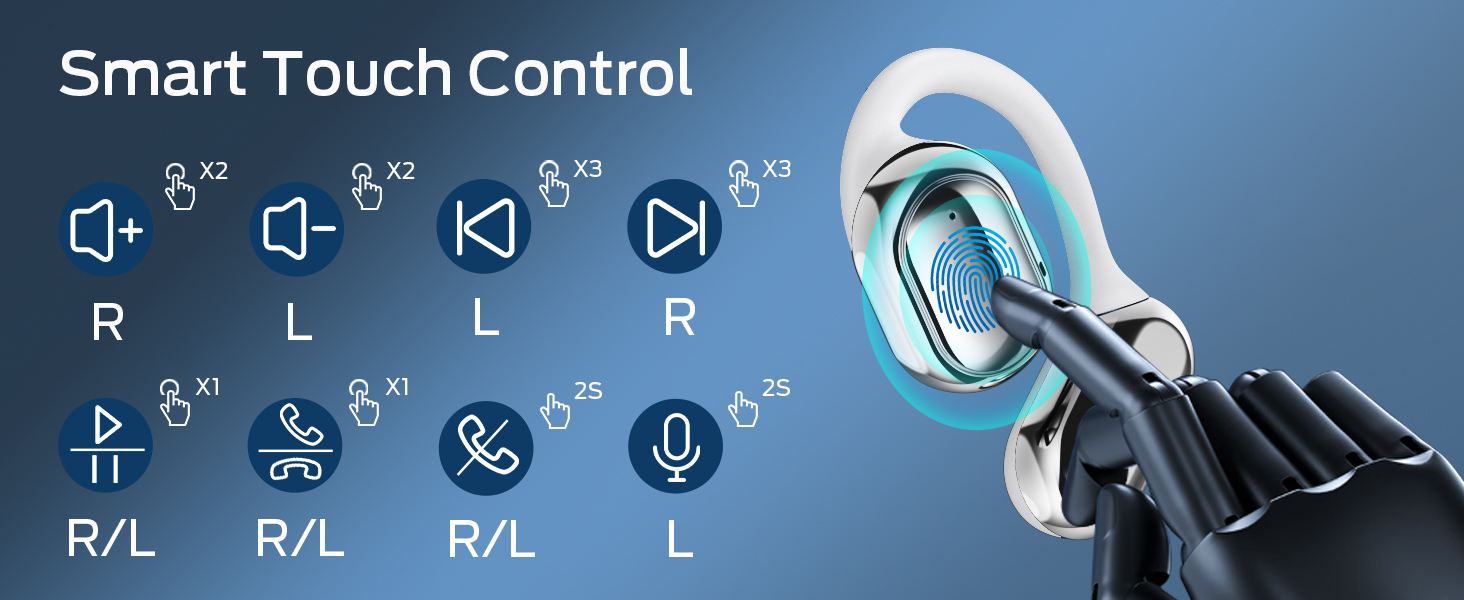
Image: A visual guide to the smart touch controls on the BUGANI Open Ear Headphones, detailing single, double, triple taps, and long presses for various functions.
6.3 Foreta og motta anrop
The built-in dual microphones with environmental noise reduction technology ensure clear calls.
- Svar på anrop: Trykk én gang på en av øreproppene.
- Avslutt samtale: Trykk og hold en av øreproppene i 2 sekunder.
- Avvis anrop: Trykk og hold en av øreproppene i 2 sekunder.

Image: A man using the BUGANI Open Ear Headphones to make a phone call, emphasizing the clear call feature.
7. Vedlikehold
7.1 Rengjøring
- Tørk av øreproppene og ladeetuiet med en myk, tørr og lofri klut.
- Ikke bruk slipende rengjøringsmidler, alkohol eller kjemiske løsemidler.
- Sørg for at ladekontaktene er rene og tørre.
7.2 Oppbevaring
- Oppbevar hodetelefonene i ladeetuiet når de ikke er i bruk for å beskytte dem og holde dem ladet.
- Oppbevares kjølig og tørt, unna ekstreme temperaturer.
7.3 Vannmotstand (IPX5)
The headphones are rated IPX5, meaning they are protected against low-pressure water jets from any direction. This makes them suitable for sports and running, protecting against sweat and light rain. They are not designed for swimming or submersion in water.
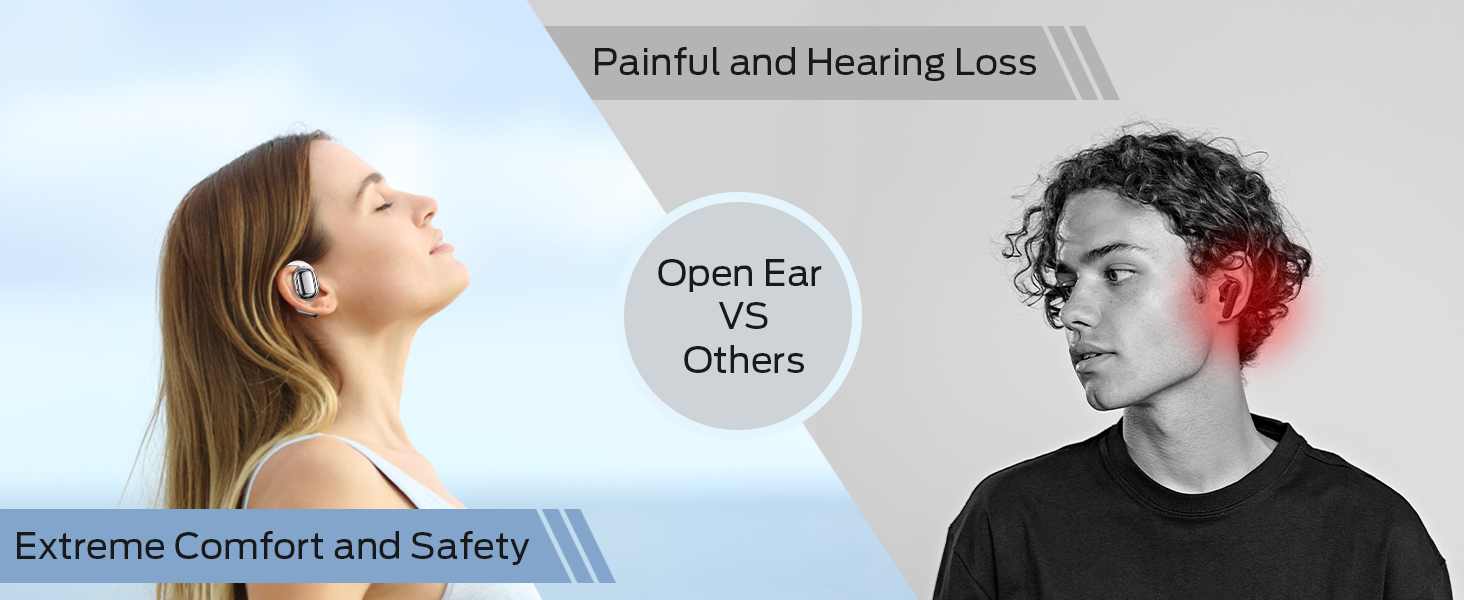
Image: A man running with water splashing on him, demonstrating the IPX5 waterproof feature of the headphones, suitable for active use.
8. Feilsøking
Hvis du støter på problemer med BUGANI Open Ear-hodetelefonene dine, kan du se følgende vanlige løsninger:
- Ingen lyd: Ensure the headphones are charged, paired correctly, and the volume on both the headphones and your device is turned up.
- Paringsproblemer: Turn off Bluetooth on your device, then turn it back on. Place the earbuds back in the case, close it, then open it again to re-enter pairing mode. Try pairing again.
- Intermitterende tilkobling: Ensure you are within the Bluetooth range (up to 10 meters) and there are no significant obstacles between the headphones and your device. Avoid strong electromagnetic interference.
- Øreplugger lader ikke: Check that the charging cable is securely connected and the charging contacts on the earbuds and case are clean. Ensure the charging case itself has power.
- Én øreplugg fungerer ikke: Try placing both earbuds back in the case, closing it, and then taking them out again to reset the connection. If the issue persists, try re-pairing.
9. Spesifikasjoner
| Trekk | Spesifikasjon |
|---|---|
| Modellnavn | BUGANI OpenFit |
| Modellnummer | MH22109 |
| Tilkoblingsteknologi | Trådløs (Bluetooth) |
| Bluetooth-versjon | 5.3 |
| Bluetooth-rekkevidde | 10 meter |
| Øreplassering | Åpent øre |
| Driverstørrelse | 16mm (Dual Large Driver) |
| Batterilevetid (enkeltlading) | Opptil 6 timer |
| Total spilletid (med ladeetui) | Opptil 30 timer |
| Ladeport | Type-C |
| Vannmotstandsvurdering | IPX5 |
| Mikrofoner | Built-in Dual Microphones with Environmental Noise Reduction |
| Kompatible enheter | Bluetooth-enabled devices (smartphones, computers, TVs) |
| Materiale | Plast |
| Varevekt | 6.4 unser |
10. Garanti og støtte
BUGANI products are designed for reliability and performance. For warranty information, please refer to the warranty card included with your purchase or visit the official BUGANI website. If you require technical support or have questions not covered in this manual, please contact BUGANI customer service through their official channels.
You can often find support contact information on the BUGANI brand store page: BUGANI Store on Amazon