
Introduksjon
This manual provides essential information for setting up, operating, maintaining, and troubleshooting your Motorola Moto G84 5G smartphone. Please read this guide thoroughly to ensure proper use and to maximize your device's capabilities.
Oppsett
1. Unboxing og innledende inspeksjon
Fjern alle varene forsiktig fra emballasjen. Esken skal inneholde:
- Motorola Moto G84 5G smarttelefon
- USB-kabel
- Telefonveske
- SIM-utløserverktøy
Undersøk enheten for fysisk skade før du fortsetter.
2. Installasjon av SIM-kort
The Moto G84 5G supports Dual SIM functionality using Nano SIM cards.
- Finn SIM-kortskuffen på siden av enheten.
- Insert the SIM eject tool into the small hole on the SIM tray. Press firmly until the tray pops out.
- Plasser Nano SIM-kortet/-kortet(ene) i de angitte sporene på skuffen, og sørg for at gullkontaktene vender nedover.
- Skyv SIM-kortskuffen forsiktig tilbake i telefonen til den klikker på plass.

Figur 1: Side view of the Motorola Moto G84 5G, illustrating the location of the SIM card tray for installation.
3. Førstegangs oppstart
Press and hold the Power button located on the side of the device until the Motorola logo appears. Follow the on-screen prompts to complete the initial setup, including language selection, Wi-Fi connection, and Google account setup.

Figur 2: Side view of the Motorola Moto G84 5G, highlighting the power and volume buttons for device control.
4. Lading av enheten
Before first use, it is recommended to fully charge your device. The Moto G84 5G features a 5000 mAh battery and supports 30W TurboPower charging.
- Koble USB-kabelen til USB-C-porten nederst på telefonen.
- Koble den andre enden av USB-kabelen til en kompatibel strømadapter (selges separat) og koble den til en stikkontakt.
- Ladeindikatoren vil vises på skjermen.
Bruksanvisning
1. Skjerm
The Moto G84 5G features a 6.55-inch pOLED FHD+ display with a 120 Hz refresh rate, offering vibrant colors and smooth scrolling.
- Navigering med berøringsskjerm: Interact with the device using touch gestures such as tap, swipe, pinch-to-zoom.
- Justering av lysstyrke: Juster skjermens lysstyrke fra hurtiginnstillingspanelet eller skjerminnstillingene.
- Oppdateringsfrekvens: The 120 Hz refresh rate provides a fluid visual experience. This can be adjusted in display settings to optimize battery life.
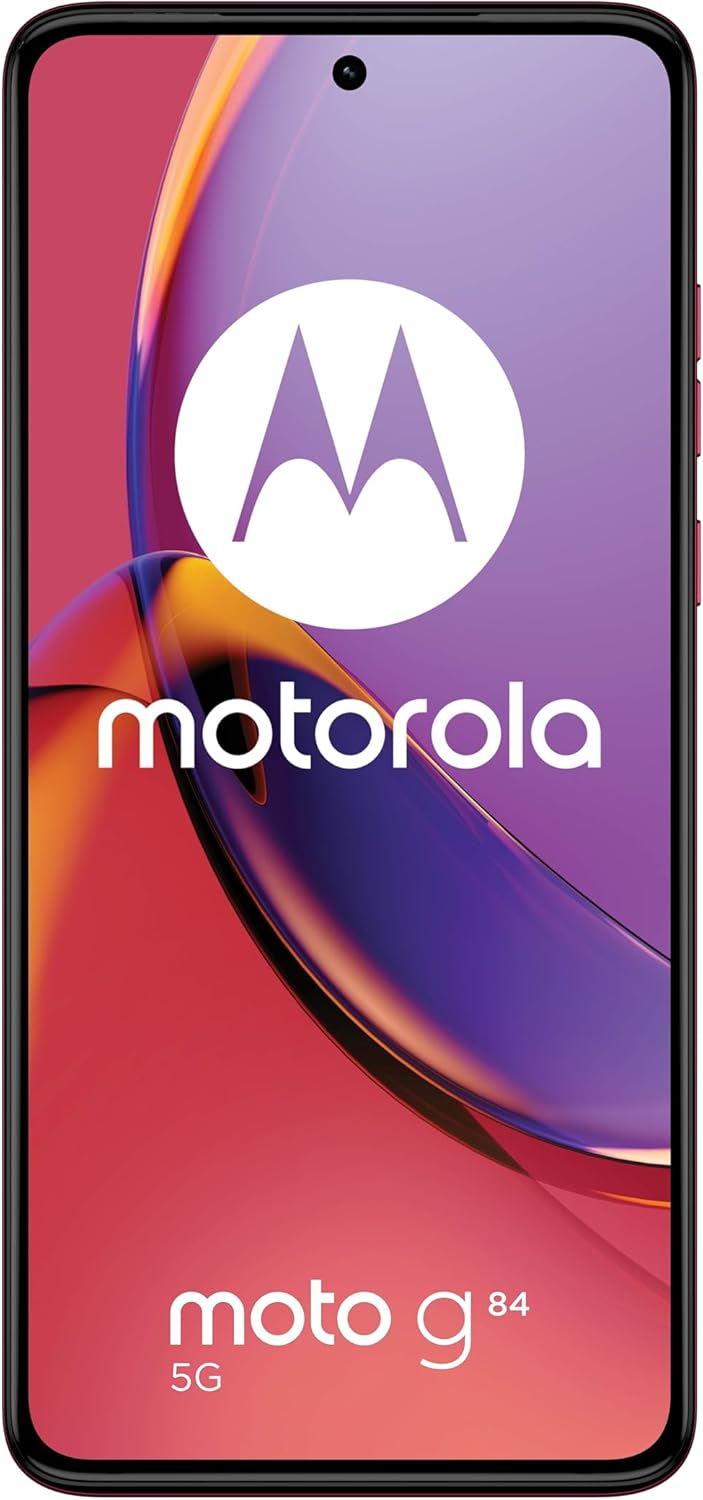
Figur 3: Foran view av Motorola Moto G84 5G, vistasindens livlige pOLED-skjerm.
2. Kamera
The device is equipped with a 50 MP Ultra Pixel main camera with Optical Image Stabilization (OIS) and an 8 MP ultra-wide/macro lens on the rear, and a front-facing camera for selfies.
- Ta bilder: Åpne Kamera-appen, komponer bildet og trykk på utløserknappen.
- Videoopptak: Switch to video mode in the Camera app. The device supports 4K video recording at 30 fps.
- Kameramoduser: Explore various modes such as Portrait, Night Vision, Panorama, and Pro mode for advanced controls.

Figur 4: Bak view of the Motorola Moto G84 5G, highlighting the 50MP Ultra Pixel camera system.
3. Audio
Experience immersive audio with Dolby Atmos, Motorola Spatial Audio, and Hi-Res Audio support through stereo speakers.
- Volumkontroll: Use the volume buttons on the side of the device or the on-screen volume slider.
- Lydinnstillinger: Tilpass lydprofffiles and Dolby Atmos settings in the Sound & Vibration menu.
4. Tilkobling
The Moto G84 5G offers comprehensive connectivity options.
- 5G-nettverk: Connect to 5G networks for faster data speeds (requires 5G service plan).
- Wi-Fi: Connect to wireless networks via Wi-Fi settings.
- Bluetooth: Koble til Bluetooth-enheter som hodetelefoner eller høyttalere.
- NFC: Bruk nærfeltskommunikasjon for kontaktløse betalinger og rask paring med kompatible enheter.
5. Biometric Features
The device supports biometric identification for enhanced security.
- Fingeravtrykkssensor: Registrer fingeravtrykkene dine i sikkerhetsinnstillingene for rask og sikker opplåsing.
- Ansiktslås: Konfigurer ansiktsgjenkjenning for enkel opplåsing.
6. Programvare
The Moto G84 5G runs on Android 13, offering a clean user interface and access to a wide range of applications via the Google Play Store.
- Systemoppdateringer: Se etter og installer systemoppdateringer regelmessig for å sikre optimal ytelse og sikkerhet.
- Appadministrasjon: Install, uninstall, and manage applications through the Settings menu or Google Play Store.
Vedlikehold
1. Rengjøring av enheten
To keep your phone clean, gently wipe the screen and body with a soft, lint-free cloth. Avoid using harsh chemicals or abrasive materials.
2. Vannmotstand
The Moto G84 5G has an IP52 rating, meaning it is resistant to dust and splashing water. It is not waterproof. Avoid submerging the device in water or exposing it to high-pressure water jets.
Feilsøking
Vanlige problemer og løsninger
- Enheten slår seg ikke på: Sørg for at batteriet er ladet. Koble telefonen til en lader og vent noen minutter før du prøver å slå den på igjen.
- Ladeproblemer: Check the USB cable and charger for damage. Try a different cable or power outlet. Ensure the charging port is clean and free of debris.
- Dårlig nettverkssignal: Move to an area with better network coverage. Check if your SIM card is properly inserted. Restart the device.
- Apper krasjer eller fryser: Lukk og åpne appen på nytt. Tøm appens hurtigbuffer og data i Innstillinger > Apper. Hvis problemet vedvarer, avinstaller og installer appen på nytt.
- Skjermen reagerer ikke: Utfør en tvungen omstart ved å holde inne av/på-knappen i omtrent 10–15 sekunder.
Spesifikasjoner
| Trekk | Spesifikasjon |
|---|---|
| Modellnavn | Moto G84 5G |
| Operativsystem | Android 13 |
| Prosessor | Snapdragon 695 (up to 2.2 GHz) |
| VÆR | 12 GB |
| Intern lagring | 256 GB |
| Utstilling | 6.55-inch pOLED FHD+ (1080x2400), 120 Hz |
| Bakre kamera | 50 MP Ultra Pixel (OIS) + 8 MP Ultra-wide/Macro |
| Frontkamera | 1 |
| Batterikapasitet | 5000 mAh |
| Lader | 30 W turbokraft |
| Tilkobling | 5G, Wi-Fi, Bluetooth, NFC |
| SIM-korttype | Dobbelt nano-SIM-kort |
| Vannmotstand | IP52 (sprutbestandig) |
| Dimensjoner | 16 x 7.4 x 0.8 cm |
| Vekt | 160 gram |
| Inkludert i boksen | USB Cable, Phone Case, SIM Eject Tool |
Garanti og støtte
Garantiinformasjon
Your Motorola Moto G84 5G comes with a 2-year manufacturer's warranty. Please retain your proof of purchase for warranty claims. The warranty covers manufacturing defects but typically excludes damage caused by misuse, accidents, or unauthorized repairs.
Kundestøtte
For further assistance, technical support, or warranty service, please visit the official Motorola support website or contact their customer service. Refer to the documentation included with your device for specific contact details in your region.
Viktig sikkerhetsinformasjon
Always follow basic safety precautions when using your phone to reduce the risk of fire, electric shock, and injury. Do not disassemble the device. Use only approved accessories. Avoid extreme temperatures. Dispose of the device and battery responsibly according to local regulations.