
1. Introduksjon
The ZOYI ZT-702S is a versatile 2-in-1 handheld device combining the functionalities of a digital oscilloscope and a multimeter. It features a 2.8-inch IPS display, 10 MHz bandwidth, and a 48 MSa/s real-time sampling rate. This manual provides essential information for the safe and efficient operation, maintenance, and troubleshooting of your ZT-702S device.
2. Produktet er overview
Nøkkelfunksjoner:
- 2-i-1-funksjonalitet: Single-channel handheld oscilloscope and multimeter.
- Utstilling: 2.8-inch IPS display with 320*240 resolution, adjustable brightness.
- Oscilloskopspesifikasjoner: 10 MHz bandwidth, 48 MSa/s real-time sampling rate, ±400 V input capability, 64Kb recording depth.
- Multimeterspesifikasjoner: 9999 counts, AC/DC Voltage, AC/DC Current, Resistance, Capacitance, Frequency, Temperature, Diode, Continuity Measurement.
- Design: Double injection molded ABS and TPE reinforced construction for durability.
- Databehandling: Waveform storage and viewing, USB Type-C connectivity for data transfer.
- Automatisk kalibrering: Features auto calibration for ease of use.
Inkluderte komponenter:
- ZOYI ZT-702S Device
- 1x Oscilloscope Probe
- Multimeter testledninger
- Temperatursonde

Figur 2.1: Foran view of the ZOYI ZT-702S Digital Oscilloscope Multimeter.

Figure 2.2: ZOYI ZT-702S highlighting 2-in-1 functionality, bandwidth, counts, and display.
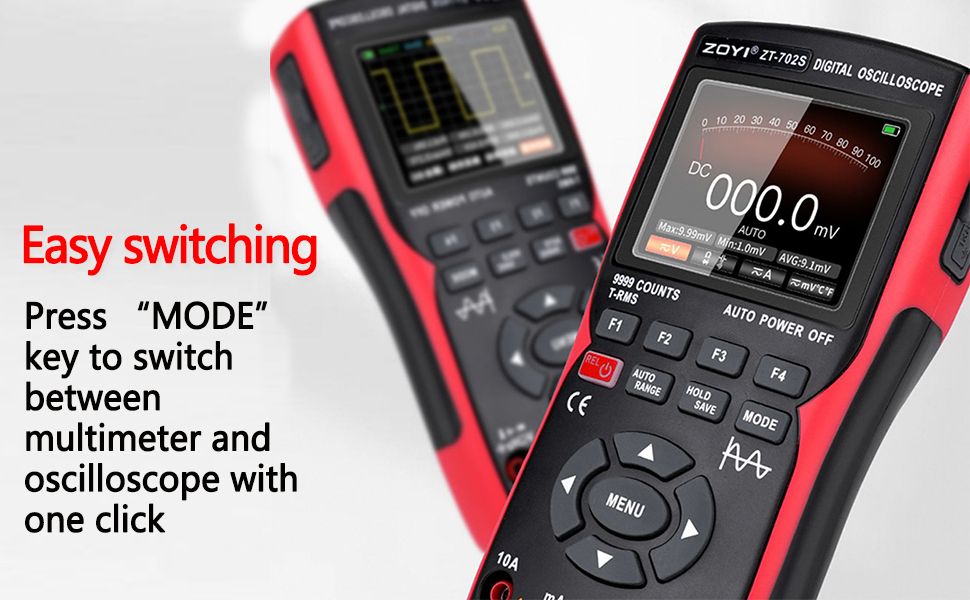
Figure 2.3: ZOYI ZT-702S demonstrating the mode switch button for easy operation.
3. Oppsett
3.1 Innledende lading
Before first use, ensure the device is fully charged. Connect the ZT-702S to a power source using the provided Type-C cable. The charging indicator will show the charging status.
3.2 Tilkobling av prober
- Oscilloscope Probe: Connect the oscilloscope probe to the BNC connector labeled 'CH1' on the top of the device. Ensure a secure connection.
- Multimeter Test Leads: Insert the red test lead into the 'VΩHz+' jack and the black test lead into the 'COM' jack for voltage, resistance, frequency, and other measurements. For current measurements, refer to the operating instructions.
- Temperaturprobe: Connect the temperature probe to the appropriate jacks as indicated for temperature measurements.

Figure 3.1: ZOYI ZT-702S showing Type-C charging port and probe connections.
4. Bruksanvisning
4.1 Strøm på/av
Press and hold the power button (usually marked with ⑁) to turn the device on or off.
4.2 Bytte modus
The ZT-702S allows switching between Oscilloscope and Multimeter modes. Press the MODUS button to toggle between the two functionalities. The display will indicate the active mode.

Figure 4.1: ZOYI ZT-702S showing both oscilloscope and multimeter displays.
4.3 Drift av oscilloskopmodus
In Oscilloscope mode, the device displays waveforms. Key controls include:
- VOL/TIME: Adjusts vertical sensitivity (Volts/Div) and horizontal time base (Time/Div).
- FLYTTE: Shifts the waveform horizontally or vertically.
- AVTREKKER: Sets the trigger level and mode (Auto, Normal, Single) to stabilize the waveform.
- AC/DC Coupling: Selects AC or DC coupling for the input signal.
- Automatisk kalibrering: Use the auto calibration function for quick setup and optimal display of the waveform.
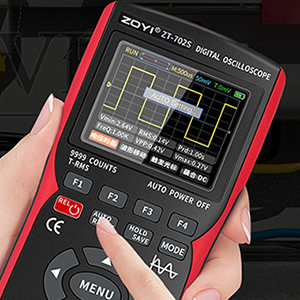
Figure 4.2: ZOYI ZT-702S demonstrating one-button automatic waveform acquisition.
4.4 Drift i multimetermodus
In Multimeter mode, the device functions as a digital multimeter. Use the RANGE knapp eller AUTOOMRÅDE feature to select the appropriate measurement range. The device supports:
- AC/DC voltage: Connect test leads to measure voltage.
- AC/DC-strøm: Connect test leads to the appropriate current jacks (10A or mA) and select the current function.
- Motstand (Ω): Measure resistance by connecting leads across the component.
- Kapasitans: Mål kapasitansen til kondensatorene.
- Frekvens (Hz): Measure signal frequency.
- Temperature (℃/℉): Use the temperature probe for measurements.
- Diodetest: Test diodes for forward voltage slipp.
- Kontinuitet: Check for circuit continuity with an audible beep.
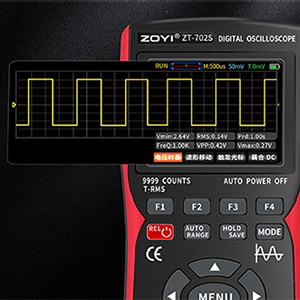
Figure 4.3: ZOYI ZT-702S multimeter display showing 9999 counts for precise measurements.
4.5 Waveform Storage and Data Transfer
The oscilloscope automatically stores measured waveform data. To access or download waveforms:
- Connect the ZT-702S to a computer using a Type-C USB cable.
- The device will appear as a USB flash drive.
- Open the image folder to access stored waveform images.
- You can then transfer these files to your computer for backup and analysis.
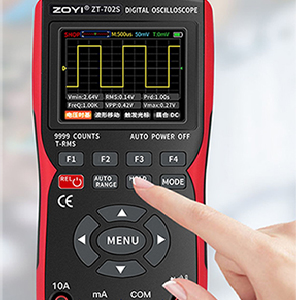
Figure 4.4: ZOYI ZT-702S showing data capture and storage capabilities.
5. Vedlikehold
5.1 Rengjøring
Tørk av enheten med en myk, damp cloth. Do not use abrasive cleaners or solvents. Ensure the device is powered off and disconnected from all probes and power sources before cleaning.
5.2 Oppbevaring
Store the ZT-702S in a cool, dry place away from direct sunlight and extreme temperatures. Disconnect all probes and cables before storage. If storing for extended periods, ensure the battery is partially charged (around 50%) to prolong its lifespan.
5.3 Batteristell
The device is powered by a rechargeable battery. Avoid fully discharging the battery frequently. Recharge the battery when the low battery indicator appears. Do not attempt to replace the internal battery yourself; contact qualified service personnel if battery issues arise.
6. Feilsøking
- Enheten slår seg ikke på: Sørg for at batteriet er ladet. Koble til en strømkilde og prøv på nytt.
- Ingen bølgeform vises i oscilloskopmodus: Check probe connections. Verify trigger settings. Ensure the input signal is within the device's measurement range.
- Feil multimeteravlesninger: Check test lead connections. Ensure the correct measurement function and range are selected. Perform auto calibration if available.
- Skjermproblemer: Adjust screen brightness. If the display remains problematic, contact support.
- Problemer med dataoverføring: Ensure the Type-C cable is properly connected to both the device and the computer. Try a different USB port or cable.
For problemer som ikke er dekket her, vennligst kontakt kundestøtte.
7. Spesifikasjoner
| Trekk | Spesifikasjon |
|---|---|
| Merke | ZOYI |
| Modellnummer | ZT-702S |
| Strømkilde | Batteridrevet |
| Varevekt | 0.6 kilo |
| Varedimensjoner (L x B x H) | 8 x 4 x 3 centimeter |
| Minimum driftsvolumtage | 0.1 volt |
| Oscilloskop båndbredde | 10 MHz |
| Sampling rate | 48 MSa/s |
| Max Input Voltage | ±400 V (DC+AC) |
| Kanaler | 1 |
| Inngangsmotstand | 1 MΩ, @16pF |
| Multimetertellinger | 9999 tellinger |
| AC Voltagog rekkevidde | 0-750 V |
| DC Voltagog rekkevidde | 0-999.9 V |
| DC/AC strømområde | 0-9.999 A |
| Motstandsområde | 0-99.99 MΩ |
| Kapasitetsområde | 0-99.99 mF |
| Frekvensområde | 0-99.99 kHz |
| Temperaturområde | -20℃–1000℃ |
| Utstilling | 2.8-inch IPS color screen, 320*240 resolution |
| Opprinnelsesland | Kina |
8. Garanti og støtte
8.1 Garantiinformasjon
Please refer to the warranty card included with your product for detailed warranty terms and conditions. Typically, ZOYI products come with a manufacturer's warranty covering defects in materials and workmanship.
8.2 Kundestøtte
For technical assistance, troubleshooting, or service inquiries, please contact the manufacturer or your local distributor. In India, support is provided by Skyking Instruments.
Produsent: ZOYI & ZOTEK Instruments
Importør (India): Skyking Instruments, Mumbai, India