
1. Oppsett
This section provides instructions for the initial setup of your TCL 55S41 television, including unpacking, stand installation, wall mounting, and connecting external devices.
1.1 Utpakking
- Carefully remove the television from its packaging.
- Ensure all accessories are present: remote control, AAA batteries, power cord, and stand components.
- Ta vare på emballasjematerialene for fremtidig transport eller servicebehov.
1.2 Montering av stativ
If you are not wall-mounting the television, install the included stand according to these steps:
- Place the television face-down on a soft, clean surface to prevent screen damage.
- Align the stand legs with the screw holes on the bottom of the television. The stand separation distance is approximately 41.5 inches.
- Secure each stand leg using the provided M4 x 25 screws (4 screws total). Tighten securely with a screwdriver.
- Carefully lift the television to an upright position on a stable, level surface.
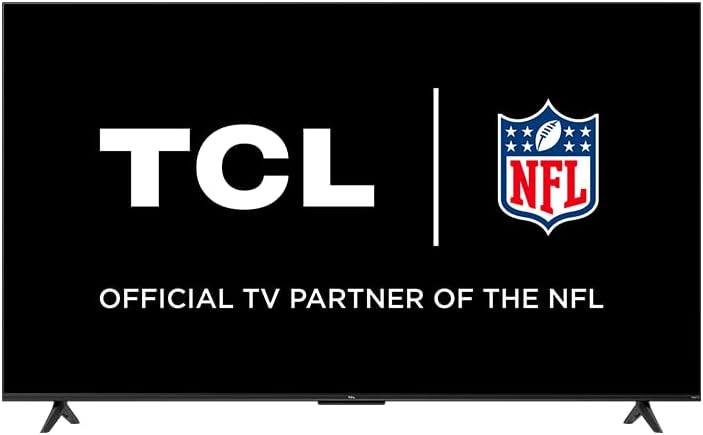
Image: The TCL 55S41 television with its stand attached, illustrating the typical appearance after stand installation. The stand provides stable support for the television on a flat surface.
1.3 Veggmontering
If you plan to wall-mount your television, ensure you use a VESA-compatible wall mount (sold separately) that supports the television's weight and size.
- The VESA wall mount pattern for this model is 200 mm x 200 mm.
- Use M6 x 12 screws for attaching the wall mount bracket to the television.
- Follow the instructions provided with your specific wall mount for safe and secure installation.
- Remove the stand legs before wall mounting.
1.4 Koble til enheter
Connect your external devices to the appropriate ports on the back of the television.
- HDMI-innganger: The TV features 4 HDMI inputs, including 1 eARC port for enhanced audio return channel functionality. Use these for connecting Blu-ray players, game consoles, cable boxes, etc.
- Kompositt lyd-/videoinngang: 1 input for older devices using RCA cables.
- Digital optisk lydutgang: 1 output for connecting to soundbars or audio receivers.
- Hodetelefonkontakt: 1 output for private listening with headphones.
- RF-antenneinngang: 1 input for connecting an antenna for over-the-air broadcasts.
- USB 2.0-port: 1 port for connecting USB storage devices to play media.
- Ethernet-port: For en kablet internettforbindelse.
- Trådløs tilkobling: Supports 802.11ac 2x2 Dual Band (2.4GHz & 5GHz) Wi-Fi for wireless internet access.
Bilde: En general view of the TCL 55S41 television, indicating the typical location of various input and output ports on the rear panel for connecting external devices.
1.5 Førstegangs oppstart og Roku-oppsett
- Connect the power cord to the television and then to a power outlet.
- Trykk på av/på-knappen på fjernkontrollen eller på TV-en.
- Follow the on-screen instructions to complete the Roku guided setup, which includes selecting your language, connecting to a network, and activating your Roku account.
2. Betjening av TV-en
This section details the basic operation of your TCL Roku TV, including remote control functions, smart features, and input selection.
2.1 Fjernkontroll
The included remote control (model RC280) requires two "AAA" batteries. It provides intuitive control over your television and Roku OS.
- Strømknapp: Slår TV-en på eller av.
- Retningsfelt: Navigerer i menyer og velger elementer.
- Hjem-knapp: Går tilbake til Roku-startskjermen.
- Tilbake-knapp: Går tilbake til forrige skjermbilde.
- Volumknapper: Justerer TV-volumet.
- Dempeknapp: Demper eller slår på lyden.
- Snarveisknapper: Dedikerte knapper for populære strømmekanaler.
2.2 Smart Features (Roku TV)
Your TCL TV is powered by Roku OS, offering a wide range of smart features:
- Strømmekanaler: Access thousands of streaming channels for movies, TV shows, news, sports, and more.
- Stemmekontroll: The TV works with Siri, Alexa, and Hey Google for voice commands to search for content, launch apps, or switch inputs.
- AirPlay: Del videoer, bilder og musikk direkte fra Apple-enhetene dine.
- Customizable Home Screen: Organize your favorite channels and inputs for quick access.
- Roku mobilapp: Use the free Roku mobile app for private listening via headphones, voice control, and as an alternative remote.
2.3 Inngangsvalg
To switch between connected devices or the antenna input:
- From the Roku home screen, navigate to the desired input tile (e.g., HDMI 1, Antenna TV).
- Trykk på OK button on your remote to select the input.
2.4 Lydfunksjoner
- Dolby Digital Plus: Enhanced audio quality for compatible content.
- Privat lytting: Use the Roku mobile app with headphones for personal audio.
2.5 Live TV Pause
If you have an antenna connected, you can pause live TV for up to 30 minutes. A USB drive (sold separately) is required for this feature.
3. Vedlikehold
Riktig vedlikehold sikrer TV-en din lang levetid og optimal ytelse.
3.1 Rengjøring
- Skjerm: Gently wipe the screen with a soft, lint-free cloth. For stubborn marks, use a screen cleaner specifically designed for televisions, applied to the cloth, not directly to the screen.
- Kabinett: Tørk av TV-kabinettet med en myk, tørr klut. Unngå bruk av slipende rengjøringsmidler eller løsemidler.
- Trekk alltid ut støpselet til TV-en før rengjøring.
3.2 Programvareoppdateringer
Your TCL Roku TV receives automatic software updates to improve performance and add new features. Ensure your TV is connected to the internet for these updates.
4. Feilsøking
This section provides solutions to common issues you might encounter with your TCL 55S41 television.
4.1 Ingen strøm
- Check if the power cord is securely plugged into both the TV and the power outlet.
- Kontroller at strømuttaket fungerer ved å koble til en annen enhet.
- Prøv å trykke på av/på-knappen på selve TV-en, ikke bare fjernkontrollen.
4.2 Ikke noe bilde / dårlig bildekvalitet
- Sørg for at riktig inngangskilde er valgt.
- Check all cable connections (HDMI, composite) to external devices.
- If using an antenna, check antenna connection and try rescanning for channels.
- Adjust picture settings (brightness, contrast, etc.) in the TV menu.
4.3 Ingen lyd / Dårlig lydkvalitet
- Sjekk volumnivået og sørg for at TV-en ikke er dempet.
- Hvis du bruker eksternt lydutstyr (lydplanke, receiver), må du sørge for at det er slått på og riktig tilkoblet.
- Sjekk innstillingene for lydutgang i TV-menyen.
4.4 Fjernkontrollen svarer ikke
- Replace the batteries with fresh "AAA" batteries.
- Sørg for at det ikke er noen hindringer mellom fjernkontrollen og TV-ens IR-sensor.
- Try pairing the remote again if it's a voice remote (refer to Roku TV settings).
4.5 Problemer med nettverkstilkobling
- Check your Wi-Fi router and modem to ensure they are powered on and functioning.
- Start ruteren og modemet på nytt.
- Gå til TV-ens nettverksinnstillinger og prøv å koble til Wi-Fi-nettverket ditt på nytt.
- Hvis du bruker en kablet tilkobling, må du sørge for at Ethernet-kabelen er ordentlig tilkoblet.
5. Spesifikasjoner
Detailed technical specifications for the TCL 55S41 55-inch 4-Series 4K UHD HDR LED Smart Roku TV.
| Trekk | Spesifikasjon |
|---|---|
| Modellnavn | 55S41 |
| Skjermstørrelse | 55 inches (54.6" Viewstand) |
| Paneloppløsning | 3840 x 2160 (4K UHD) |
| Oppdateringsfrekvens | 60 Hz |
| Skjermteknologi | LED-LCD |
| HDR-format støttes | HDR10, HLG |
| Smart plattform | Roku TV |
| Lydutgangseffekt | 10W + 10W |
| Premium lyd | Dolby Digital Plus |
| HDMI -innganger | 4 (1 eARC) |
| USB 2.0-porter | 1 |
| Trådløs tilkobling | 802.11ac 2x2 dobbeltbånd (2.4 GHz og 5 GHz) |
| Ethernet-port | 1 |
| Produktstørrelse (BxHxD) med stativ | 48.3 cm x 29.8 cm x 10.1 cm |
| Produktstørrelse (BxHxD) uten stativ | 48.3 cm x 28 cm x 3.2 cm |
| Produktvekt med stativ | 22.5 lbs |
| Produktvekt uten stativ | 22 lbs |
| VESA veggmonteringsmønster | 200 mm x 200 mm |
| VESA skruestørrelse | M6 x 12 |
| Inkludert fjernkontroll | RC280 |
| Fjernkontroll batteritype | Two "AAA" |
| UPC | 846042065061 |
6. Garanti og støtte
Information regarding the product warranty and how to obtain support.
6.1 Garantiinformasjon
This TCL television comes with a 1 års begrenset garanti. This warranty covers manufacturing defects and issues arising from normal use. Please refer to the warranty card included with your product or visit the official TCL webnettstedet for fullstendige vilkår og betingelser.
6.2 Kundestøtte
For technical assistance, troubleshooting beyond this manual, or warranty claims, please contact TCL Customer Support. You can typically find support contact information (phone, email, or live chat) on the official TCL website. When contacting support, have your TV model number (55S41) and serial number ready.