
1. Introduksjon
Thank you for choosing the AULCMEET Replacement Remote Control. This remote is designed to be fully compatible with specific QBell 4K OLED Smart TV models, offering a seamless replacement experience without the need for complex setup or programming. Simply insert batteries, and it's ready for use.
Kompatible TV-modeller: QBell 4K OLED Smart TV QT43J03, QT40K02, QT40J03.
2. Oppsett: Batteriinstallasjon
To begin using your remote control, you must first install the batteries. This remote requires two AAA alkaline batteries (not included).
- Finn batterirommet på baksiden av fjernkontrollen.
- Trykk ned på fliken og skyv batteridekselet nedover for å åpne det.
- Insert two AAA alkaline batteries, ensuring the positive (+) and negative (-) terminals align correctly with the markings inside the compartment.
- Skyv batteridekselet tilbake på plass til det klikker på plass.
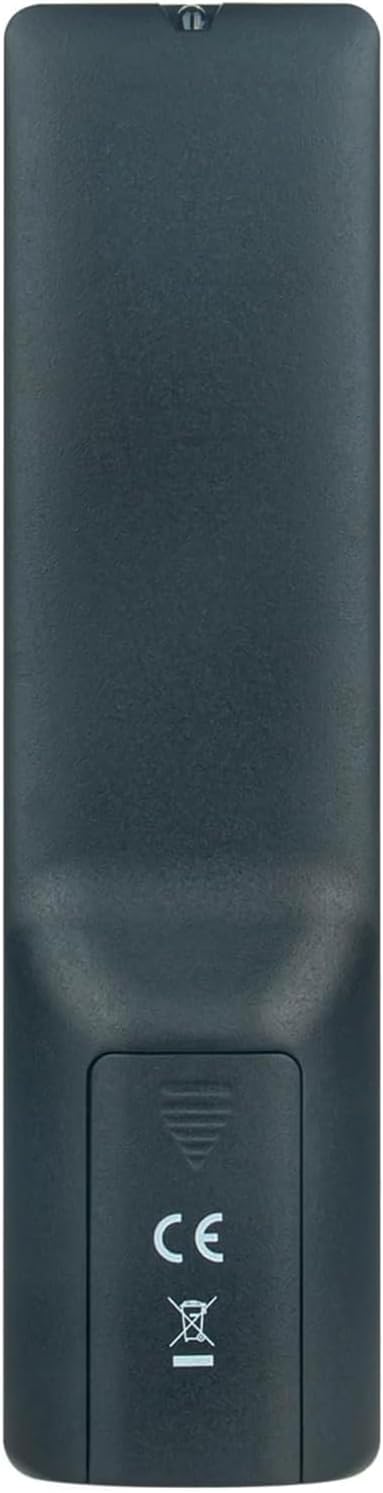
Bilde 2.1: Bak view of the remote control with the battery cover open, illustrating the correct orientation for AAA battery insertion.
Once batteries are installed, the remote is ready for immediate use with your compatible QBell Smart TV. No additional programming or pairing is required.
3. Bruksanvisning
This remote control provides full functionality for your compatible QBell 4K OLED Smart TV. Below is a general overview of common buttons and their functions.

Bilde 3.1: Foran view of the AULCMEET remote control, displaying the layout of all control buttons.
- På-knapp (●): Slår TV-en på eller av.
- Tallknapper (0-9): Velg kanaler direkte.
- CH +/-: Endrer kanaler opp eller ned.
- VOL +/-: Justerer volumnivået.
- Stum: Demper eller opphever lyden på TV-en.
- KILDE: Velger inngangskilder (HDMI, AV osv.).
- MENY: Gir tilgang til TV-ens hovedmeny.
- Navigasjonsknapper (opp, ned, venstre, høyre, OK): Naviger gjennom menyer og bekreft valg.
- EXIT: Går ut av gjeldende meny eller funksjon.
- INFO: Viser informasjon om gjeldende program.
- Fargede knapper (rød, grønn, gul, blå): Access specific functions depending on the TV menu or application.
- TEKST: Activates or deactivates Teletext.
- Undertekst: Toggles subtitles on or off.
- GJENNOMSNITT: Gir tilgang til medieavspillingsfunksjoner.
- SOVE: Sets the TV sleep timer.
For detailed functions of specific buttons, please refer to your QBell Smart TV's original user manual.
4. Vedlikehold
- Batteribytte: Replace batteries when the remote's response becomes sluggish or stops working. Always replace both batteries simultaneously with new AAA alkaline batteries. Do not mix old and new batteries, or different types of batteries.
- Rengjøring: For å rengjøre fjernkontrollen, tørk den forsiktig med en myk, tørr klut. Ikke bruk flytende rengjøringsmidler, spray eller slipende materialer, da disse kan skade fjernkontrollens overflate eller interne komponenter.
- Lagring: If the remote will not be used for an extended period, remove the batteries to prevent leakage and potential damage. Store the remote in a cool, dry place away from direct sunlight and extreme temperatures.
5. Feilsøking
| Problem | Mulig årsak | Løsning |
|---|---|---|
| Fjernkontrollen fungerer ikke. |
|
|
| Buttons are unresponsive or delayed. |
|
|
6. Spesifikasjoner
| Merke | AULCMEET |
| Modellnavn | BJKJ-MB1807-JKJBEU |
| Kompatible enheter | QBell 4K OLED Smart TV QT43J03, QT40K02, QT40J03 |
| Tilkoblingsteknologi | Infrarød (IR) |
| Maksimal rekkevidde | 10 meter |
| Antall knapper | 20 |
| Kontrollertype | Knappkontroll |
| Batteritype | AAA Alkaline (x2) |
| Spesialfunksjon | Ingen programmering nødvendig |
| Opprinnelsesland | Kina |
7. Støtte
For any questions, concerns, or further assistance regarding your AULCMEET Replacement Remote Control, please do not hesitate to contact the manufacturer or your retailer. We are committed to ensuring your satisfaction.
Ta vare på denne håndboken for fremtidig referanse.