
Introduksjon
Thank you for choosing the Coby Pro Fitness True Wireless Earbuds. These earbuds are designed to provide a high-quality audio experience with features tailored for an active lifestyle. They offer a secure fit, sweat resistance, noise isolation, HD audio, and seamless connectivity with Bluetooth 5.3. This manual will guide you through the setup, operation, and maintenance of your new earbuds.
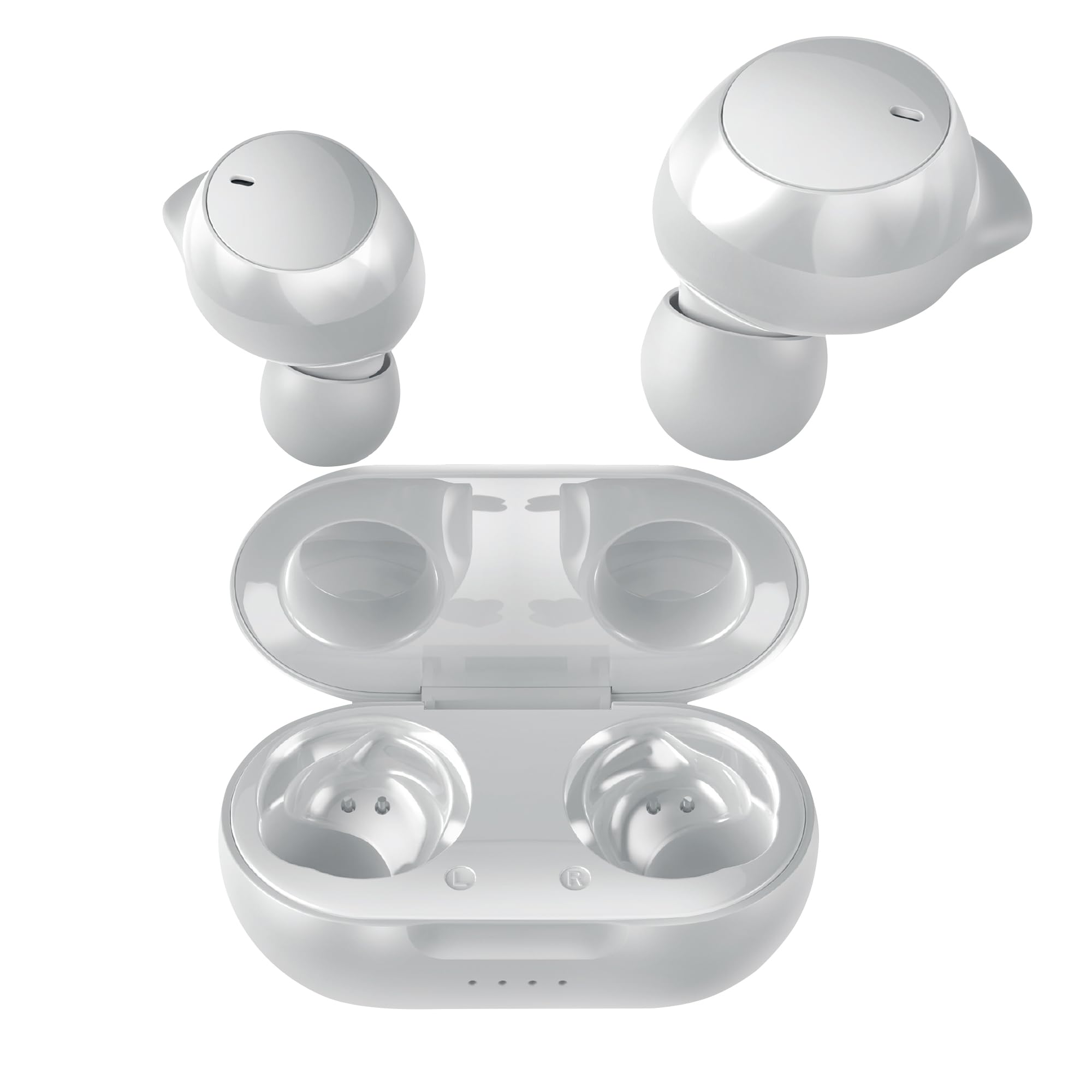
Image: Coby Pro Fitness True Wireless Earbuds and their charging case.
Oppsett
Pakkeinnhold
- Coby Pro Fitness True Wireless Earbuds (Left and Right)
- Ladeetui
- USB ladekabel
- Flere størrelser av silikonøretupper
- Brukerhåndbok
Lader ørepluggene og dekselet
- Place the earbuds into the charging case, ensuring they are correctly seated in their respective slots.
- Connect the USB charging cable to the charging port on the case and plug the other end into a USB power source (e.g., wall adapter, computer USB port).
- The indicator lights on the charging case will illuminate to show charging status. A full charge typically takes approximately 1-2 hours for the earbuds and 2-3 hours for the case.
- Once fully charged, the indicator lights will change or turn off. Disconnect the charging cable.
Innledende sammenkobling
Follow these steps to pair your earbuds with your device for the first time:
- Ensure the earbuds are charged. Open the charging case. The earbuds will automatically enter pairing mode, indicated by a flashing LED light on one or both earbuds.
- Gå til Bluetooth-innstillingene på smarttelefonen, nettbrettet eller en annen Bluetooth-aktivert enhet.
- Søk etter available devices. You should see "Coby CETW553" or a similar name appear in the list.
- Select "Coby CETW553" to connect. Once connected, you will hear an audio prompt, and the earbud LED lights will stop flashing.

Image: Illustration of earbuds automatically pairing with a smartphone.
Har på ørepluggene
For optimal sound quality and a secure fit, choose the correct size ear tips and insert the earbuds properly:
- Experiment with the different sizes of silicone ear tips provided to find the pair that creates a comfortable and snug seal in your ear canal. A good seal is crucial for noise isolation and bass response.
- Gently insert each earbud into your ear, twisting slightly until it feels secure and comfortable. The earbuds are ergonomically designed to stay in place during physical activity.

Image: A woman demonstrating the snug and secure fit of the ear tips.
Bruk av øreproppene
Slå på/av
- Strøm på: Åpne ladeetuiet, så slår øreproppene seg på automatisk. Alternativt kan du trykke og holde inne berøringskontrollområdet på begge øreproppene i 3 sekunder.
- Slå av: Plasser øreproppene tilbake i ladeetuiet og lukk lokket. De slår seg av automatisk. Alternativt kan du trykke og holde inne berøringskontrollområdet på begge øreproppene i 5 sekunder.
Musikkavspilling
- Spill av/pause: Trykk én gang på berøringskontrollområdet på en av øreproppene.
- Neste spor: Dobbelttrykk på berøringskontrollområdet på den høyre ørepluggen.
- Forrige spor: Dobbelttrykk på berøringskontrollområdet på venstre ørepropp.
- Volum opp: Trippeltrykk på berøringskontrollområdet på høyre ørepropp.
- Volum ned: Trippeltrykk på berøringskontrollområdet på venstre ørepropp.
Samtalehåndtering
- Svar/avslutt samtale: Trykk én gang på berøringskontrollområdet på en av øreproppene.
- Avvis anrop: Trykk og hold inne berøringskontrollområdet på en av øreproppene i 2 sekunder.
Stemmeassistent
The earbuds are compatible with Siri and Google Assistant. To activate your device's voice assistant:
- Aktiver stemmeassistent: Trykk og hold inne berøringskontrollområdet på en av øreproppene i 2 sekunder (når du ikke er i en samtale).

Image: Earbuds shown with compatibility logos for Siri and Google Assistant.
Vedlikehold
Rengjøring
- Regularly clean the earbuds and charging case to ensure optimal performance and hygiene.
- Bruk en myk, tørr og lofri klut til å tørke av de ytre overflatene på øreproppene og etuiet.
- For ørepropper, fjern dem fra øreproppene og vask dem med mild såpe og vann. Skyll grundig og la dem tørke helt før du setter dem på igjen.
- Gently remove any earwax or debris from the earbud mesh using a clean, dry cotton swab or a small, soft brush. Avoid using sharp objects.
Lagring
- When not in use, always store the earbuds in their charging case to protect them from damage and keep them charged.
- Store the charging case and earbuds in a cool, dry place, away from extreme temperatures, humidity, and direct sunlight.
Feilsøking
| Utgave | Løsning |
|---|---|
| Øreplugger kan ikke pares med enheten |
|
| Bare én ørepropp fungerer |
|
| Ingen lyd eller lite volum |
|
| Ladeetui lader ikke |
|
Spesifikasjoner
| Trekk | Detalj |
|---|---|
| Modellnummer | COBY-CETW553 |
| Tilkoblingsteknologi | Trådløs (Bluetooth) |
| Bluetooth-versjon | 5.3 |
| Øreplassering | In Ear |
| Støykontroll | Lydisolasjon |
| Vannmotstandsnivå | Vannbestandig (svettebestandig) |
| Battery Average Life (Earbuds) | 5 timer (per lading) |
| Frekvensområde | 20 Hz–20 000 Hz |
| Type lyddriver | Dynamisk driver |
| Kontrollmetode | Voice, Touch |
| Kompatible enheter | Smartphones, Tablets, Smart Speakers, Laptops, Desktops |
| Materiale | Silikon (øretupper) |
| Varevekt | 1.4 unser |
Garantiinformasjon
The Coby Pro Fitness True Wireless Earbuds (Model CETW553) come with a 90-day manufacturer's warranty. This warranty covers defects in materials and workmanship under normal use. Please retain your proof of purchase for warranty claims. For specific terms and conditions, or to initiate a warranty claim, please refer to the official Coby webnettstedet eller kontakt kundestøtte.
Støtte
If you encounter any issues not covered in this manual or require further assistance, please visit the official Coby website for FAQs, support resources, and contact information. You can typically find support details on the product page or in the 'Support' section of the Coby brand webnettstedet.