
Introduksjon
This manual provides comprehensive instructions for the setup, operation, and maintenance of your Surfans F22 Portable HiFi MP3 Player. Please read this manual thoroughly before using the device to ensure proper functionality and to maximize your listening experience.
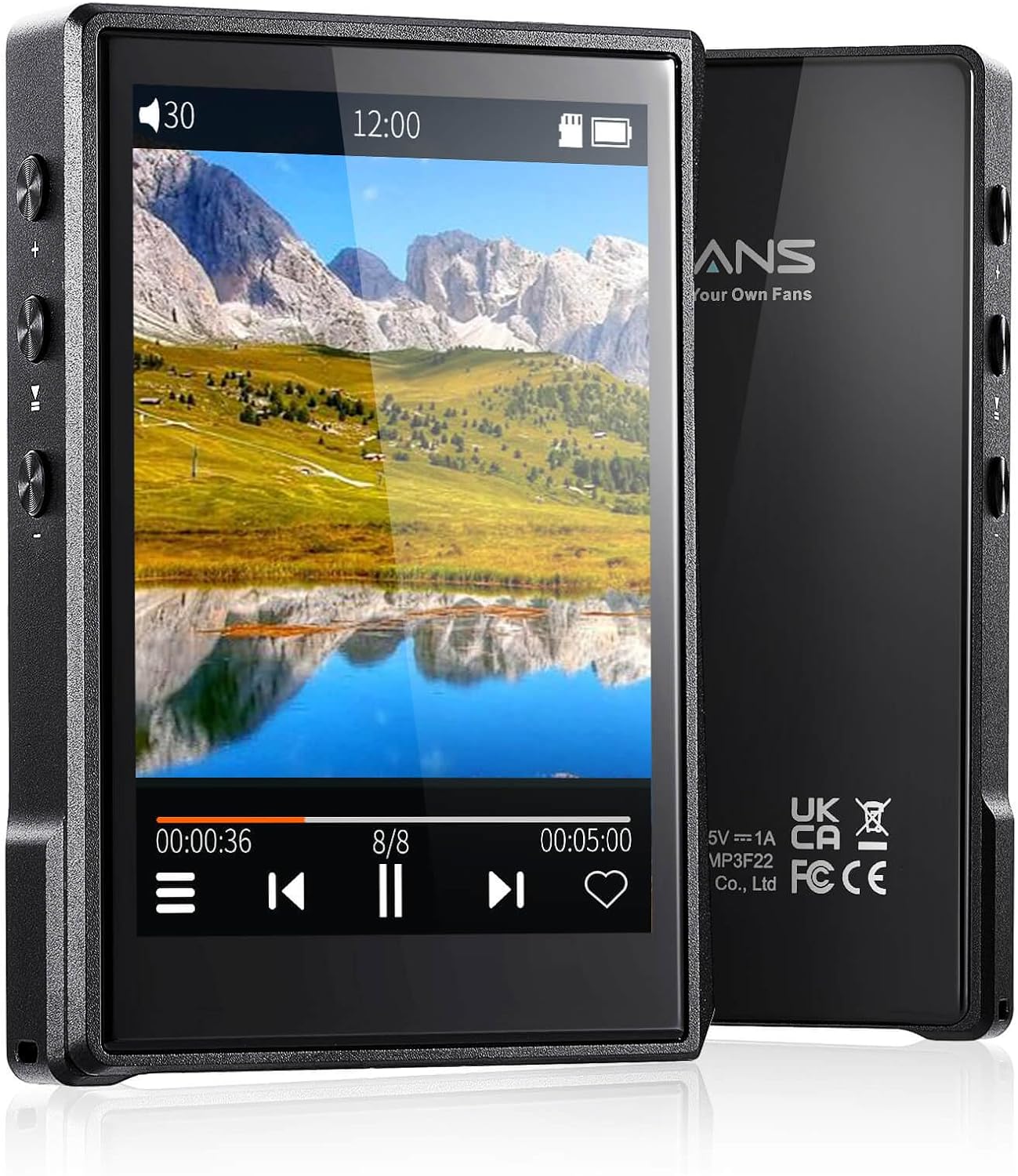
Bilde: Forside og bakside view of the Surfans F22 Portable HiFi MP3 Player, showcasing its 2.8-inch touchscreen and sleek design.
Pakkeinnhold
Bekreft at alle varene er til stede i pakken:
- Surfans F22 HiFi Music Player
- Brukerhåndbok (dette dokumentet)
- USB-C-kabel
- 32 GB minnekort (forhåndsinstallert eller inkludert separat)
Enheten er overview
Familiarize yourself with the physical components of your F22 player.

Image: Diagram illustrating the various ports and buttons on the Surfans F22 MP3 Player, including the power button, volume controls, headphone jack, and USB-C port.
- 2.8-inch IPS TFT Full Touchscreen: Main interface for navigation and control.
- Strømknapp: Slår enheten av/på og låser/låser opp skjermen.
- Volumknapper: Justerer lydutgangsnivået.
- Hodetelefonkontakt (3.5 mm): Koble til kablede hodetelefoner.
- USB-C-port: For lading og dataoverføring.
- Micro SD -kortspor: For utvidbar lagringsplass på opptil 1 TB.
Oppsett
1. Lading av enheten
Before first use, fully charge the F22 player. Connect the provided USB-C cable to the device's USB-C port and the other end to a USB power adapter (not included) or a computer's USB port. The charging indicator will show progress. A full charge typically takes approximately 2 hours and provides up to 10 hours of playback.
2. Sette inn et Micro SD-kort
The F22 comes with a 32GB memory card. For additional storage, you can insert a Micro SD card (up to 1TB) into the designated slot. Ensure the card is inserted correctly until it clicks into place.

Image: A Surfans F22 MP3 Player shown with a Micro SD card being inserted into its slot, illustrating the expandable storage capability.
3. Overføring av musikk Files
Connect the F22 player to your computer using the USB-C cable. The device will appear as a removable storage drive. Drag and drop your music files (FLAC, WMA, WAV, DSF, DSD, MP3, etc.) into the appropriate folders on the player's internal storage or the Micro SD card.

Image: A Surfans F22 MP3 Player displaying music playback, with a person wearing headphones in the background, symbolizing the high-fidelity audio experience.
Bruksanvisning
1. Av/på-funksjon og skjermlås
- For å slå på, trykk og hold inne av/på-knappen til skjermen lyser opp.
- To power off, press and hold the Power button, then select "Power Off" on the screen.
- To lock/unlock the screen, briefly press the Power button.
2. Navigere i grensesnittet
The F22 features a 2.8-inch touchscreen for navigation. Swipe left/right or up/down to browse menus and lists. Tap icons to select options or open applications.
3. Musikkavspilling
- From the main menu, select "Music" to access your library.
- Bla gjennom etter artist, album, sang, sjanger eller mappe.
- Trykk på en sang for å starte avspillingen.
- During playback, use the on-screen controls for play/pause, skip track, and volume adjustment. Physical volume buttons also control volume.

Image: The Surfans F22 MP3 Player screen showing options for music playback modes: List play, Single play, List loop, and Random, indicating flexible listening options.
4. Bluetooth-tilkobling
The F22 supports Bluetooth 4.2 for wireless audio output.
- Gå til «Innstillinger» og velg «Bluetooth».
- Turn Bluetooth on. The player will scan for available devices.
- Select your desired Bluetooth headphones or speaker from the list to pair.
- Når den er paret, strømmes lyden trådløst til den tilkoblede enheten.

Image: A visual representation of the Surfans F22 MP3 Player's Bluetooth 4.2 capabilities, showing connections to Bluetooth headphones, a Bluetooth speaker, and a car stereo system.
5. E-Book Functionality
The F22 also supports E-book reading.
- Transfer compatible E-book files til enheten.
- Fra hovedmenyen velger du «E-bok».
- Browse and select a book to open and read.
Vedlikehold
- Rengjøring: Bruk en myk, tørr klut til å rengjøre enheten. Unngå flytende rengjøringsmidler eller slipende materialer.
- Lagring: Oppbevar spilleren på et kjølig og tørt sted, unna direkte sollys og ekstreme temperaturer.
- Batteripleie: For å forlenge batterilevetiden, unngå å utlade batteriet helt ofte. Lad enheten regelmessig, selv om den ikke er i bruk over lengre tid.
- Programvareoppdateringer: Sjekk produsentens website periodically for firmware updates to ensure optimal performance and new features.
Feilsøking
| Problem | Mulig årsak | Løsning |
|---|---|---|
| Enheten slås ikke på. | Lavt batteri. | Lad enheten i minst 30 minutter. |
| Ingen lyd. | Volume too low; headphones not connected properly; incorrect audio output. | Increase volume; ensure headphones are fully plugged in; check Bluetooth connection if using wireless. |
| Kan ikke overføre files. | USB cable issue; device not recognized by computer. | Try a different USB port or cable; ensure the device is in data transfer mode if prompted. |
| Bluetooth-tilkoblingen er ustabil. | Interference; device too far from player. | Reduce distance between devices; avoid obstacles; try re-pairing. |
| Skjermen reagerer ikke. | Midlertidig programvarefeil. | Perform a soft reset by holding the Power button until the device restarts. |
Spesifikasjoner
| Trekk | Detalj |
|---|---|
| Modell | Surfans F22 Hi Res Music Player |
| Prosessor | RK3308G 64-bit Quad-core ARM Cortex-A35 |
| Utstilling | 2.8-inch IPS TFT Full Touchscreen (240*320 resolution) |
| Støttet lydformat | FLAC, WMA, WAV, DSF, DSD (Native DSD 128/256), PCM (up to 384kHz/32bit), DFF, DTS, APE, OGG, M4A, AIFF, AAC, MP3, Apple Lossless |
| Bluetooth | Versjon 4.2 |
| Intern lagring | 32 GB (inkludert) |
| Utvidbar lagring | Micro SD-kort opptil 1 TB |
| Batteri | 1500mAh litiumpolymer |
| Batterilevetid | Opptil 10 timers avspilling |
| Ladetid | Approximately 2 hours (fast charge) |
| Dimensjoner | 4.72 x 3.15 x 1.77 tommer |
| Vekt | 7.4 unser |
| Tilkobling | USB-C |
| Spesielle funksjoner | Equalizer, Hi-Res Audio, E-book function |
Garanti og støtte
The Surfans F22 Portable HiFi MP3 Player comes with a one-year return and exchange guarantee from the date of purchase. This warranty covers manufacturing defects under normal use.
For technical support, warranty claims, or further assistance, please contact Surfans customer service through their official website or the retailer where the product was purchased. Please have your purchase receipt and product model number (F22) available when contacting support.
Produsent: Surfans
Webnettsted: Surfans Official Store