
Introduksjon
Thank you for choosing the ROCAM Digital Projection Alarm Clock, Model CR1024. This device combines a digital alarm clock with a 270° rotatable projection feature, FM radio, dual alarm settings, and a USB charging port. Please read this manual carefully to ensure proper use and to fully enjoy all its features.

Image: The ROCAM Digital Projection Alarm Clock displaying time, date, temperature, and humidity, positioned on a bedside table next to a cup of coffee and a notebook.
Produktfunksjoner
- 270° roterbar projeksjon: Project time onto your wall or ceiling with adjustable angle and focus.
- 5-trinns dimbar LED-skjerm: Adjust the brightness of the main display to your preference.
- FM Radio & Sleep Timer: Enjoy your favorite radio stations and set a sleep timer for automatic shutdown.
- Dual Alarm with Weekend/Weekday Mode: Set two independent alarms with customizable schedules (Mon-Sun, Mon-Fri, Sat-Sun, One-Time).
- USB-C Power Input & USB-A Charging Output: Power the clock via USB-C and charge external devices like smartphones via USB-A.
- Reserve batteri: Opprettholder tids- og alarminnstillinger under strømbruddtages (batteries not included).
- Temperatur og fuktighetsvisning: Shows indoor temperature (°C/°F) and humidity.
- Nattlysfunksjon: Integrated night light for soft illumination.
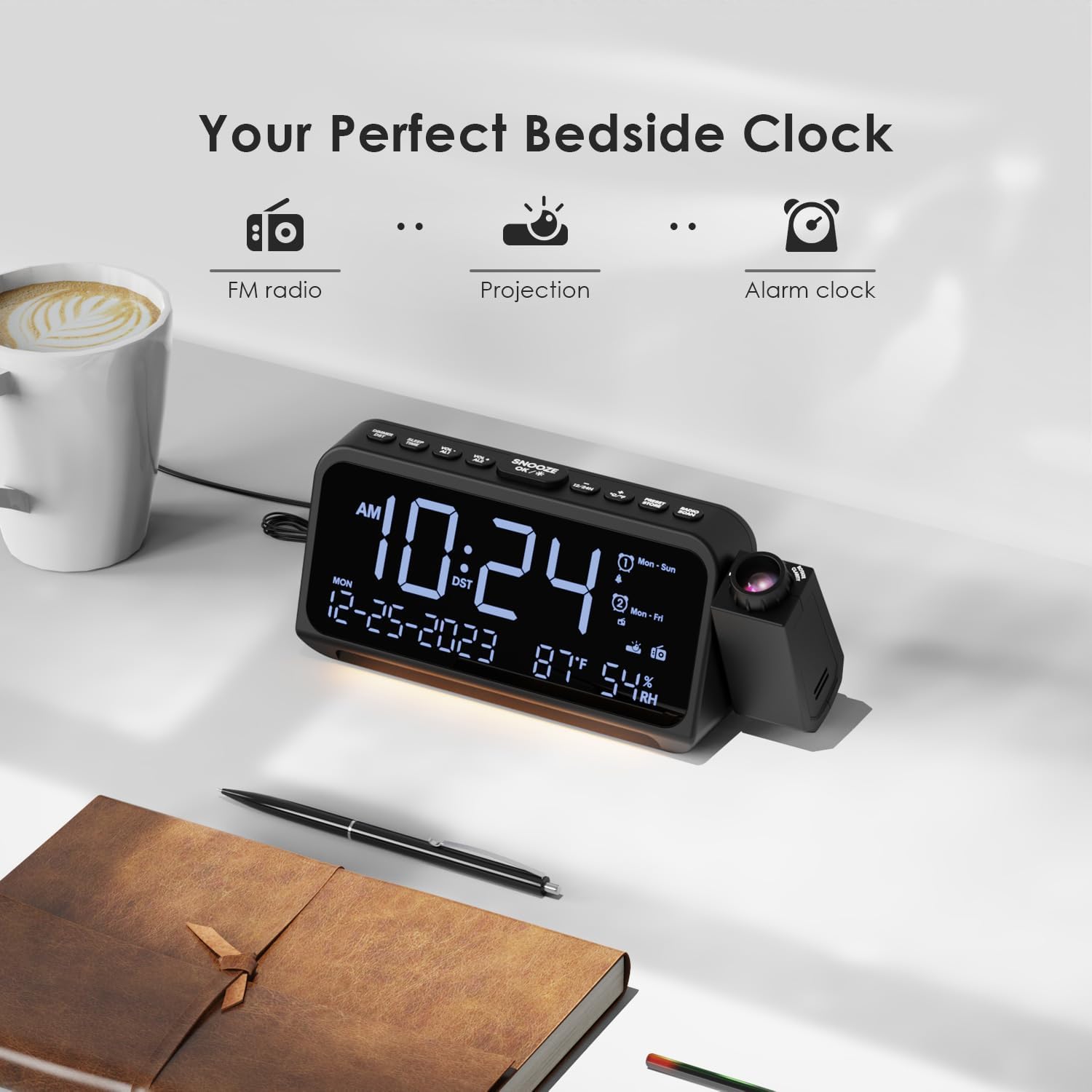
Image: Visual representation of the clock's main functions: FM radio, projection, and alarm clock.
Pakkeinnhold
Vennligst sjekk pakken for følgende varer:
- ROCAM Digital Projection Alarm Clock (CR1024)
- USB Type-C strømkabel
- Strømadapter
- Brukerhåndbok
Note: 1 CR2 battery is required for backup functionality and is not included in the package.

Image: The alarm clock, USB-C cable, power adapter, and user manual laid out, with product dimensions (20cm x 8.7cm x 3.81cm) and weight (240g) indicated.
Produkt overview
Knapper på øverste panel:
- SNOOZE/OK/*: Snooze alarm, confirm settings, or activate night light.
- VOL-/AL1: Decrease volume, set Alarm 1.
- VOL+/AL2: Increase volume, set Alarm 2.
- 12/24H: Bytt mellom 12-timers og 24-timers tidsformat.
- °C/°F: Veksle mellom temperaturvisning i Celsius og Fahrenheit.
- PRESET/STORE: Save FM radio presets.
- RADIO/SCAN: Turn FM radio on/off, scan for stations.
- TIDEN SATT: Gå inn i tidsinnstillingsmodus.
- ALARM SETT: Gå inn i alarminnstillingsmodus.
Side Panel & Rear:
- Projeksjonsobjektiv: Projiserer tid på en overflate.
- Fokushjul: Justerer klarheten til det projiserte bildet.
- Projeksjonsrotasjon: Allows 270° adjustment of the projection angle.
- DIM-knapp: Adjusts projection brightness.
- Strømknapp: Turns the projection on/off.
- Type-C Input (5V-2A): Hovedstrømtilkobling.
- USB-A Output (5V-1A): For lading av eksterne enheter.
- FM-antenne: Extend for better radio reception.
- Batterirom: For CR2 backup batteries.

Bilde: Detaljert view of the top control buttons and the projection unit, highlighting the dual alarm settings.

Image: The back of the alarm clock, illustrating the Type-C power input and the USB-A output port for charging other devices.
Oppsett
1. Strømtilkobling:
- Connect the provided USB Type-C cable to the Type-C input port on the back of the alarm clock.
- Plug the other end of the USB cable into the power adapter, then plug the adapter into a standard wall outlet.
- Displayet vil lyse opp, noe som indikerer at klokken er slått på.

Image: The alarm clock is shown connected to a wall outlet via its USB-C power cable and adapter.
2. Installasjon av batteribackup:
- Finn batterirommet på undersiden av klokken.
- Åpne kammerdekselet.
- Insert 1 CR2 battery (not included) according to the polarity markings (+/-).
- Close the battery compartment cover. This battery will preserve time and alarm settings during a power outage.

Image: The bottom of the alarm clock with the battery compartment open, showing where to insert CR2 batteries.
Bruksanvisning
1. Stille inn tid og dato:
- Trykk og hold inne TIDEN SATT knappen. Timetallene vil begynne å blinke.
- Bruk VOL+ or VOL- knappene for å justere timen. Trykk på TIDEN SATT igjen for å bekrefte.
- Gjenta prosessen for minutter, år, måned og dag.
- Pressen 12/24H to switch between 12-hour and 24-hour format.
- Pressen ° C / ° F to switch between Celsius and Fahrenheit for temperature display.
2. Setting Alarms (Alarm 1 & Alarm 2):
- Trykk og hold inne ALARM SETT button. The Alarm 1 icon and hour digits will flash.
- Bruk VOL+ or VOL- to set the desired alarm hour. Press ALARM SETT for å bekrefte.
- Gjenta i minutter.
- Select alarm mode (Mon-Sun, Mon-Fri, Sat-Sun, One-Time) using VOL+ or VOL-. Pressen ALARM SETT for å bekrefte.
- Choose alarm sound: buzzer or FM radio. Use VOL+ or VOL- å velge. Pressen ALARM SETT for å bekrefte.
- To set Alarm 2, briefly press ALARM SETT again and repeat the steps.
- To activate/deactivate an alarm, briefly press AL1 or AL2. The alarm icon will appear/disappear on the display.
Image: The clock display showing options for setting two alarms with different ringtone choices and day modes (Mon-Sun, Mon-Fri, Sat-Sun, One-Time).
3. Snooze-funksjon:
Når en alarm lyder, trykk på SNOOZE/OK/* button to temporarily silence it for 9 minutes. The alarm will sound again after the snooze period.
4. Display Brightness (Dimmer):
Trykk på SNOOZE/OK/* button repeatedly to cycle through 5 levels of display brightness (L-1 to L-5) or turn the display off.

Image: The clock display showing five different brightness levels (L-1 to L-5) for the main LED screen.
5. Projection Settings:
- Slå på/av: Trykk på Strømknapp on the side of the projection unit to turn the projection on or off.
- Juster lysstyrke: Trykk på DIM button on the side of the projection unit to cycle through 5 levels of projection brightness.
- Juster vinkel: Rotate the projection unit up to 270° to direct the time onto your desired surface (wall or ceiling).
- Juster fokus: Roter Fokushjul on the projection unit to sharpen the projected image.

Image: The digital time '10:24' projected in red onto a dark wall, demonstrating the projection feature.

Image: The projection unit rotating 270 degrees, showing how the projected time can be adjusted for optimal viewing.

Image: The projected time showing five distinct brightness levels, from level 1 (dimmest) to level 5 (brightest).
6. FM-radiodrift:
- Trekk ut FM-antennen for bedre mottak.
- Trykk på RADIO/SCAN button to turn the FM radio on.
- Trykk og hold RADIO/SCAN to automatically scan and save available stations.
- Bruk VOL+ or VOL- to manually tune to a station or cycle through saved presets.
- Pressen PRESET/STORE to save the current station as a preset.
- Pressen RADIO/SCAN again to turn the FM radio off.

Image: The clock displaying an FM radio frequency (108.0 MHz) and options for a sleep timer (OFF, 15, 30, 60, 90 minutes).
7. Sleep Timer:
When the FM radio is on, press the SNOOZE/OK/* button repeatedly to set a sleep timer (15, 30, 60, 90 minutes, or OFF). The radio will automatically turn off after the selected duration.

Image: A hand pressing a button on the clock, with sleep timer options (P01, P06, P12, P15, P20) displayed, indicating timed radio playback.
8. USB Charging Output:
Connect your smartphone or other USB-powered device to the USB-A output port (5V-1A) on the back of the clock to charge it. Ensure the alarm clock is powered via its USB-C input.
Vedlikehold
- Rengjøring: Tørk av klokken med en myk, tørr klut. Ikke bruk slipende rengjøringsmidler eller løsemidler.
- Batteribytte: Hvis klokken mister tid under strømbruddtage, replace the CR2 backup battery.
- Plassering: Avoid placing the clock in direct sunlight, high temperatures, or high humidity.
Feilsøking
| Problem | Løsning |
|---|---|
| Klokkedisplayet er tomt. | Ensure the USB-C power cable is securely connected to both the clock and a working power outlet. Check if the display brightness is set to OFF. |
| Alarmen lyder ikke. | Verify that the alarm is activated (alarm icon visible). Check the alarm volume. Ensure the alarm mode (Mon-Sun, Mon-Fri, etc.) is correctly set for the current day. |
| Projeksjonen er uskarp. | Roter Fokushjul on the projection unit until the image is clear. Ensure the projection surface is within optimal range. |
| Dårlig FM-radiomottak. | Fully extend the FM antenna. Try repositioning the clock to improve signal. Perform an auto-scan to find stronger stations. |
| USB-ladeporten fungerer ikke. | Ensure the alarm clock is powered by the USB-C input. Check the charging cable and the device being charged. |
Spesifikasjoner
- Modellnummer: CR1024
- Dimensjoner: 20 x 3.81 x 8.7 cm (L x B x H)
- Vekt: 240 g
- Strøminngang: USB type-C, 5V-2A
- USB-utgang: USB Type-A, 5V-1A
- Reserve batteri: 1 x CR2 battery (not included)
- FM frekvensområde: 87.5–108 MHz
Garanti og støtte
ROCAM products are designed for reliability and performance. This product comes with a standard manufacturer's warranty. For specific warranty details, please refer to the warranty card included in your package or contact ROCAM customer support.
If you encounter any issues or have questions regarding your ROCAM Digital Projection Alarm Clock, please contact our customer support team. Contact information can typically be found on our official webnettstedet eller på produktemballasjen.