
SUNOL T16
SUNOL T16 Wireless Earbuds User Manual
Model: T16 | Brand: SUNOL
Introduksjon
The SUNOL T16 Wireless Earbuds are designed for an active lifestyle, offering high-quality audio and convenient features. These Bluetooth headphones provide up to 48 hours of total playtime with their wireless charging case, featuring an LED power display for easy monitoring. With earhooks for a secure fit and water resistance, they are ideal for workouts, running, and various sports activities. The built-in microphone with noise cancellation ensures clear calls.
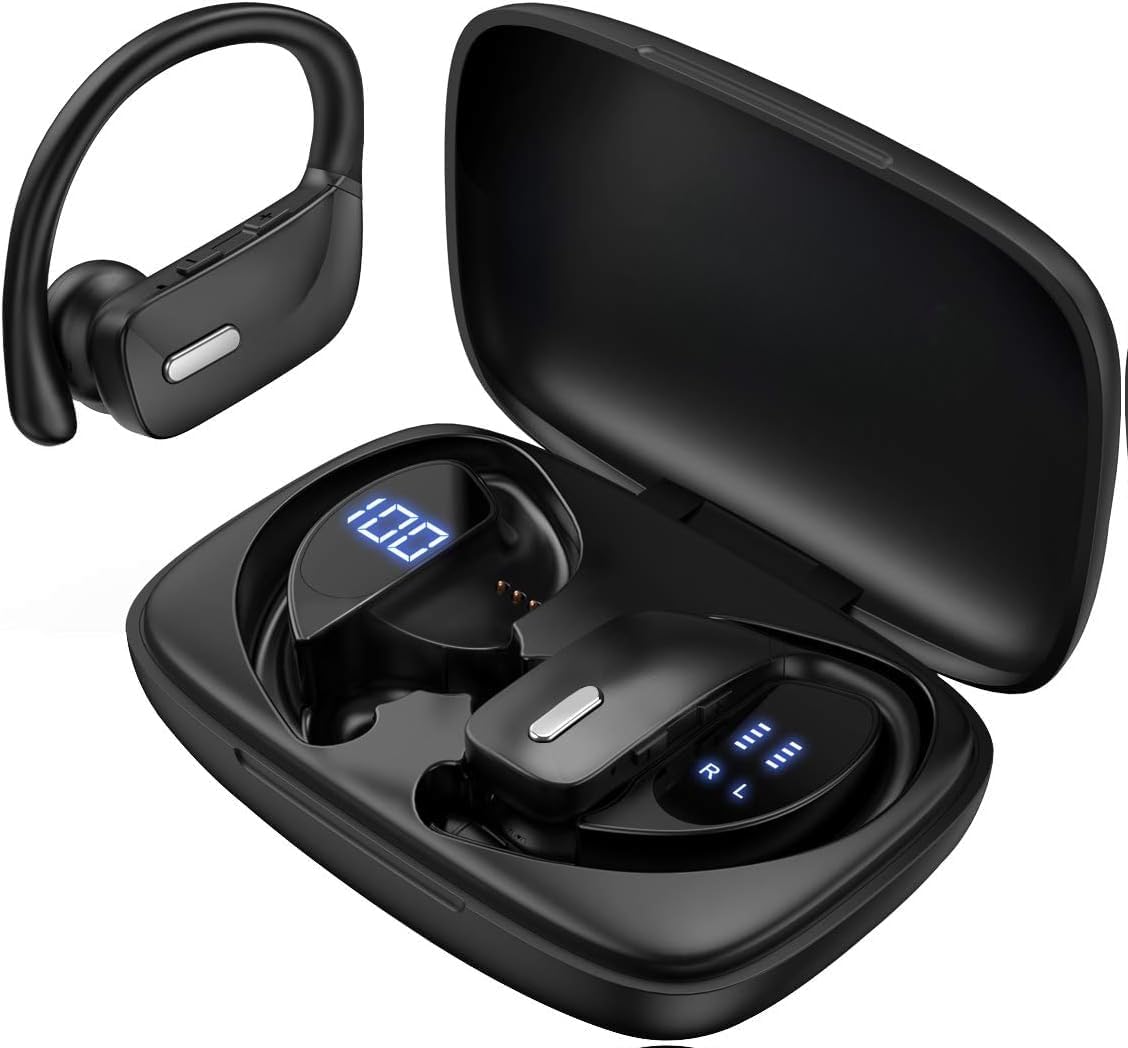
Image: The SUNOL T16 Wireless Earbuds with their charging case, showcasindet digitale displayet.
Hva er i esken
- SUNOL T16 Wireless Earbuds (Left and Right)
- Trådløs ladeveske
- USB-C ladekabel
- 3 Pairs of Ear Caps (S, M, L)
Spesifikasjoner
| Trekk | Detalj |
|---|---|
| Modellnavn | T16 |
| Tilkoblingsteknologi | Trådløs (Bluetooth 5.0) |
| Bluetooth-rekkevidde | Opp til 10 meter |
| Øreplugg batterilevetid | Opptil 9 timer (enkeltlading) |
| Total spilletid (med etui) | Opptil 48 timer |
| Ladealternativer | Wireless Charging, USB-C Charging |
| Lyddriverstørrelse | 10 mm dynamisk driver |
| Frekvensområde | 20 Hz–20 000 Hz |
| Impedans | 40 Ohm |
| Støykontroll | Aktiv støyreduksjon |
| Mikrofon | Built-in with Noise Cancellation |
| Vannmotstandsnivå | Vannbestandig |
| Kontroll Type | Touch, Siri Voice Assistant |
| Øreplassering | Over-ear (med ørekroker) |
| Materiale | Akrylnitrilbutadienstyren (ABS) |
| Varevekt | 6.4 unser |

Image: Diagram illustrating the premium stereo sound quality and Bluetooth 5.0 connectivity.
Oppsett
1. Lade øreproppene og etuiet
The charging case supports both wireless charging and USB-C charging. The impressive 9 hours of listening time on a single charge for the sports wireless headphones are extended to a remarkable 48 hours of play time with the included charging case.
- To charge the case, connect a USB-C cable to the charging port on the back of the case, or place it on a compatible wireless charging pad.
- Place the earbuds into their respective slots in the charging case. Ensure they are properly seated to initiate charging.
- The smart LED digital power display on the case will show the remaining battery level of the charging case and the individual earbuds. The percentage in the middle indicates the case battery, while the battery icons on both sides indicate the left and right earbud charge levels.

Image: The charging case with its LED display showing battery levels for the case and individual earbuds.

Image: Diagram illustrating the battery life: 15 min charge for 1 hour playtime, 8 hours on a single charge, and 48 hours with the charging case.
2. Paring med enheten din
The earbuds automatically enter pairing mode when removed from the charging case.
- Åpne ladeetuiet og ta ut begge øreproppene. De vil automatisk slå seg på og gå inn i paringsmodus.
- On your mobile device (smartphone, tablet, laptop), go to the Bluetooth settings.
- Søk etter available devices. You should see "T16" or "S8" appear in the list.
- Select "T16" or "S8" to connect. Once connected, you will hear an audio prompt, and the earbuds will be ready for use.

Image: Diagram showing the earbuds automatically pairing with mobile phones.
Video: Official product video demonstrating the unboxing, charging, and Bluetooth pairing process of the SUNOL T16 Wireless Earbuds.
Bruksanvisning
Har på ørepluggene
The T16 earbuds are designed with flexible earhooks to ensure a secure and comfortable fit, especially during physical activity. Gently place the earbud into your ear canal and adjust the earhook over the top of your ear until it feels stable and comfortable. Experiment with the included ear cap sizes to find the best fit for optimal sound and comfort.

Image: A woman wearing the SUNOL T16 earbuds, demonstrating their secure fit for an active lifestyle.
Trykk på kontroller
The earbuds feature physical buttons for precise control of various functions:
- Spill av/pause: Ett trykk på begge øreproppene.
- Svar/legg på anrop: Enkelttrykk på en av øreproppene under en samtale.
- Forrige sang: Dobbelttrykk på venstre ørepropp.
- Neste sang: Dobbelttrykk på den høyre ørepluggen.
- Active Voice Assistant (Siri): Trippeltrykk på en av øreproppene.
- Avvis anrop: Langt trykk på en av øreproppene under et innkommende anrop.
- Volumjustering: Use the dedicated volume buttons on the earbuds.

Image: Diagram detailing the physical buttons and their functions, including volume adjustment, play/pause, call management, and voice assistant activation.
Vedlikehold
To ensure the longevity and optimal performance of your SUNOL T16 Wireless Earbuds, follow these maintenance guidelines:
- Rengjøring: Regularly wipe the earbuds and charging case with a soft, dry, lint-free cloth. For ear caps, remove them and clean with mild soap and water, then dry thoroughly before reattaching.
- Vannmotstand: While water-resistant, avoid submerging the earbuds in water. Dry them completely if they get wet from sweat or rain before placing them back in the charging case.
- Lagring: Når øreproppene ikke er i bruk, bør de oppbevares i ladeetuiet for å beskytte dem og holde dem ladet. Oppbevares kjølig og tørt, unna ekstreme temperaturer.
- Ladeport: Hold USB-C-ladeporten fri for støv og rusk.
Feilsøking
If you encounter any issues with your SUNOL T16 Wireless Earbuds, try the following solutions:
- Øreproppene kobles ikke sammen:
- Sørg for at begge øreproppene er fulladet.
- Place earbuds back in the case, close the lid, wait a few seconds, then open and remove them again.
- Slå av Bluetooth på enheten din, slå den deretter på igjen og prøv å koble den sammen på nytt.
- Forget or remove the "T16" or "S8" device from your device's Bluetooth list and attempt to pair from scratch.
- Bare én ørepropp fungerer:
- Sørg for at begge øreproppene er ladet.
- Place both earbuds back in the charging case, close the lid, and then take them out simultaneously.
- If the issue persists, try resetting the earbuds.
- Dårlig lydkvalitet:
- Ensure the earbuds are properly seated in your ears and the ear caps provide a good seal.
- Check the audio source device's volume and sound settings.
- Move closer to your connected device to avoid interference or exceeding the 10-meter Bluetooth range.
- Clean the earbud speakers and ear caps.
- Ladevesken lader ikke:
- Sørg for at USB-C-kabelen er ordentlig koblet til både kabinettet og strømkilden.
- Prøv en annen USB-C-kabel eller strømadapter.
- Hvis du bruker trådløs lading, må du sørge for at etuiet er riktig plassert på ladeplaten.
Garanti og støtte
For warranty information and technical support, please refer to the documentation included with your product or contact the manufacturer, SUNOL, directly through their official webnettstedet eller kundeservicekanaler. Ta vare på kjøpskvitteringen som kjøpsbevis for eventuelle garantikrav.
Ask a question about this manual
Ask about setup, troubleshooting, compatibility, parts, safety, or missing instructions. Manuals+ will review the question and use this page’s manual context to help answer it.