
Introduksjon
Thank you for choosing the Fintie Keyboard Case for your Samsung Galaxy Tab A9 Plus 11 Inch 2023. This versatile case provides robust protection and enhances your tablet's functionality with a magnetic, removable Bluetooth keyboard. Designed for seamless integration, it allows for faster and more comfortable typing, transforming your tablet into a portable workstation. This manual provides essential information for setup, operation, maintenance, and troubleshooting to ensure optimal performance of your device.
Compatibility and Package Contents
Kompatibilitetsvarsel
This keyboard case is specifically designed for the Samsung Galaxy Tab A9 Plus 11 Inch 2023 modeller: SM-X210, SM-X216 og SM-X218. It is not compatible with other Samsung Galaxy tablet models. Please verify your tablet's model number before use.
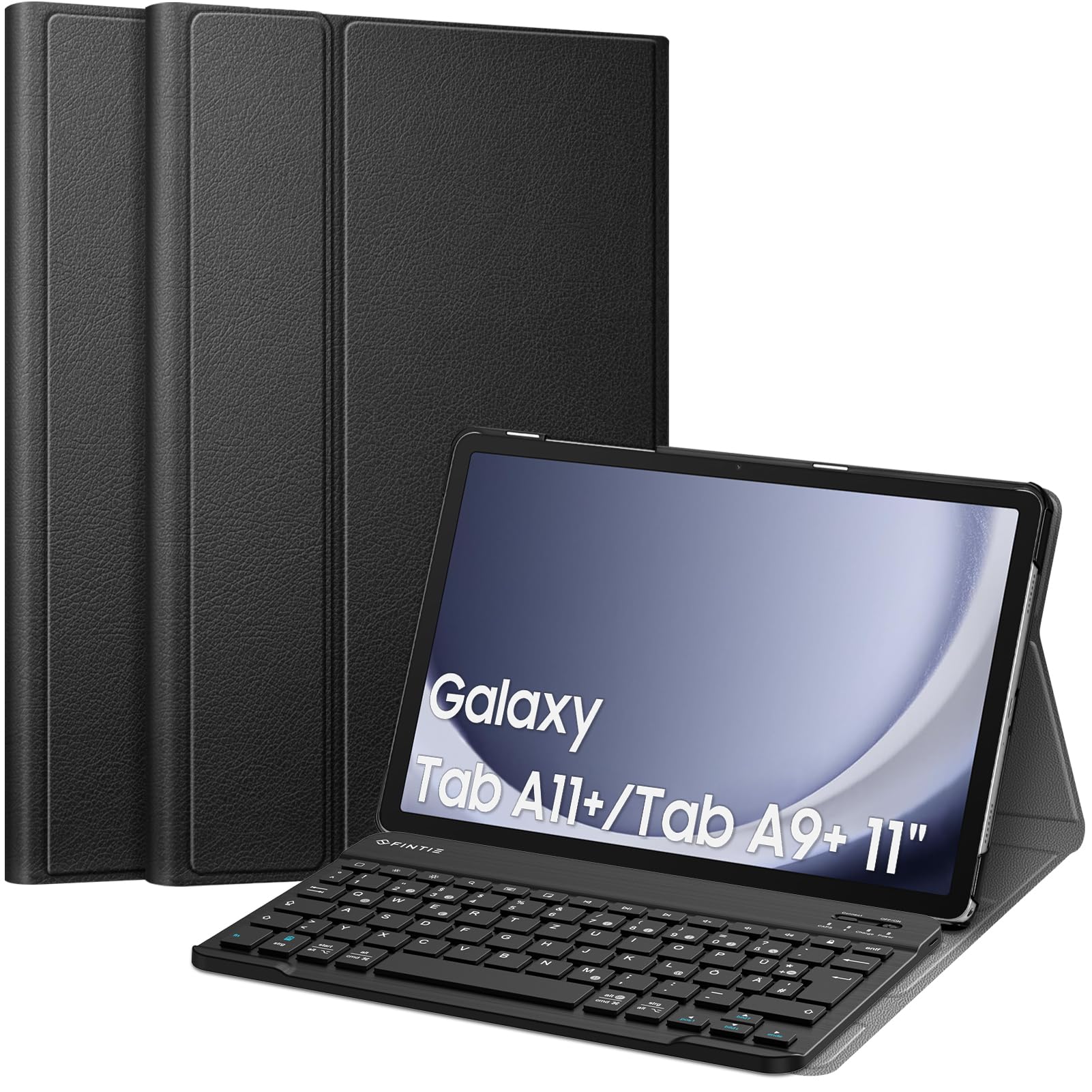
Image: Compatibility chart for Fintie Keyboard Case. This image illustrates the compatible tablet models (Samsung Galaxy Tab A9 Plus 11 Inch 2023, models SM-X210/X216/X218) and provides instructions on how to locate your tablet's model number via the device settings (Settings > About tablet > Model number).
How to Find Your Tablet Model Number:
- Open your tablet's Innstillinger søknad.
- Naviger til Om nettbrett.
- Locate and confirm the Modellnummer (e.g., SM-X210, SM-X216, SM-X218).
Pakkeinnhold
Ved utpakking, sørg for at alle følgende gjenstander er til stede:
- 1 x Fintie Ultra-thin Case
- 1 x Bluetooth-tastatur
- 1 x USB-C ladekabel
- 1 x brukerhåndbok (dette dokumentet)
Oppsett
1. Attaching Your Tablet to the Case
The Fintie case features a durable faux leather exterior and a non-slip inner lining designed to securely hold your tablet. Simply align your Samsung Galaxy Tab A9 Plus with the case's frame and gently press it into place. The case provides full access to all tablet features, including ports and buttons.
2. Charging the Bluetooth Keyboard
Before initial use, fully charge the keyboard. Use the included USB-C charging cable. Connect the small end of the cable to the keyboard's charging port and the larger end to a USB power adapter (not included) or a computer's USB port. The charging indicator light will illuminate during charging and turn off once fully charged.
3. Pairing the Bluetooth Keyboard with Your Tablet
Follow these steps to establish a Bluetooth connection:
- Sørg for at tastaturet er ladet.
- Slå på tastaturet ved å skyve på PÅ/AV switch to the 'ON' position. The power indicator light will briefly turn on.
- Trykk på 'Connect' button on the keyboard. The Bluetooth indicator light will start blinking, indicating it is in pairing mode.
- On your Samsung Galaxy Tab A9 Plus, go to Innstillinger > Tilkoblede enheter > Bluetooth.
- Sørg for at Bluetooth er aktivert på nettbrettet ditt.
- Your tablet will search for available devices. Select 'Bluetooth Keyboard' (or a similar name) from the list of found devices.
- If prompted, enter the pairing code displayed on your tablet onto the keyboard and press Gå.
- Once paired, the Bluetooth indicator light on the keyboard will stop blinking and remain solid for a moment, then turn off to save power. The keyboard is now ready for use.

Image: Magnetically Integrated Keyboard. This image demonstrates how the keyboard can be magnetically attached to the case for use or easily removed for flexible positioning.
Bruksanvisning
Tastaturbruk
The Fintie Bluetooth keyboard features a QWERTZ layout, providing a familiar typing experience. Each key is designed with a jump mechanism, offering tactile feedback for precise and efficient typing. The keyboard is made from high-end ABS material for durability and a comfortable feel.

Image: High End ABS Material Keyboard. This image provides a detailed view of the keyboard, emphasizing its construction from high-quality ABS material.
Regulerbar Viewi vinkler
The case's rear cover can be converted into a stand, offering three adjustable viewing angles. This allows you to find the most comfortable position for typing, watching videos, or browsing.

Bilde: Flere Viewing Angles. This image illustrates the three adjustable viewing angles provided by the case's stand feature, along with anti-slip grooves for stability.
Bluetooth-overføringsavstand
The Bluetooth keyboard operates effectively within a range of up to 10 meters (approximately 33 feet) from your tablet, providing flexibility in your workspace setup.

Image: Bluetooth Transmission Distance 10M. This image depicts the tablet and keyboard in use, highlighting the effective Bluetooth transmission range of up to 10 meters.
Automatisk sove-/vekkefunksjon
The case supports an auto sleep/wake function for your tablet. Please note that this feature only works when the keyboard is removed from the case. When the keyboard is attached, the auto sleep/wake function may not operate as intended.

Image: Turn Your Tablet into An Ultraportable Laptop. This collage showcases different ways the Fintie keyboard case can be used, illustrating its versatility for work and leisure.
Vedlikehold
Rengjøring av kabinettet og tastaturet
- Sak: Wipe the faux leather exterior with a soft, damp klut. Unngå sterke kjemikalier eller slipende rengjøringsmidler.
- Tastatur: Use a soft, dry cloth to clean the keyboard surface. For dust between keys, use compressed air. Do not immerse the keyboard in water or use liquid cleaners directly on the keys.
Batteripleie
- For å forlenge batterilevetiden, unngå å utlade tastaturbatteriet helt ofte.
- Lad tastaturet regelmessig, selv om det ikke er i konstant bruk.
- Oppbevar tastaturet på et kjølig og tørt sted når det ikke er i bruk over lengre tid.

Image: Improved Bluetooth Low Energy (BLE) Technology. This graphic illustrates the extended operational and standby times achieved with BLE technology compared to classic Bluetooth, highlighting the energy efficiency of the keyboard.

Image: High Quality Material & Craftsmanship. This image displays the exterior of the Fintie case, emphasizing its durable faux leather material and construction quality.
Feilsøking
Tastaturet kobler ikke til/parer seg ikke
- Sjekk batteri: Ensure the keyboard is fully charged. Low battery can prevent connection.
- Start enheter på nytt: Turn off and on both the keyboard and your tablet's Bluetooth.
- Reparere: Go to your tablet's Bluetooth settings, 'forget' or 'unpair' the keyboard, then repeat the pairing steps in the 'Setup' section.
- Avstand: Ensure the keyboard is within the 10-meter Bluetooth range of your tablet.
- Interferens: Flytt deg bort fra andre trådløse enheter som kan forårsake forstyrrelser.
Taster svarer ikke
- Forbindelse: Verify the keyboard is still connected via Bluetooth. If not, re-pair it.
- Makt: Ensure the keyboard is turned on and has sufficient battery.
- Start på nytt: Slå tastaturet av og på.
Auto Sleep/Wake Not Working
- Confirm the keyboard is removed from the case. The auto sleep/wake function is designed to work only when the keyboard is detached.
- Ensure your tablet's screen lock settings are configured for auto sleep/wake.
Spesifikasjoner
| Trekk | Spesifikasjon |
|---|---|
| Merke | FINTIE |
| Modellnummer | CDE0837 |
| Kompatible enheter | Samsung Galaxy Tab A9 Plus 11 inch 2023 (SM-X210/X216/X218) |
| Tilkoblingsteknologi | Bluetooth |
| Tastaturbeskrivelse | Trådløs |
| Anbefalt bruk | Daglig bruk |
| Produktfunksjoner | Bærbar, oppladbar |
| Antall nøkler | 79 |
| Strømkilde | Batteridrevet |
| Brytertype | Taktil |
| Tastaturoppsett | QWERTZ (tysk) |
| Håndorientering | Ambidekstrøs |
| Knapp Antall | 100 |
| Farge | Svart |
| Stilnavn | Klassisk |
| Innkapslingsmateriale | Akrylnitrilbutadienstyren (ABS) |
| UPC | 840173956984 |
Garantiinformasjon
Fintie products are designed for quality and reliability. For specific warranty details regarding your Fintie Keyboard Case, please refer to the warranty card included with your purchase or visit the official Fintie webnettstedet. Ta vare på kjøpskvitteringen som kjøpsbevis for eventuelle garantikrav.
Kundestøtte
Should you encounter any issues or have questions not covered in this manual, please contact Fintie customer support. Contact information can typically be found on the product packaging, the official Fintie website, or through your retailer's support channels. Please have your product model number (CDE0837) and purchase details ready when contacting support.