
Introduksjon
Takk for kjøpetasing the LONPOO LP-118W Portable CD Player Boombox. This device offers versatile audio playback options including CD, Bluetooth, FM radio, USB, and AUX input, along with a microphone port for karaoke. Designed for portability and ease of use, this manual provides essential information for safe and optimal operation. Please read this manual thoroughly before using the product and retain it for future reference.
Sikkerhetsinformasjon
- Ikke utsett enheten for regn eller fuktighet for å unngå brann eller elektrisk støt.
- Ikke åpne c-enasing. Overlat all service til kvalifisert personell.
- Unngå å plassere enheten i nærheten av varmekilder som radiatorer, varmeventiler, ovner eller andre apparater (inkludert ampløftere) som produserer varme.
- Beskytt strømledningen mot å bli tråkket på eller klemt, spesielt ved støpsler, stikkontakter og punktet der de kommer ut av apparatet.
- Bruk kun vedlegg/tilbehør spesifisert av produsenten.
- Koble fra dette apparatet under tordenvær eller når det ikke skal brukes i lengre perioder.
- Dispose of batteries responsibly. Do not expose batteries to excessive heat.
Pakkeinnhold
Bekreft at alle varene som er oppført nedenfor er inkludert i pakken din:
- LONPOO LP-118W Portable CD Player Boombox
- Fjernkontroll
- Strømkabel
- Brukerhåndbok

Image: The LONPOO LP-118W boombox shown with its included remote control, AC power cable, and user manual, illustrating the complete package contents.
Produkt overview
Familiarize yourself with the main components and controls of your LP-118W boombox.
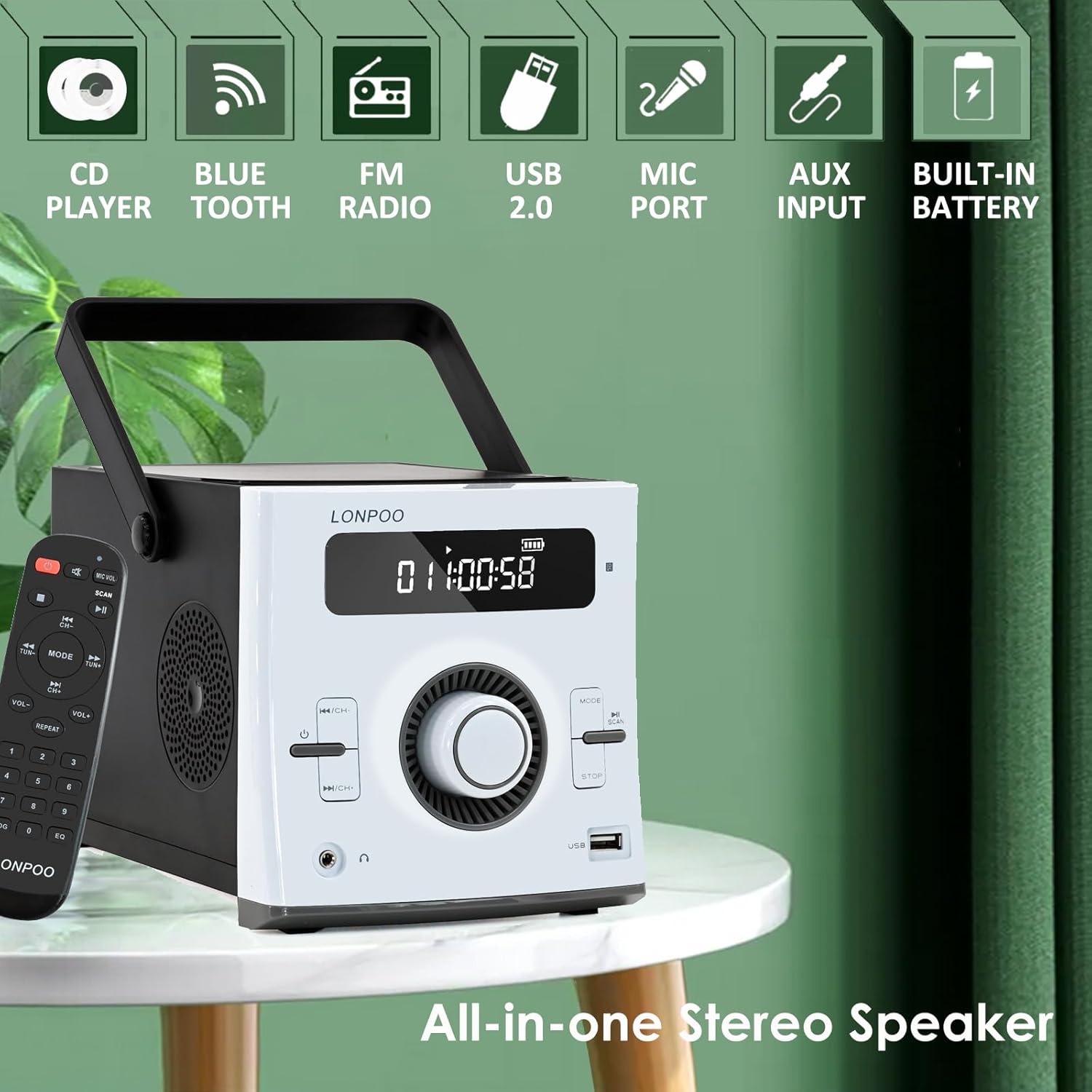
Bilde: Foran view of the LONPOO LP-118W boombox, highlighting its multi-functional capabilities including CD playback, Bluetooth connectivity, FM radio, USB port, microphone input, AUX input, and built-in rechargeable battery.
Kontroller på frontpanelet:
- LCD-skjerm: Shows track number, time, mode, volume, and battery status.
- Strømknapp: Slår enheten av/på.
- Modusknapp: Switches between CD, Bluetooth, FM, USB, and AUX modes.
- Spill av/pause-knapp: Starter eller stopper avspilling midlertidig.
- Stopp-knapp: Stopper avspilling.
- Skip/Search Buttons (Previous/Next): Navigates tracks or radio stations.
- Volumknapp: Justerer lydutgangsnivået.
- USB-port: For avspilling fra USB-stasjon.
- Hodetelefonutgang: 3.5 mm-kontakt for privat lytting.
Porter på bakpanelet:
- DC IN: Power input for AC adapter.
- AUX IN: 3.5 mm inngang for eksterne lydenheter.
- MIC-port: 6.35mm input for a microphone (microphone not included).
- FM-antenne: External wire antenna for FM reception.
Oppsett
Strømforsyning til enheten
The LP-118W can be powered by the included AC power cable or its internal rechargeable battery.
- Vekselstrøm: Connect the AC power cable to the DC IN port on the rear of the unit and plug the other end into a standard wall outlet.
- Batteristrøm: The unit has a built-in 2000mAh rechargeable battery. Ensure the battery is charged before portable use.
Opprinnelig batterilading
For optimal performance, fully charge the battery before first use. Connect the unit to AC power; the battery indicator on the LCD display will show charging status. A full charge provides over 5 hours of continuous playback.
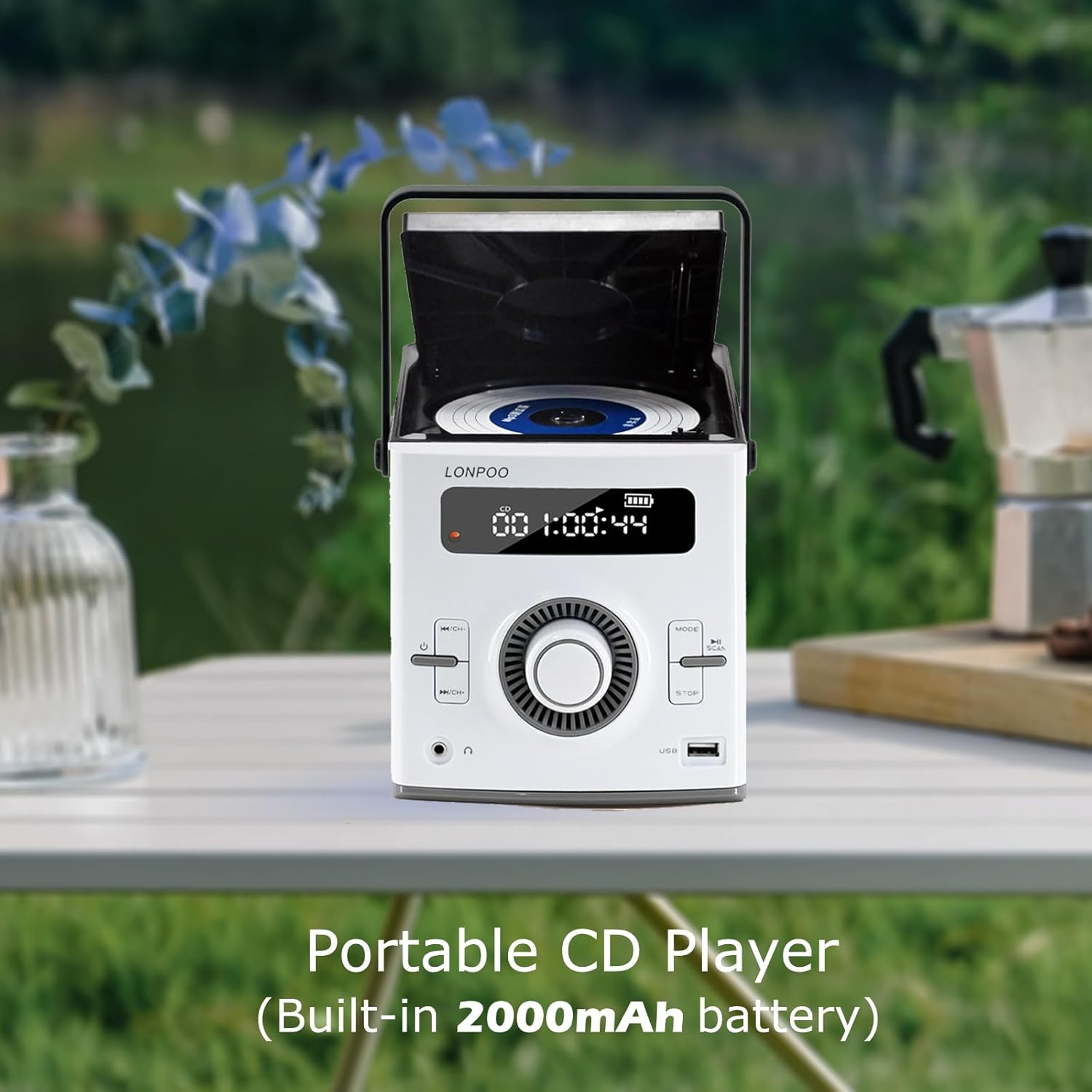
Image: The LONPOO LP-118W portable CD player with its top-loading CD compartment open, displaying the built-in 2000mAh battery capacity on the screen, indicating its portable nature.
FM Antenna Setup
For best FM radio reception, fully extend the wire antenna located at the rear of the unit. Position it for optimal signal strength.
Bruksanvisning
Generell drift
- Trykk på Makt knappen for å slå på enheten.
- Roter Volumknapp for å justere lydnivået.
- Trykk på Modus button repeatedly to cycle through available input sources: CD, Bluetooth, FM, USB, AUX.
CD-avspilling
- Open the CD compartment door.
- Legg inn en CD med etikettsiden opp.
- Close the CD compartment door securely.
- Trykk på Modus button until "CD" appears on the display.
- CD-en vil begynne å spille automatisk. Hvis ikke, trykk på Spill av/pause knapp.
- Bruk Hopp over/søk knapper for å navigere i spor.
Bluetooth-modus

Image: A person relaxing on a couch, using a smartphone to wirelessly connect to the LONPOO LP-118W boombox via Bluetooth, demonstrating its stable and fast connection for streaming music.
- Trykk på Modus button until "BT" (Bluetooth) appears on the display. The unit will enter pairing mode.
- On your Bluetooth-enabled device (e.g., smartphone, tablet), search for available devices and select "LP-118W".
- Once paired, you can play audio from your device through the boombox.
FM-radio
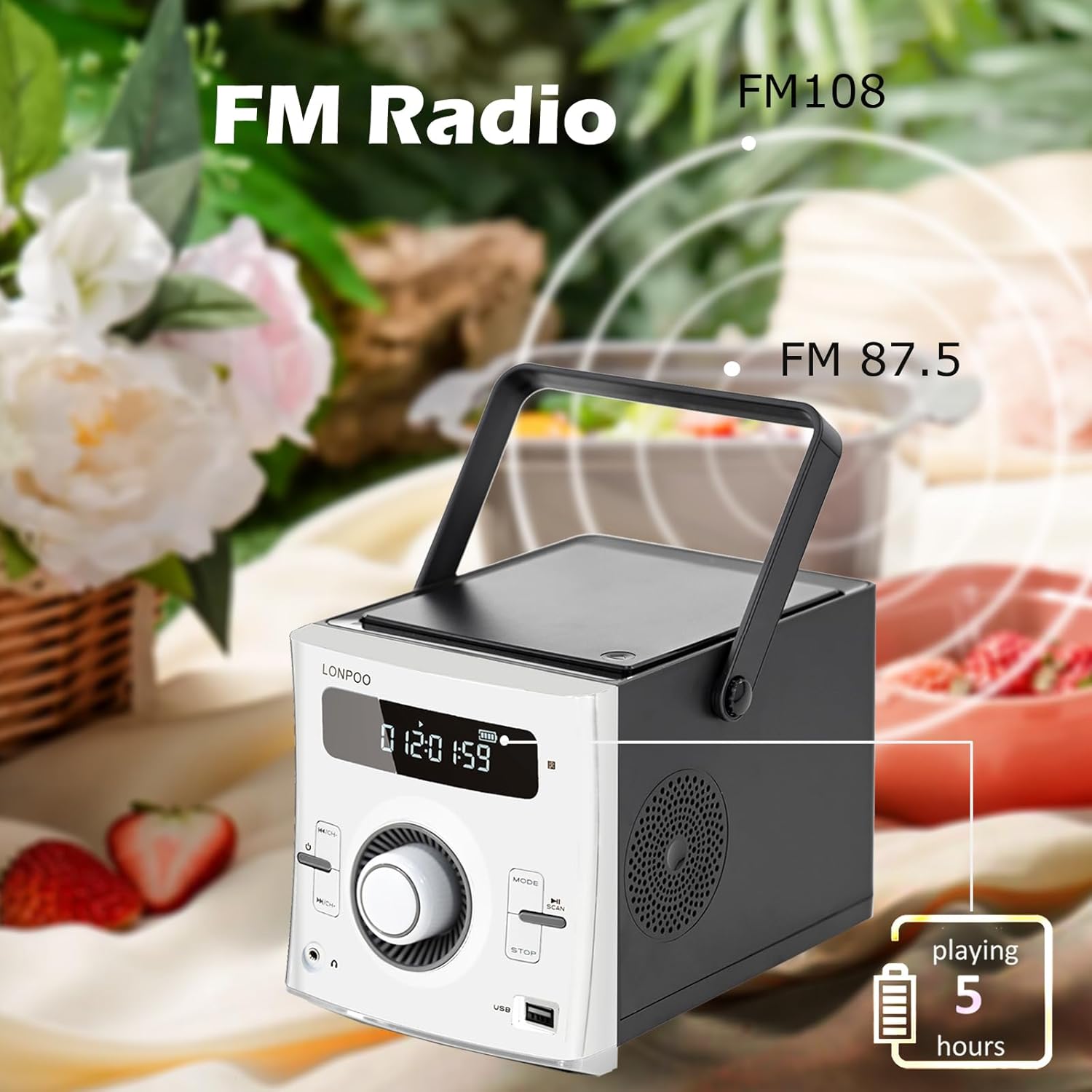
Image: The LONPOO LP-118W boombox positioned outdoors, illustrating its FM radio capability with a frequency range from FM 87.5 to FM 108, and indicating over 5 hours of playback on battery.
- Trykk på Modus -knappen til «FM» vises på displayet.
- Trykk og hold inne Spill av/pause button to auto-scan and save available FM stations.
- Bruk Hopp over/søk knappene for å bla gjennom lagrede stasjoner.
USB-avspilling
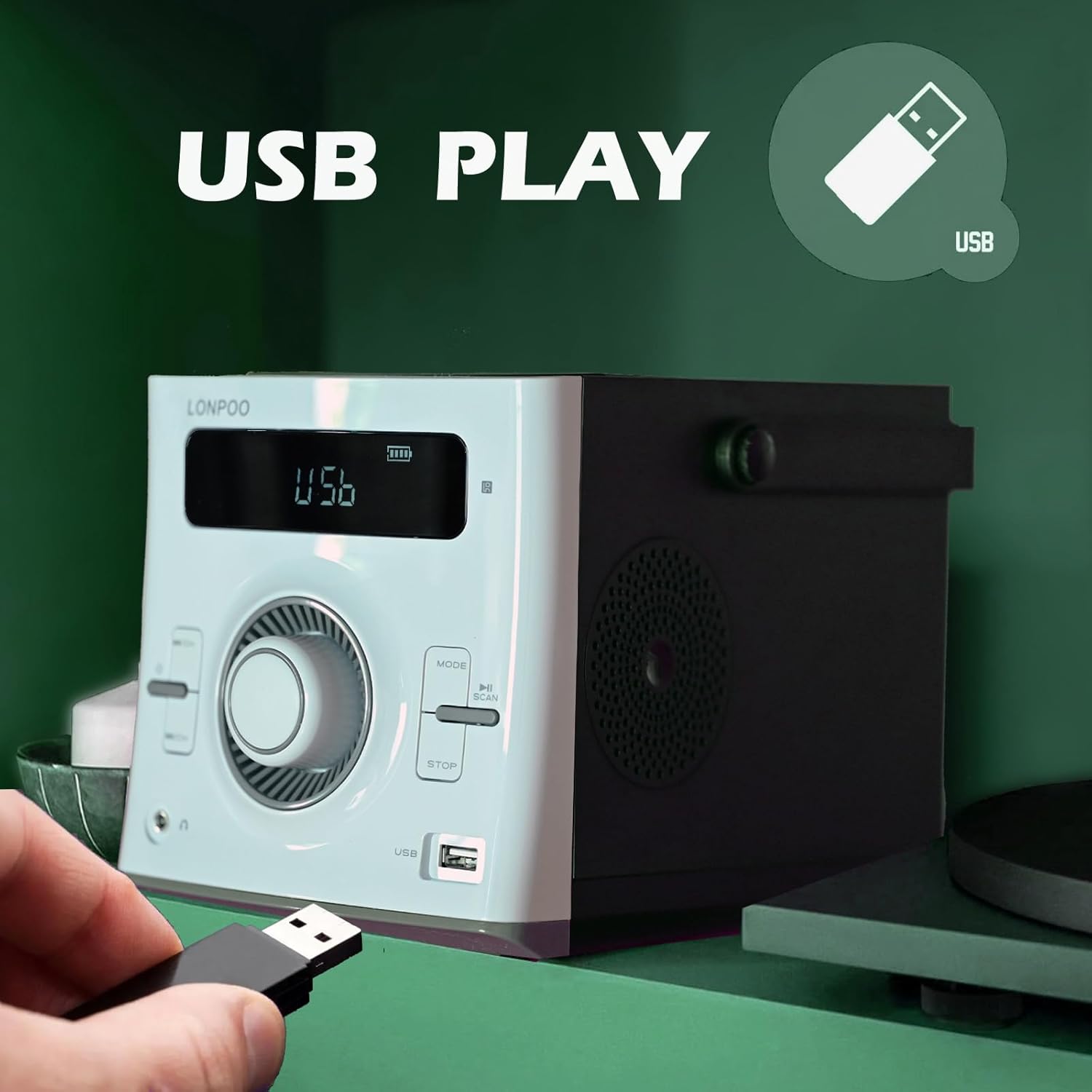
Image: A hand inserting a USB flash drive into the dedicated USB port on the front of the LONPOO LP-118W boombox, demonstrating its USB playback functionality.
- Sett inn en USB-minnepinne som inneholder MP3-lyd files inn i USB-porten.
- Trykk på Modus -knappen til «USB» vises på skjermen.
- Avspillingen starter automatisk. Bruk Spill av/pause og Hopp over/søk knapper for å kontrollere avspilling.
AUX-inngang
- Connect an external audio device (e.g., smartphone, MP3 player) to the AUX IN port on the rear of the unit using a 3.5mm audio cable (not included).
- Trykk på Modus -knappen til «AUX» vises på displayet.
- Styr avspillingen fra den eksterne lydenheten din.
Bruk av mikrofon
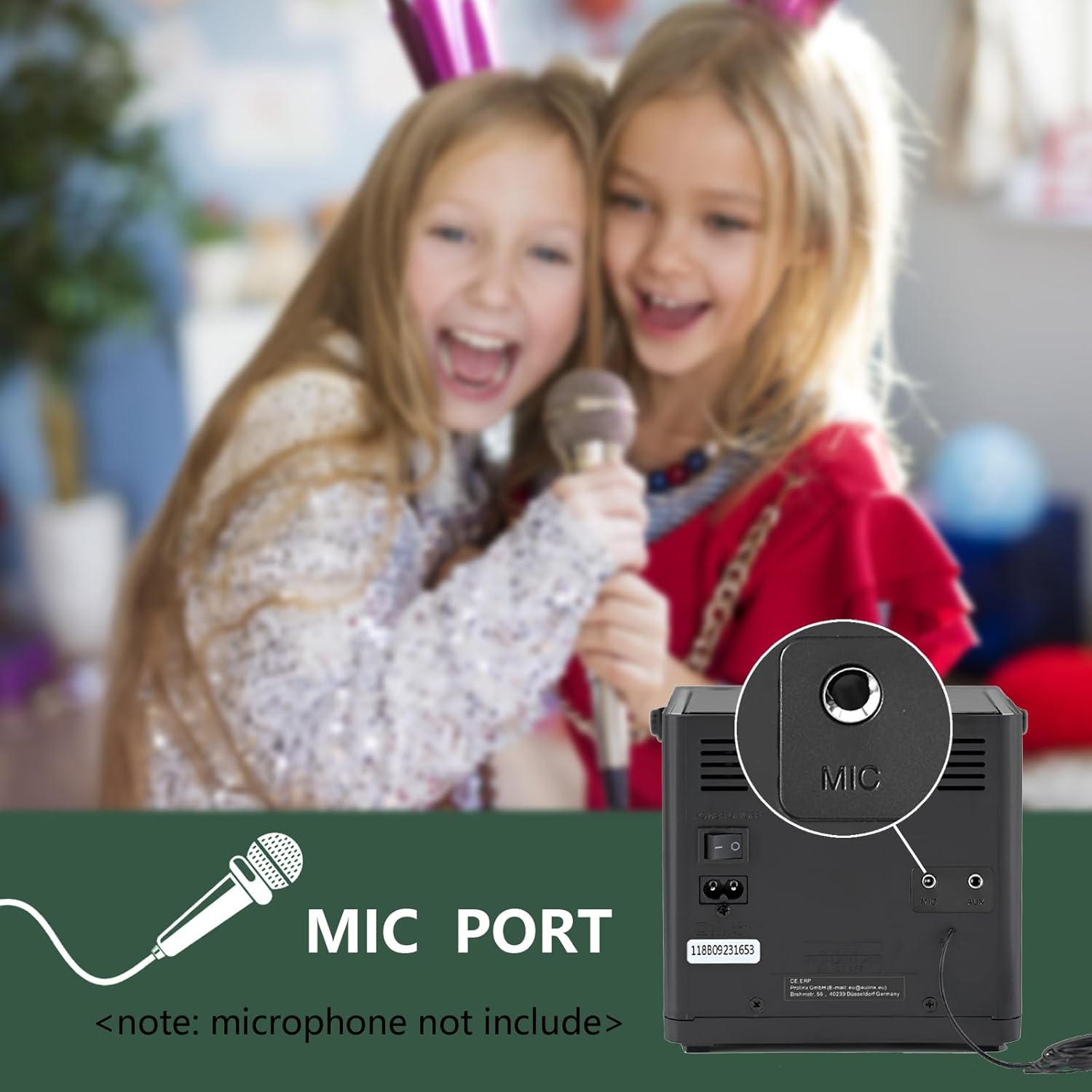
Bilde: Et nærbilde view of the microphone port located on the rear panel of the LONPOO LP-118W boombox, with a note indicating that the microphone is not included. Children are visible in the background, suggesting karaoke use.
- Connect a 6.35mm microphone (not included) to the MIC Port on the rear of the unit.
- Adjust the microphone volume using the dedicated control on the microphone itself, if available, or the main volume knob on the boombox.
Fjernkontroll
The included remote control allows for convenient operation from a distance. Functions include power, mode selection, volume adjustment, track navigation, play/pause, stop, and EQ settings.
Vedlikehold
- Rengjøring: Bruk en myk, tørr klut til å rengjøre utsiden av enheten. Ikke bruk slipende rengjøringsmidler eller løsemidler.
- Stell av CD-linser: Hvis det oppstår problemer med CD-avspilling, bruk en kommersielt tilgjengelig CD-linserenser.
- Lagring: Når enheten ikke er i bruk over lengre tid, oppbevar den på et kjølig og tørt sted, unna direkte sollys og ekstreme temperaturer.
- Batteripleie: For å forlenge batterilevetiden, unngå å utlade batteriet helt ofte. Lad enheten regelmessig, selv om den ikke er i bruk.
Feilsøking
| Problem | Mulig årsak | Løsning |
|---|---|---|
| Enheten slås ikke på. | No power, discharged battery, faulty power cable. | Ensure AC cable is securely connected. Charge the battery. Try a different power outlet. |
| Ingen lyd. | Volume too low, incorrect mode, headphone connected. | Increase volume. Select correct input mode. Disconnect headphones. |
| CD-en hopper eller spiller ikke av. | Dirty or scratched CD, dirty CD lens, unit moved during playback. | Clean or replace CD. Use a CD lens cleaner. Place unit on a stable surface. |
| Bluetooth-enheten kobles ikke til. | Unit not in pairing mode, device too far, interference. | Ensure boombox is in BT mode. Move device closer. Restart both devices. |
| Dårlig FM-mottak. | Antennen er ikke strukket ut, svakt signal. | Fully extend and adjust the wire antenna. Try repositioning the unit. |
| USB-avspilling fungerer ikke. | Støttes ikke file format, corrupted USB drive, incorrect mode. | Sikre files are MP3. Try a different USB drive. Select USB mode. |
Spesifikasjoner
Image: The LONPOO LP-118W boombox with its dimensions (5.9 inches width, 8.5 inches depth, 5.9 inches height) and weight (3.9 lbs / 1.77 kg) clearly labeled, providing a visual reference for its compact size.
| Trekk | Detalj |
|---|---|
| Modellnummer | LP-118W |
| Merke | LONPOO |
| Strømutgang | 20 watt (10 W x 2 RMS) |
| Tilkoblingsteknologi | Bluetooth, USB, AUX (3.5 mm), FM-radio |
| Støttede medier | CD, CD-R/RW, MP3 (via USB) |
| Strømkilde | AC Power, Built-in Rechargeable Battery (2000mAh) |
| Batterilevetid | Up to 5+ hours (approx.) |
| Dimensjoner (L x B x H) | 21 x 20 x 15 cm (8.5 x XUMX x 5.9 inches) |
| Varevekt | 1.77 kg (3.9 lbs) |
| Kompatible enheter | Laptop, Smartphone, MP3 Players |
| Spesielle funksjoner | Microphone Port, Remote Control, LCD Display, Programmable CD Memory (20 tracks) |
Garanti og støtte
LONPOO products are designed for reliability and performance. This product comes with a standard manufacturer's warranty. Please refer to the warranty card included in your package for specific terms and conditions, including the warranty period and coverage details.
For technical support, troubleshooting assistance, or warranty claims, please contact LONPOO customer service through the retailer where you purchased the product or visit the official LONPOO webnettsted for kontaktinformasjon.
Please have your model number (LP-118W) and proof of purchase ready when contacting support.