
1. Introduksjon
The Nonstop NSO2-BK is a versatile hotel alarm clock designed for convenience and functionality. It features a clear digital display, multiple charging options including USB-C, and an intuitive interface for setting time and alarms. This manual provides detailed instructions for setting up and operating your alarm clock.
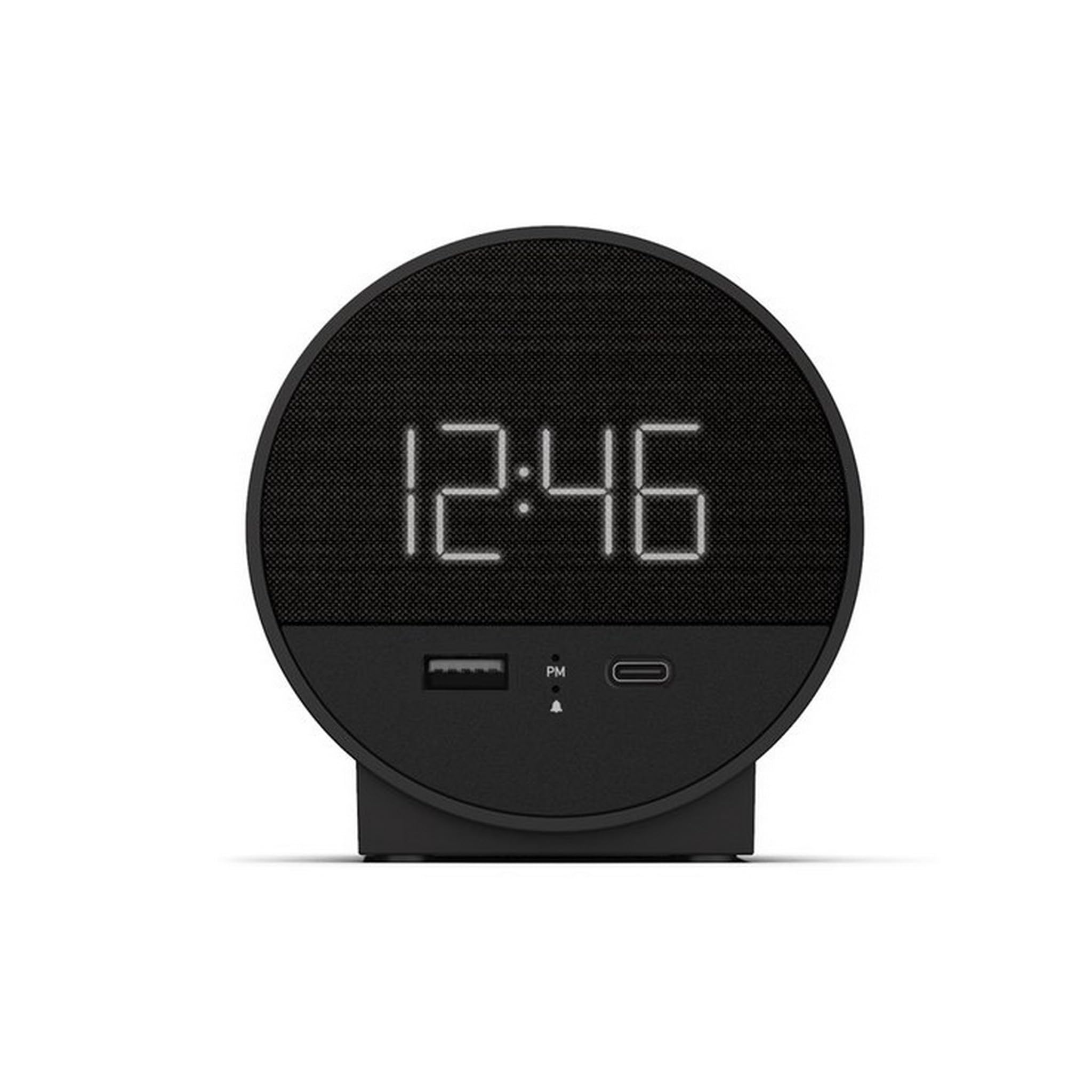
Figur 1: Foran view of the Nonstop NSO2-BK USB-C Hotel Alarm Clock.
2. Produktfunksjoner
- Digital Time Display: Clear and easy-to-read time.
- Dual Alarm Function: Set two independent alarms.
- Snooze Function: Temporarily silence the alarm.
- Display Dimmer: Adjust screen brightness for comfort.
- USB-C Charging Port: Modern charging for compatible devices.
- USB-A Charging Port: Standard USB charging for various devices.
- Bluetooth Speaker: Connect your smartphone or other devices to play audio.
- Relaxation Sounds: Built-in sound machine for sleep or relaxation.

Figure 2: Close-up of the USB-A and USB-C charging ports on the alarm clock.
3. Oppsett
3.1 Strømtilkobling
- Unpack the alarm clock and all accessories.
- Connect the power adapter to the DC input port on the back of the alarm clock.
- Koble strømadapteren til en vanlig stikkontakt. Displayet vil lyse opp.
3.2 Backup Battery (Not included)
For kontinuerlig tidtaking under strømbruddtages, insert 2 AAA batteries (not included) into the battery compartment on the bottom of the unit. The backup battery maintains time settings but does not power the display or alarm functions.
4. Bruksanvisning
4.1 Stille inn tiden
- Trykk og hold inne TIDEN SATT button (often labeled 'M' or a clock icon) for 3 seconds until the hour digits flash.
- Bruk HR (Time) og MIN (Minute) buttons to adjust the time.
- Pressen TIDEN SATT igjen for å bekrefte og avslutte tidsinnstillingsmodus.
4.2 Stille inn alarmen
The NSO2-BK supports two independent alarms (Alarm 1 and Alarm 2).
- Trykk og hold inne ALARM 1 or ALARM 2 button (bell icon) for 3 seconds until the hour digits flash.
- Bruk HR og MIN knappene for å stille inn ønsket alarmtid.
- Trykk på den respektive ALARM knappen igjen for å bekrefte alarmtidspunktet.
- To activate/deactivate an alarm, short press the corresponding ALARM button. An indicator light will appear/disappear on the display.
4.3 Slumrefunksjon
Når alarmen går, trykker du på den store SLUM button on top of the unit to temporarily silence the alarm for 9 minutes. The alarm will sound again after the snooze period.
4.4 Display Brightness Control
Trykk på SNOOZE/DIMMER button (or a dedicated dimmer button if available) repeatedly to cycle through different brightness levels for the display. Select the level that is most comfortable for you.
4.5 Ladeenheter
The NSO2-BK provides convenient charging for your electronic devices:
- USB-C-port: Located on the front, plug in your USB-C compatible device for fast charging.
- USB-A-port: Located on the front, plug in your standard USB-A compatible device for charging.
4.6 Bluetooth Speaker
To use the alarm clock as a Bluetooth speaker:
- Trykk på MODUS button (labeled 'M') until 'BT' appears on the display.
- Aktiver Bluetooth på mobilenheten din og søk etter tilgjengelige enheter.
- Select 'A21-B' (or similar model name) from the list to pair.
- Once paired, you can play audio from your device through the alarm clock's speaker.
Video 1: Demonstrates various functions including time setting, alarm setting, snooze, brightness, and charging on a similar multifunctional alarm clock. Note: Specific button labels may vary slightly from your model.
5. Vedlikehold
- Rengjør enheten med en myk, tørr klut. Ikke bruk flytende rengjøringsmidler eller slipende materialer.
- Hold enheten unna direkte sollys, varmekilder og fuktighet.
- Ikke forsøk å demontere eller reparere enheten selv. Kontakt kundestøtte for å få hjelp.
6. Feilsøking
- Ingen strøm/skjerm av: Ensure the power adapter is securely plugged into both the alarm clock and a working electrical outlet. Check if the power outlet is functional.
- Alarmen går ikke: Verify that the alarm is activated (indicator light on) and the alarm time is correctly set. Check the alarm volume settings.
- Lading fungerer ikke: Ensure your device is compatible with USB-C or USB-A charging. Check the charging cable for damage.
- Problemer med Bluetooth-paring: Ensure the alarm clock is in Bluetooth pairing mode ('BT' displayed). Turn off and on Bluetooth on your mobile device and try pairing again.
7. Spesifikasjoner
| Spesifikasjon | Detalj |
|---|---|
| Modell | NSO2-BK |
| Varevekt | 2 pund |
| ASIN | B0CKCNX688 |
| Dato først tilgjengelig | 29. juli 2024 |
8. Garanti og støtte
This Nonstop NSO2-BK USB-C Hotel Alarm Clock comes with a 365-Day Warranty from the date of purchase. For any product-related inquiries, technical support, or warranty claims, please contact our customer service team.
- Returregler: 30-day refund/replacement period.
- Garantiperiode: 365 dager fra kjøpet.
- E-post til støtte: Andoservice@outlook.com