
1. Introduksjon
This manual provides detailed instructions for the operation and maintenance of the LAUNCH CRP129E Plus OBD2 Scanner. Please read this manual thoroughly before using the device to ensure proper and safe operation. The CRP129E Plus is a comprehensive diagnostic tool designed for automotive professionals and enthusiasts, offering full system diagnostics and various service reset functions.
2. Produktet er overview
2.1. Enhetskomponenter
The LAUNCH CRP129E Plus features a user-friendly interface with a 5-inch touchscreen and physical buttons for navigation.

Bilde 2.1: The LAUNCH CRP129E Plus OBD2 Scanner and its protective carrying case.
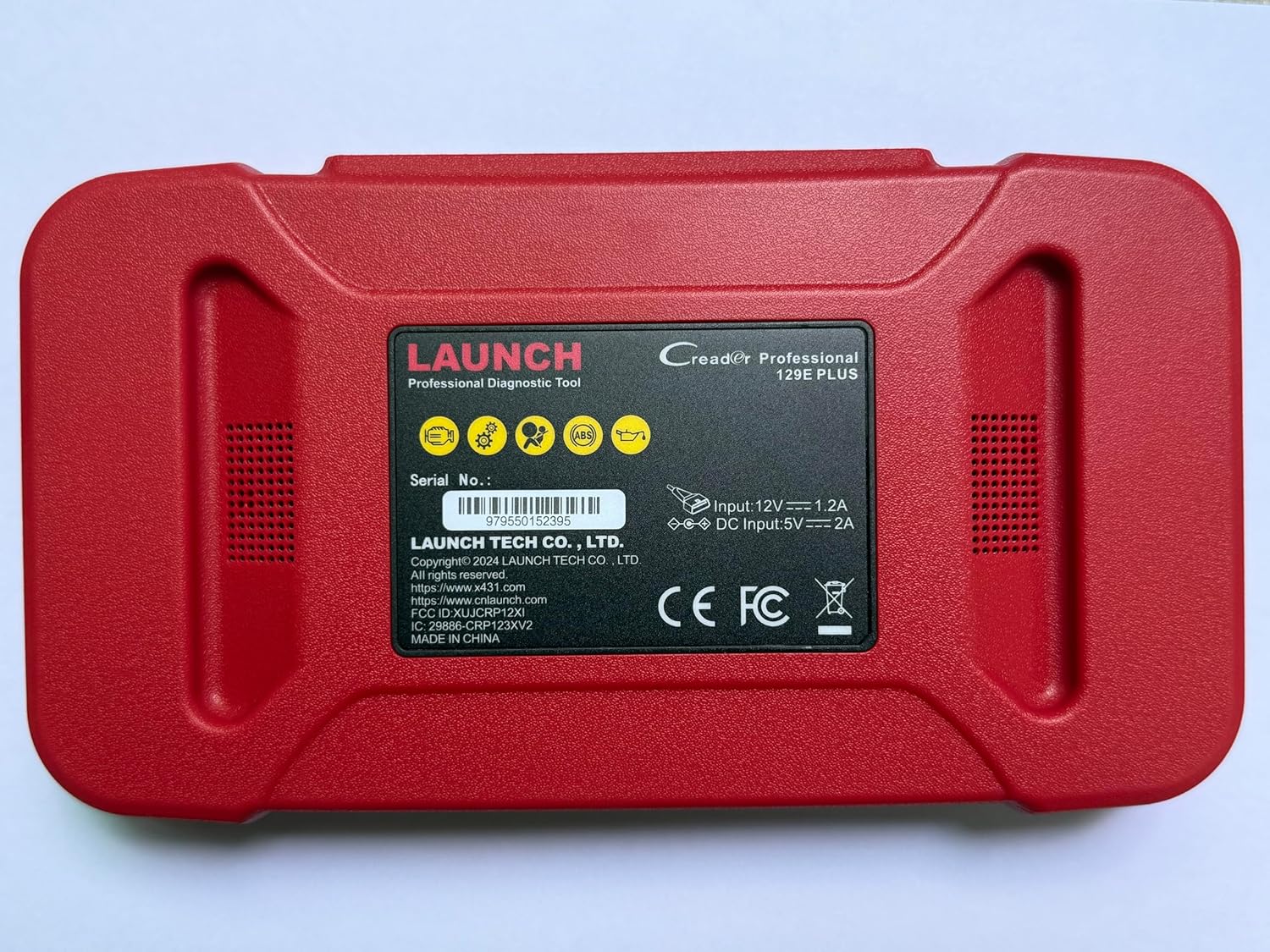
Bilde 2.2: Bak view of the CRP129E Plus, displaying input voltage, current specifications, and serial number (e.g., 979550152395).
2.2. Pakkens innhold
Når du pakker ut esken, må du kontrollere at alle elementene som er oppført nedenfor er til stede:
- CRP129E PLUS OBD2 Scanner (x1)
- OBDII Cable (x1)
- 5V DC Charging Cable (x1)
- Brukerhåndbok (x1)
- Hurtigstartguide (x1)
- Carrying Bag (x1)

Bilde 2.3: Visual representation of the CRP129E Plus package contents.
3. Oppsett og første gangs bruk
3.1. Lading av enheten
Before first use, ensure the device is fully charged using the provided 5V DC charging cable. Connect the cable to the device and a suitable power source.
3.2. Slå på/av
- Strøm på: Trykk og hold inne av/på-knappen til skjermen lyser opp.
- Slå av: Press and hold the power button, then select "Power Off" from the options.
3.3. Koble til kjøretøy
Locate the vehicle's OBDII port, typically under the dashboard on the driver's side. Connect the provided OBDII cable from the CRP129E Plus to the vehicle's OBDII port. Ensure the vehicle's ignition is in the ON position (engine off or running, depending on the diagnostic task).
3.4. Wi-Fi Connection and Updates
The CRP129E Plus supports one-click Wi-Fi updates. Connect the device to a stable Wi-Fi network to download the latest software and vehicle data. Regular updates ensure compatibility with new vehicle models and improved diagnostic functions.
- From the main menu, tap "Settings".
- Select "WLAN" and connect to an available network.
- Return to the main menu and tap "Upgrade".
- Select the desired software updates and tap "Update".

Bilde 3.1: The device interface showing options for updates, DTC lookup, live data stream, and battery test.
4. Bruksanvisning
4.1. Auto VIN Scan
The device can automatically identify vehicle information. After connecting to the vehicle, select "Diagnose" and the device will attempt an Auto VIN scan to quickly identify the vehicle's make, model, and year.

Bilde 4.1: Visual representation of the Auto VIN scan process and systems covered by diagnosis.
4.2. Full systemdiagnostikk
The CRP129E Plus can access and diagnose all available vehicle systems. This includes, but is not limited to, Engine, ABS, SRS, SAS, TCM, TPMS, Body, Chassis, Powertrain, Fuel System, and Lighting System.
- Fra hovedmenyen velger du «Diagnostisering».
- Choose "Health Report" or select specific systems for diagnosis.
- The device will scan for Diagnostic Trouble Codes (DTCs) and display results.
- You can read fault codes, clear fault codes, and view live data streams.

Bilde 4.2: Overview of the comprehensive system diagnostic capabilities.
4.3. OBD2 Functions
The device supports all 10 modes of OBDII testing for emissions-related issues.
- Les/fjern feilkoder: Hent og slett diagnostiske feilkoder.
- Direkte datastrøm: View real-time data from the vehicle's sensors.
- I/M -beredskap: Sjekk statusen til utslippsrelaterte overvåkingsenheter.
- Frys rammedata: View a snapshot of vehicle conditions when a fault code was set.
- O2 Sensortest: Retrieve O2 sensor monitor test results.
- Test av innebygd skjerm: Retrieve results for emission-related powertrain components.
- Test av fordampningssystem: Initiate a test of the evaporative emission system.
- Kjøretøyinformasjon: Retrieve vehicle identification number (VIN), calibration ID, and calibration verification number (CVN).
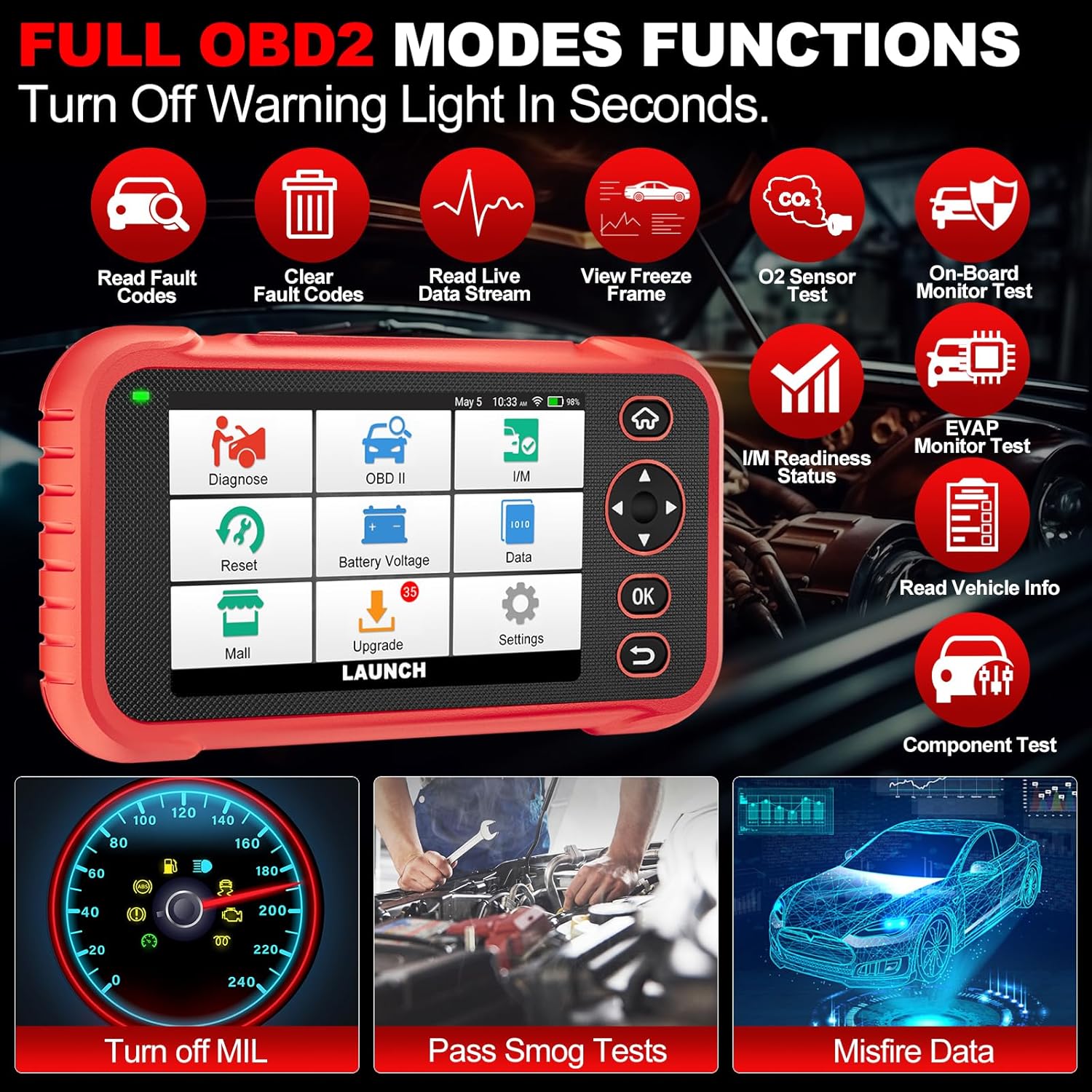
Bilde 4.3: Main menu options for OBD2 functions.
4.4. Service Reset Functions
The CRP129E Plus offers 12+ essential service reset functions for common maintenance tasks.
- Oljetilbakestilling: Nullstiller oljelevetidssystemet etter et oljeskift.
- Gassjustering: Initializes the throttle actuators to the default state.
- Adblue Reset: Resets the urea after the diesel exhaust fluid (AdBlue) is replaced or refilled.
- Headlamp Matchende: Calibrates the adaptive front lighting system.
- TPMS tilbakestilling: Tilbakestiller sensorene i dekktrykkovervåkingssystemet.
- SAS-tilbakestilling: Kalibrerer rattvinkelsensoren.
- Battery Matching (BMS Reset): Registers new battery replacement.
- A/F-tilbakestilling: Adjusts air/fuel ratio parameters.
- DPF-regenerering: Fjerner partikler fra DPF-filteret.
- Injektorkoding: Koder nye injektornumre til ECU-en.
- EPB-tilbakestilling: Resets the electronic parking brake pads after replacement.
- ABS-blødning: Performs bleeding of the brake system.

Bilde 4.4: Overview of available service reset functions.
4.5. Live Data Graphing and Recording
The device can display live data streams in merged quadrant graphs, allowing for comprehensive analysis of up to four parameters simultaneously. Data can also be recorded and played back for further review.

Bilde 4.5: Example of 4-in-1 live data graphing and diagnostic report generation.
4.6. Batteri Voltage Test
Overvåk kjøretøyets batterivolumtage in real-time to assess its status and identify potential issues.

Bilde 4.6: Batteri voltage test interface and other diagnostic support features.
5. Vedlikehold
- Rengjøring: Bruk en myk, tørr klut til å rengjøre enheten. Unngå slipende rengjøringsmidler eller løsemidler.
- Lagring: Store the device in its carrying case in a cool, dry place when not in use.
- Programvareoppdateringer: Regularly check for and install software updates via Wi-Fi to ensure optimal performance and vehicle compatibility.
- Batteripleie: Avoid fully discharging the battery frequently. Charge the device regularly, even if not in active use, to maintain battery health.
6. Feilsøking
| Problem | Mulig årsak | Løsning |
|---|---|---|
| Enheten slås ikke på. | Lavt batteri; defekt strømknapp. | Lad enheten i minst 30 minutter. Kontakt kundestøtte hvis problemet vedvarer. |
| Kommunikasjonsfeil med kjøretøyet. | Loose OBDII connection; vehicle ignition off; incompatible vehicle protocol. | Ensure cable is securely connected. Turn ignition to ON. Verify vehicle compatibility. |
| Unable to update software. | No Wi-Fi connection; unstable internet; insufficient storage. | Check Wi-Fi connection. Ensure stable internet. Free up storage if necessary. |
| Skjermen reagerer ikke. | Programvarefeil; fysisk skade. | Start enheten på nytt. Kontakt kundestøtte hvis problemet vedvarer. |
7. Spesifikasjoner
- Modell: CRP129E PLUS
- Operativsystem: Android 7.0
- Utstilling: 5-tommers berøringsskjerm
- Hukommelse: 16 GB
- Batteri: 6100mAh
- Tilkobling: Wi-Fi
- Dimensjoner: 7.09 x 6.3 x 2.36 tommer
- Varevekt: 2.27 pund
- Protokoller som støttes: OBDII/EOBD
- Kjøretøy dekning: Over 85 brands (1996-2025)
- UPC: 884508007774

Bilde 7.1: Summary of key hardware and software specifications.

Bilde 7.2: Extensive vehicle brand coverage and multi-language support.
8. Garanti og støtte
The LAUNCH CRP129E Plus comes with a manufacturer's warranty. Please refer to the official LAUNCH webnettstedet eller kjøpsdokumentasjonen din for spesifikke garantivilkår.
- Garanti: 5 Years (as per product information)
- Return/Replace Policy: 90 Days (as per product information)
- Teknisk støtte: 24/7 technical support is available. For assistance, please contact LAUNCH customer service.
- Tilbakemelding på nett: The device supports online feedback for quick resolution of diagnostic issues.
For further assistance or to provide feedback, please visit the official LAUNCH support channels.