
LAUNCH CR3008 Plus
LAUNCH CR3008 Plus Professional OBD2 Scanner Diagnostic Tool Instruction Manual
Model: CR3008 Plus
Merke: LAUNCH
Introduksjon
The LAUNCH CR3008 Plus is a professional OBD2 scanner and diagnostic tool designed to help vehicle owners and technicians quickly and accurately diagnose car problems. This manual provides detailed instructions for setting up, operating, maintaining, and troubleshooting your device, ensuring you can effectively utilize its full range of features.
Oppsett
1. Utpakking og komponenter
Når du åpner pakken, må du sørge for at alle komponentene er til stede:
- 1x LAUNCH Creader 3008 Plus Unit
- 1x brukerveiledning

Image: The LAUNCH CR3008 Plus unit with its included components.
2. Enhet overview
Familiarize yourself with the physical features of the CR3008 Plus:
- Utstilling: 2.8-inch TFT true color LCD screen for clear readability.
- tastatur: Silicone buttons for easy navigation and operation.
- OBD2 Cable: Integrated 32-inch data cable for vehicle connection.
- USB-C-port: Located at the bottom for software updates and data printing.

Bilde: Foran view of the LAUNCH CR3008 Plus, highlighting its display and silicone keypad.
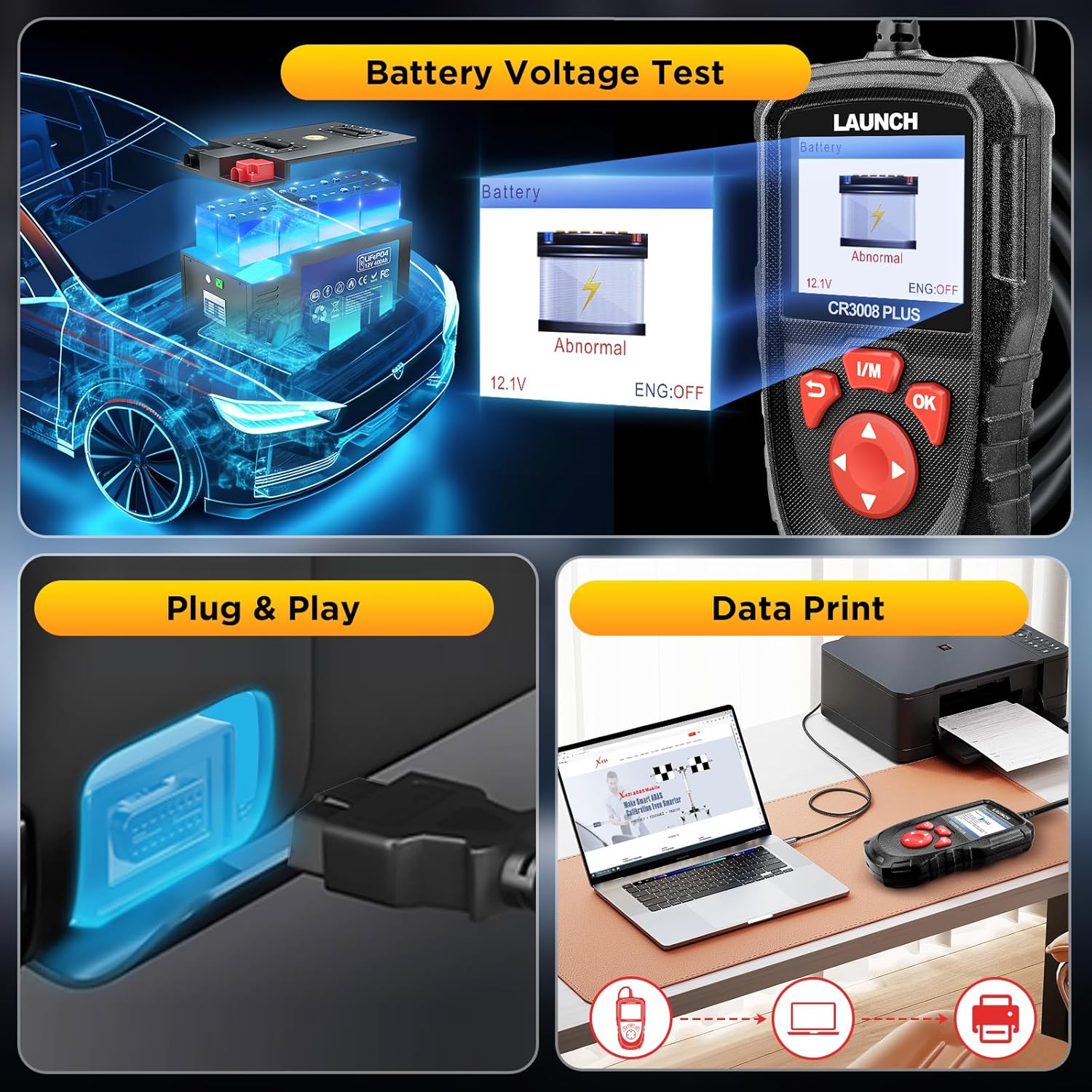
Image: The LAUNCH CR3008 Plus showing its integrated OBD2 cable for vehicle connection.

Image: The USB-C port located at the bottom of the LAUNCH CR3008 Plus, used for updates and data transfer.
Video: En detaljert oversiktview of the LAUNCH CR3008 Plus, demonstrating its physical features and user interface.
3. Initial Setup (Plug & Play)
The LAUNCH CR3008 Plus is designed for immediate use without the need for batteries or chargers, as it is powered directly from your vehicle's OBD2 port.
- Finn bilens 16-pinners OBD2-datalinkkontakt (DLC). Denne finner du vanligvis under dashbordet på førersiden.
- Plug the CR3008 Plus's integrated OBD2 cable into the vehicle's DLC.
- Turn the vehicle's ignition to the 'ON' position (engine can be off or running, depending on the function). The device will power on automatically.
Video: Demonstration of the simple plug-and-play setup for the LAUNCH CR3008 Plus, showing how to connect it to a vehicle's OBD2 port.
Betjening av enheten
1. Hovedmenynavigering
The main menu provides access to all diagnostic and utility functions. Use the directional buttons (up, down, left, right) to navigate and the 'OK' button to select an option.

Image: The main menu of the LAUNCH CR3008 Plus, displaying icons for Diagnose, Battery, Review, Lookup, Print, Help, Setup, and Info.
2. Diagnostiske funksjoner
Select 'Diagnose' from the main menu to access the core diagnostic features:
- Les koder: Viser detaljerte beskrivelser av diagnostiske feilkoder (DTC-er).
- Slett koder: Sletter feilkoder og slår av feilindikatoren Lamp (MIL) etter reparasjoner.
- Direkte datastrøm: Reads and displays real-time ECU/PCM data, often with graphical plotting.
- View Frys rammedata: Shows vehicle conditions recorded by the on-board computer at the time an emission-related fault occurred.
- O2 Sensortest: Henter og viser testresultater fra O2-sensormonitoren.
- Test av innebygd skjerm: Henter og viser testresultater for utslippsrelaterte drivlinjekomponenter og -systemer.
- Test av fordampningssystem: Starter en lekkasjetest for kjøretøyets EVAP-system.
- Kjøretøyinformasjon: Displays information such as VIN, CID, and CVN.
Image: The diagnostic menu of the LAUNCH CR3008 Plus, listing various test modes and functions.
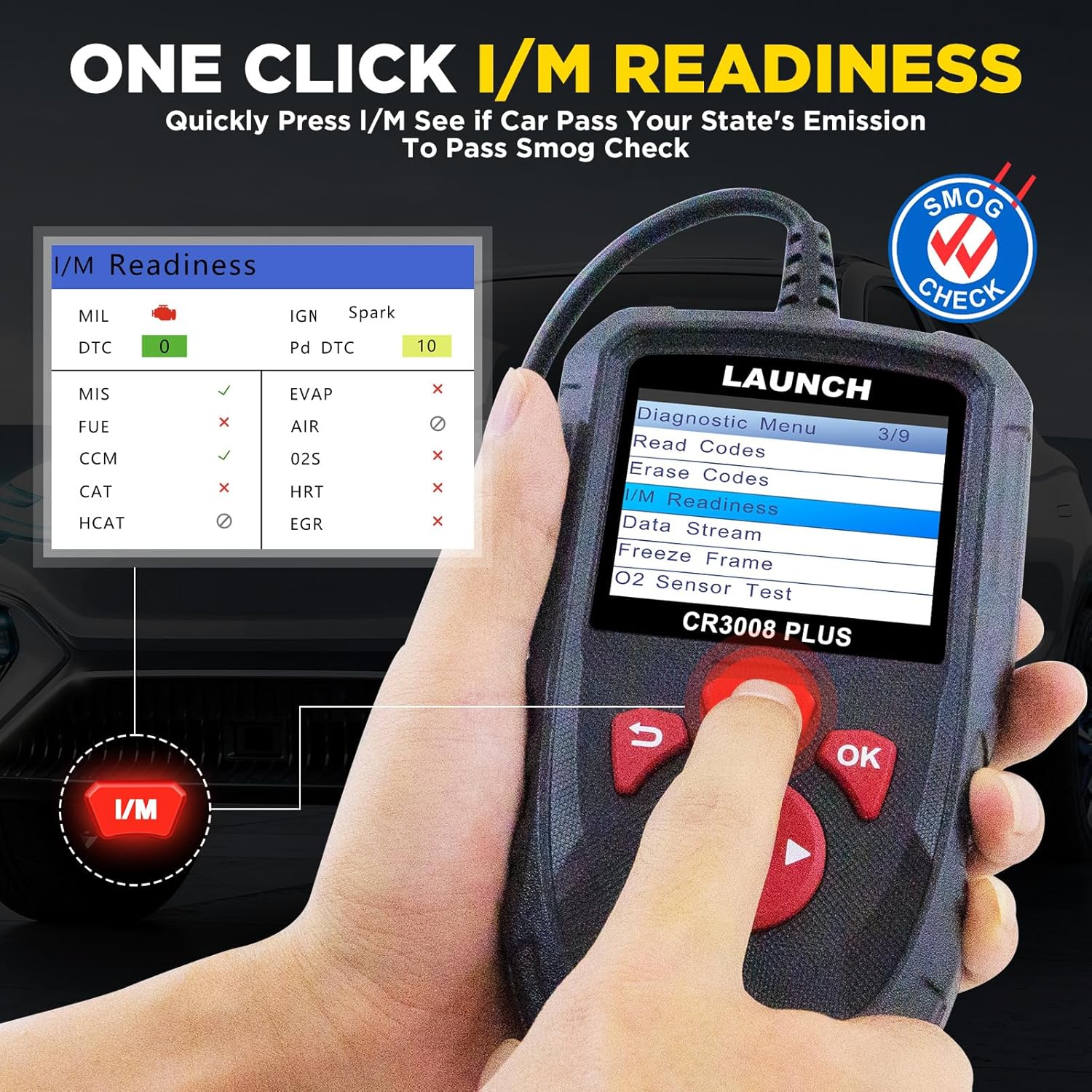
Image: The scanner displaying the status of the Check Engine Light (MIL) and its ability to clear fault codes.
Video: A demonstration of how to use the LAUNCH CR3008 Plus to diagnose car issues, including reading and clearing codes.
3. One-Click I/M Readiness
This convenient feature allows for a quick check of your vehicle's emission readiness status, which is crucial for smog tests.
- From the main menu, press the dedicated 'I/M' button.
- The scanner will quickly process and display the readiness status of various emission-related systems.
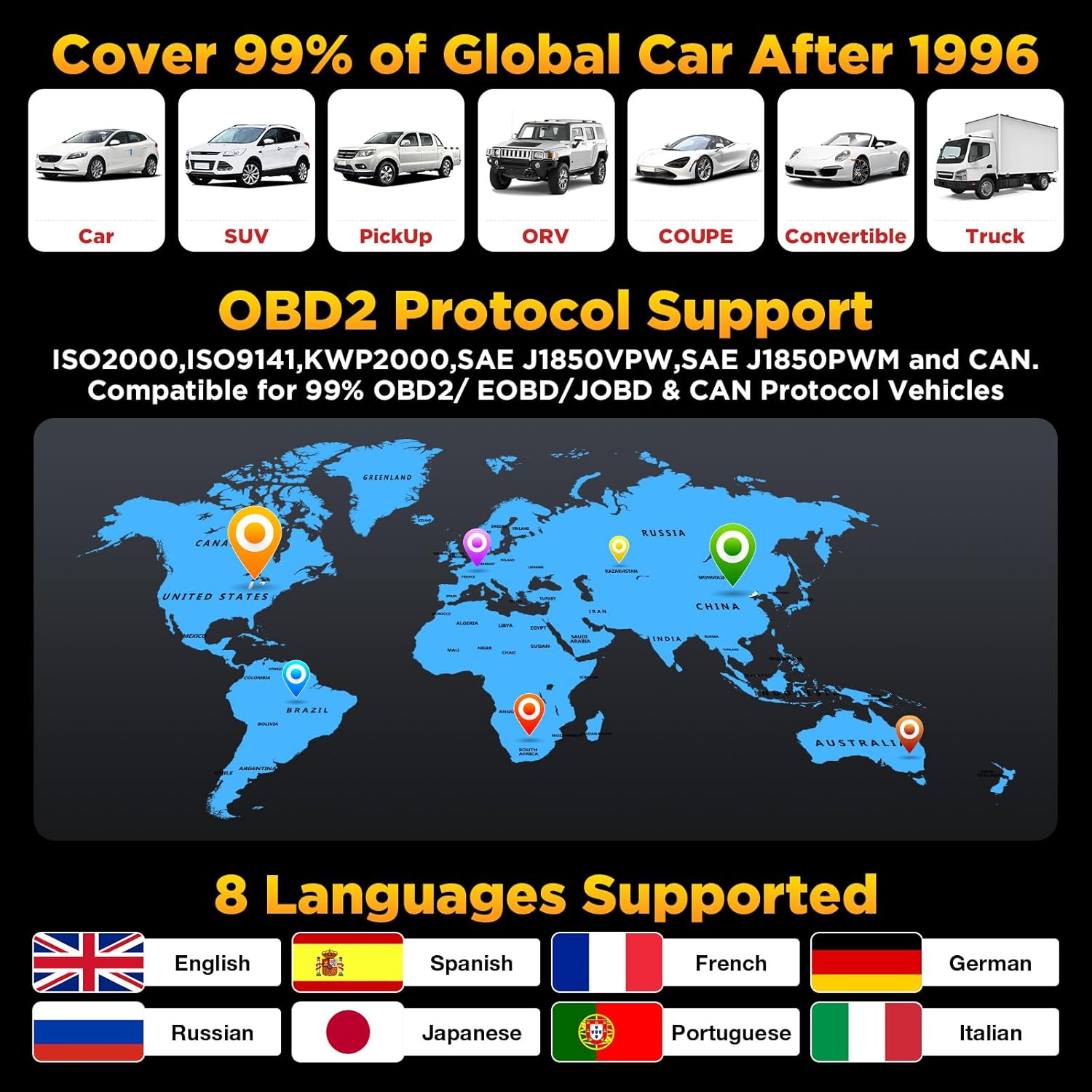
Image: The One-Click I/M Readiness screen, showing the status of various emission monitors for a quick smog check.
4. Batteri Voltage Test
Quickly check your car's battery voltage and health:
- Velg «Batteri» fra hovedmenyen.
- The device will display the current battery voltage and indicate its status (Normal/Abnormal).
Image: The Battery Voltage Test screen, showing the current voltage and battery health status.
5. DTC-oppslag
The built-in DTC library allows you to quickly find definitions and possible causes of Diagnostic Trouble Codes without needing to search online.
- Select 'Lookup' from the main menu.
- Input the DTC code using the directional buttons.
- The scanner will display the definition and relevant information for the entered code.
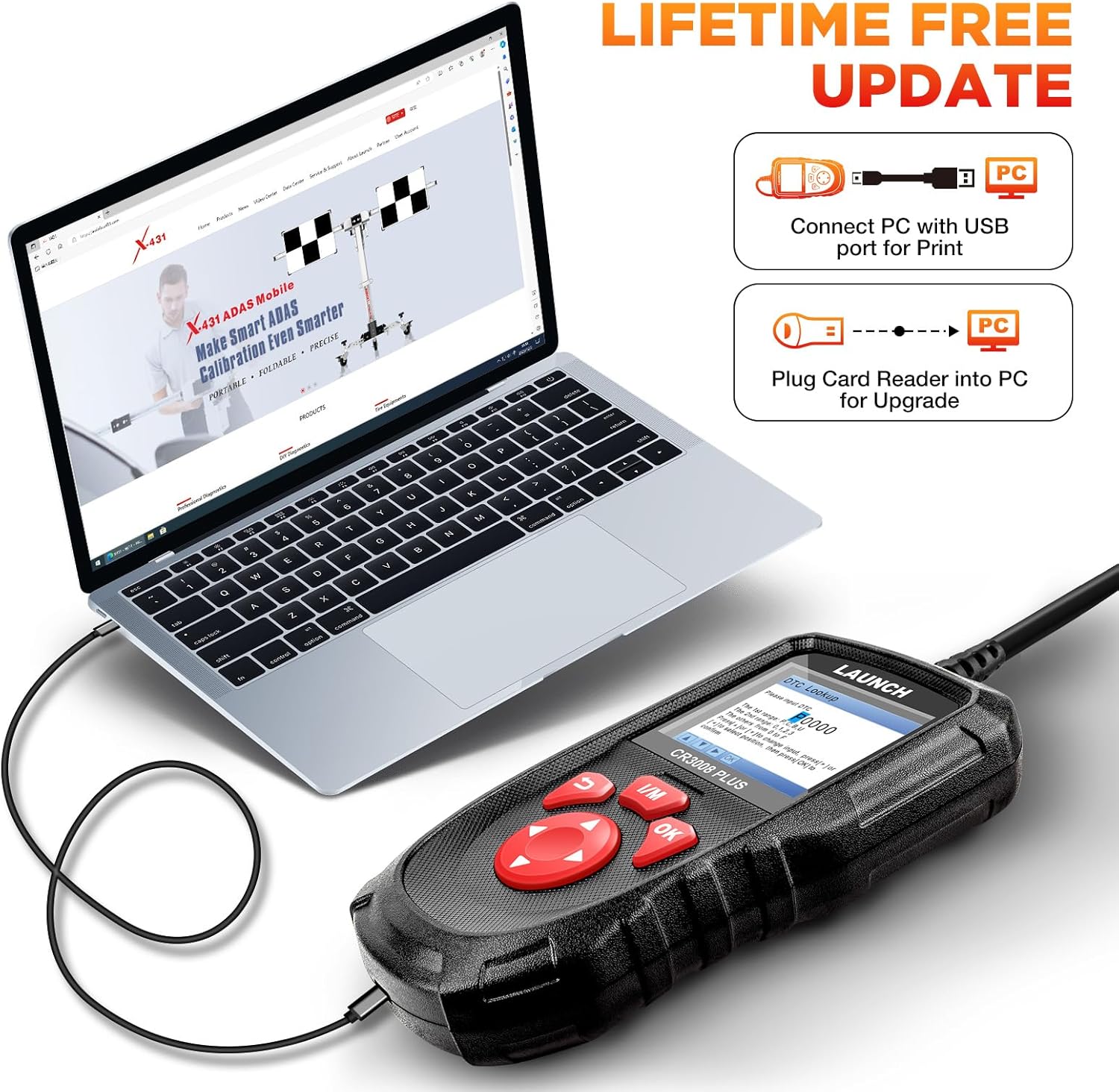
Image: The DTC Lookup feature, allowing users to input a code and receive its definition and potential causes.
Vedlikehold
1. Programvareoppdateringer
The LAUNCH CR3008 Plus offers free lifetime software updates to ensure compatibility with new vehicle models and diagnostic protocols.
- Visit the official LAUNCH website to download the update tool (compatible with Windows XP, 7, 8, & 10).
- Connect the CR3008 Plus to your computer via a USB cable using the USB-C port at the bottom of the device.
- Register the scanner using its serial number through the update tool.
- Follow the on-screen instructions to download and install the latest software updates. Ensure a stable internet connection during the process.
Image: Close-up of the USB-C port on the LAUNCH CR3008 Plus, used for connecting to a computer for software updates.
Image: The LAUNCH CR3008 Plus connected to a laptop, illustrating the process for software updates or printing diagnostic reports.
2. Data Record and Print
The device allows you to record diagnostic data for later review and print reports for your records or to share with a mechanic.
- Innspillingsmodus: Enable 'Record Mode' in the 'Setup' menu to save live data streams and DTCs during diagnosis.
- Review Data: Access 'Review' from the main menu to view recorded DTCs, data streams, and freeze frame data.
- Skriv ut rapporter: Connect the scanner to a computer via USB. Use the LAUNCH update tool's 'Print Manager' function to print saved diagnostic reports.
Image: The LAUNCH CR3008 Plus connected to a laptop, illustrating the process for software updates or printing diagnostic reports.
Feilsøking
If you encounter issues with your LAUNCH CR3008 Plus, consider the following common troubleshooting steps:
- No Power/Communication Error:
- Ensure your vehicle supports OBD2 protocols and has a standard 16-pin data connector. Check the compliance label under the hood for OBD certification.
- Verify the vehicle's wiring and fuses for any short circuits.
- Try connecting the scanner to another OBD2-compliant vehicle to determine if the communication error persists.
- Check Engine Light (MIL) Issues:
- If the MIL is on, use the 'Read Codes' function to identify the specific DTCs. The scanner will help pinpoint the area to investigate.
- If the engine is running erratically (stalling, poor acceleration, decreased fuel efficiency) even without the MIL, use 'Live Data Stream' to monitor parameters and identify values outside the normal range.
- Remember, clearing codes only turns off the MIL; the underlying fault must be repaired to prevent the code from reappearing.
- Software Update Problems:
- Ensure your computer's operating system is compatible (Windows XP, 7, 8, or 10).
- Verify your internet connection is strong and stable during the update process.
- Double-check that the serial number entered for registration is correct.
Spesifikasjoner
- Modell: LAUNCH Creader 3008 Plus
- Utstilling: 2.8-inch TFT True Color LCD
- Operativsystem: Linux
- Tilkobling: OBD2 (integrated cable), USB-C (for PC connection)
- Protokoller som støttes: KWP2000, ISO9141, J1850 VPW, J1850 PWM, CAN (kontrollernettverk)
- Kjøretøy kompatibilitet: US vehicles (1996 & newer), EU vehicles (2000 & newer), Asian vehicles (2008 & newer)
- Støttede språk: English, Spanish, French, German, Russian, Japanese, Portuguese, Italian
- Varevekt: 12.7 unser
- Produktdimensjoner: 4.65 x 2.68 x 0.88 tommer
- Opprinnelsesland: Kina
Garanti og støtte
Garanti
The LAUNCH CR3008 Plus comes with a 5-year warranty, ensuring long-term reliability and peace of mind for your investment.
Støtte
For any technical assistance or inquiries, LAUNCH offers 24/7/365 technical support. Please refer to the contact information provided in your product packaging or on the official LAUNCH webnettsted for direkte hjelp.
Relaterte dokumenter - CR3008 Plus
 |
LAUNCH CR3008 Plus Quick Start Guide A quick start guide for the LAUNCH CR3008 Plus OBD2 scanner, detailing components, controls, and basic diagnostic procedures for OBD II compliant vehicles. |
 |
Vanlige spørsmål om LANCERING av CRP123E: Feilsøking og støtte Vanlige spørsmål om LAUNCH CRP123E bildiagnoseverktøy, som dekker oppdateringer, registrering, språkstøtte, funksjoner, pakkeinnhold, feilsøking og mer. |
 |
LAUNCH CRP123 FAQs: Frequently Asked Questions and Troubleshooting Guide Comprehensive FAQs for the LAUNCH CRP123 OBD2 scanner, covering download links, registration and update procedures, software troubleshooting, compatibility issues, and common diagnostic questions. |
 |
LAUNCH Creader Professional 123/129 OBD2 Scanner Update and Registration Guide Learn how to register and update your LAUNCH Creader Professional 123 or 129 diagnostic tool. This guide provides step-by-step instructions for downloading software, obtaining registration codes, and performing firmware updates for CRP123 and CRP129 models. |
 |
KINGBOLEN YA200 OBD2 Code Reader: Comprehensive Car Diagnostic Tool Discover the KINGBOLEN YA200 OBD2 Scanner, a multilingual car diagnostic tool for engine code reading, DTC lookup, and voltage testing. Features lifetime free updates and supports various OBD2 protocols for efficient vehicle maintenance. |
 |
LAUNCH Creader Professional 123X Quick Start Guide A quick start guide for the LAUNCH Creader Professional 123X, detailing initial setup, charging, and basic diagnostic procedures. |
Ask a question about this manual
Ask about setup, troubleshooting, compatibility, parts, safety, or missing instructions. Manuals+ will review the question and use this page’s manual context to help answer it.