
Maxcom FW58
Maxcom FW58 Vanad Pro Smartwatch User Manual
Modell: FW58
1. Introduksjon
Thank you for choosing the Maxcom FW58 Vanad Pro Smartwatch. This manual provides essential information for setting up, operating, and maintaining your device. The FW58 Vanad Pro is designed to enhance your daily life by offering comprehensive health monitoring, seamless communication, and robust activity tracking capabilities. Its lightweight design and customizable features make it an ideal companion for both busy individuals and active sports enthusiasts.
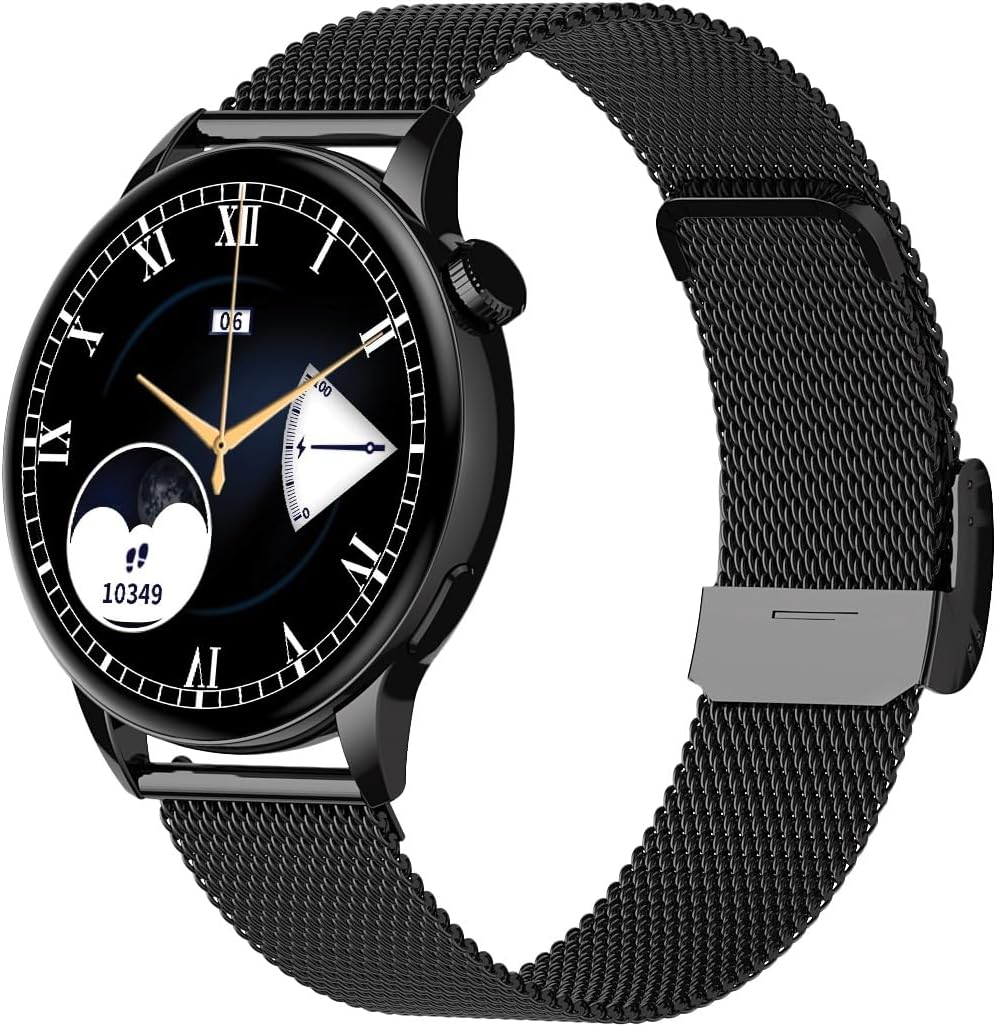
Image 1.1: Maxcom FW58 Vanad Pro Smartwatch, showcasing its elegant design with a black mesh strap and a classic watch face.
2. Oppsett
2.1. Pakkens innhold
Før du begynner, må du sørge for at alle varene er til stede i pakken:
- Maxcom FW58 Vanad Pro Smartwatch
- Magnetisk ladekabel
- Additional Silicone Strap
- Brukerhåndbok (dette dokumentet)
2.2. Lading av smartklokken
For optimal performance, fully charge your smartwatch before first use.
- Connect the magnetic charging cable to the charging contacts on the back of the smartwatch. Ensure the pins align correctly.
- Koble USB-enden av kabelen til en standard USB-strømadapter (5V/1A anbefales) eller en datamaskins USB-port.
- Klokkens display vil vise ladestatus. En full lading tar vanligvis omtrent 2 timer.

Bilde 2.1: Bak view of the Maxcom FW58 Smartwatch, highlighting the optical sensor for health monitoring and the magnetic charging contacts.
2.3. Paring med smarttelefonen din
To unlock all features, pair your smartwatch with the dedicated Maxcom smartwatch application on your smartphone.
- Download the official Maxcom smartwatch application from your smartphone's app store (e.g., Google Play Store or Apple App Store). Søk etter "Maxcom Smartwatch" or refer to the QR code in the quick start guide if provided.
- Sørg for at Bluetooth er aktivert på smarttelefonen.
- Open the Maxcom app and follow the on-screen instructions to add a new device.
- Select "FW58" from the list of available devices. Confirm the pairing request on both your phone and the smartwatch.
3. Bruk av smartklokken
3.1. Grunnleggende navigering
The Maxcom FW58 features a responsive touchscreen and a side button/crown for navigation.
- Berøringsskjerm: Sveip til venstre/høyre, opp/ned for å navigere gjennom menyer og funksjoner. Trykk for å velge.
- Sideknapp/krone: Press to wake the screen, return to the home screen, or access the app menu. Rotate the crown (if applicable) to scroll through lists or adjust settings.

Bilde 3.1: Sideprofffile of the Maxcom FW58 Smartwatch, illustrating the physical crown and button for intuitive control and navigation.
3.2. Kommunikasjonsfunksjoner
- Ringe/motta anrop: Once paired, you can answer incoming calls directly from your smartwatch. You can also initiate calls from your watch's call log or contacts (synced via the app).
- Varsler: Receive real-time notifications for SMS messages, app alerts, emails, social media updates, and news directly on your wrist. Manage notification settings through the Maxcom app.
3.3. Helseovervåking
The smartwatch provides various health metrics to help you monitor your well-being.
- Hjertefrekvens: Kontinuerlig eller på forespørsel om pulsmåling.
- Blodtrykk: Measure your blood pressure (for reference only, not a medical device).
- Oksygen i blodet (SpO2): Overvåk oksygenmetningsnivåene i blodet ditt.
- Søvnsporing: Automatically monitors your sleep patterns, including deep sleep, light sleep, and awake times.
3.4. Activity Tracking & Sports Modes
Spor din daglige aktivitet og spesifikke treningsøkter.
- Daglig aktivitet: Records steps taken, calories burned, and distance traveled (mileage).
- Sportsmoduser: Select from various sports modes such as fitness, hiking, running, badminton, cycling, and football to track specific workout data.
3.5. Musikkontroll
Control music playback on your connected smartphone directly from your smartwatch. Play, pause, skip tracks, and adjust volume without needing to access your phone.
3.6. Tilpasning
Tilpass smartklokkeopplevelsen din.
- Se ansikter: Choose from over 100 pre-installed watch face models or download more via the Maxcom app to match your style or mood.
- Menystil: Customize the layout and appearance of your smartwatch menu.
- Bytte av reim: Easily change between the included mesh and silicone straps to suit different occasions or activities.

Image 3.2: A digital watch face on the Maxcom FW58 Smartwatch, showing steps and heart rate data.

Image 3.3: The Maxcom FW58 Smartwatch showcasing a dynamic and colorful digital watch face option.
4. Vedlikehold
4.1. Rengjøring av smartklokken
Regelmessig rengjøring bidrar til å opprettholde enhetens utseende og funksjonalitet.
- Tørk av skjermen og huset med en myk, lofri klut.
- For gjenstridige flekker, litt dampSkyll kluten med vann. Unngå bruk av sterke kjemikalier eller slipende materialer.
- Rengjør sensorområdet på baksiden av klokken regelmessig for å sikre nøyaktige avlesninger.
4.2. Batteripleie
Slik forlenger du batterilevetiden:
- Unngå ekstreme temperaturer.
- Ikke la klokken være helt utladet over lengre tid.
- Lad enheten kun med den medfølgende ladekabelen.
4.3. Vannmotstand (IP67)
The Maxcom FW58 Vanad Pro Smartwatch is rated IP67, meaning it is protected against dust ingress and can withstand immersion in water up to 1 meter for up to 30 minutes. While it is suitable for daily use and splashes, it is not recommended for swimming, diving, or high-pressure water activities.
5. Feilsøking
Hvis du støter på problemer med smartklokken din, kan du prøve følgende løsninger:
| Problem | Løsning |
|---|---|
| Klokken slås ikke på | Ensure the watch is fully charged. Press and hold the side button for 5-10 seconds. |
| Kan ikke pares med smarttelefonen | Ensure Bluetooth is on. Restart both the watch and phone. Clear app cache/data. Try pairing again. |
| Unøyaktige helsemålinger | Ensure the watch is worn snugly on your wrist. Clean the sensor area. Remain still during measurements. |
| Varsler ikke mottatt | Check app notification permissions on your phone. Ensure the watch is connected via Bluetooth. Verify notification settings within the Maxcom app. |
5.1. Fabrikkinnstilling
If problems persist, you may need to perform a factory reset. This will erase all data on the smartwatch and restore it to its original settings. Navigate to 'Settings' on your smartwatch, then look for 'System' or 'Reset' options.
6. Spesifikasjoner
| Trekk | Detalj |
|---|---|
| Modellnummer | FW58 |
| Skjermstørrelse | 1.5 tommer |
| Batterilevetid | 6-10 days (intensive use) |
| Vekt | 46 g |
| Koffertdimensjoner | 44 x 38 x 10 mm |
| Stropp størrelse | 255 x 20 mm |
| Vannmotstand | IP67 (opptil 1 meter i 30 minutter) |
| Tilkobling | Bluetooth |
| Included Straps | Mesh and Silicone |
7. Garanti og støtte
7.1. Garantiinformasjon
Maxcom products are manufactured to the highest quality standards. For detailed warranty terms and conditions, please refer to the warranty card included with your purchase or visit the official Maxcom webnettstedet. Ta vare på kjøpsbeviset for garantikrav.
7.2. Kundestøtte
If you require further assistance or have questions not covered in this manual, please contact Maxcom customer support:
- Webnettsted: Visit the official Maxcom support website for FAQs, software updates, and contact forms.
- E-post/Telefon: Refer to the contact information provided on the Maxcom webnettstedet eller produktemballasjen din.
Ask a question about this manual
Ask about setup, troubleshooting, compatibility, parts, safety, or missing instructions. Manuals+ will review the question and use this page’s manual context to help answer it.