
Introduksjon
Thank you for choosing the LIORQUE S7509 Projection Alarm Clock. This manual provides detailed instructions for setting up and operating your new device. Please read it carefully to ensure proper use and to fully utilize all features.
Pakkeinnhold
Ved utpakking, sørg for at alle følgende gjenstander er til stede:
- LIORQUE S7509 Projection Alarm Clock
- Strømadapter
- USB strømkabel
- Brukerhåndbok

Image: The LIORQUE S7509 Projection Alarm Clock, its power adapter, USB cable, and user manual are displayed next to the product box. Product dimensions are indicated as 18cm (7.1in) width, 9.8cm (3.9in) height, and 5cm (2in) depth.
Produktfunksjoner overview
The LIORQUE S7509 Projection Alarm Clock is designed to enhance your daily routine with its versatile features:
- 180° roterbar projeksjon: Project the time onto your ceiling or wall with adjustable brightness.
- Stor LED-skjerm: Clear time display with 4 adjustable brightness levels.
- Doble alarmer: Still inn to separate alarmer for forskjellige tidsplaner.
- FM-radio: Enjoy your favorite radio stations with 15 preset memory slots and 15 adjustable volume levels.
- Snooze-funksjon: Gir 9 ekstra minutter søvn.
- Sleep Timer: Automatically turns off the radio after a set duration (5-90 minutes).
- 12/24-timers format: Easily switch between time formats.
- Innebygd batteri: For reservestrøm underveistages.

Image: The LIORQUE S7509 Projection Alarm Clock is shown with its digital display set to 22:30. Surrounding icons highlight key features including 12/24 hour time, adjustable brightness, FM radio, snooze function, dual alarms, time projection, built-in battery, and a sleep timer.
Oppsettinstruksjoner
1. Strømtilkobling
Connect the provided USB power cable to the alarm clock and plug the adapter into a standard wall outlet. The display will light up, indicating the device is powered on.

Image: The LIORQUE S7509 Projection Alarm Clock is shown on a bedside table, connected to a wall outlet via its power adapter. The clock displays 8:30, illustrating its readiness for use after power connection.
2. Innstilling av starttidspunkt
- Trykk og hold inne TIDEN SATT button (usually labeled with a clock icon) for 3 seconds to enter time setting mode.
- Bruk TIME og MINUTT buttons (often labeled with '+' and '-' or arrows) to adjust the current time.
- Pressen TIDEN SATT igjen for å bekrefte og avslutte.
3. 12/24-timers format
While in time setting mode, or by a dedicated button (refer to specific button labels on your device), you can toggle between 12-hour (with AM/PM indicator) and 24-hour formats.
Bruksanvisning
1. Stille inn alarmer
Klokken støtter to uavhengige alarmer (Alarm 1 og Alarm 2).
- Trykk og hold inne ALARM 1 or ALARM 2 button for 3 seconds. The alarm time will flash.
- Bruk TIME og MINUTT knappene for å stille inn ønsket alarmtid.
- Trykk på ALARM knappen igjen for å bekrefte tiden.
- You can then select the alarm sound (buzzer or FM radio) and alarm volume.
- Trykk på ALARM button one more time to save settings and activate the alarm. An alarm icon will appear on the display.

Image: Two LIORQUE S7509 Projection Alarm Clocks are displayed side-by-side. One shows an alarm set for 8:30, labeled 'Workday', and the other shows 10:00, labeled 'Weekend', demonstrating the dual alarm capability.
2. Projeksjonsfunksjon
The projector allows you to display the time on your ceiling or wall.
- Aktiver/deaktiver: Trykk på PROJEKSJON button (often labeled with a projection icon) to turn the projection on or off.
- Juster lysstyrke: Trykk gjentatte ganger på PROJEKSJON button to cycle through 3 brightness levels (Low, Medium, High) or turn it off.
- Roter projeksjon: The projector lens can be physically rotated 180° to adjust the angle of the projected time.

Image: The LIORQUE S7509 Projection Alarm Clock is shown in a bedroom, projecting the time '22:30' onto the ceiling. Below, three smaller images illustrate the three adjustable brightness levels for the projection.

Image: The LIORQUE S7509 Projection Alarm Clock is depicted with its projection arm extended, casting the time '12:45' onto a nearby surface. This image demonstrates the adjustable angle and direction of the projection feature.
3. Vis lysstyrke
Adjust the main display brightness to your preference.
- Trykk på MØRKERE button (or similar, often labeled with a sun icon) to cycle through 4 levels of display brightness.
- The levels typically range from brightest to off, allowing for comfortable viewdag eller natt.

Image: The LIORQUE S7509 Projection Alarm Clock shows the time 22:30. Below, four distinct panels illustrate the four adjustable levels of screen brightness, ranging from completely off to maximum illumination, allowing users to select the appropriate brightness for night vision.
4. FM-radio
Lytt til dine favoritt FM-radiostasjoner.
- Slå på/av: Trykk på RADIO -knappen for å slå FM-radioen av eller på.
- Automatisk skanning: Trykk og hold inne RADIO button for 3 seconds to automatically scan and save up to 15 FM stations.
- Bytt stasjon: Bruk FORREGT/NESTE buttons (or '+' and '-') to switch between saved stations.
- Juster volum: Bruk VOLUM +/- buttons to adjust the radio volume through 15 levels.

Image: The LIORQUE S7509 Projection Alarm Clock displays 'FM 7.84' on its screen, surrounded by graphic representations of radio waves indicating different FM frequencies (e.g., FM90.2, FM95.6, FM96.8, FM97.5, FM98.5). The image also highlights that the device can store 15 favorite radio stations and has 15 adjustable volume levels.
5. Snooze-funksjon
Når en alarm går, trykk på den store SNOOZE / LIGHT button on top of the clock. The alarm will pause for 9 minutes and then sound again.
6. Sleep Timer
Søvntimeren lar radioen spille i en angitt tid før den slår seg av automatisk.
- Mens radioen spiller, trykk på SOVE button (or similar).
- Trykk gjentatte ganger på SOVE button to cycle through preset sleep times (e.g., 5, 10, 15, 30, 60, 90 minutes).
- Radioen vil automatisk slå seg av etter den valgte tiden.
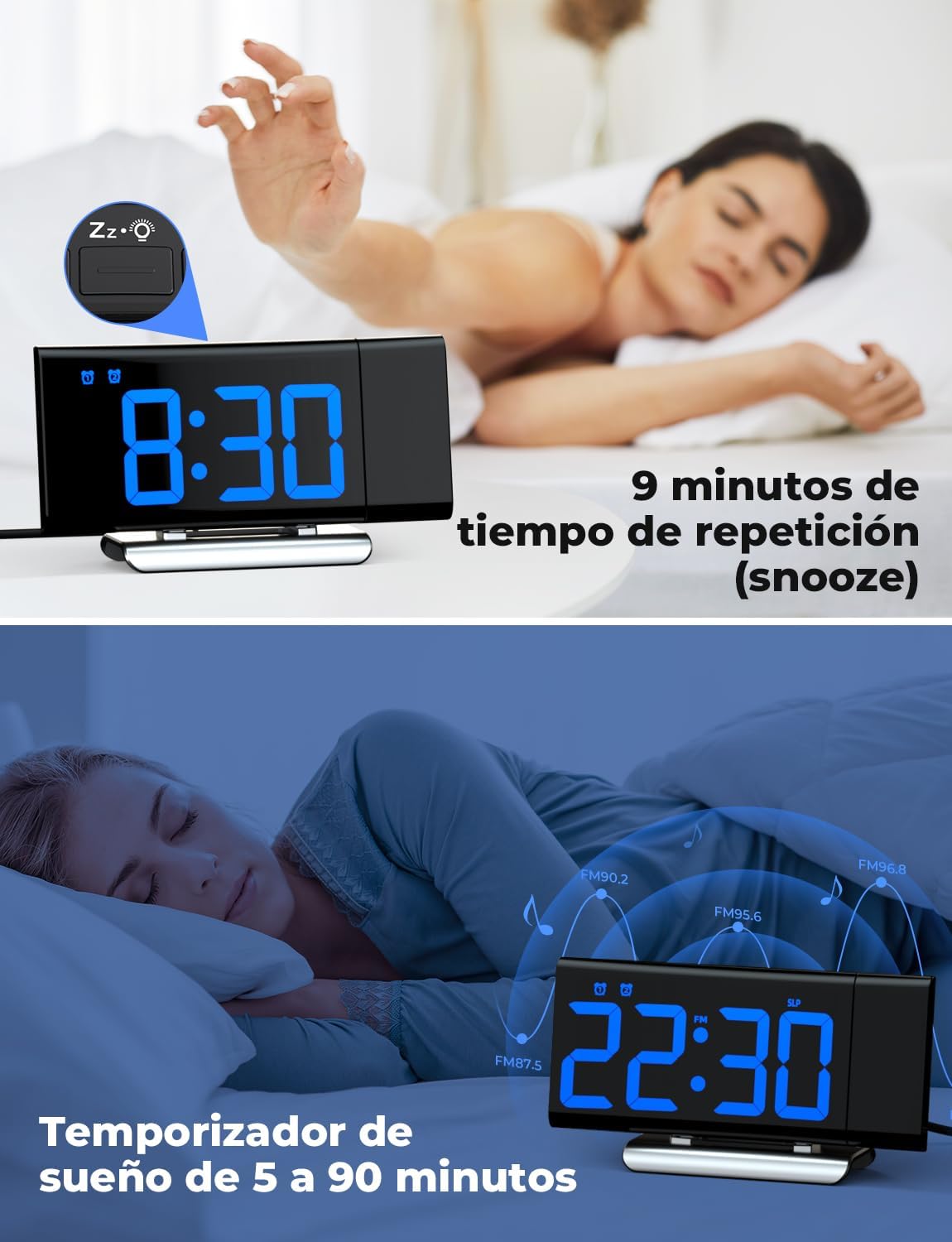
Image: The top section shows a person reaching for the snooze button on the LIORQUE S7509 Projection Alarm Clock, which displays 8:30, indicating a 9-minute snooze period. The bottom section features the clock displaying 22:30 with radio waves, illustrating the sleep timer function which can be set from 5 to 90 minutes, with a person sleeping peacefully in the background.
Vedlikehold
To ensure the longevity and optimal performance of your LIORQUE S7509 Projection Alarm Clock, follow these simple maintenance guidelines:
- Rengjøring: Use a soft, dry cloth to wipe the surface of the clock. Do not use abrasive cleaners, solvents, or chemical sprays, as these can damage the finish and electronic components.
- Støvfjerning: Gently wipe the projector lens with a soft, lint-free cloth to maintain clear projection quality.
- Plassering: Plasser klokken på en stabil, flat overflate, unna direkte sollys, varmekilder og overdreven fuktighet.
- Makt: Always use the provided power adapter. If the clock is not used for an extended period, you may unplug it. The built-in battery will retain settings for a short duration.
Feilsøking
If you encounter any issues with your alarm clock, please refer to the following common problems and solutions:
| Problem | Mulig årsak | Løsning |
|---|---|---|
| Klokkedisplayet er tomt. | Ingen kraft eller krafttage. | Ensure the power adapter is securely plugged into the clock and a working outlet. Check if the display brightness is set to 'off'. |
| Projeksjonen er uskarp eller utydelig. | Incorrect focus or distance. | Adjust the distance of the clock from the projection surface. Ensure the projector lens is clean. |
| Alarmen lyder ikke. | Alarmen er ikke aktivert, eller volumet er for lavt. | Verify that the alarm icon is displayed on the screen. Check the alarm volume setting. Ensure the alarm time is correctly set. |
| Dårlig FM-radiomottak. | Svakt signal eller antenneposisjon. | Extend the FM antenna fully. Reposition the clock to improve reception. |
| Knappene reagerer ikke. | Midlertidig programvarefeil. | Unplug the power adapter for a few seconds, then plug it back in to reset the device. |
Spesifikasjoner
| Trekk | Detalj |
|---|---|
| Produktdimensjoner | 10.5 x 3.81 x 6.2 cm; 340 g |
| Modellnummer | S7509 |
| Merke | LIORQUE |
| Farge | Blå |
| Visningstype | Digital |
| Strømkilde | Both: Battery and AC power (with adapter) |
| Form | Rektangulær |
| Bruk | Innendørs |
| Rammemateriale | Metall |
| Batterier inkludert | Ja |
| Monteringstype | Bordplate |
| Vekkerklokke | Ja |
| Antall varer | 1 |
Garanti og støtte
The LIORQUE S7509 Projection Alarm Clock comes with a manufacturer's warranty. For specific details regarding warranty coverage and duration, please refer to the warranty card included in your package or contact LIORQUE customer support.
If you require further assistance, have questions, or encounter issues not covered in this manual, please contact LIORQUE customer support. Contact information can typically be found on the product packaging, the official LIORQUE webnettstedet, eller gjennom forhandleren din.