
glo 10189920
glo HYPER PRO Device User Manual
Modell: 10189920
1. Introduksjon
The glo HYPER PRO is an advanced tobacco heating device designed to provide an enhanced experience. It features an EasyView LED display for monitoring device status, a TasteSelect selector for choosing between Standard and Boost modes, and HeatBoost technology for consistent intensity. The device also includes fast charging capabilities and extended battery life.
Important Safety Notice: This product is not risk-free and contains nicotine, which is addictive.
2. Sikkerhetsadvarsler
- This product, when used with its intended tobacco sticks, is not risk-free and delivers nicotine, a highly addictive substance.
- The device itself does not contain tobacco sticks, liquids, pre-filled cartridges, or refills. These must be purchased separately.
- The glo HYPER PRO operates without combustion, producing zero ash and less odor compared to traditional cigarettes.
- Always read the label, warnings, and instructions provided on the product packaging before use. Information on the packaging may differ from online descriptions.
- Oppbevares utilgjengelig for barn og kjæledyr.
- Ikke utsett enheten for ekstreme temperaturer, direkte sollys eller vann.
- Use only the charging cable provided or a certified USB-C cable with a compatible power adapter.
3. Pakkens innhold
Please check that your glo HYPER PRO package contains the following items:
- glo HYPER PRO Device
- USB-C ladekabel
- Rengjøringsbørste
- Brukerhåndbok (dette dokumentet)
4. Enhet overview
Familiarize yourself with the components of your glo HYPER PRO device.
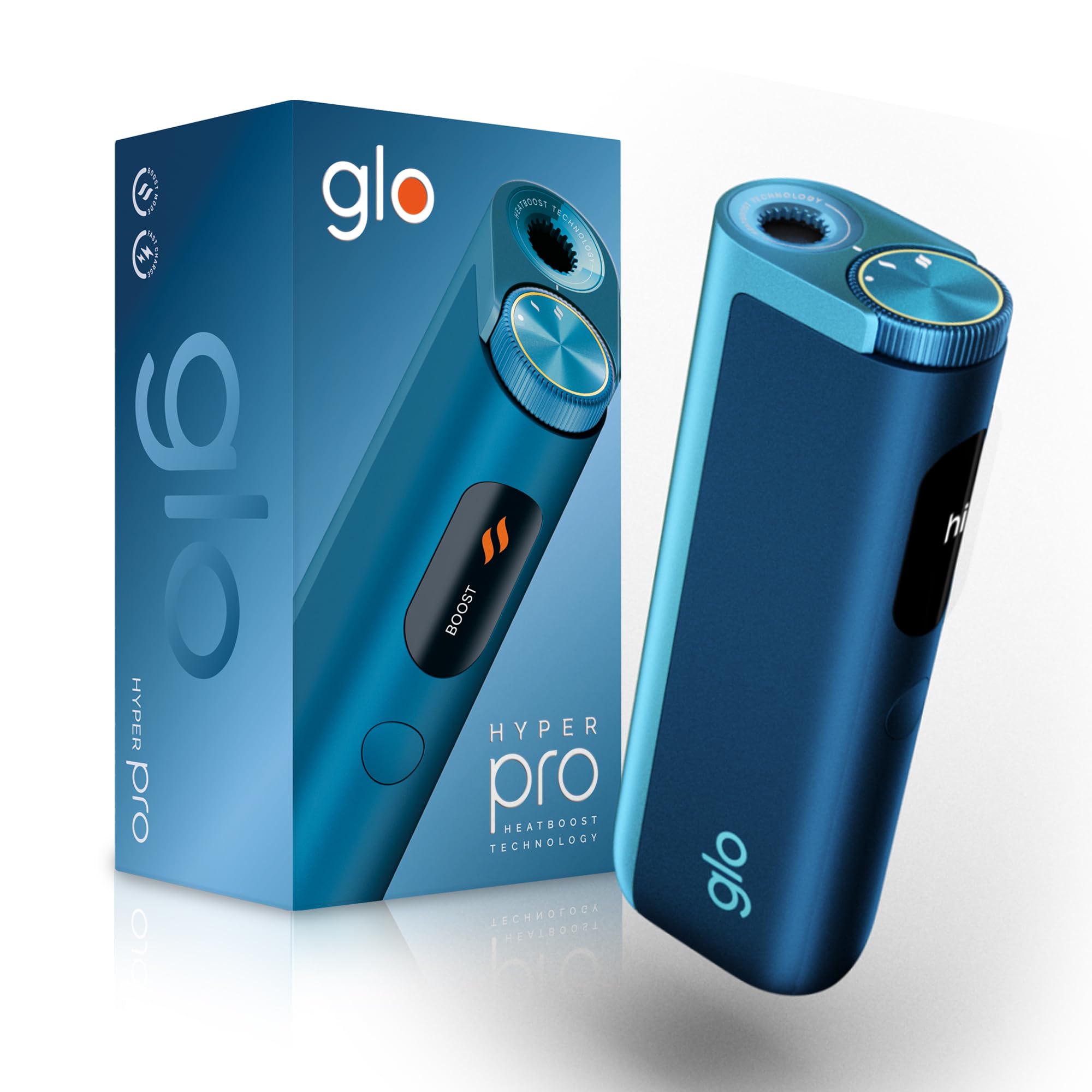
This image displays the glo HYPER PRO device in blue, highlighting its compact dimensions (96.4mm height, 36.5mm width) and weight (92 grams). Key features such as Boost Mode, EasyView Display, and Fast Charge are indicated.
- Varmekammer: Where the tobacco stick is inserted.
- TasteSelect Selector: Button to switch between Standard and Boost modes.
- LettView LED display: Shows selected mode, session progress, and battery status.
- USB-C-port: For å lade enheten.
5. Første oppsett
5.1 Lading av enheten
Before first use, fully charge your glo HYPER PRO device. The device features fast charging and extended battery life.
- Connect the USB-C charging cable to the device's USB-C port.
- Plug the other end of the cable into a compatible USB power adapter.
- Den enkleView LED display will indicate the charging progress.
- Når den er fulladet, kobler du enheten fra laderen.
5.2 Første gangs bruk
To turn on the device for the first time:
- Press the TasteSelect button 5 times rapidly.
- The device will vibrate and the EasyView LED display will illuminate, indicating it is ready for use.
6. Betjening av enheten
6.1 Inserting a Tobacco Stick
Ensure the device is clean before inserting a tobacco stick.
- Gently insert a compatible tobacco stick into the heating chamber at the top of the device.
- Do not force the stick.
6.2 Selecting a Mode (Standard or Boost)
The TasteSelect selector allows you to choose your preferred intensity.

This image illustrates two glo HYPER PRO devices, demonstrating the selection between Standard and Boost intensity modes.
- Standardmodus: For a balanced experience. Press and hold the TasteSelect button until the device vibrates once.
- Boost-modus: For superior intensity, featuring HeatBoost technology. Press and hold the TasteSelect button until the device vibrates twice.
Den enkleView LED display will show the selected mode and the heating progress.
6.3 Starting a Session
- After inserting the tobacco stick and selecting your mode, the device will begin heating.
- Den enkleView LED display will show a countdown or progress indicator.
- The device will vibrate when it is ready for use.
- Once the session is complete, the device will vibrate again and the display will turn off.
6.4 Ending a Session
Etter økten:
- Remove the used tobacco stick from the heating chamber.
- Dispose of the used stick responsibly.
- La enheten avkjøles før rengjøring eller oppbevaring.
7. Vedlikehold og rengjøring
Regular cleaning ensures optimal performance and longevity of your glo HYPER PRO device.
7.1 Cleaning the Heating Chamber
- Sørg for at apparatet er slått av og helt avkjølt før rengjøring.
- Use the provided cleaning brush to gently remove any tobacco residue from the heating chamber.
- Avoid using water or liquid cleaners directly on the heating element.
- For stubborn residue, a dry cotton swab can be used carefully.
7.2 Utvendig rengjøring
Wipe the exterior of the device with a soft, dry cloth as needed.
8. Feilsøking
If you encounter issues with your glo HYPER PRO, refer to the following common problems and solutions:
| Problem | Mulig årsak | Løsning |
|---|---|---|
| Enheten slår seg ikke på | Lav eller ingen batterilading | Lad enheten helt opp med den medfølgende USB-C-kabelen. |
| Enheten varmer ikke opp | Tobacco stick not inserted correctly; Device malfunction | Ensure the tobacco stick is fully and correctly inserted. Try restarting the device. If the issue persists, contact customer support. |
| Ladingen er treg eller fungerer ikke | Faulty cable or adapter; Dirty charging port | Check the USB-C cable and power adapter for damage. Try a different compatible cable/adapter. Clean the charging port gently with a dry, soft brush. |
| LED-skjerm fungerer ikke | Enhetsfeil | Prøv å starte enheten på nytt. Hvis problemet vedvarer, kontakt kundestøtte. |
9. Spesifikasjoner
| Trekk | Detalj |
|---|---|
| Merke | glo |
| Modellnummer | 10189920 |
| Dimensjoner (LxBxH) | 9.6 x 3.6 x 2.1 cm |
| Vekt | 150 gram |
| Batterikapasitet | 2580 mAh (litiumion) |
| Ladeport | USB-C |
| Spesialfunksjon | Kompakt design |
| Produsent | Nicoventures Trading Limited |
10. Garanti og støtte
10.1 Garantiinformasjon
For detailed warranty information, please refer to the warranty card included in your product packaging or visit the official glo webGarantivilkårene kan variere fra region til region.
10.2 Kundestøtte
If you have any questions, require assistance, or need to report an issue with your glo HYPER PRO device, please contact glo customer support through their official webnettstedet eller kontaktinformasjonen som er oppgitt i produktdokumentasjonen.