
AUSEK TX3
AUSEK TX3 Android Mini PC Box User Manual
1. Introduksjon
This manual provides detailed instructions for the setup, operation, and maintenance of your AUSEK TX3 Android Mini PC Box. Please read this manual thoroughly before using the device to ensure proper functionality and to maximize your user experience. The AUSEK TX3 is designed to transform your television into a smart entertainment hub, offering access to a wide range of applications and media content.
2. Pakkens innhold
Ved utpakking, vennligst kontroller at alle følgende varer er inkludert i pakken:
- AUSEK TX3 Android Mini PC Box
- Fjernkontroll (Batterier følger ikke med)
- Strømforsyningsadapter
- HD Data Cable (HDMI Cable)
- Brukerhåndbok

3. Produktet er overview
The AUSEK TX3 Android Mini PC Box is a compact device designed for high-definition media streaming and smart TV functionalities. It features a robust AMLOGIC S905X3 processor, 4GB RAM, and 64GB ROM, ensuring smooth performance for various applications and 4K content playback.

3.1. Enhetsfunksjoner
- Operativsystem: Android 10
- Prosessor: AMLOGIC S905X3 Quad Core Cortex-A53
- Hukommelse: 4GB RAM, 64GB Internal Storage
- Tilkobling: Dual-band Wi-Fi (2.4G/5.8G), Bluetooth 5.0, Ethernet
- Videoutgang: 4K HDR support

3.2. Porter og tilkoblinger
Familiarize yourself with the various ports on your AUSEK TX3 device:

- TF-kortspor: For expanding storage with a MicroSD card.
- USB 2.0-porter: Connect external devices such as USB drives, keyboards, or mice.
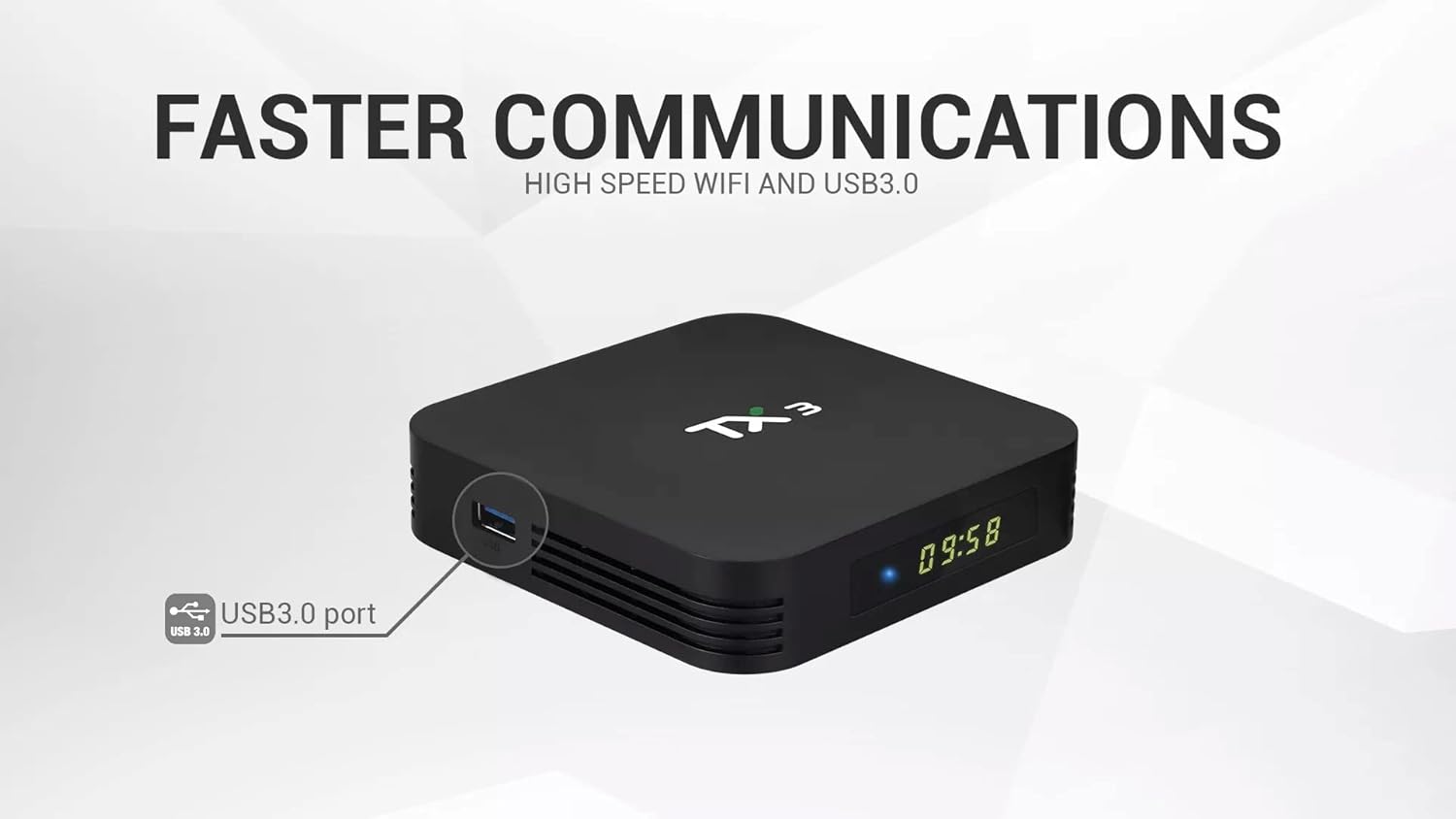
- USB 3.0-port: Offers faster data transfer speeds for compatible external storage devices.
- HD Output (HDMI): Kobles til TV-en eller skjermen din for video- og lydutgang.
- Strøminngang (DC 5V): Koble til den medfølgende strømadapteren.
- Ethernet-port (LAN): For en kablet internettforbindelse.
- SPDIF-utgang: For digital lydutgang til kompatible lydsystemer.
4. Oppsettveiledning
Follow these steps to set up your AUSEK TX3 Android Mini PC Box:
- Koble til TV: Connect one end of the provided HDMI cable to the HD Output port on the AUSEK TX3 and the other end to an available HDMI input on your television.
- Koble til strøm: Plug the power adapter into the DC 5V Power Input port on the AUSEK TX3, then plug the adapter into a wall outlet.
- Koble til internett (valgfritt):
- Kablet tilkobling: Connect an Ethernet cable from your router to the Ethernet Port on the AUSEK TX3.
- Trådløs tilkobling: You will configure Wi-Fi during the initial software setup.
- Strøm på: Turn on your television and select the correct HDMI input source. The AUSEK TX3 should automatically power on and display the boot-up screen.
- Innledende oppsettveiviser: Follow the on-screen instructions to complete the initial setup, which typically includes language selection, Wi-Fi network connection, and Google account login.
5. Bruksanvisning
5.1. Grunnleggende navigering
Use the provided remote control to navigate the Android interface. The directional buttons (up, down, left, right) move the cursor, and the 'OK' button confirms selections. The 'Back' button returns to the previous screen, and the 'Home' button takes you to the main home screen.
5.2. Nettverkstilkobling
If you did not connect to Wi-Fi during the initial setup, navigate to Innstillinger> Nettverk og Internett to select your Wi-Fi network and enter the password. For wired connections, ensure the Ethernet cable is securely connected.
5.3. Installere applikasjoner
The AUSEK TX3 comes with the Google Play Store pre-installed. You can download and install a wide variety of applications, including streaming services, games, and utility apps. Navigate to the Play Store icon on your home screen, sign in with your Google account, and browse or search for desired applications.

5.4. Bluetooth-tilkobling
To connect Bluetooth devices such as headphones, speakers, or game controllers, go to Innstillinger > Tilkoblede enheter > Koble til ny enhet. Ensure your Bluetooth device is in pairing mode.
5.5. 4K HDR Playback
The AUSEK TX3 supports 4K HDR video playback. For optimal viewing, ensure your television is 4K HDR compatible and that you are playing 4K HDR content. Adjust display settings in Innstillinger > Skjerm om nødvendig.
6. Vedlikehold
To ensure the longevity and optimal performance of your AUSEK TX3 Android Mini PC Box, follow these maintenance guidelines:
- Rengjøring: Bruk en myk, tørr klut til å rengjøre enheten. Ikke bruk flytende rengjøringsmidler eller slipende materialer.
- Ventilasjon: Ensure the device is placed in a well-ventilated area to prevent overheating. Do not block the ventilation holes.
- Slå av på riktig måte: Always power off the device using the remote control or by navigating to the power options in the system menu before unplugging it.
- Programvareoppdateringer: Sjekk regelmessig etter systemoppdateringer i Innstillinger > Enhetsinnstillinger > Om > Systemoppdatering for å sikre at du har de nyeste funksjonene og sikkerhetsoppdateringene.
7. Feilsøking
If you encounter issues with your AUSEK TX3, refer to the following common problems and solutions:
| Problem | Mulig årsak | Løsning |
|---|---|---|
| Ingen strøm | Power adapter not connected; power outlet issue | Sørg for at strømadapteren er ordentlig koblet til enheten og en fungerende stikkontakt. |
| Ingen skjerm på TV-en | Incorrect HDMI input selected; loose HDMI cable | Select the correct HDMI input on your TV. Check HDMI cable connections. Try a different HDMI port or cable. |
| Fjernkontrollen virker ikke | Dead batteries; line of sight blocked | Replace batteries in the remote. Ensure no obstructions between the remote and the device. |
| Kan ikke koble til Wi-Fi | Incorrect password; router issue; device too far from router | Verify Wi-Fi password. Restart your router. Move the device closer to the router or use a wired Ethernet connection. |
| Applikasjoner er trege eller krasjer | Too many apps running; low storage; outdated app version | Close unused applications. Clear cache for problematic apps (Settings > Apps). Update apps from Google Play Store. Restart the device. |
8. Spesifikasjoner
Detailed technical specifications for the AUSEK TX3 Android Mini PC Box:
| Trekk | Detalj |
|---|---|
| Merke | AUSEK |
| Modell | TX3 |
| Operativsystem | Android 10 |
| Prosessor | AMLOGIC S905X3 Quad Core Cortex-A53, 1.5 GHz |
| VÆR | 4 GB DDR3 SDRAM |
| Intern lagring (ROM) | 64 GB |
| Hard Drive Size (Internal) | 32 GB (Note: This may refer to a partition or specific storage type) |
| Oppløsning | 4K |
| Wi-Fi | Dual-band (2.4G/5.8G) |
| Bluetooth | Bluetooth 5.0 |
| Havner | USB 2.0, USB 3.0, HD Output (HDMI), Ethernet, SPDIF, TF Card Slot, DC Power Input |
| Dimensjoner (L x B x H) | 10 x 10 x 10 centimeter |
| Varevekt | 400 g |
| Kompatible enheter | Personal Computer (as a mini PC), Televisions |
| Støttede Internett-tjenester | Netflix (og andre via Play Store) |

9. Garanti og støtte
For warranty information and customer support regarding your AUSEK TX3 Android Mini PC Box, please contact the manufacturer directly:
Produsent: AUSHA EXPORTS P LTD
Adresse: 140, Sector 27, Gurugram-122009, India
Kundestøtte: 08048977694
Ta vare på kjøpsbeviset for garantikrav.
Ask a question about this manual
Ask about setup, troubleshooting, compatibility, parts, safety, or missing instructions. Manuals+ will review the question and use this page’s manual context to help answer it.