
NGS Roller Furia 2
NGS Roller Furia 2 Portable Bluetooth Speaker User Manual
Model: Roller Furia 2 | Brand: NGS
1. Introduksjon
Thank you for choosing the NGS Roller Furia 2 Portable Bluetooth Speaker. This manual provides essential information for the safe and efficient use of your device. Please read it carefully before use and retain it for future reference.
2. Sikkerhetsinformasjon
- Ikke utsett høyttaleren for ekstreme temperaturer eller direkte sollys.
- Unngå å miste eller utsett høyttaleren for sterke støt.
- Hold høyttaleren unna medisinsk utstyr.
- Ikke forsøk å demontere eller reparere høyttaleren selv. Kontakt kvalifisert servicepersonell.
- Ensure the charging port cover is securely closed when near water to maintain IPX7 waterproofing.
3. Pakkens innhold
Pakken inneholder følgende varer:
- NGS Roller Furia 2 Portable Bluetooth Speaker
- USB Type-C ladekabel
- Brukerhåndbok (dette dokumentet)
4. Produktfunksjoner
- Bluetooth 5.3-tilkobling: Advanced and stable wireless connection for music streaming.
- Kraftig lyd: 30W output for high-quality audio.
- IPX7 Vanntett: Can be submerged up to 1 meter for 30 minutes.
- True Wireless Stereo (TWS): Pair two Roller Furia 2 speakers for enhanced sound.
- Flere avspillingsalternativer: Bluetooth, USB port, TF card slot, and 3.5mm AUX input.
- Lang batterilevetid: Up to 9 hours of playback at 50% volume.
- Integrerte kontroller: Easy music control directly from the speaker.
- LED-lys: Party mode with dynamic LED lighting.
5. Kontroller og tilkoblinger
Gjør deg kjent med høyttalerens kontroller og tilkoblingsporter.

Image: Top controls and side connection panel of the NGS Roller Furia 2 speaker.
5.1. Top Controls
- Strømknapp: Press and hold to turn on/off. Short press to play/pause.
- Volum opp (+): Øk volumet.
- Volum ned (-): Reduser volumet.
- Modusknapp: Switch between Bluetooth, AUX, USB, and TF card modes.
- LED -lysknapp: Change LED light modes or turn off lights.
5.2. Tilkoblingsporter

Bilde: Detaljert view of the connection ports on the NGS Roller Furia 2 speaker, including AUX, USB, and Micro SD slots.
- AUX Input (3.5mm Jack): Koble til eksterne lydenheter med en 3.5 mm lydkabel.
- USB-inngang: Connect a USB flash drive for MP3 playback (up to 32GB).
- TF-kortspor (Micro SD): Insert a TF/Micro SD card for MP3 playback (up to 32GB).
- USB Type-C ladeport: Connect the provided USB-C cable for charging.
6. Oppsett
6.1. Førstegangsavgift
Before first use, fully charge the speaker. Connect the USB Type-C cable to the speaker's charging port and the other end to a USB power adapter (not included) or a computer's USB port. The LED indicator will show charging status.
6.2. Slå på/av
Trykk og hold inne strømknappen (ⓘ) for approximately 3 seconds to turn the speaker on or off.
7. Bruksanvisning
7.1. Bluetooth-paring
- Turn on the speaker. It will automatically enter Bluetooth pairing mode, indicated by a flashing LED.
- Aktiver Bluetooth på smarttelefonen, nettbrettet eller en annen enhet.
- Søk etter "NGS Roller Furia 2" in the list of available Bluetooth devices.
- Select it to connect. Once connected, you will hear a confirmation sound, and the LED will stop flashing.
- The speaker will automatically reconnect to the last paired device when turned on, if available.
7.2. Funksjon for ekte trådløs stereo (TWS)
To pair two NGS Roller Furia 2 speakers for a stereo sound experience:
- Sørg for at begge høyttalerne er slått på og ikke koblet til noen Bluetooth-enhet.
- On one speaker (this will be the primary speaker), press and hold the TWS button (often indicated by a Wi-Fi-like symbol or two interlocking circles) for 2-3 seconds.
- Primærhøyttaleren vil søke etter sekundærhøyttaleren. Når den er tilkoblet, vil du høre en bekreftelseslyd.
- Now, connect your Bluetooth device to the primary speaker as described in section 7.1. Both speakers will play audio in stereo.
7.3. Playing Music from USB/TF Card
- Insert a USB flash drive or TF/Micro SD card (with MP3 files) inn i den tilsvarende porten.
- The speaker will automatically switch to USB/TF card mode and begin playing music. If not, press the Mode button to select the correct input.
7.4. AUX -inngang
- Koble den ene enden av en 3.5 mm lydkabel (ikke inkludert) til AUX-inngangen på høyttaleren.
- Connect the other end to the audio output of your external device (e.g., MP3 player, computer).
- The speaker will automatically switch to AUX mode. If not, press the Mode button to select AUX input.
7.5. LED-lysmoduser
Press the LED Light button to cycle through different light modes or turn the lights off. The speaker features dynamic LED lighting for a party atmosphere.
Video: Demonstrates the NGS Roller Furia series features, including LED lights, TWS pairing, robust design, waterproofing, various connection options, and battery life.
8. Lading
When the battery is low, the speaker will indicate this with an audible alert or LED behavior. Connect the USB Type-C cable to the speaker and a power source to recharge. A full charge takes approximately 3-4 hours. The speaker can be used while charging.
9. Vedlikehold
- Rengjør høyttaleren med en myk, tørr klut. Ikke bruk slipende rengjøringsmidler eller løsemidler.
- Oppbevar høyttaleren på et kjølig og tørt sted når den ikke er i bruk over lengre tid.
- Ensure the charging port cover is sealed when not charging, especially in wet environments.
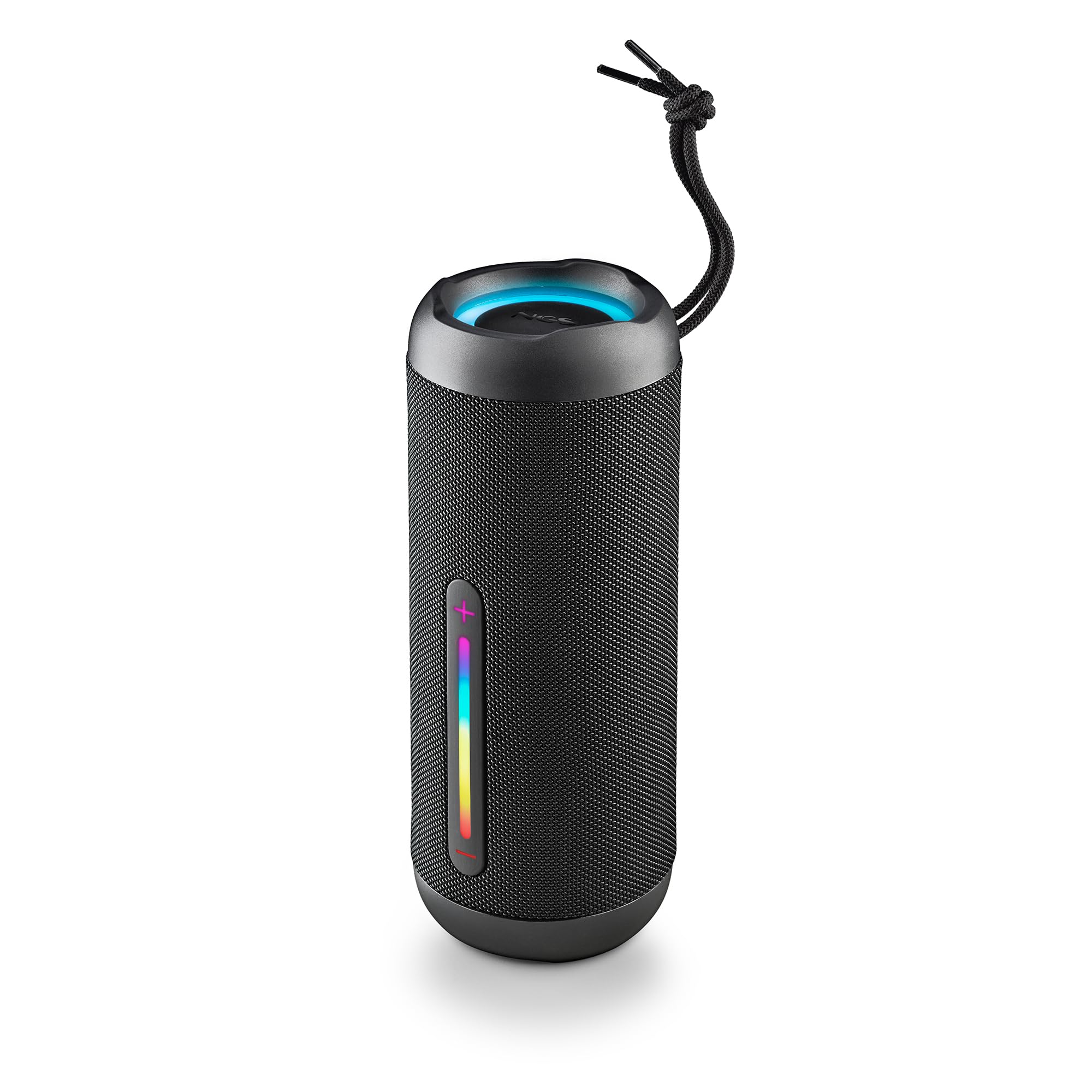
Image: The NGS Roller Furia 2 speaker demonstrating its IPX7 water resistance by being partially submerged in water.
10. Feilsøking
| Problem | Mulig løsning |
|---|---|
| Høyttaleren slås ikke på. | Sørg for at batteriet er ladet. Koble til en strømkilde og prøv på nytt. |
| Kan ikke pares via Bluetooth. | Make sure the speaker is in pairing mode. Disable and re-enable Bluetooth on your device. Ensure no other devices are connected to the speaker. Move closer to the speaker. |
| Ingen lyd. | Sjekk volumnivåene på både høyttaleren og den tilkoblede enheten. Sørg for at riktig inngangsmodus (Bluetooth, AUX, USB, TF) er valgt. |
| TWS-paring mislykkes. | Ensure both speakers are not connected to any other Bluetooth device before initiating TWS pairing. Try resetting both speakers. |
11. Spesifikasjoner
| Trekk | Detalj |
|---|---|
| Modellnavn | Roller Furia 2 Black |
| Modellnummer | ELEC-SPK-0871 |
| Merke | NGS |
| Tilkoblingsteknologi | Bluetooth 5.3, AUX, USB, TF-kort |
| Høyttalerutgangseffekt | 30W (RMS) |
| Vannmotstandsnivå | IPX7 (vanntett) |
| Batteritype | 2 litiumionbatteri (inkludert) |
| Batterikapasitet | 7.4V/2500mAh |
| Avspillingstid | Opptil 9 timer (ved 50 % volum) |
| Bluetooth-rekkevidde | Opp til 10 meter |
| Dimensjoner (L x B x H) | 7.4 x 7.4 x 19.4 cm |
| Vekt | 712 gram |
| Kompatible enheter | MP3 Player, Laptop, Projector, Smartphone, Tablet, TV |
12. Garanti og støtte
Dette produktet kommer med en 2 års begrenset garanti fra kjøpsdatoen. Vennligst ta vare på kjøpsbeviset for garantikrav.
For technical support or warranty inquiries, please visit the official NGS webnettstedet eller kontakt din lokale forhandler.
Ask a question about this manual
Ask about setup, troubleshooting, compatibility, parts, safety, or missing instructions. Manuals+ will review the question and use this page’s manual context to help answer it.