
1. Produktet er overview
The Docooler IPX7 Waterproof Bluetooth Portable Shower Speaker is designed for audio playback in various environments, including wet conditions. It features Bluetooth 5.0 connectivity, an LED display, FM radio, and a light show function. The speaker is equipped with a removable suction cup for versatile placement.

Image: Docooler IPX7 Waterproof Bluetooth Portable Shower Speaker, showcasindens design og funksjoner.
2. Pakkens innhold
Bekreft at alle varene er til stede i pakken:
- Docooler IPX7 Waterproof Bluetooth Portable Shower Speaker
- USB-C ladekabel
- Avtakbar sugekopp
- Brukerhåndbok
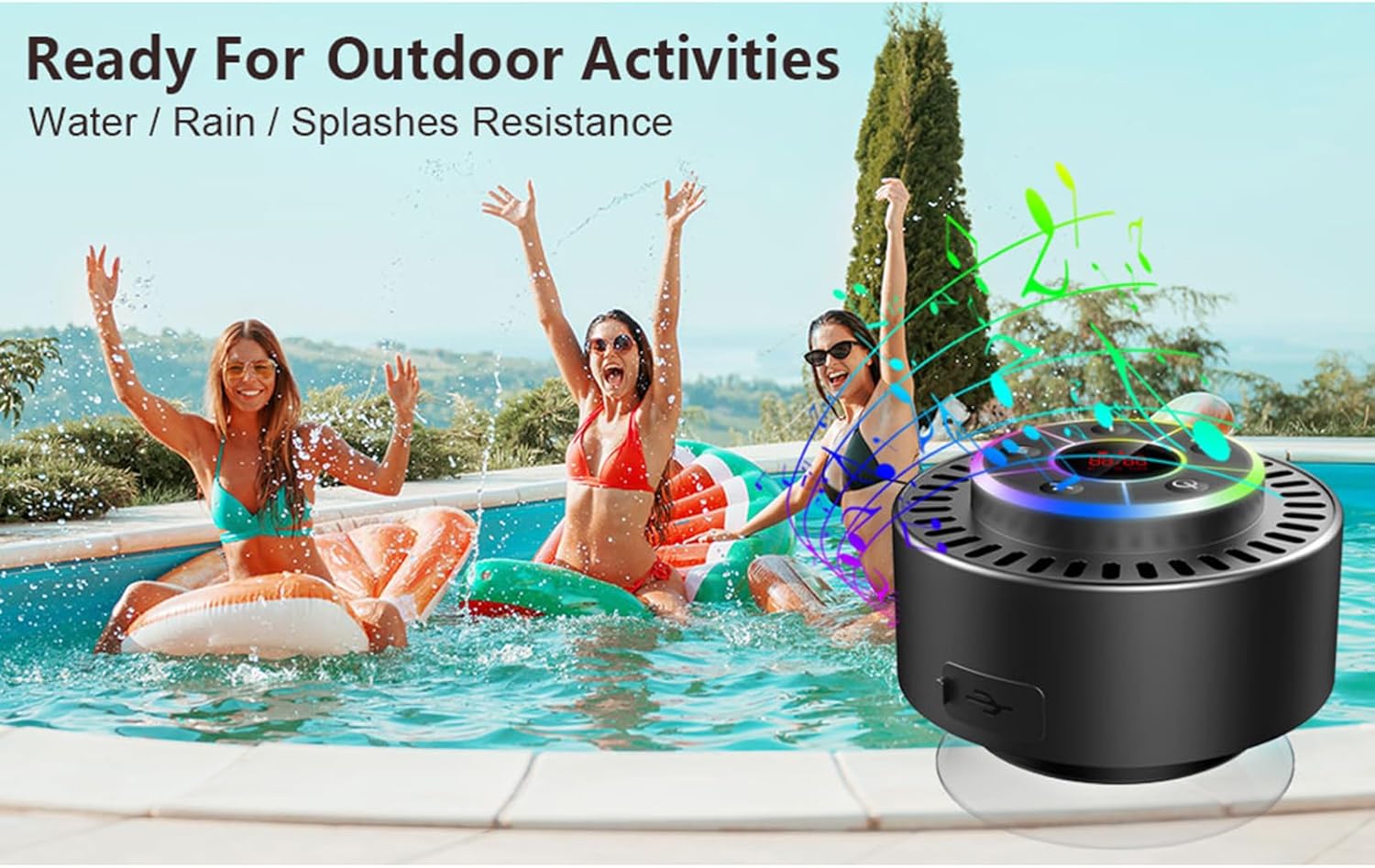
Image: The speaker, USB-C charging cable, and user manual as included in the package.
3. Oppsett
3.1 Lade høyttaleren
Before initial use, fully charge the speaker. Connect the provided USB-C charging cable to the speaker's charging port and the other end to a USB power adapter (not included) or a computer's USB port. The LED display will indicate charging status.
3.2 Feste sugekoppen
To attach the suction cup, ensure both the speaker's back surface and the desired mounting surface are clean and dry. Press the suction cup firmly against the surface until it adheres securely. For best results, slightly moisten the suction cup before application.
3.3 Slå på/av
- For å slå på: Trykk og hold inne Strømknapp (
 ) for approximately 3 seconds until the LED display illuminates.
 - Slik slår du av: Trykk og hold inne Strømknapp for approximately 3 seconds until the LED display turns off.
4. Bruksanvisning
4.1 Knappefunksjoner
Bilde: Detaljert view of the speaker's control panel, indicating the function of each button.
| Knapp | Funksjon (kort trykk) | Funksjon (langt trykk) |
|---|---|---|
| Strømknapp () | Toggle LED light show modes | Slå på/av |
| M-knapp | Switch between Bluetooth and FM Radio modes | N/A |
| Spill av/pause-knapp () | Play/Pause music; Answer/End calls; Auto-scan in FM mode | Avvis innkommende anrop |
| Previous Song / Volume Down (-) | Previous song (Bluetooth); Previous station (FM) | Reduser volumet |
| Next Song / Volume Up (+) | Next song (Bluetooth); Next station (FM) | Øk volumet |
4.2 Bluetooth-paring
When powered on, the speaker automatically enters Bluetooth pairing mode. The LED display will show 'BT'.
- Sørg for at Bluetooth er aktivert på enheten din (smarttelefon, nettbrett, bærbar PC).
- Søk etter available Bluetooth devices and select "Docooler Speaker" from the list.
- Once connected, the speaker will emit an audible confirmation, and the 'BT' indicator on the LED display will stabilize.

Image: The speaker demonstrating connectivity with a phone, tablet, and computer via Bluetooth.
4.3 Ekte trådløs stereo (TWS)-paring
To achieve 3D stereo sound, two Docooler speakers can be paired together.
- Sørg for at begge høyttalerne er slått på og ikke koblet til noen annen Bluetooth-enhet.
- På én høyttaler (dette vil være hovedhøyttaleren), trykk og hold inne Spill av/pause-knapp i 2–3 sekunder til du hører en paringstone.
- De to høyttalerne vil automatisk koble seg til hverandre.
- Once paired, connect your device to the primary speaker via Bluetooth as described in section 4.2. Audio will now play through both speakers in stereo.

Image: Two Docooler speakers wirelessly connected to a computer, illustrating the True Wireless Stereo (TWS) feature.
4.4 FM-radiomodus
To switch to FM Radio mode:
- Trykk på M-knappen to cycle through modes until 'FM' appears on the LED display.
- Automatisk skanning: I FM-modus, trykk kort på Spill av/pause-knapp to automatically scan and save available radio stations.
- Bytt stasjon: Bruk Previous Song / Volume Down (-) og Next Song / Volume Up (+) for å navigere gjennom lagrede stasjoner.
- Juster volum: Trykk lenge på Previous Song / Volume Down (-) or Next Song / Volume Up (+) knappene for å justere volumet.
4.5 LED Light Show
The speaker features a beat-driven LED light show with seven colors.
- Endre lysmodus: Trykk kort på Strømknapp to cycle through different light show patterns or to lock a single color.
- Slå av lys: Fortsett å trykke på Strømknapp until the lights turn off.
4.6 Håndfri samtale
Når den er koblet til via Bluetooth, tillater den innebygde mikrofonen håndfrie samtaler.
- Svar på anrop: Trykk kort på Spill av/pause-knapp.
- Avslutt samtale: Trykk kort på Spill av/pause-knapp under en samtale.
- Avvis anrop: Trykk lenge på Spill av/pause-knapp.
4.7 LED-skjerminformasjon
The LED display shows the current time and battery level in Bluetooth mode. In FM radio mode, it displays the frequency.
5. Vedlikehold
5.1 Vannmotstand (IPX7)
The speaker is IPX7 waterproof, meaning it can be submerged in up to 1 meter (3 feet) of water for up to 30 minutes. Ensure the charging port cover is securely closed before exposing the speaker to water. After exposure to water, wipe the speaker dry with a soft cloth.
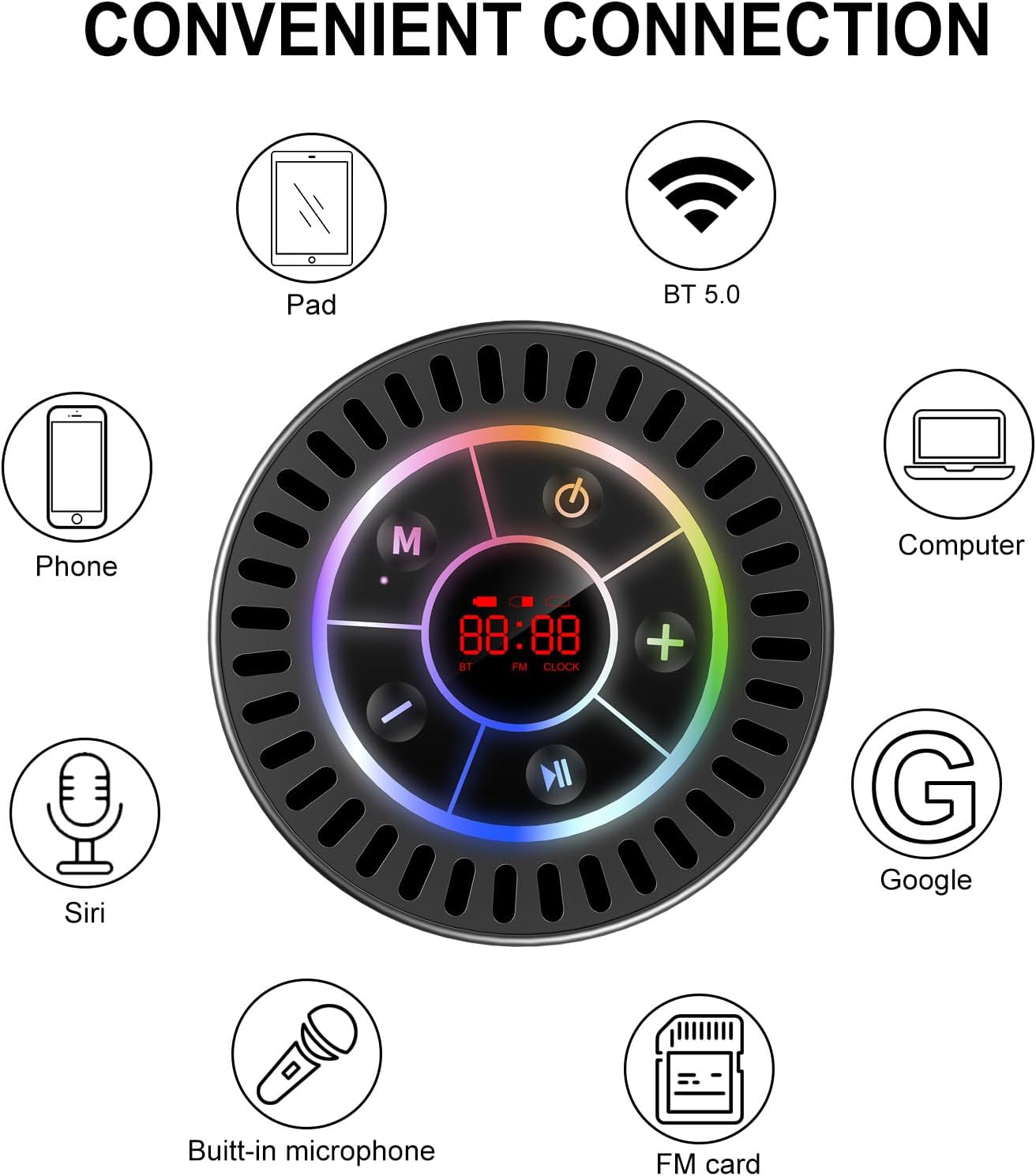
Image: The Docooler speaker attached to a shower wall, demonstrating its waterproof capability.
5.2 Rengjøring
Rengjør høyttaleren med en myk, damp klut. Ikke bruk slipende rengjøringsmidler, alkohol eller kjemiske løsemidler, da disse kan skade overflaten eller de indre komponentene.
5.3 Oppbevaring
Oppbevar høyttaleren på et kjølig og tørt sted, unna direkte sollys og ekstreme temperaturer. Hvis den oppbevares over lengre tid, bør du lade batteriet med jevne mellomrom for å opprettholde levetiden.
6. Feilsøking
- Høyttaleren slår seg ikke på: Ensure the battery is charged. Connect the speaker to a power source using the USB-C cable and try again.
- Kan ikke pares via Bluetooth:
- Ensure the speaker is in Bluetooth pairing mode ('BT' flashing on display).
- Sørg for at Bluetooth er aktivert på enheten din, og at den er innenfor 15 meter fra høyttaleren.
- Hvis den har vært paret tidligere, kan du prøve å glemme enheten på telefonen og pare den på nytt.
- Start både høyttaleren og Bluetooth-enheten på nytt.
- Poor FM radio reception: FM radio reception can be affected by location and environmental factors. Try repositioning the speaker or using it in an open area. The charging cable can sometimes act as an antenna to enhance signal.
- Ingen lyd eller lavt volum:
- Sjekk volumnivået på både høyttaleren og den tilkoblede enheten.
- Ensure the speaker is properly paired and not connected to another device.
- Hvis du bruker TWS, må du sørge for at begge høyttalerne er riktig paret med hverandre og deretter med enheten din.
- Speaker starts at full volume: Some units may default to a high volume upon power-on. Immediately adjust the volume using the '-' button to a comfortable level after turning the speaker on.
- Suction cup does not hold: Ensure the mounting surface is clean, smooth, and dry. Slightly moisten the suction cup before pressing it firmly onto the surface. Avoid porous or textured surfaces.
7. Spesifikasjoner

Bilde: En eksplodert view showing the internal components of the Docooler speaker, highlighting its sound technology.
| Trekk | Detalj |
|---|---|
| Merke | Docooler |
| Modellnummer | SMT4782513347516YX |
| Tilkoblingsteknologi | Bluetooth 5.0 |
| Bluetooth-rekkevidde | Opp til 15 meter |
| Vannmotstandsnivå | IPX7 (vanntett) |
| Høyttaler Maksimal utgangseffekt | 5 watt |
| Frekvensrespons | 100 Hz |
| Lydutgangsmodus | Stereo, Surround (with TWS) |
| Signal-til-støy-forhold | 95 dB |
| Antall mikrofoner | 1 (innebygd) |
| Strømkilde | Batteridrevet |
| Kontrollmetode | Knapp |
| Varevekt | 300 gram |
| Kompatible enheter | Bærbar datamaskin, MP3-spiller, smarttelefon, nettbrett, TV |
8. Garanti og støtte
8.1 Garantiinformasjon
This Docooler speaker comes with a limited warranty. For specific terms and conditions, please refer to the warranty card included in your package or contact Docooler customer support.
8.2 Kundestøtte
For further assistance, technical support, or warranty claims, please visit the official Docooler webnettstedet eller kontakt kundeserviceavdelingen deres. Kontaktinformasjonen finner du vanligvis på produktemballasjen eller i merkets nettbutikk.