
Introduksjon
This manual provides essential instructions for the safe and efficient operation of your Carrera RC Storm One 2.4 GHz Helicopter. Featuring digital proportional control, an aluminum fuselage, and a high-quality coaxial rotor system with a gyroscope, this 18 cm (7.1 inch) RC helicopter offers stable and precise flight. Please read this manual thoroughly before first use to ensure proper function and to maximize your flying experience.

Image: The Carrera RC Storm One helicopter shown alongside its remote control.
Hva er i esken
Kontroller at alle komponentene er tilstede i pakken:
- Carrera RC Storm One Helicopter
- Fjernkontroll
- Produktmanual (dette dokumentet)
- USB ladekabel
- Spare Rotor Blades (if included)
- Screwdriver (if included)
- AAA Batteries (2, for remote control)

Image: The Carrera RC Storm One helicopter in its retail packaging.
Oppsett
1. Lading av helikopterbatteriet
Connect the provided USB charging cable to the helicopter's charging port and to a USB power source (e.g., computer, USB wall adapter). The charging indicator light will show the charging status. Ensure the helicopter is fully charged before its first flight.

Image: The Carrera RC Storm One helicopter connected to its USB charging cable.
2. Installere fjernkontrollbatterier
Open the battery compartment on the back of the remote control. Insert 2 AAA batteries, ensuring correct polarity. Close the battery compartment securely.

Image: The remote control for the Carrera RC Storm One helicopter.
3. Paring av helikopteret og fjernkontrollen
- Slå på helikopteret.
- Slå på fjernkontrollen.
- Move the throttle stick (left joystick) fully up, then fully down. The indicator light on the remote control will stop flashing, indicating successful pairing.
Bruksanvisning
Grunnleggende kontroller
- Gass (venstre spak opp/ned): Kontrollerer høyden.
- Direction (Left Stick Left/Right): Rotates the helicopter left or right.
- Forover/bakover (høyre spak opp/ned): Beveger helikopteret fremover eller bakover.
- Sideways Flight (Right Stick Left/Right): Moves the helicopter left or right.
The integrated gyroscope system ensures stable flight, making it easier to control. The coaxial rotor design provides additional stability.
Automatic Take-off and Landing
The Carrera RC Storm One features an automatic take-off and landing function for ease of use. Press the dedicated button on the remote control for the helicopter to automatically lift off or land gently.
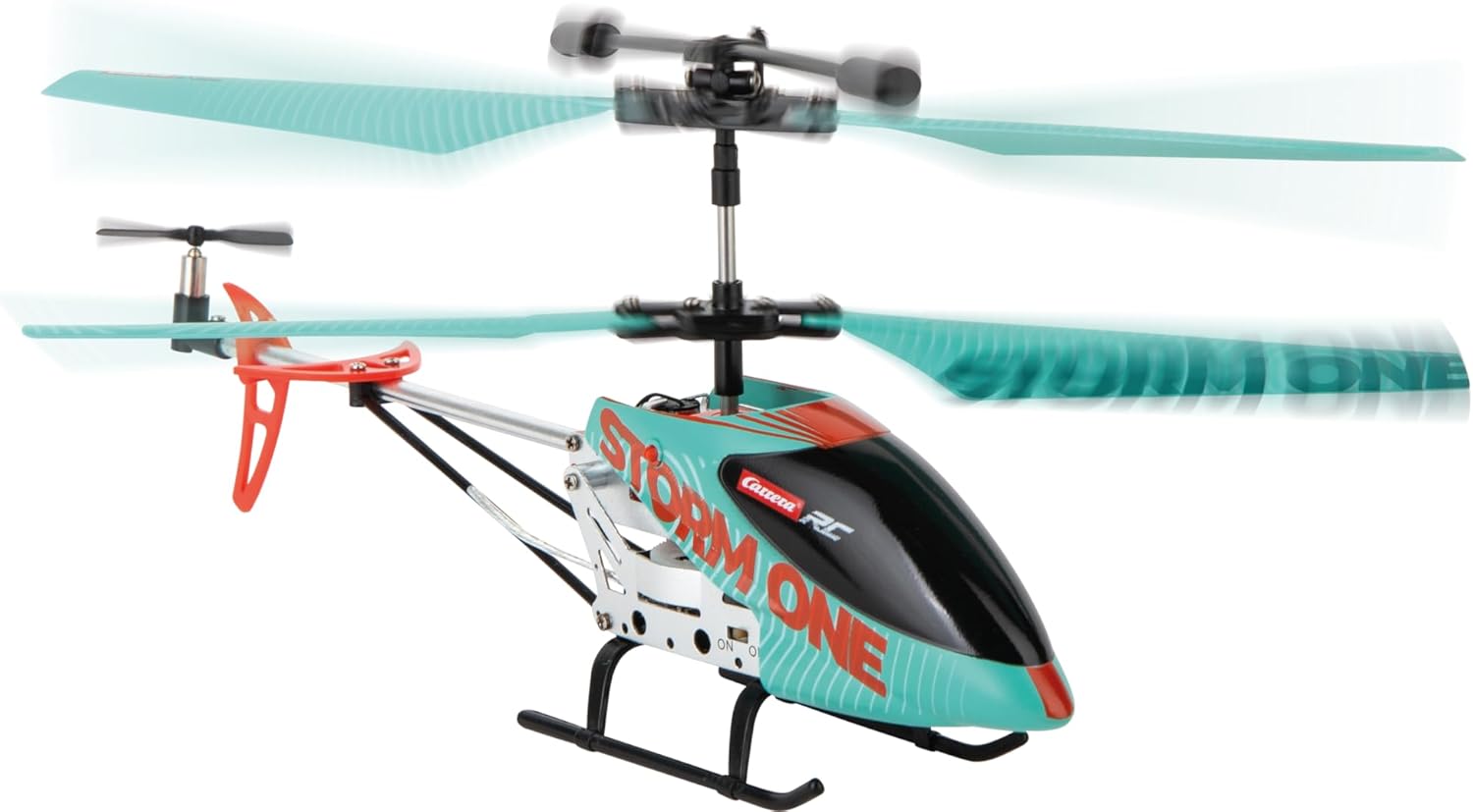
Image: The Carrera RC Storm One helicopter maintaining a stable hover during flight.
Demonstration Video: Take-off and Flight Capabilities
Video: This video demonstrates the one-touch take-off, various speed settings, sideways flight, obstacle avoidance, and one-touch landing features of a similar RC helicopter.
Video: This video illustrates two methods for helicopter take-off: manual and one-touch automatic.
Vedlikehold
Rengjøring
Gently wipe the helicopter with a soft, dry cloth after each use to remove dust and debris. Avoid using water or chemical cleaners, as these can damage electronic components.
Utskifting av blad
In case of damage to the rotor blades, replace them with genuine Carrera spare parts. Refer to the included screwdriver (if applicable) for assistance. Ensure blades are securely attached before flying.
Lagring
Store the helicopter and remote control in a cool, dry place away from direct sunlight and extreme temperatures. Remove batteries from the remote control if storing for extended periods.
Feilsøking
- Helicopter not responding: Ensure both helicopter and remote control are powered on and successfully paired. Check remote control batteries.
- Ustabil flytur: The integrated gyroscope system helps maintain stability. If flight is consistently unstable, ensure blades are undamaged and properly installed. Recalibrate the gyroscope if necessary (refer to specific instructions in the full product manual if available).
- Kort flytid: Ensure the helicopter battery is fully charged. Battery performance may decrease over time with repeated use.
- Helicopter not lifting off: Check for obstructions around the rotors. Ensure the battery is fully charged.
Spesifikasjoner
| Trekk | Detalj |
|---|---|
| Modellnummer | 370501053 |
| Merke | Carrera |
| Produktdimensjoner | 34.3 x 9 x 18.6 cm |
| Vekt | 179 g |
| Materiale | Aluminium |
| Strømkilde | Battery (Helicopter), 2 AAA (Remote) |
| Anbefalt alder | 8 - 99 år |
| Spesielle funksjoner | Robust aluminum fuselage, high-quality coaxial rotor control, gyroscope system, automatic flight altitude assistant with start and landing function, ergonomic 3-channel controller. |
| Språk (manuell) | German, Spanish, French, English, Italian |
Sikkerhetsinformasjon
This product is ready to use out of the box. Always follow the instructions in the product manual for safe operation. Not suitable for children under 3 years due to small parts. Adult supervision is recommended during operation. Keep hands, hair, and loose clothing away from moving parts. Do not fly near people, animals, or obstacles. Fly in open, clear areas. Do not modify the product. Use only original spare parts and accessories.
Garanti
This product comes with a 2-year manufacturer's warranty. Please retain your proof of purchase for warranty claims. The warranty covers manufacturing defects but does not cover damage caused by misuse, accidents, or unauthorized modifications.
Støtte
For further assistance, technical support, or to purchase spare parts, please visit the official Carrera webnettstedet eller kontakt kundeservicen deres. Du kan også besøke Carrera Brand Store on Amazon.