
1. Introduksjon
Thank you for choosing the Baseus Turbo 20W GaN5 USB-C Charger. This compact and powerful charger is designed to provide rapid and efficient charging for a wide range of devices, including iPhones, Android smartphones, and tablets. Utilizing advanced GaN5 technology, it offers superior performance in a smaller form factor. Please read this manual carefully before using the product to ensure safe and optimal operation.
2. Sikkerhetsinformasjon
- Ikke utsett laderen for vann, fuktighet eller ekstreme temperaturer.
- Unngå å miste laderen eller utsette den for harde støt.
- Do not attempt to disassemble, repair, or modify the charger. This will void the warranty and may cause damage or injury.
- Oppbevares utilgjengelig for barn.
- Sørg for at strømuttakets volumtage is compatible with the charger's input specifications (100-240V).
- Trekk ut laderen i tordenvær eller når den ikke brukes over lengre tid.
- Bruk kun kompatible ladekabler.
3. Pakkens innhold
Vennligst sjekk pakken for følgende varer:
- Baseus Turbo 20W GaN5 USB-C Charger (Black)
- Brukerhåndbok

The retail packaging for the Baseus GaN5 Fast Charger, indicating its 20W power output and compatibility with EU plugs.
4. Oppsett
Setting up your Baseus charger is straightforward:
- Pakk laderen ut av emballasjen.
- Insert the charger into a standard wall power outlet (100-240V).
- Connect a compatible USB-C charging cable to the charger's USB-C port.
- Koble den andre enden av ladekabelen til enheten.
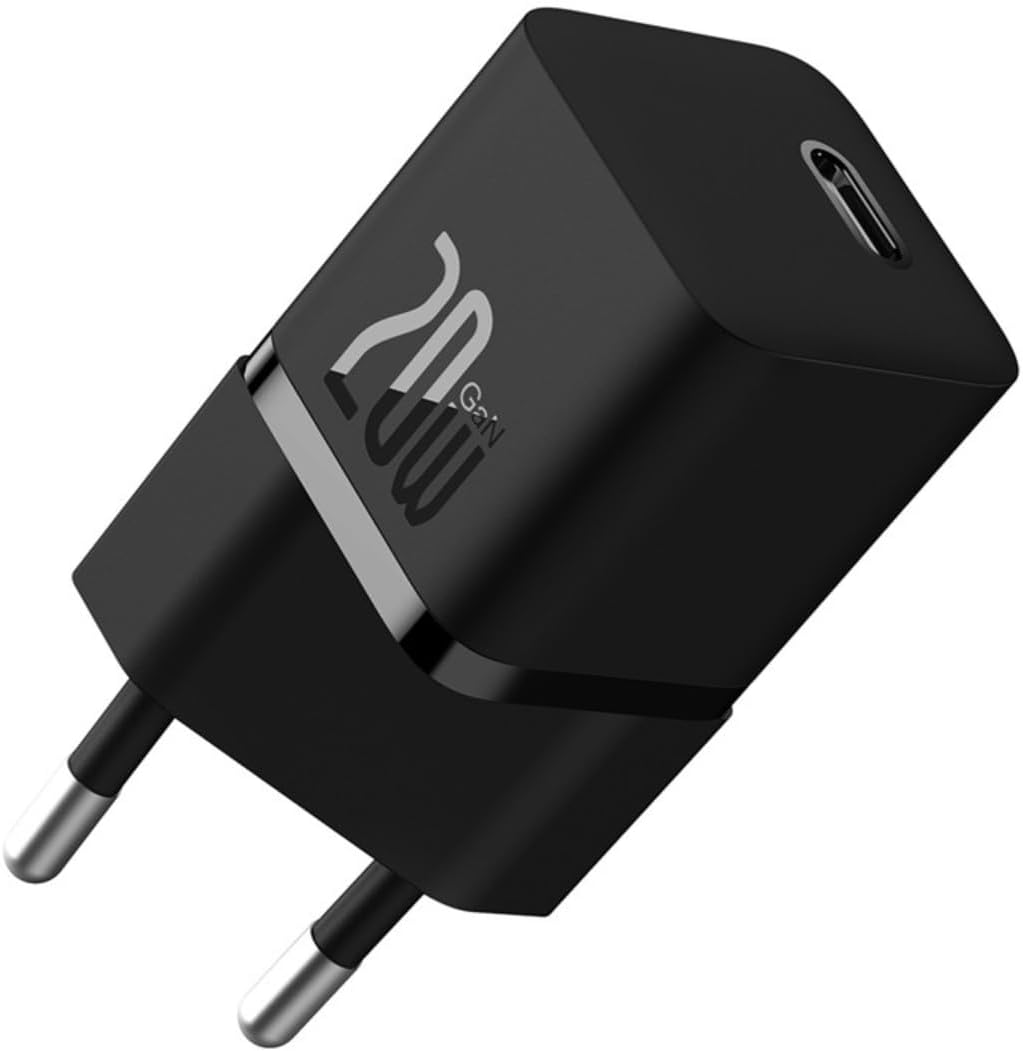
A compact black Baseus Turbo 20W GaN5 USB-C charger with a single USB-C port, designed for efficient power delivery.
5. Bruksanvisning
Once connected, the charger will automatically begin charging your device. The intelligent power delivery system will optimize the charging speed based on your device's requirements.
- Rask lading: For optimal fast charging, ensure your device and charging cable support USB Power Delivery (PD) 3.0 or Quick Charge (QC) 3.0 protocols.
- Temperaturkontroll: The built-in BCT (Baseus Cooling Technology) helps maintain a low operating temperature, even during high-speed charging, ensuring safety and longevity for both the charger and your device.

The charger connected to a smartphone, demonstrating its ability to charge a device to 50% in approximately 26 minutes, highlighting its superior charging efficiency for new Apple phones.
6. Nøkkelfunksjoner
- 20W GaN5 Mini Fast Charging: Delivers a maximum output of 20W, significantly reducing charging times. For example, an iPhone 15 can charge from 0% to 59% in just 30 minutes.
- Certified USB-C PD 3.0: Supports multiple fast charging protocols including QC3.0, PD3.0, and PPS, ensuring efficient and reliable charging for a wide range of mobile phones and tablets.
- Effektiv kjøleteknologi: Equipped with dual-layer cooling technology (BCT) and glue-filling technology to minimize heat buildup and maintain lower temperatures during fast charging.
- Kompakt og reisevennlig design: Utilizes GaN5s technology, making the charger 70% smaller than Apple's 20W charger, ideal for portability and travel.
- Bred kompatibilitet: Compatible with over 1000 devices on the market, offering versatile fast charging for various tablets and smartphones.

This image illustrates the charger's key features: its compact size, fifth-generation GaN technology, 50% smaller footprint than Apple's 20W charger, 20W high power delivery, and intelligent BCT temperature control system.

En gjennomsiktig view of the charger showcasing its internal GaN5s technology, emphasizing its mini size and mega power, being 50% smaller than the Apple 20W charger with 76% improved power density.

An image highlighting the intelligent BCT (Baseus Cooling Technology) monitor for charging, which ensures excellent heat dissipation and cools down the device in seconds, maintaining a lower temperature during fast charging.
7. Vedlikehold
- Rengjør laderen med en myk, tørr klut. Ikke bruk flytende rengjøringsmidler eller aerosoler.
- Oppbevar laderen på et kjølig, tørt sted når den ikke er i bruk.
- Avoid wrapping the cable too tightly around the charger to prevent cable damage.
8. Feilsøking
| Problem | Mulig årsak | Løsning |
|---|---|---|
| Laderen fungerer ikke | No power from outlet; Loose connection; Damaged charger/cable. | Try a different outlet; Ensure connections are secure; Inspect charger and cable for damage. |
| Sakte lading | Cable not compatible with fast charging; Device not supporting fast charging; High background app usage. | Use a certified fast charging cable; Check device specifications for fast charging support; Close unnecessary apps on your device. |
| Laderen føles varm | Normal operation during fast charging; Overload. | Slight warmth is normal. If excessively hot, disconnect and allow to cool. Ensure proper ventilation. |
9. Spesifikasjoner
| Trekk | Detalj |
|---|---|
| Merke | Baseus |
| Modell | CCGN050101 |
| Delenummer | 6932172625313 |
| Produkttype | Electronics Charger |
| Kompatible enheter | PC, Mobile Phones (iPhone, Samsung, Motorola) |
| Spesielle funksjoner | Fast Charging, Lightweight Design, Travel-friendly |
| Inngang Voltage | 100-240 volt |
| Utgangseffekt | 20 watt |
| Produksjon Ampslette | 3 Amperes |
| Type strømkilde | Elektrisk med ledning |
| Antall porter | 1 (USB-C) |
| Tilkoblingsteknologi | USB |
| Farge | Svart |
| Produktvekt | 70 g |
| Produktdimensjoner | 4 x 4 x 9 cm |
| Sertifisering | ANATEL: 173632309981 |
10. Garanti og støtte
The Baseus Turbo 20W GaN5 USB-C Charger comes with an 18 måneders garanti from the date of purchase. This warranty covers manufacturing defects and malfunctions under normal use. If you encounter any issues with the product, please refer to the seller's contact information for assistance. Do not attempt to repair the product yourself, as this will void the warranty.