
1. Viktige sikkerhetsinstruksjoner
Always observe the following safety precautions when operating the SCHEPPACH BC-CD60-X Cordless Brushless Impact Drill Driver to prevent electric shock, fire, and serious injury.
- Sikkerhet på arbeidsområdet: Hold arbeidsområdet rent og godt opplyst. Rotete eller mørke områder innbyr til ulykker. Ikke bruk elektroverktøy i eksplosive atmosfærer, for eksempel i nærheten av brennbare væsker, gasser eller støv.
- Elektrisk sikkerhet: Unngå kroppskontakt med jordede eller jordede overflater som rør, radiatorer, komfyrer og kjøleskap. Det er en økt risiko for elektrisk støt hvis kroppen din er jordet eller jordet.
- Personlig sikkerhet: Always wear eye protection. Use hearing protection when operating impact drills. Wear a dust mask if operations create dust. Dress properly; avoid loose clothing or jewelry. Keep hair, clothing, and gloves away from moving parts.
- Bruk og vedlikehold av elektroverktøy: Ikke bruk makt på elektroverktøyet. Bruk riktig elektroverktøy til bruken. Ikke bruk elektroverktøyet hvis bryteren ikke slår det av og på. Koble batteriet fra elektroverktøyet før du foretar justeringer, bytter tilbehør eller oppbevarer elektroverktøy.
- Bruk og vedlikehold av batteriverktøy: Recharge only with the charger specified by the manufacturer. Use power tools only with specifically designated battery packs. When the battery pack is not in use, keep it away from other metal objects.
- Service: Få elektroverktøyet ditt til service av en kvalifisert reparasjonsperson som kun bruker identiske reservedeler. Dette vil sikre at sikkerheten til elektroverktøyet opprettholdes.
2. Produktet er overview og komponenter
Familiarize yourself with the main components of your SCHEPPACH BC-CD60-X drill driver.
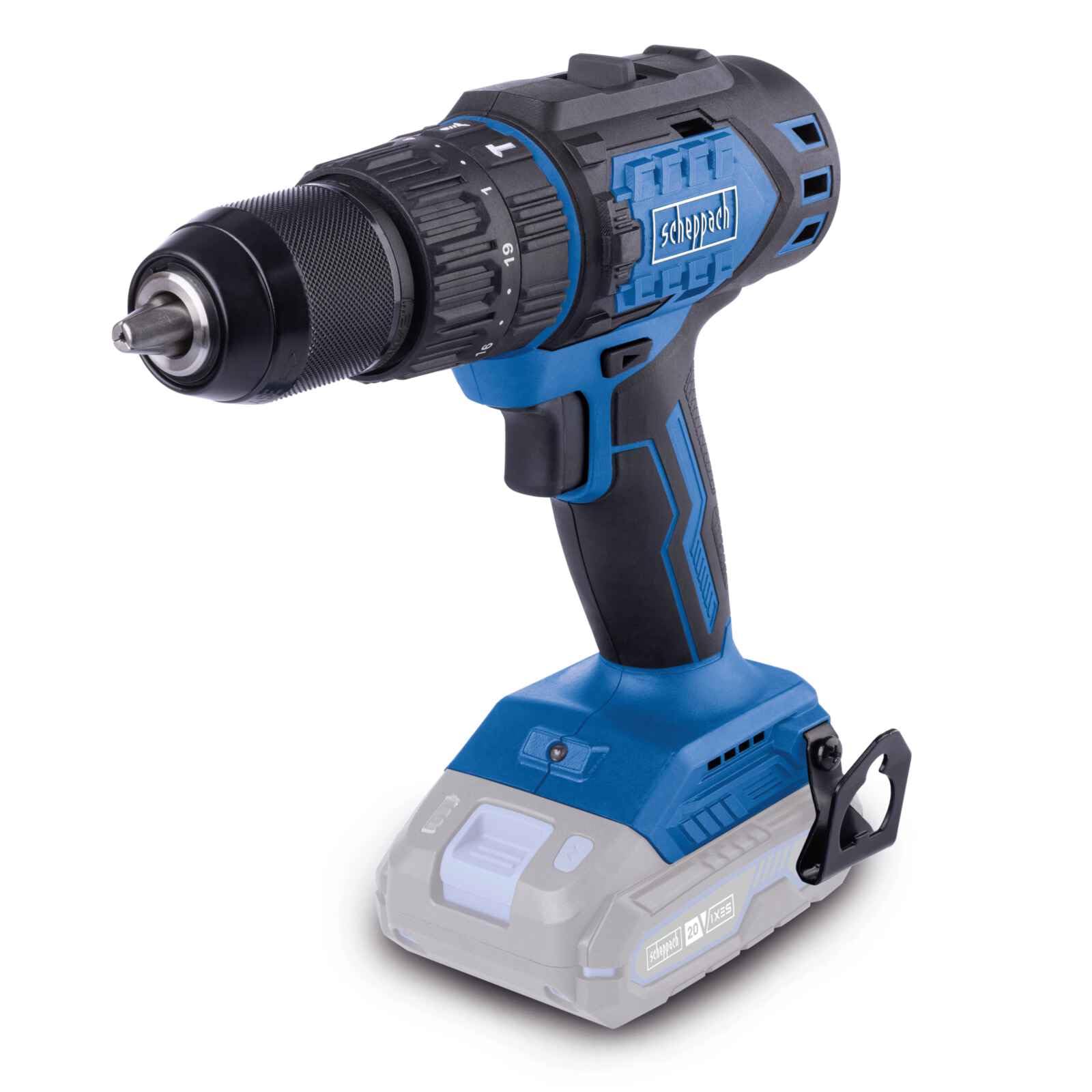
Image: The SCHEPPACH BC-CD60-X Cordless Brushless Impact Drill Driver, showcasing dens kompakte design og viktige funksjoner.
The drill driver is designed for versatility, offering modes for screwing, drilling, and impact drilling.

Image: Demonstrates the drill driver's three primary functions: screwing into wood, drilling into metal, and impact drilling into a wall.
3. Oppsett og montering
3.1 Batteriinstallasjon (batteri og lader ikke inkludert)
This tool is part of the SCHEPPACH 20V IXES battery platform. Ensure you use a compatible 20V IXES battery and charger.
- Align the battery pack with the receptacle at the base of the tool.
- Skyv batteripakken på plass til den klikker ordentlig.
- For å fjerne, trykk på batteriutløserknappen og skyv batteriet ut.

Image: Illustrates the performance difference between 2.0 Ah and 4.0 Ah batteries for screwing into softwood and drilling into brick. Performance may vary based on external conditions.
3.2 Montering av chuck og bor
The drill driver features a 13mm keyless chuck for quick and easy bit changes.
- To open the chuck, rotate the chuck sleeve counter-clockwise until the jaws are wide enough for your bit.
- Sett borekronen eller skrutrekkerbitsen helt inn i chucken.
- Rotate the chuck sleeve clockwise to tighten the jaws firmly around the bit. Ensure the bit is centered and secure.

Image: Shows the top selector switch for quick, tool-free switching between drilling, screwing, and impact drilling functions.
4. Bruksanvisning
4.1 Strøm på/av og hastighetskontroll
The tool's speed is continuously adjustable via the trigger switch.
- For å starte verktøyet, trykk på avtrekkerbryteren.
- To increase speed, press the trigger further. To decrease speed, release the trigger slightly.
- To stop the tool, fully release the trigger switch.

Image: A user holding the drill, demonstrating the continuously adjustable speed control through the trigger switch.
4.2 Gear Selection
The drill driver has two mechanical speed gears:
- Gir 1 (lav hastighet, høyt dreiemoment): Ideal for screwdriving and drilling large diameter holes. (0-450 min⁻¹)
- Gir 2 (høy hastighet, lavt dreiemoment): Suitable for drilling small diameter holes and faster operations. (0-1600 min⁻¹)
To change gears, slide the gear selector switch located on top of the tool. Ensure the tool is stopped before changing gears to prevent damage.
4.3 Torque and Mode Selection
The torque collar allows you to select the appropriate torque setting for screwdriving or switch to drilling/impact drilling modes.
- Momentinnstillinger (1–19): Rotate the torque collar to select one of 19 torque stages. Lower numbers are for smaller screws or softer materials; higher numbers are for larger screws or harder materials. This prevents over-tightening and stripping screws.
- Boremodus (boresymbol): For general drilling tasks without torque limitation.
- Impact Drilling Mode (Hammer Symbol): For drilling into masonry or concrete, utilizing the impact function.
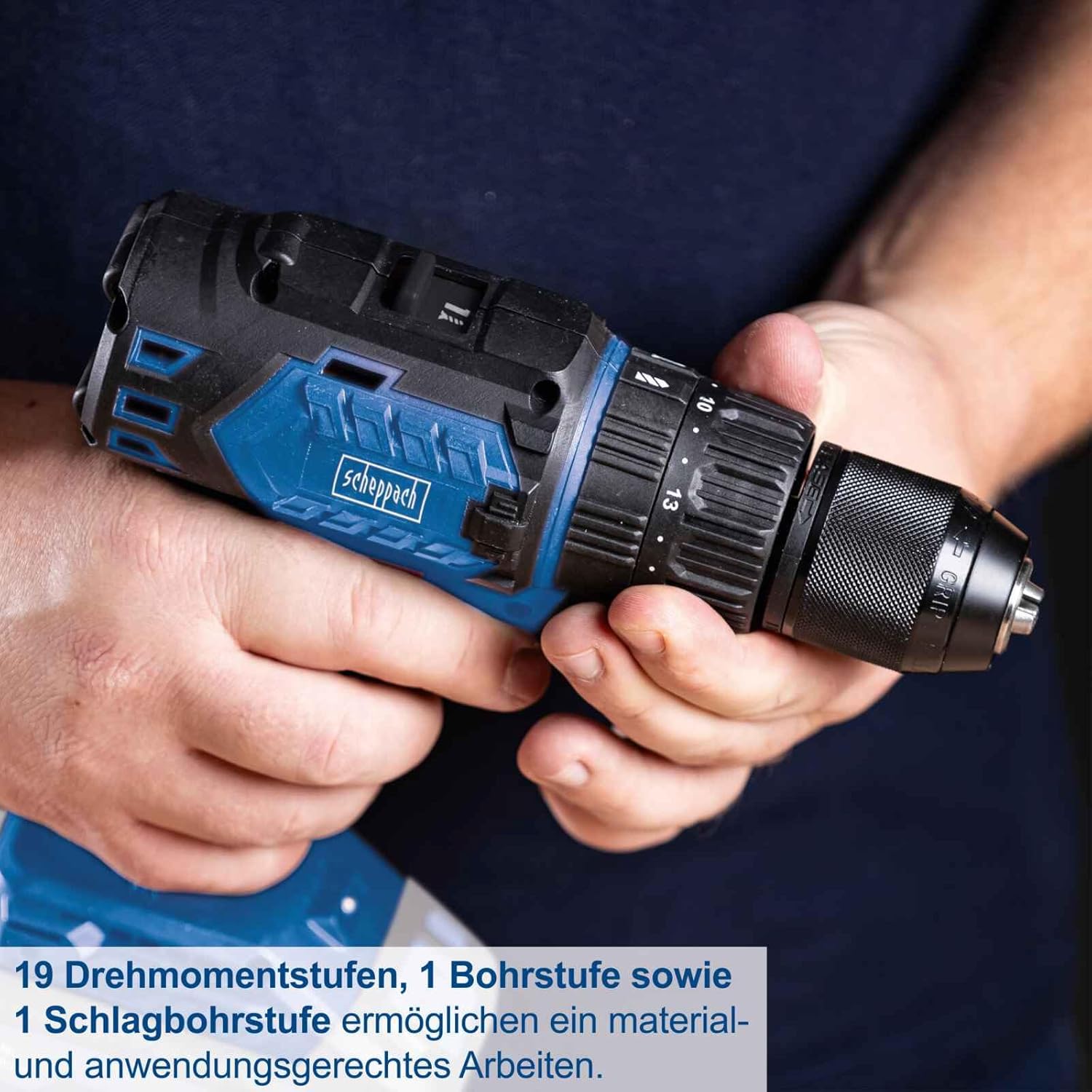
Image: Close-up of the drill driver's chuck and torque collar, highlighting the 19 torque stages, 1 drill stage, and 1 impact drill stage for precise work.
4.4 Rotasjon fremover/bakover
The forward/reverse switch is located above the trigger. Push it to the left for forward rotation (screwing in, drilling) and to the right for reverse rotation (removing screws, backing out bits).
4.5 belteklips
The integrated belt clip allows for convenient carrying of the tool, especially useful when working at heights or on a ladder.

Image: A user demonstrating the practical belt clip, showing how the drill driver can be securely attached to a belt for easy access.
5. Vedlikehold
Regelmessig vedlikehold sikrer verktøyets levetid og optimale ytelse.
- Rengjøring: Hold ventilasjonsåpningene på verktøyet rene for å forhindre overoppheting. Bruk en myk, tørr klut.amp klut til å tørke av verktøyet. Ikke bruk sterke kjemikalier eller slipende rengjøringsmidler.
- Vedlikehold av chuck: Rengjør chuckkjevene med jevne mellomrom for å sikre godt grep om borene.
- Lagring: Store the tool and battery in a dry, cool place, away from direct sunlight and moisture. Ensure the battery is partially charged before long-term storage.
- Undersøkelse: Regularly inspect the tool for any signs of damage, loose screws, or worn parts. Do not use a damaged tool.
6. Feilsøking
Hvis du støter på problemer med boremaskinen, kan du se følgende vanlige problemer og løsninger:
| Problem | Mulig årsak | Løsning |
|---|---|---|
| Verktøyet starter ikke | Batteri ikke ladet eller feil installert | Charge the battery. Ensure the battery is fully inserted and clicked into place. |
| Tap av kraft under drift | Batteriladingen er lav | Lad opp batteriet. |
| Bit glir i chucken | Chuck not tightened sufficiently or jaws are dirty | Tighten the chuck firmly. Clean chuck jaws if necessary. |
| Overoppheting | Blokkerte ventilasjonsåpninger eller kontinuerlig tung bruk | Clean ventilation slots. Allow the tool to cool down. Reduce load. |
7. Spesifikasjoner
Key technical data for the SCHEPPACH BC-CD60-X Cordless Brushless Impact Drill Driver.

Image: Visual representation of key specifications including 60 Nm torque, 1.5-13mm chuck, two speed ranges, and 20V battery system.
- Modell: BC-CD60-X
- Produsentens modellnummer: 5909237900
- Merke: Scheppach
- Strømkilde: Battery Powered (20V IXES system)
- Voltage: 20V
- Maksimalt dreiemoment: 60 Newtonmeter (Nm)
- Chuck størrelse: 1.5–13 mm
- No-Load Speed (Gear 1): 0–450 min⁻¹
- No-Load Speed (Gear 2): 0–1600 min⁻¹
- Antall hastighetsinnstillinger: 2
- Momentinnstillinger: 19 + 1 (Drill) + 1 (Impact Drill)
- Vekt: 1.74 kilo
- Dimensjoner (L x B x H): 23 x 22 x 10 cm
- Farge: Blå
- Opprinnelsesland: Kina
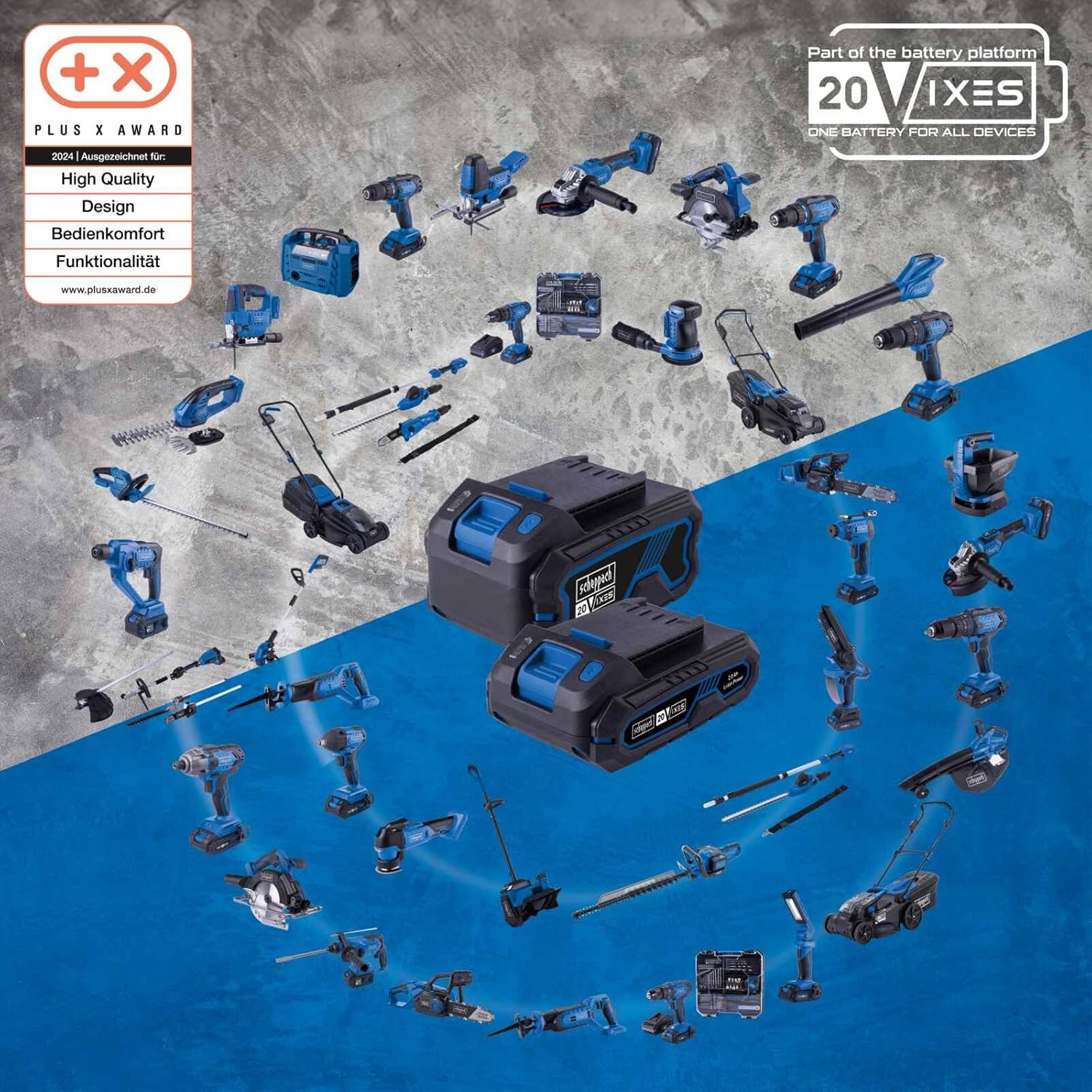
Bilde: Overview of the SCHEPPACH 20V IXES battery platform, showing various compatible tools that share the same battery system.
8. Garanti og støtte
8.1 Garantiinformasjon
Specific warranty terms and conditions for the SCHEPPACH BC-CD60-X may vary by region and retailer. Please refer to the warranty documentation provided with your purchase or contact your point of sale for detailed information regarding warranty coverage and duration.
8.2 Kundestøtte
For technical assistance, spare parts, or service inquiries, please contact SCHEPPACH customer support or your authorized dealer. When contacting support, please have your model number (BC-CD60-X) and serial number (if applicable) ready.
Information regarding spare parts availability is not provided in the product specifications. Please inquire directly with SCHEPPACH or your retailer for spare parts.