
1. Sikkerhetsinformasjon
Please read all instructions carefully before installation and operation. Failure to follow these instructions may result in damage to the product, vehicle, or personal injury. Keep this manual for future reference.
- Ensure the vehicle's ignition is off and the negative battery terminal is disconnected before installation to prevent electrical shorts.
- Kontakt en fagperson for installasjon hvis du er usikker på noen trinn.
- Ikke bruk enheten på en måte som distraherer deg fra kjøringen. Prioriter alltid trafikksikkerhet.
- Unngå å utsette enheten for ekstreme temperaturer, direkte sollys eller fuktighet.
- Bruk kun spesifiserte strømkabler og tilbehør.
2. Pakkens innhold
Kontroller at alle varene er til stede i pakken før du fortsetter med installasjonen.

Image: Components included in the UNITOPSCI A3612A3 package, including the main unit, wiring harnesses, and accessories.
- UNITOPSCI A3612A3 Car Stereo Unit
- Power Cable & Speaker Cable Harnesses
- Fjernkontroll for rattkontroll
- Mikrofon
- 12LED Rear Camera
- Antenne
- Brukerhåndbok (dette dokumentet)
- Monteringsbraketter
3. Installasjon
Proper installation is crucial for optimal performance. Refer to the wiring diagram and consult a professional if needed.
3.1 Koblingsskjema

Image: Detailed wiring connections for the car stereo unit.
Connect the power and speaker cables according to the diagram. Ensure all connections are secure to prevent malfunctions.
- Rød (ACC): Connect to ignition switch +12V.
- Yellow (BATTERY+): Connect to constant +12V.
- Svart (GND): Connect to vehicle ground.
- Blue (ANT): Connect to antenna power.
- Orange (ILLUMINATION): Connect to vehicle illumination wire.
- Rosa (BAKSIDEN): Connect to reverse light signal for backup camera activation.
- Brun (NØKKEL): Connect to steering wheel control wire.
- Speaker wires (White, Gray, Green, Purple) should be connected to corresponding vehicle speakers (Front Left, Front Right, Rear Left, Rear Right).
3.2 Montering av enheten
Use the provided mounting brackets to secure the double din unit into your vehicle's dashboard opening. Ensure a snug fit to prevent vibrations.
3.3 Backup Camera Installation
Mount the backup camera at the rear of your vehicle. Connect its video output to the 'CAM IN' input on the stereo and its power to the reverse light circuit.
4. Oppsett
4.1 Første gangs strøm på
After installation, reconnect the vehicle battery. Turn on the ignition. The unit should power on and display the main interface.
4.2 Grunnleggende innstillinger
Navigate to the 'Settings' menu to configure basic parameters such as language, time, and date.
4.3 Display Backlight Adjustment
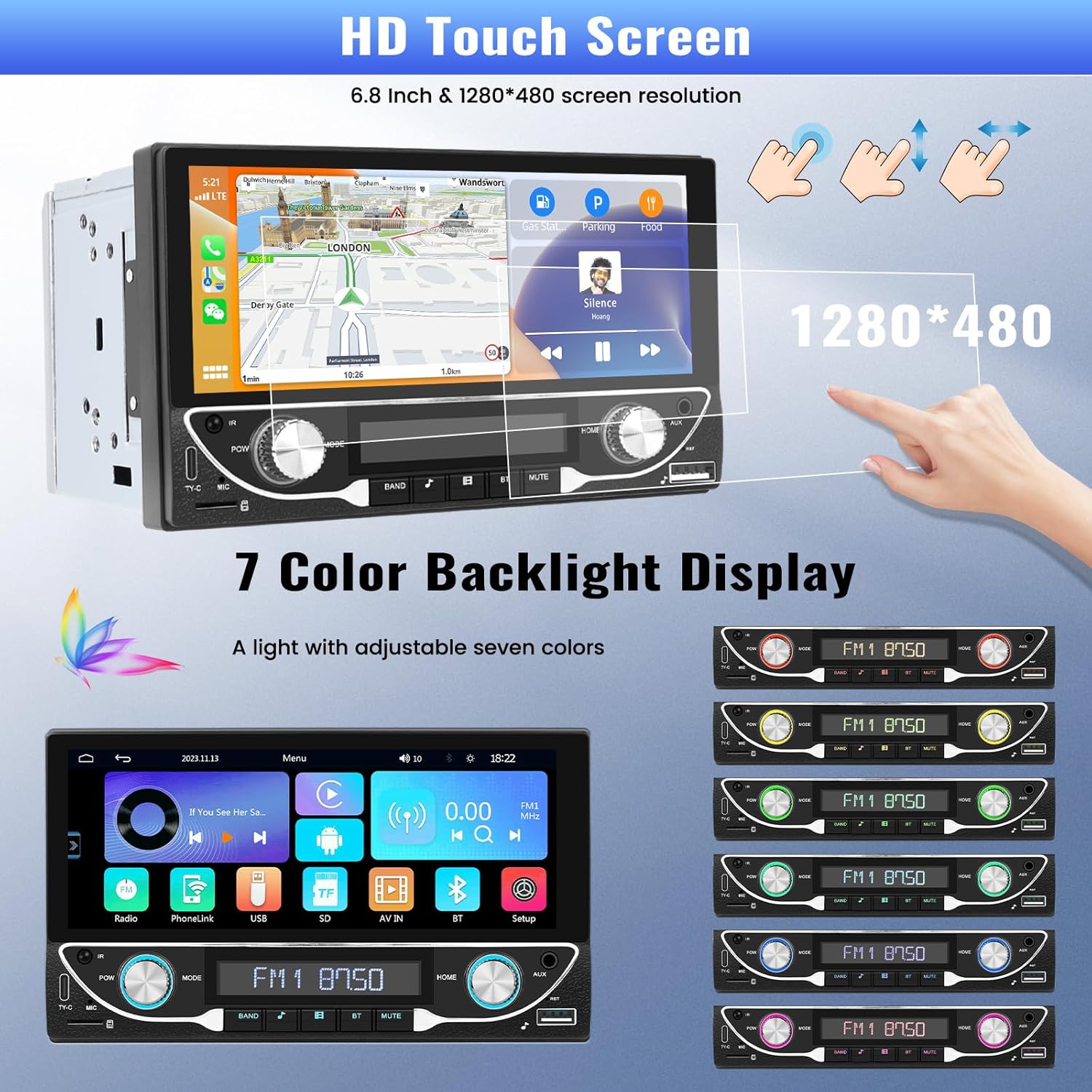
Image: The HD touchscreen and customizable 7-color backlight display options.
Access the display settings to adjust brightness and select from 7 available backlight colors for the physical buttons.
5. Bruksanvisning
5.1 Trådløs Apple CarPlay og Android Auto
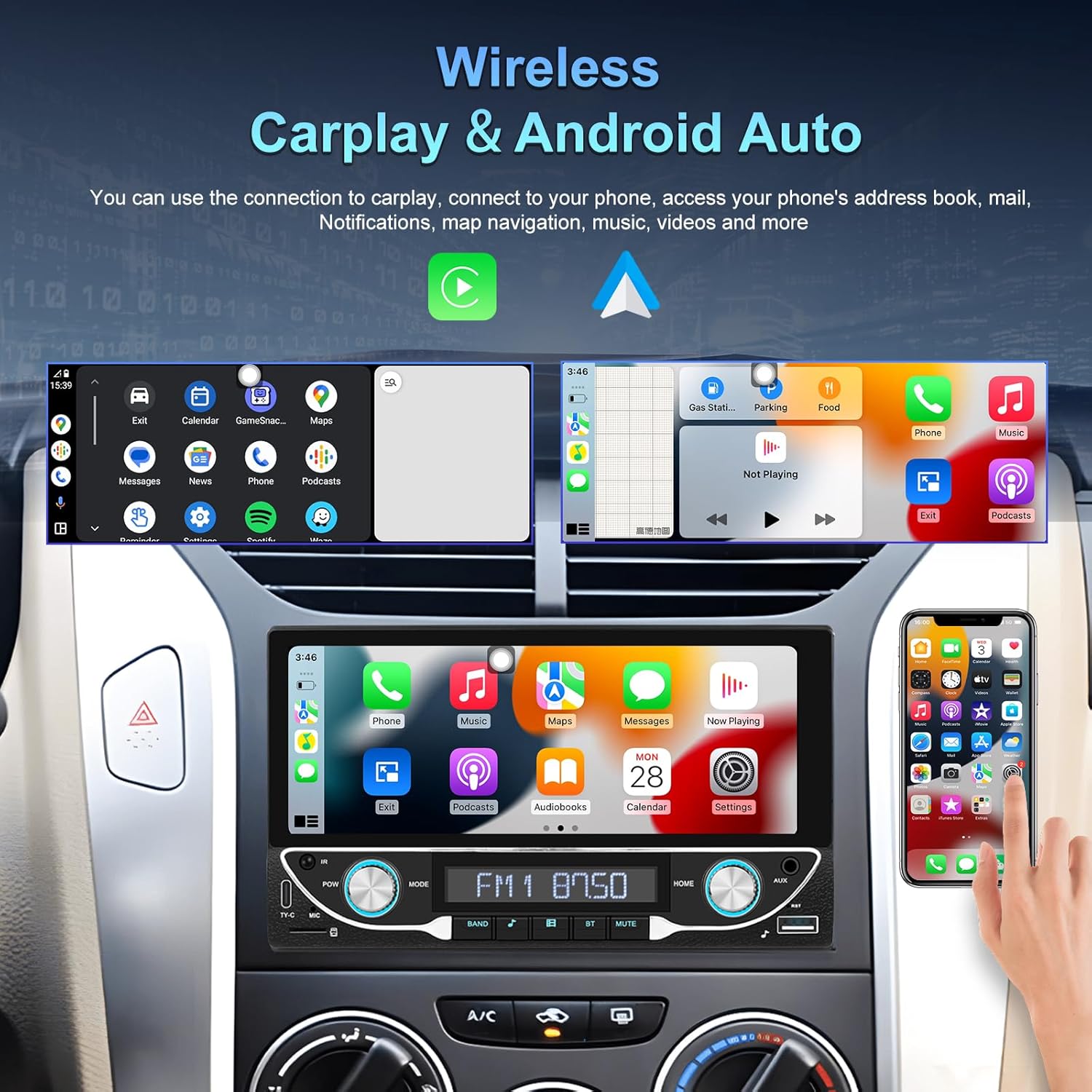
Image: The car stereo displaying both Apple CarPlay and Android Auto interfaces.
Connect your smartphone wirelessly to access Apple CarPlay or Android Auto. This allows for navigation, music, calls, and messages directly from the car stereo display.
- Sørg for at Bluetooth og Wi-Fi er aktivert på smarttelefonen.
- On the car stereo, select the CarPlay or Android Auto icon.
- Follow the on-screen prompts to pair your device.
5.2 Bluetooth 5.1-tilkobling
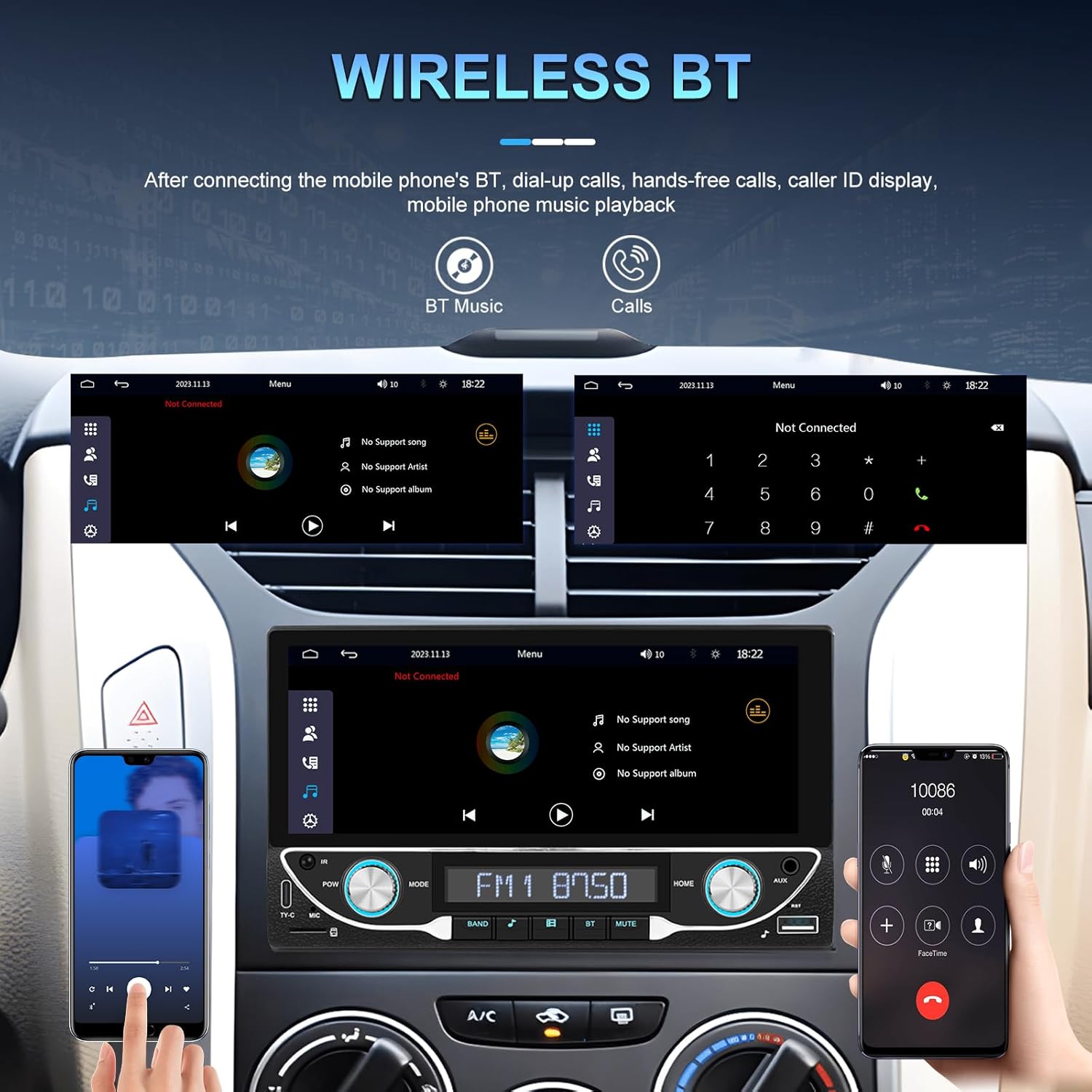
Image: Bluetooth interface for hands-free calling and music streaming.
Pair your phone via Bluetooth for hands-free calling and wireless audio streaming.
- Go to the 'Bluetooth' menu on the stereo.
- Aktiver Bluetooth på telefonen din og søk etter tilgjengelige enheter.
- Select 'UNITOPSCI A3612A3' (or similar name) from your phone's list and confirm pairing.
- Use the built-in microphone for calls and stream music from your phone.
5.3 FM-radiodrift

Image: FM radio interface with frequency display and sound quality DSP/EQ settings.
Select the 'FM' icon to access the radio tuner. Use the on-screen controls or physical buttons to scan for stations, save presets, and adjust frequency.
5.4 Audio & Video Playback (USB/TF/AUX/Type-C)

Image: Available input options for audio and video playback: USB, TF Card, Type-C, and AUX-in.
The unit supports various media inputs for audio and video playback:
- USB-inngang: Connect a USB drive with media files.
- TF-kortspor: Insert a TF (MicroSD) card with media files.
- AUX-inngang: Connect external audio devices using a 3.5mm audio cable.
- Type-C-port: For charging compatible devices and potentially data transfer.
Select the corresponding input source from the main menu to access your media.
5.5 Rattkontroll

Image: Steering wheel control setup interface on the car stereo.
If your vehicle supports steering wheel controls, connect the 'KEY' wire during installation. Access the 'Steering Wheel Control' settings to program the buttons for functions like volume, track change, and mode selection.
5.6 Bak View Camera / HD Reversing Video
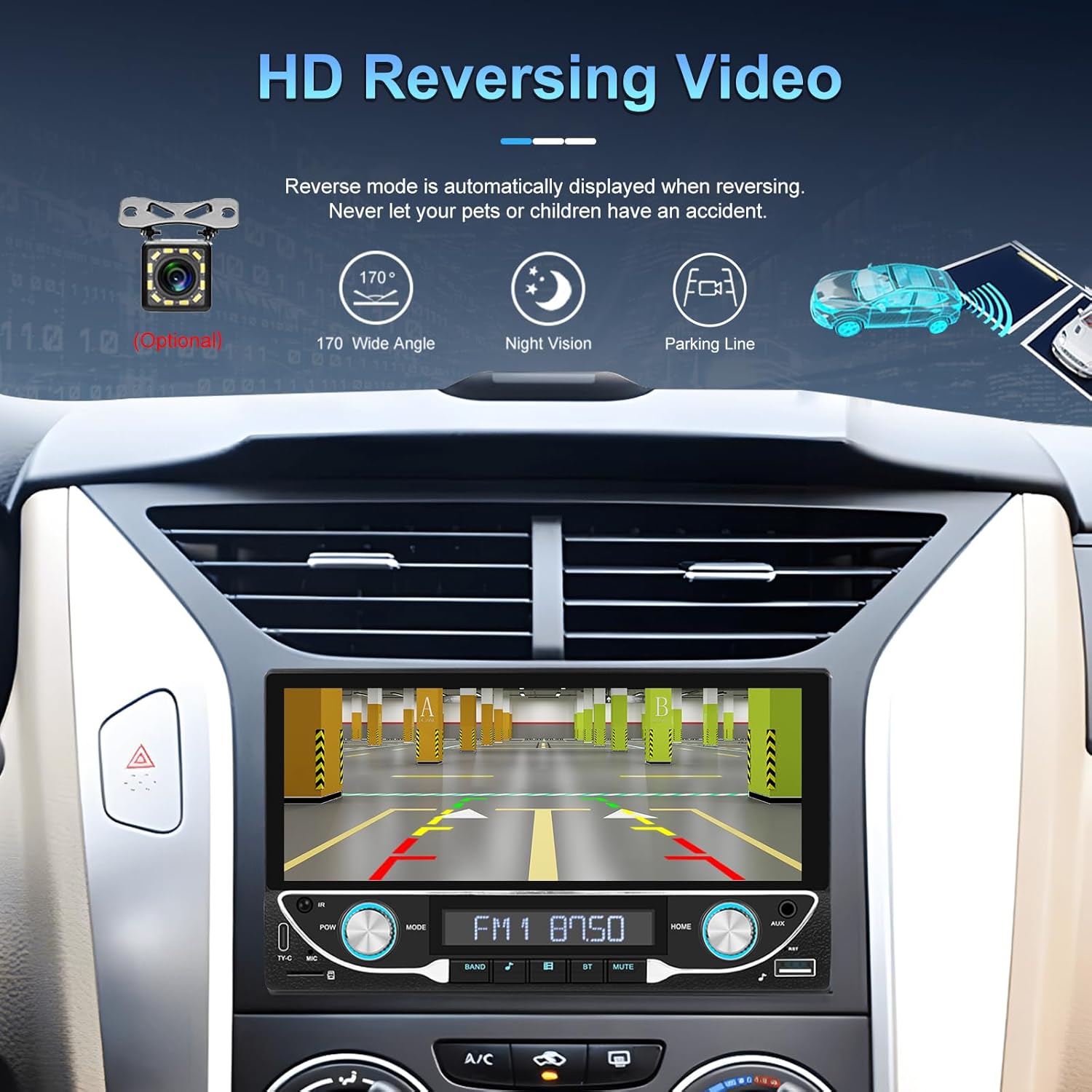
Image: High-definition reversing video display with parking guidelines.
When the vehicle is shifted into reverse, the stereo automatically displays the rear view camera feed. The included camera offers a 170-degree wide angle and night vision capabilities, along with parking lines for assistance.
5.7 DVR Function Support
The unit supports an optional DVR (Digital Video Recorder) function. Connect a compatible USB DVR camera to the dedicated USB input on the rear of the car radio to record driving footage.
5.8 Speilkoblingsfunksjon
Use the Mirror Link function to display your smartphone's screen directly on the car stereo. This feature is compatible with both Android and iOS devices, allowing you to view apps and content from your phone on the larger display.
5.9 Stemmekontroll og GPS-navigasjon
When connected via Apple CarPlay or Android Auto, you can utilize voice commands (e.g., Siri, Google Assistant) for navigation, making calls, sending messages, and controlling music, enhancing driving safety and convenience.
5.10 Sound Quality (DSP & EQ)
The built-in Digital Sound Processor (DSP) and Equalizer (EQ) allow for precise audio customization. Access the 'EQ Setup' menu to adjust bass, treble, and other frequency bands to match your audio preferences. Pre-set EQ modes (e.g., Jazz, Rock, Pop) are also available.
6. Vedlikehold
For å sikre at bilstereoen din varer lenge og har optimal ytelse, bør du følge disse vedlikeholdsretningslinjene:
- Rengjøring av skjermenBruk en myk, lofri klut til å tørke forsiktig av berøringsskjermen. Unngå slipende rengjøringsmidler eller løsemidler som kan skade skjermen.
- Generell rengjøring: Keep the unit free from dust and debris. Use a soft brush or compressed air for hard-to-reach areas.
- ProgramvareoppdateringerSjekk produsentens instruksjoner med jevne mellomrom. webnettstedet for tilgjengelige fastvareoppdateringer for å forbedre ytelsen og legge til nye funksjoner.
- Unngå væsker: Do not spill liquids on the unit. If accidental spillage occurs, power off the unit immediately and allow it to dry completely before use.
7. Feilsøking
If you encounter issues with your UNITOPSCI A3612A3 car stereo, refer to the following common problems and solutions:
| Problem | Mulig årsak | Løsning |
|---|---|---|
| Ingen strøm | Feil kabling; Sikring gått; Løs forbindelse. | Check power cable connections (ACC, BATTERY+, GND). Verify vehicle fuse and unit's fuse. Ensure all wires are securely connected. |
| Ingen lyd | Høyttalerledningene er frakoblet; Volumet er for lavt; Dempefunksjonen er aktiv; Feil lydkilde. | Check speaker wire connections. Increase volume. Deactivate mute. Select correct audio source (FM, USB, BT, etc.). |
| Bluetooth kobler ikke til | Bluetooth off on phone/stereo; Device not in pairing mode; Interference. | Ensure Bluetooth is enabled on both devices. Put stereo in pairing mode. Delete previous pairings and try again. Move closer to the unit. |
| CarPlay/Android Auto fungerer ikke | Wi-Fi/Bluetooth off; Phone not compatible; App issues. | Ensure Wi-Fi and Bluetooth are active on your phone. Restart phone and stereo. Check phone's settings for CarPlay/Android Auto permissions. |
| Rear Camera Not Displaying | Camera not powered; Video cable loose; Reverse trigger wire not connected. | Check camera power connection. Ensure video cable is securely connected to 'CAM IN'. Verify Pink (REVERSE) wire connection. |
| Berøringsskjermen reagerer ikke | System freeze; Dirt on screen. | Restart the unit (if possible, by briefly disconnecting power). Clean the screen. |
If the problem persists after trying these solutions, please contact UNITOPSCI customer support for further assistance.
8. Spesifikasjoner
Key technical specifications for the UNITOPSCI A3612A3 car stereo:
- Modellnummer: A3612A3
- Skjermstørrelse: 6.86 tommer
- Skjermoppløsning: 1280 x 480 piksler
- Utgang Wattage: 180 Watts (4 channels)
- Bluetooth-versjon: 5.1
- Støttede Internett-tjenester: Maps (via CarPlay/Android Auto)
- Type lydutgang: Intern
- Støttede medieformater: AVI, WAV, WMA
- Innganger: USB, TF Card, AUX, Type-C
- Funksjoner: Wireless Apple CarPlay, Wireless Android Auto, FM Radio, Mirror Link, DSP, EQ, Steering Wheel Control, Backup Camera Input, DVR Function Support, 7-Color Backlight.
Image: Front, rear, and side dimensions of the UNITOPSCI A3612A3 car stereo.
Dimensjoner (omtrentlig):
- Front Panel: 17.8cm (7.0in) width x 10.3cm (4.0in) height
- Chassis: 17.8cm (7.0in) width x 10.0cm (3.9in) height x 11cm (4.3in) depth
9. Garanti og støtte
UNITOPSCI products are designed for reliability and performance. For warranty information and technical support, please refer to the warranty card included in your package or visit the official UNITOPSCI webnettstedet.
When contacting support, please have your product model number (A3612A3) and purchase details ready.