
1. Introduksjon
The BARTEC USA TechRitePro WRTTRP100 is an advanced Tire Pressure Monitoring System (TPMS) tool designed for comprehensive diagnostic, relearn, and programming functions. This tool offers high-powered functionality with a user-friendly graphical interface, making it suitable for technicians of all experience levels. It supports Rite-Sensor programming and includes exclusive Rite-Sync technology.
Important Note: Not all TPMS sensors can be programmed with this tool. Please confirm compatibility before purchase. The preferred sensor is the Bartec RS-2000.
2. Hva er i esken
- TechRitePro WRTTRP100 Tool
- Heavy Duty OBDII Cable/Connector
- Lader
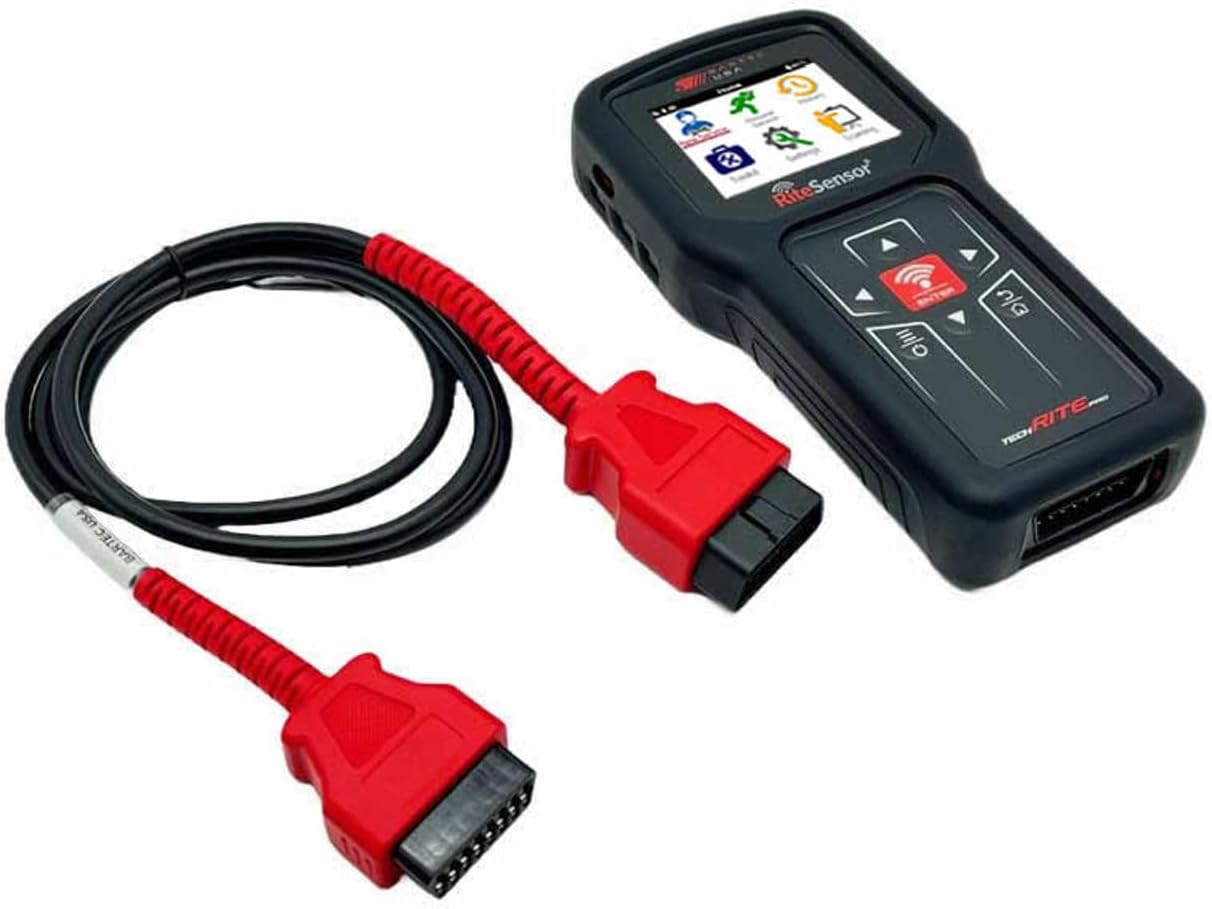
Image: The TechRitePro WRTTRP100 tool displayed alongside its heavy-duty OBDII cable and charger, illustrating the complete kit contents.
3. Oppsett
3.1 Programvareinstallasjon
The TechRitePro tool requires the TPMS Desktop software to be downloaded and installed on a PC or Laptop for updates and full functionality. This software ensures your tool has the latest vehicle data and programming capabilities.
- Download TPMS Desktop from the official Bartec USA webnettsted: https://www.bartecusa.com/tpms-desktop
- Installer programvaren ved å følge instruksjonene på skjermen.
3.2 Initial Tool Setup
- Lad enheten: Ensure the TechRitePro tool is fully charged using the provided charger. The unit is charged through its USB port.
- Koble til PC: Connect the tool to your PC via the USB port to perform any necessary software updates through the TPMS Desktop application.
4. Bruksanvisning
The TechRitePro features an intuitive graphical user interface for easy navigation and operation.
4.1 Powering On and Menu Navigation
- Strøm på: Press the red power button located on the tool. The screen will illuminate and display the main menu.
- Navigere: Use the arrow navigation keys (up, down, left, right) to move between menu options. The 'OK' button confirms a selection.
4.2 TPMS Sensor Check and Programming
This section outlines the general procedure for checking and programming TPMS sensors. Specific steps may vary slightly based on vehicle make and model.

Image: A hand holding the TechRitePro tool, positioned near a car tire, demonstrating its use for TPMS sensor interaction.
- Select 'Check Sensor': From the main menu, navigate to and select the 'Check Sensor' function.
- Velg kjøretøy: The tool will present a list of vehicle manufacturers. Scroll to and select the correct make (e.g., 'Honda Motorcycle').
- Select Model/Year: Further narrow down the selection by choosing the specific model and year range (e.g., '2018-2021').
- Select Tire: The screen will display a representation of the vehicle. Use the arrow keys to select the tire you wish to register (front or rear). The selected tire will typically be highlighted.
- Posisjonsverktøy: Place the sensor end of the TechRitePro tool directly across the valve stem of the selected tire.
- Start skanning: Press the green button on the tool to begin the process of reading and programming the sensor. The tool will communicate with the sensor and the vehicle's computer.
- Repeat for All Sensors: Follow the on-screen prompts and repeat the process for all remaining TPMS sensors on the vehicle.
5. Vedlikehold
- Programvareoppdateringer: Regularly connect your TechRitePro to a PC with TPMS Desktop to ensure the software is up-to-date. This provides compatibility with new vehicle models and sensor types.
- Batteripleie: Keep the tool charged. Avoid fully discharging the battery for extended periods.
- Rengjøring: Wipe the tool with a soft, dry cloth. Avoid using harsh chemicals or abrasive materials.
6. Feilsøking
- Sensor ikke oppdaget: Ensure the tool is positioned correctly over the valve stem. Verify the vehicle make, model, and year are accurately selected. Check if the sensor itself is functional (TPMS sensor batteries usually last 4 to 5 years and cannot be replaced; the sensor must be replaced and registered).
- Programmeringsproblemer: Confirm that the TPMS Desktop software is updated to the latest version. Ensure the vehicle's ignition is in the correct position as per its owner's manual for TPMS registration procedures.
- Generell feil: Refer to the comprehensive troubleshooting section within the TPMS Desktop software or the full user manual for detailed guidance.
7. Spesifikasjoner
- Merke: BARTEC USA
- Modell: TechRitePro Tool Kit
- Varemodellnummer: WRTTRP100
- Produsentens delenummer: WRTTRP100
- UPC: 816343022810
- Tilkobling: USB for PC connection (updates), Wireless for sensor communication
8. Garanti og støtte
For warranty information, technical support, or service inquiries, please refer to the documentation included with your TechRitePro Tool Kit or visit the official BARTEC USA website. Protection plans may be available for purchase separately from authorized retailers.