
1. Introduksjon
Thank you for choosing the ELECTROPRIME LANGTU LT700 Wired Silent Punk Keyboard. This keyboard features a unique punk keycap design, silent operation, and strong compatibility, making it suitable for various computing tasks. Its ergonomic design ensures a comfortable typing experience, even during extended use. This manual provides essential information for setting up, operating, maintaining, and troubleshooting your keyboard.
2. Sikkerhetsinformasjon
- Ikke utsett tastaturet for væsker eller overdreven fuktighet.
- Unngå ekstreme temperaturer.
- Ikke forsøk å demontere eller reparere tastaturet selv. Kontakt kvalifisert servicepersonell om nødvendig.
- Oppbevares utilgjengelig for barn.
- Clean the keyboard with a soft, dry cloth. Avoid harsh chemicals.
3. Pakkens innhold
Bekreft at alle varene er til stede i pakken din:
- ELECTROPRIME LANGTU LT700 Wired Silent Punk Keyboard
- Brukerhåndbok (dette dokumentet)
4. Oppsett
The LANGTU LT700 keyboard is designed for simple plug-and-play operation.
- Pakk tastaturet ut av emballasjen.
- Finn en ledig USB-port på datamaskinen.
- Plug the USB connector of the keyboard into the USB port on your computer.
- Operativsystemet ditt skal automatisk oppdage og installere de nødvendige driverne. Ingen ekstra programvareinstallasjon er vanligvis nødvendig.
- Tastaturet er nå klart til bruk.
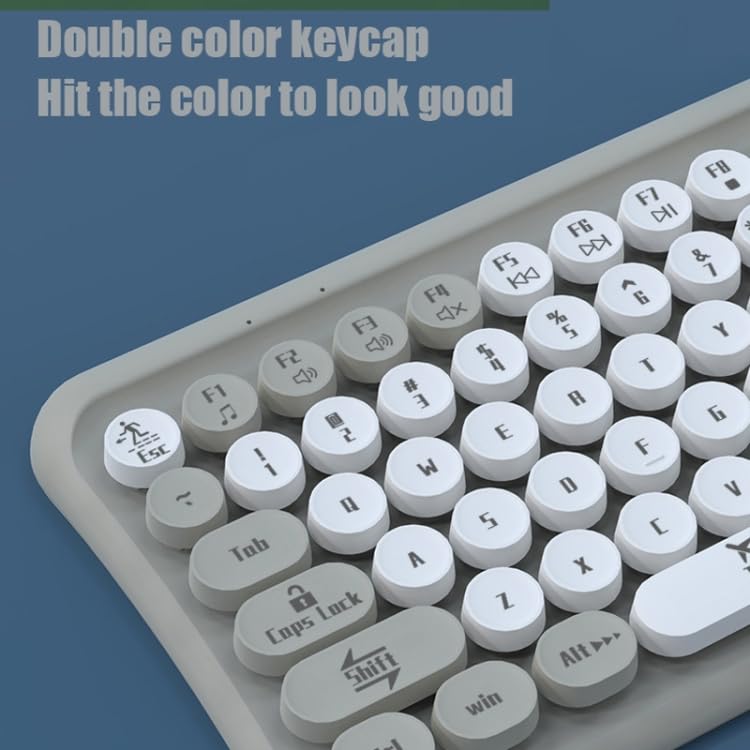
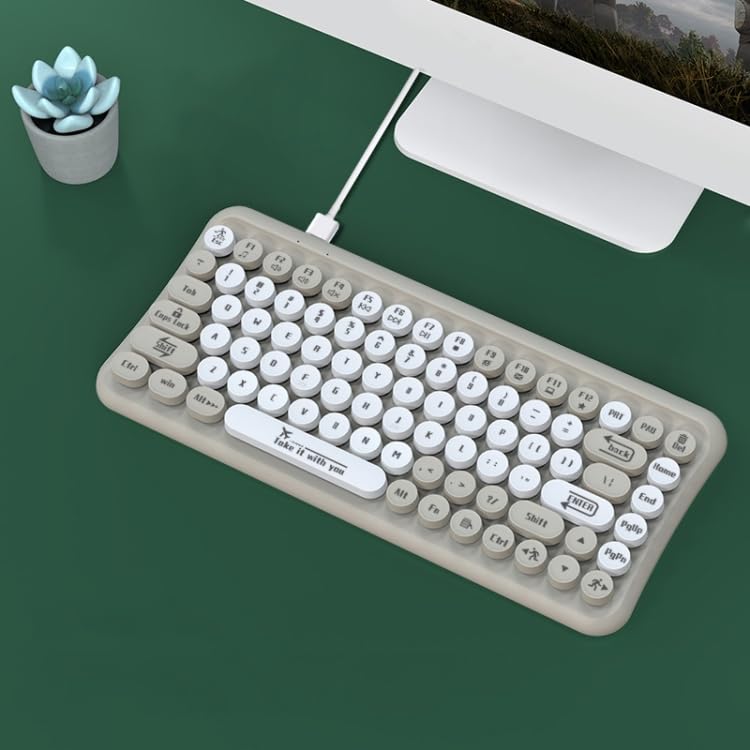
Image: The ELECTROPRIME LANGTU LT700 keyboard connected via its USB cable to a desktop computer, ready for use.
5. Bruksanvisning
5.1 Grunnleggende skriving
The keyboard functions as a standard 85-key layout. Simply press the desired keys to input text or commands into your computer.
5.2 Silent Operation
The keycaps utilize noise reduction technology, significantly reducing the sound of keystrokes for a quieter typing experience.
5.3 funksjonstaster
The top row of keys (F1-F12) includes standard function keys and may have secondary multimedia functions accessible by pressing the 'Fn' key in combination with the respective function key. Refer to the icons printed on the keycaps for specific functions such as volume control, media playback, or screen brightness.
Bilde: Et nærbilde view of the keyboard's double-color keycaps, highlighting the ergonomic design and the icons on the function keys (F1-F12) for multimedia control.
6. Vedlikehold
6.1 Rengjøring
- Koble tastaturet fra datamaskinen før rengjøring.
- Bruk en myk, lofri klut til å tørke av overflaten på tastaturet.
- Bruk trykkluft eller en liten børste for å fjerne støv og rusk mellom tastene.
- Do not use abrasive cleaners, solvents, or spray cleaners directly on the keyboard.
6.2 Oppbevaring
Når tastaturet ikke er i bruk over lengre tid, bør det oppbevares kjølig og tørt, unna direkte sollys og ekstreme temperaturer.
7. Feilsøking
7.1 Tastaturet svarer ikke
- Sørg for at USB-kabelen er ordentlig koblet til både tastaturet og datamaskinen.
- Prøv å koble tastaturet til en annen USB-port på datamaskinen.
- Start datamaskinen på nytt.
- Test tastaturet på en annen datamaskin for å finne ut om problemet er med tastaturet eller datamaskinen.
7.2 Spesifikke taster fungerer ikke
- Check for any debris or obstructions under the non-functional key. Gently clean around the key.
- Hvis rengjøring ikke løser problemet, kan nøkkelmekanismen være skadet.
If you continue to experience problems, refer to the Warranty and Support section.
8. Spesifikasjoner
| Trekk | Spesifikasjon |
|---|---|
| Modell | LANGTU LT700 |
| Grensesnitt | USB kablet |
| Antall nøkler | 85 nøkler |
| Keycap Type | Punk Keycap, Chocolate Keycaps |
| Knappeliv | Omtrent 10 millioner ganger |
| Kabellengde | 1.5 meter |
| Dimensjoner (L x B) | Omtrent 315 mm x 150 mm |
| Vekt | Omtrent 0.60 kg (1.33 lbs) |
| Kompatibilitet | Plug and Play with most operating systems |
9. Garanti og støtte
For garantiinformasjon eller teknisk støtte, se dokumentasjonen som fulgte med ved kjøpstidspunktet, eller kontakt forhandleren din. Ta vare på kjøpsbeviset for eventuelle garantikrav.