
1. Introduksjon
Welcome to the user manual for your Thomson RT850BT Bluetooth Speaker, FM Radio, and Alarm Clock. This guide provides detailed instructions on how to set up, operate, and maintain your device. Please read this manual thoroughly before use to ensure proper functionality and to maximize your experience with the RT850BT.
2. Sikkerhetsinformasjon
For å sikre sikker drift og forhindre skade, må du følge følgende sikkerhetsregler:
- Ikke utsett enheten for regn, fuktighet eller ekstreme temperaturer.
- Unngå å plassere enheten i nærheten av varmekilder eller i direkte sollys.
- Sørg for tilstrekkelig ventilasjon; ikke blokker noen ventilasjonsåpninger.
- Bruk kun den medfølgende strømadapteren.
- Ikke forsøk å demontere eller modifisere enheten. Overlat all service til kvalifisert personell.
- Hold enheten unna sterke magnetiske felt.
3. Pakkens innhold
Bekreft at alle varene er til stede i pakken:
- Thomson RT850BT Unit
- Strømadapter
- Brukerhåndbok

Image: Thomson RT850BT packaging, illustrating the product and its key features.
4. Produktet er overview
4.1 Frontpanel
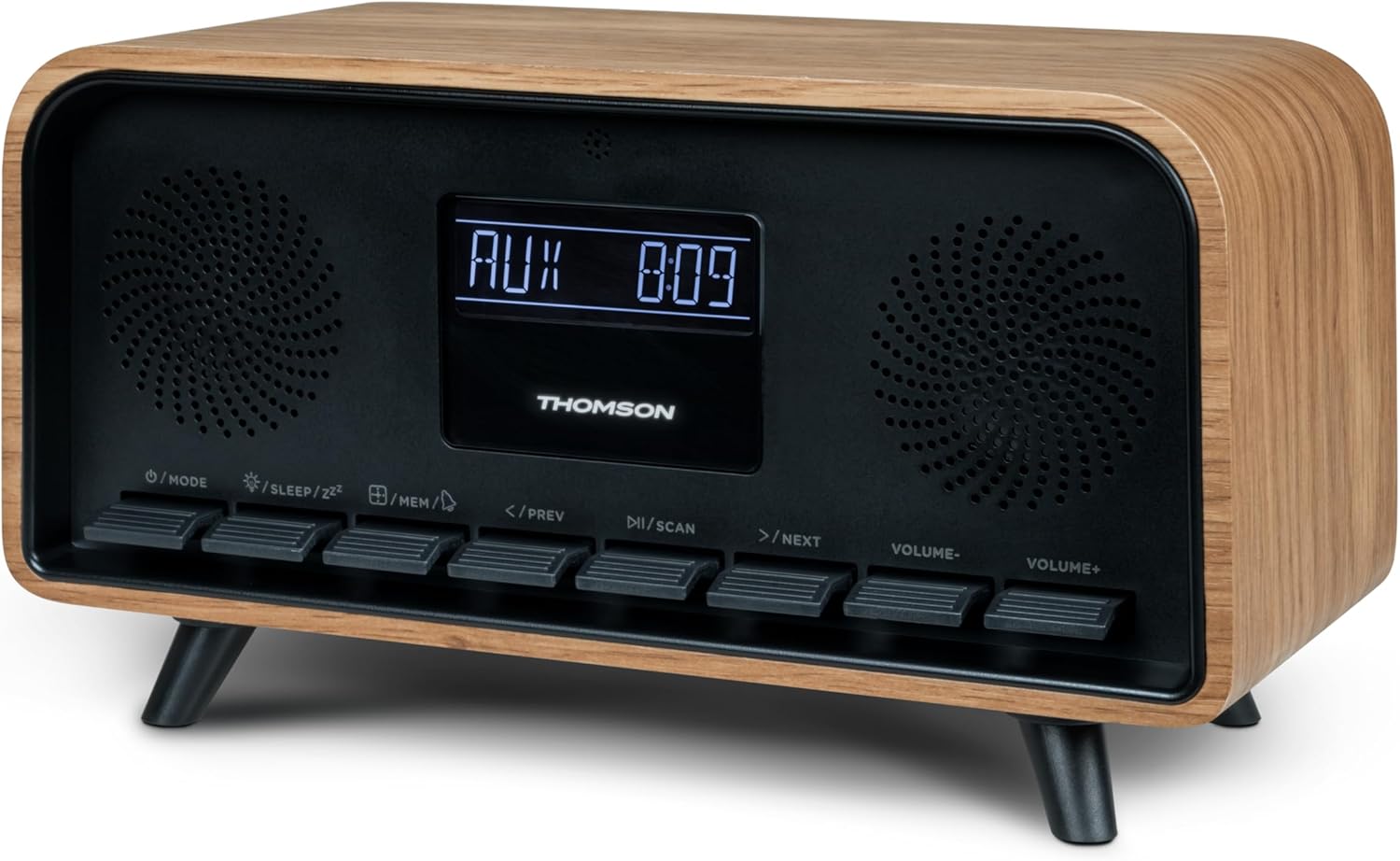
Bilde: Foran view of the Thomson RT850BT unit, showing the LCD display, speakers, and control buttons.
- LCD-skjerm: Shows time, mode, and other information.
- /MODE Button: Power On/Off, switch between modes (Bluetooth, FM, AUX).
- /SLEEP/ZZ Knapp: Set sleep timer, activate snooze.
- /MEM Button: Set alarm, save/recall radio stations.
- </PREV Button: Previous track (Bluetooth), tune down (FM).
- /SCAN Button: Play/Pause (Bluetooth), auto scan (FM).
- >/NEXT Button: Next track (Bluetooth), tune up (FM).
- VOLUME- Button: Reduser volumet.
- VOLUME+ Button: Øk volumet.
4.2 Bakpanel

Bilde: Bak view of the Thomson RT850BT, highlighting the power supply, Line In (AUX-IN), and USB-C charge output ports.
- Power Supply (DC IN 5V): Koble til den medfølgende strømadapteren.
- Line In (AUX-IN): 3.5 mm lydinngang for eksterne enheter.
- Charge Output (USB-C): USB Type-C port for charging external devices.
5. Oppsett
5.1 Strømtilkobling
- Connect the power adapter to the DC IN 5V port on the rear of the RT850BT.
- Koble strømadapteren til en standard stikkontakt.
- Enheten vil slå seg på automatisk eller gå inn i standby-modus.
5.2 Initial Power On and Clock Setting
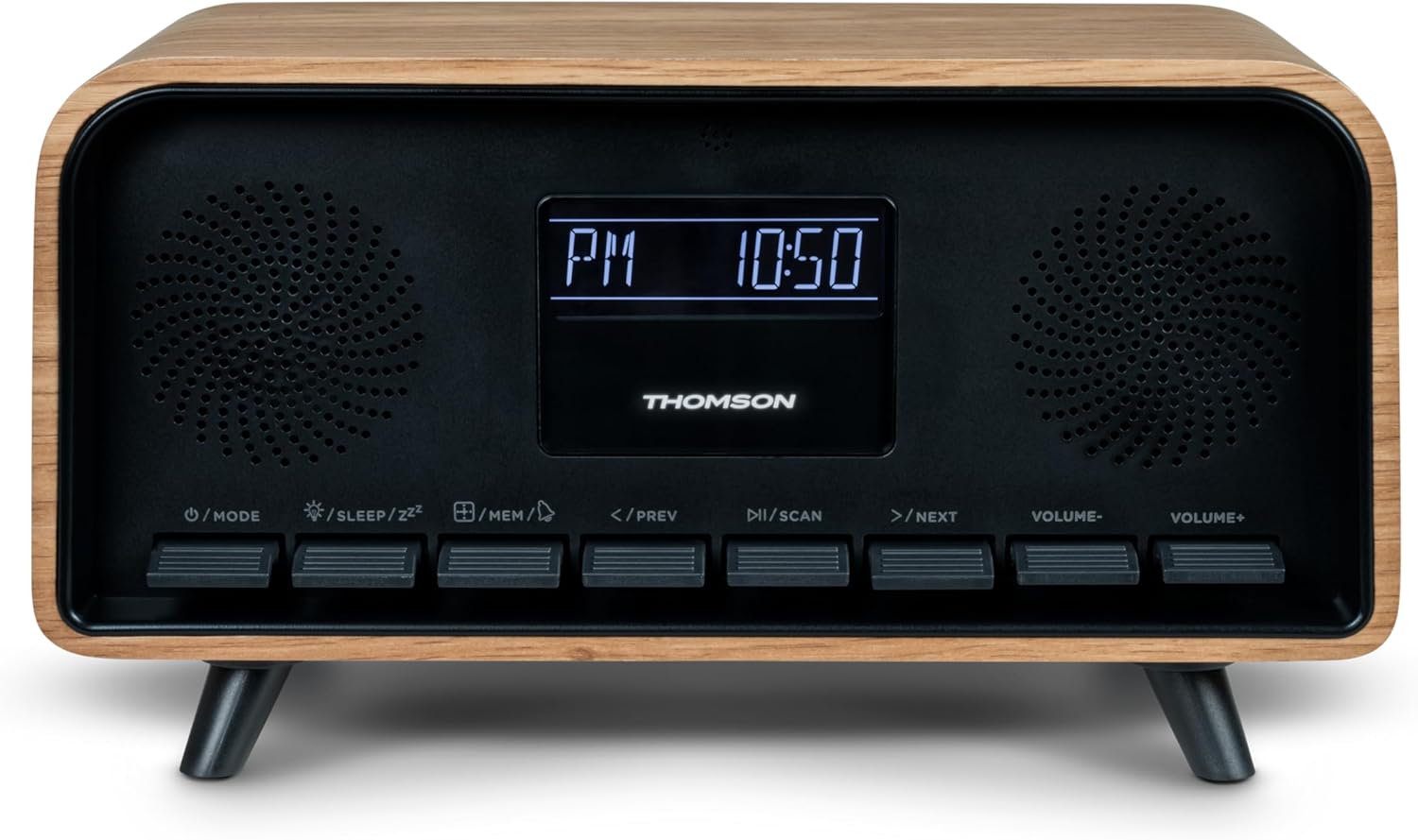
Image: Close-up of the RT850BT's LCD display showing the time, 10:50 PM, and the 'PM' indicator.
- If the unit is in standby, press the /MODUS knappen for å slå den på.
- For å stille klokken, trykk og hold nede /MEM knappen til tidsdisplayet blinker.
- Bruk </PREV og >/NEXT knappene for å justere timen. Trykk på /MEM for å bekrefte.
- Bruk </PREV og >/NEXT knappene for å justere minuttene. Trykk på /MEM for å bekrefte.
- Klokken er nå satt.
6. Bruksanvisning
6.1 Bluetooth-modus

Image: Close-up of the RT850BT's LCD display indicating 'bt' for Bluetooth mode, along with the current time.
- Trykk på /MODUS button repeatedly until 'bt' appears on the display. The unit is now in Bluetooth pairing mode.
- Aktiver Bluetooth på mobilenheten din og søk etter tilgjengelige enheter.
- Select 'RT850BT' from the list to pair. A confirmation tone will sound upon successful connection.
- You can now play audio from your device through the RT850BT.
- Bruk / SCAN button to Play/Pause, and </PREV / >/NEXT knapper for å hoppe over spor.
- Juster volumet med VOLUM- og VOLUM+ knapper.
6.2 FM-radiomodus
- Trykk på /MODUS button repeatedly until the FM frequency appears on the display.
- Automatisk skanning: Trykk og hold inne / SCAN button to automatically scan and save available FM stations (up to 50 stations).
- Manuell innstilling: Trykk kort </PREV or >/NEXT to fine-tune the frequency. Press and hold to scan for the next available station.
- Recall Saved Stations: Trykk kort på /MEM -knappen for å bla gjennom lagrede stasjoner.
6.3 Vekkerklokkefunksjon
The RT850BT supports setting multiple alarms.
- I standby-modus, trykk og hold nede /MEM button until 'AL1' or 'AL2' flashes.
- Bruk </PREV og >/NEXT to set the alarm hour, then press /MEM for å bekrefte.
- Gjenta i minutter.
- Velg alarmkilde (summer eller FM-radio) med </PREV og >/NEXT, og trykk deretter på /MEM.
- To activate/deactivate an alarm, briefly press the /MEM button in standby mode to cycle through alarm settings (AL1 ON/OFF, AL2 ON/OFF).
- Når alarmen går, trykk /SLEEP/ZZ for snooze (alarm will sound again after 9 minutes) or press /MODUS to turn off the alarm for the day.
6.4 AUX-IN-modus
- Connect an external audio device (e.g., MP3 player, smartphone) to the 'Line In' (AUX-IN) port on the rear panel using a 3.5mm audio cable (not included).
- Trykk på /MODUS -knappen gjentatte ganger til «AUX» vises på displayet.
- Audio from the connected device will now play through the RT850BT. Control playback from your external device.
6.5 Dimmerfunksjon
The display brightness can be adjusted to three intensity levels.
- In any mode, briefly press the /SLEEP/ZZ -knappen for å bla gjennom lysstyrkenivåene.
6.6 Dvalefunksjon
Set a timer for the unit to automatically turn off.
- Mens enheten er på, trykk på /SLEEP/ZZ button repeatedly to select the desired sleep timer duration (e.g., 15, 30, 60, 90 minutes, OFF).
- The unit will automatically power off after the selected time.
6.7 USB-C ladeport
The USB-C port on the rear panel is for charging external devices.
- Connect your compatible device's USB-C charging cable to the 'Charge output' port.
- Ensure the RT850BT is powered on or in standby mode for charging functionality.
7. Vedlikehold
To maintain the performance and appearance of your RT850BT:
- Rengjøring: Use a soft, dry cloth to clean the exterior. Do not use abrasive cleaners, waxes, or solvents.
- Lagring: Hvis enheten skal oppbevares over lengre tid, må du koble den fra stikkontakten og oppbevare den på et kjølig og tørt sted.
- Ventilasjon: Sørg for at ventilasjonsgitteret er fri for støv og hindringer.
8. Feilsøking
If you encounter issues with your RT850BT, refer to the following table for common problems and solutions:
| Problem | Mulig årsak | Løsning |
|---|---|---|
| Ingen strøm | Strømadapteren er ikke tilkoblet, eller stikkontakten er defekt. | Sørg for at strømadapteren er ordentlig tilkoblet og at stikkontakten fungerer. |
| Ingen lyd | Volume too low, incorrect mode, or device not paired (Bluetooth). | Increase volume. Check if the correct mode (BT, FM, AUX) is selected. Re-pair Bluetooth device. |
| Bluetooth-sammenkobling mislykkes | Device too far, Bluetooth not enabled on source, or RT850BT not in pairing mode. | Ensure devices are within range. Enable Bluetooth on your device. Set RT850BT to 'bt' mode. |
| Dårlig FM -mottak | Svakt signal. | Adjust the unit's position to improve reception. |
| Alarmen høres ikke | Alarmen er ikke aktivert eller feil innstilt. | Verify alarm settings and ensure it is set to ON. |
9. Spesifikasjoner
- Modell: RT850BT
- Bluetooth-versjon: 5.3
- Radiotuner: FM (87.5–108 MHz)
- Stasjonsminne: 50 FM-stasjoner
- Lydinngang: AUX-IN (3.5 mm)
- Utstilling: LCD with 3-intensity dimmer
- Strømutgang: 30W Total Music Power
- Ladeport: USB-C (for external devices)
- Strømkilde: Ledningsdrevet elektrisk (DC 5V)
- Vekt: 600 gram
10. Garanti og støtte
For warranty information and technical support, please refer to the documentation provided at the time of purchase or contact your local Thomson customer service. Keep your proof of purchase for warranty claims.