
Ourlife Ourlife WiFi Extender 300Mbps
Ourlife WiFi-forlenger 300 Mbps brukerhåndbok
Modell: Ourlife WiFi Extender 300Mbps (ASIN: B0D7HB4DBC)
Introduksjon
Thank you for choosing the Ourlife WiFi Extender. This device is designed to expand your existing Wi-Fi network coverage, eliminate dead spots, and provide a stable, high-speed internet connection throughout your home or office. With a data transfer rate of up to 300Mbps on the 2.4GHz band, it is ideal for streaming, online gaming, and general internet use. This manual provides detailed instructions for setup, operation, and troubleshooting.
Sikkerhetsinformasjon
- Ikke utsett enheten for vann eller fuktighet.
- Ikke forsøk å demontere eller reparere enheten selv.
- Bruk kun strømadapteren som følger med eller anbefales av produsenten.
- Hold enheten unna varmekilder og direkte sollys.
- Sørg for god ventilasjon rundt enheten for å forhindre overoppheting.
Pakkeinnhold
Vennligst sjekk innholdet i pakken nøye. Hvis noen av delene mangler eller er skadet, kontakt forhandleren din.
- Ourlife WiFi Extender (repeater body)
- Brukerhåndbok
Produkt overview
Ourlife WiFi Extender features a compact design with four high-gain external antennas for enhanced signal penetration and coverage. It includes an Ethernet port for wired connections.
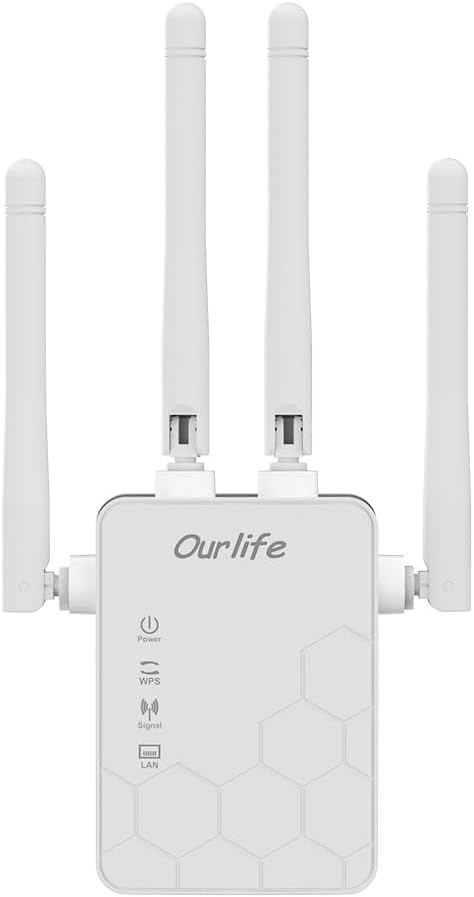
Bilde: Foran view av O-enurlife WiFi Extender, showing the Ourlife logo, power indicator, WPS button, signal strength indicator, and LAN port indicator. Four external antennas are visible.
Nøkkelkomponenter:
- Strømindikator: Lyser når enheten er slått på.
- WPS-knapp: Used for quick, one-button setup with compatible routers.
- Signalindikator: Shows the strength of the Wi-Fi signal received from the main router.
- LAN-port: An Ethernet port for connecting wired devices or for setting up the extender in Access Point (AP) mode.
- Eksterne antenner: Four adjustable antennas to optimize signal reception and transmission.

Bilde: Side view av O-enurlife WiFi Extender with dimensions. The device measures approximately 17.2cm/6.8in in height, 5.4cm/2.1in in width, and 3.3cm/1.3in in depth.
Oppsett
Ourlife WiFi Extender offers two primary setup methods: WPS (Wi-Fi Protected Setup) for quick connection, and manual setup via a web nettleser.
Method 1: WPS Setup (Recommended for quick setup)
- Strøm på: Plug the Ourlife WiFi Extender into an electrical outlet near your main Wi-Fi router. Wait for the Power indicator to light up.
- Trykk WPS på forlengeren: Press the WPS button on the Ourlife WiFi Extender. The WPS indicator light will start blinking.
- Trykk WPS på ruteren: Innen to minutter trykker du på WPS-knappen på hoved-Wi-Fi-ruteren din.
- Vent på tilkobling: The WPS indicator on the extender will stop blinking and remain solid when the connection is established. The Signal indicator will also light up, indicating a successful connection.
- Flytt forlenger: Once connected, unplug the extender and move it to a location halfway between your router and the Wi-Fi dead zone. Ensure the Signal indicator shows a strong signal (usually green or multiple bars) for optimal performance.

Image: Visual representation of the four simple setup steps: 1. Unbox, 2. Plug it in, 3. Press the button (WPS), 4. And Pair (with router).
Method 2: Manual Setup via Web Nettleser
- Strøm på: Plug the Ourlife WiFi Extender into an electrical outlet near your computer or mobile device.
- Koble til forlengerens Wi-Fi: On your computer or mobile device, connect to the Wi-Fi network named "Ourlife_Extender" (or similar, check the label on the device). No password is required for the initial connection.
- Åpne Web Nettleser: Åpne a web browser (e.g., Chrome, Firefox, Safari) and enter the default IP address or domain name (e.g., 192.168.10.1 or reapeter.net) into the address bar. Refer to the device label or included mini-manual for the exact address.
- Logg inn: Skriv inn standard brukernavn og passord (vanligvis admin/admin).
- Velg modus: Choose "Repeater Mode" or "AP Mode" based on your needs.
- Repeater-modus: Extends your existing Wi-Fi network wirelessly.
- AP-modus (tilgangspunkt): Converts a wired internet connection into a wireless Wi-Fi hotspot. Connect an Ethernet cable from your router to the extender's LAN port.
- Konfigurer nettverk:
- For repeatermodus: Select your main Wi-Fi network from the list, enter its password, and choose whether to keep the same SSID or create a new one for the extended network.
- For AP-modus: Set a new SSID (network name) and password for the Wi-Fi hotspot.
- Bruk innstillinger: Save the settings and wait for the extender to restart.
- Flytt forlenger: Once configured, unplug and relocate the extender to an optimal position.
Drift
After successful setup, the Ourlife WiFi Extender will operate automatically. The Signal indicator will provide visual feedback on the connection quality.
Koble til enheter:
- Trådløse enheter: Connect your smartphones, tablets, laptops, and other Wi-Fi enabled devices to the extended Wi-Fi network (the SSID you configured during setup).
- Wired Devices (via LAN Port): If you are using the extender in Repeater mode, you can connect a wired device (e.g., desktop PC, smart TV, game console) to the extender's LAN port using an Ethernet cable to provide it with network access.
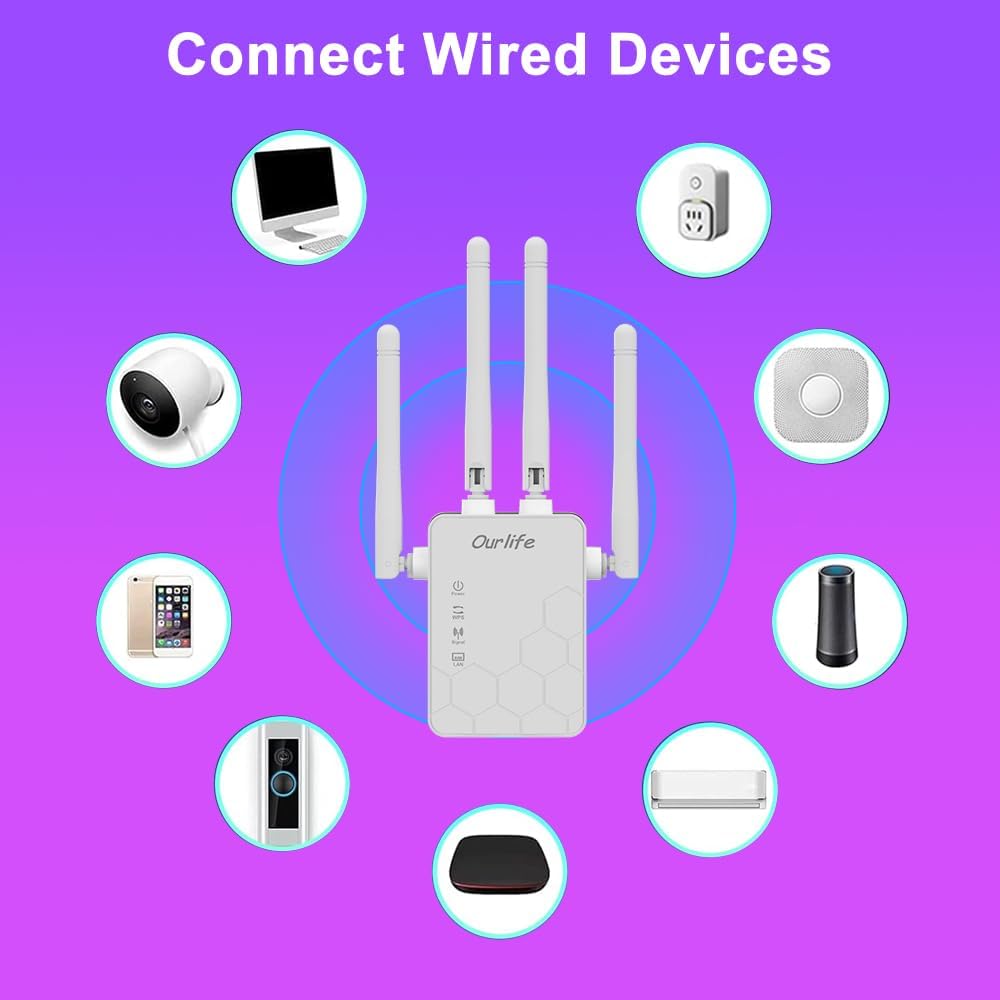
Image: Diagram showing various wired and wireless devices (e.g., desktop computer, smart plug, smart speaker, air conditioner, smart doorbell, security camera, smartphone) that can connect to the Ourlife WiFi Extender.

Bilde: O-enurlife WiFi Extender plugged into a wall outlet, with an Ethernet cable connected to its LAN port, illustrating its capability to provide a wired connection.
Vedlikehold
Regular maintenance helps ensure the longevity and optimal performance of your Ourlife WiFi Extender.
- Rengjøring: Bruk en myk, tørr klut til å rengjøre enheten. Ikke bruk flytende rengjøringsmidler eller aerosoler.
- Fastvareoppdateringer: Sjekk produsentens website for firmware updates. Updating firmware can improve performance, add features, and fix bugs.
- Start på nytt: If you experience network issues, try restarting the extender by unplugging it from the power outlet for 10 seconds and then plugging it back in.
- Optimal plassering: Ensure the extender is placed in an open area, away from large metal objects, concrete walls, and other electronic devices that may cause interference.
Feilsøking
If you encounter issues with your Ourlife WiFi Extender, refer to the following common problems and solutions:
| Problem | Mulig løsning |
|---|---|
| Forlengeren slår seg ikke på. | Sørg for at forlengeren er ordentlig koblet til en fungerende stikkontakt. Prøv en annen stikkontakt. |
| Cannot connect to the extender's Wi-Fi for setup. | Ensure you are connecting to the correct default SSID (e.g., "Ourlife_Extender"). Try restarting the extender and your device. |
| WPS setup fails. | Ensure your router supports WPS. Press the WPS button on both devices within the 2-minute window. Try manual setup if WPS continues to fail. |
| No internet access after connecting to the extended network. | Check if your main router has internet access. Relocate the extender closer to your main router to ensure a strong signal (check Signal indicator). Reconfigure the extender. |
| Slow speeds on the extended network. | Relocate the extender to an optimal position where the Signal indicator shows a strong connection to the main router. Avoid placing it near interference sources. Ensure your main router is providing good speeds. |
| Glemt innloggingspassord for web administrasjonssiden. | Perform a factory reset on the extender (usually by pressing and holding a reset button for 5-10 seconds). This will revert all settings to default, including the login credentials. |
Spesifikasjoner
| Trekk | Detalj |
|---|---|
| Merke | Ourlife |
| Modell | Ourlife WiFi Extender 300Mbps |
| ASIN | B0D7HB4DBC |
| Dataoverføringshastighet | 300 Megabits Per Second (2.4GHz) |
| Antenner | 4 High-Gain External Antennas |
| Ethernet-port | 1 x LAN-port |
| Farge | Hvit |
| Tilkobling | Wireless-N (802.11n/g/b) |
| Sikkerhetsprotokoller | Supports Wireless Security (WPA/WPA2) |
| Dimensjoner (ca.) | 17.2 cm (H) x 5.4 cm (B) x 3.3 cm (D) |
Garanti og støtte
For warranty information and technical support, please refer to the documentation included with your purchase or visit the official Ourlife website. You can also contact Ourlife customer service directly for assistance with product setup, troubleshooting, or warranty claims.
Ourlife Store Link: Besøk Ourlife-butikken på Amazon
Ask a question about this manual
Ask about setup, troubleshooting, compatibility, parts, safety, or missing instructions. Manuals+ will review the question and use this page’s manual context to help answer it.