
1. Produktet er overview
The Vieta Pro VM-BS1000WH is a portable, battery-powered Bluetooth speaker designed for high-quality audio playback. Its elegant design allows it to integrate seamlessly into various environments, while its robust features make it suitable for both indoor and outdoor use.
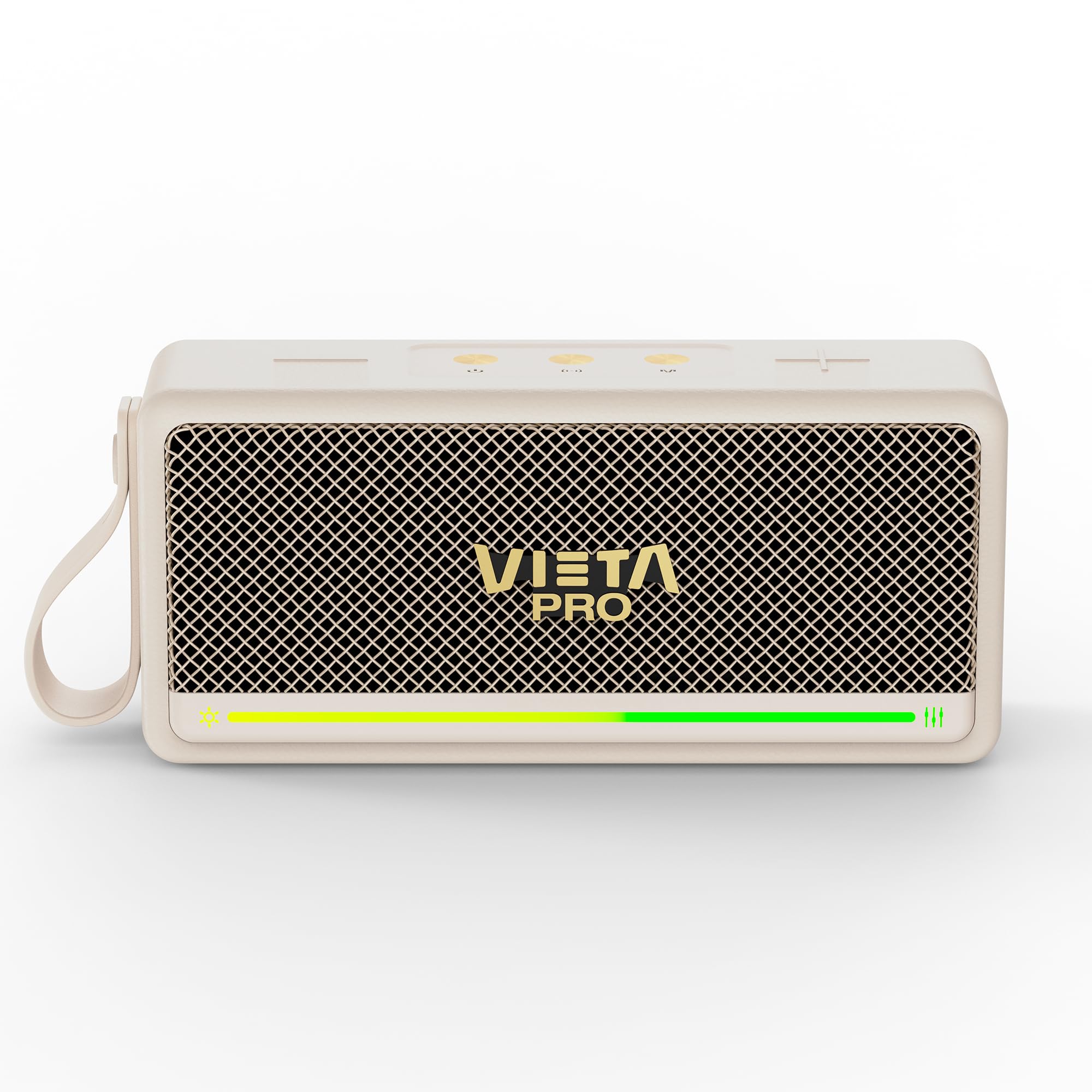
Figur 1: Foran view of the Vieta Pro VM-BS1000WH Portable Bluetooth Speaker.
2. Nøkkelfunksjoner
- Bluetooth 5.3: Advanced wireless technology for fast and stable connections.
- TWS-modus (True Wireless Stereo): Enables a true wireless stereo sound experience for immersive listening.
- IPX7 vannmotstand: Certified to withstand splashes and brief immersion in water.
- USB-spiller: Allows direct music playback from a USB drive.
- 10-timers batterilevetid: Provides extended use without frequent recharging.
- Shock-resistant design: Enhanced durability for active lifestyles.
- Berøringskontroll: Intuitive control method for ease of use.
3. Oppsettveiledning
3.1. Lading av høyttaleren
Before initial use, fully charge the speaker. Connect the provided USB charging cable to the speaker's charging port and a compatible USB power adapter (not included). The charging indicator light will illuminate during charging and turn off when fully charged. A full charge provides up to 10 hours of playback.
3.2. Slå på/av
To power on the speaker, press and hold the power button located on the control panel until you hear an audible prompt and the indicator light turns on. To power off, press and hold the power button again until the indicator light turns off.

Figur 2: Side view av høyttaleren, og uthever kontrollpanelet og portene.
4. Bruksanvisning
4.1. Bluetooth-paring
- Sørg for at høyttaleren er slått på og i Bluetooth-paringsmodus (indikeres av en blinkende LED-lampe).
- Aktiver Bluetooth på enheten din (smarttelefon, nettbrett, bærbar PC) og søk etter tilgjengelige enheter.
- Select "Vieta Pro VM-BS1000WH" from the list of devices.
- Once paired, the speaker will emit an audible confirmation, and the LED indicator will become solid.
4.2. TWS-modus (ekte trådløs stereo)
To achieve a true wireless stereo experience, you can pair two VM-BS1000WH speakers together:
- Sørg for at begge høyttalerne er slått på og ikke koblet til noen annen Bluetooth-enhet.
- On one speaker, press and hold the TWS button (refer to the control panel diagram) until you hear a pairing tone.
- The two speakers will automatically connect to each other. Once connected, one speaker will act as the master and the other as the slave.
- Now, connect your device to the master speaker via Bluetooth as described in section 4.1. Audio will play in stereo through both speakers.
4.3. USB-avspilling
Sett inn en USB-stasjon som inneholder MP3-lyd files into the USB port on the speaker. The speaker will automatically detect the USB drive and begin playing music. Use the playback controls to navigate tracks.
4.4. Volume and Playback Control
The speaker features touch controls for volume adjustment and music playback:
- Volum opp: Trykk på «+»-knappen.
- Volum ned: Trykk på '-'-knappen.
- Spill av/pause: Tap the Play/Pause button.
- Neste spor: Trykk og hold inne «+»-knappen.
- Forrige spor: Trykk og hold inne '-'-knappen.
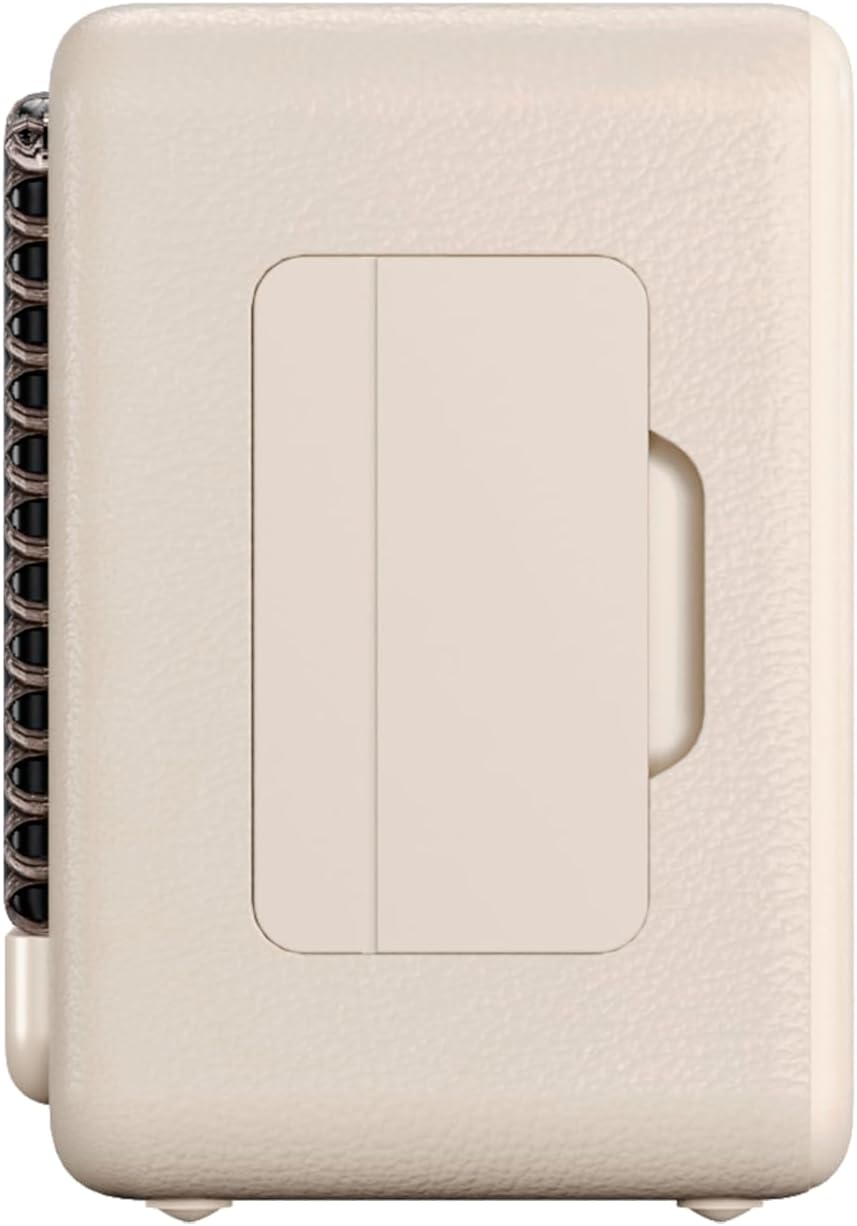
Figur 3: Sideprofffile of the speaker, illustrating its compact design.
5. Vedlikehold
5.1. Rengjøring
Wipe the speaker with a soft, dry cloth. Do not use abrasive cleaners, alcohol, or chemical solvents, as these may damage the surface. Ensure all ports are dry before charging or connecting other devices.
5.2. Vannmotstand (IPX7)
The VM-BS1000WH speaker is IPX7 water-resistant, meaning it can be immersed in water up to 1 meter for up to 30 minutes. However, it is not designed for continuous underwater use. Always ensure the charging port cover is securely closed before exposing the speaker to water. After exposure to water, dry the speaker thoroughly before charging.
6. Feilsøking
- Ingen strøm: Sørg for at høyttaleren er ladet. Koble den til en strømkilde og prøv på nytt.
- Kan ikke koble Bluetooth: Make sure the speaker is in pairing mode and within range of your device. Disconnect from any previously paired devices. Try restarting both the speaker and your device.
- Ingen lyd: Sjekk volumnivåene på både høyttaleren og den tilkoblede enheten. Sørg for at høyttaleren er riktig paret.
- Dårlig lydkvalitet: Move the speaker closer to your Bluetooth device to reduce interference. Ensure there are no obstructions between the speaker and the device.
- USB-avspilling fungerer ikke: Ensure the USB drive is formatted correctly (FAT32) and contains compatible audio files (MP3). Try a different USB drive.
7. Tekniske spesifikasjoner
| Trekk | Spesifikasjon |
|---|---|
| Merkenavn | Vieta Pro |
| Modellnavn | VM-BS1000WH |
| Høyttalertype | Bærbar Bluetooth-høyttaler |
| Maks. høyttalerutgangseffekt | 25 watt |
| Tilkoblingsteknologi | Bluetooth |
| Bluetooth-versjon | 5.3 |
| Lydutgangsmodus | Stereo |
| Vannmotstandsnivå | IPX7 (vannbestandig) |
| Batterilevetid | Opptil 10 timer |
| Strømkilde | Batteridrevet (1 C-batteri inkludert) |
| Kontrollmetode | Røre |
| Høyttalerstørrelse | 7.5 cm |
| Produktdimensjoner (D x B x H) | 7.7 x 5.6 x 17.1 cm |
| Kompatible enheter | Smarttelefon, nettbrett, bærbar PC, MP3-spiller |
| Spesielle funksjoner | Shock-resistant, Wireless speakers, USB port |
8. Garanti og støtte
8.1. Begrenset garanti
This Vieta Pro VM-BS1000WH speaker comes with a Limited Warranty. Please refer to the warranty card included in the product packaging for detailed terms and conditions, including coverage period and limitations. Keep your proof of purchase for warranty claims.
8.2. Kundestøtte
For technical assistance, troubleshooting, or warranty inquiries, please contact FRAMASON AUDIO S.A., the manufacturer. Contact information can typically be found on the product packaging or the official Vieta Pro website. Please have your model number (VM-BS1000WH) and proof of purchase ready when contacting support.