
Introduksjon
This manual provides detailed instructions for the safe and efficient operation of your Longer Ray5 20000mW Laser Engraver with Air Assist Kit. Please read this manual thoroughly before using the device to ensure proper setup, operation, and maintenance. Retain this manual for future reference.
Sikkerhetsinformasjon
ADVARSEL: Laser engravers are powerful tools that can cause serious injury if not used correctly. Always follow these safety guidelines:
- Always wear appropriate laser safety goggles when operating the machine.
- Se aldri direkte inn i laserstrålen eller på dens refleksjon.
- Sørg for at arbeidsområdet er godt ventilert for å avlede gasser og røyk.
- Hold brennbare materialer unna laserens bane.
- Ikke la maskinen stå uten tilsyn under drift.
- Sørg for at maskinen er plassert på en stabil, jevn overflate.
- Hold barn og kjæledyr unna operasjonsområdet.
- Koble fra strømmen før du utfører vedlikehold eller justeringer.
- Gjør deg kjent med prosedyrer for nødavstengning.
Pakkeinnhold
Kontroller at alle komponentene er tilstede i pakken:
- Longer Ray5 20000mW Laser Engraver Unit
- Air Assist pumpe
- Air Assist Nozzle and Tubing
- Strømadapter
- USB-kabel
- Vernebriller
- Brukerhåndbok (dette dokumentet)
- Materiale Samples (may vary)

Image: Air assist kit components including the pump, nozzle, and tubing.
Oppsett
- Utpakking: Fjern forsiktig alle komponenter fra emballasjen.
- Forsamling: Follow the included quick start guide for assembling the main laser engraver frame and attaching the laser module.
- Air Assist Installation:
- Connect the air assist pump to the designated port on the laser module using the provided tubing.
- Ensure the air assist nozzle is securely attached to direct airflow to the engraving/cutting point.
- Strømtilkobling: Koble strømadapteren til gravøren og deretter til en passende stikkontakt.
- Datamaskin tilkobling: Connect the engraver to your computer via USB, or prepare for Wi-Fi/TF card connection.

Image: The Longer Ray5 laser engraver with the air assist pump connected and ready for operation.
Bruksanvisning
1. Programvare og tilkobling
The Longer Ray5 supports various software and connection methods:
- Kompatibel programvare: LaserGRBL and LightBurn.
- Operativsystemer: Supports Windows 7+, MacOS, and Linux.
- Tilkoblingsmetoder: Wi-Fi, USB, App, and TF card.
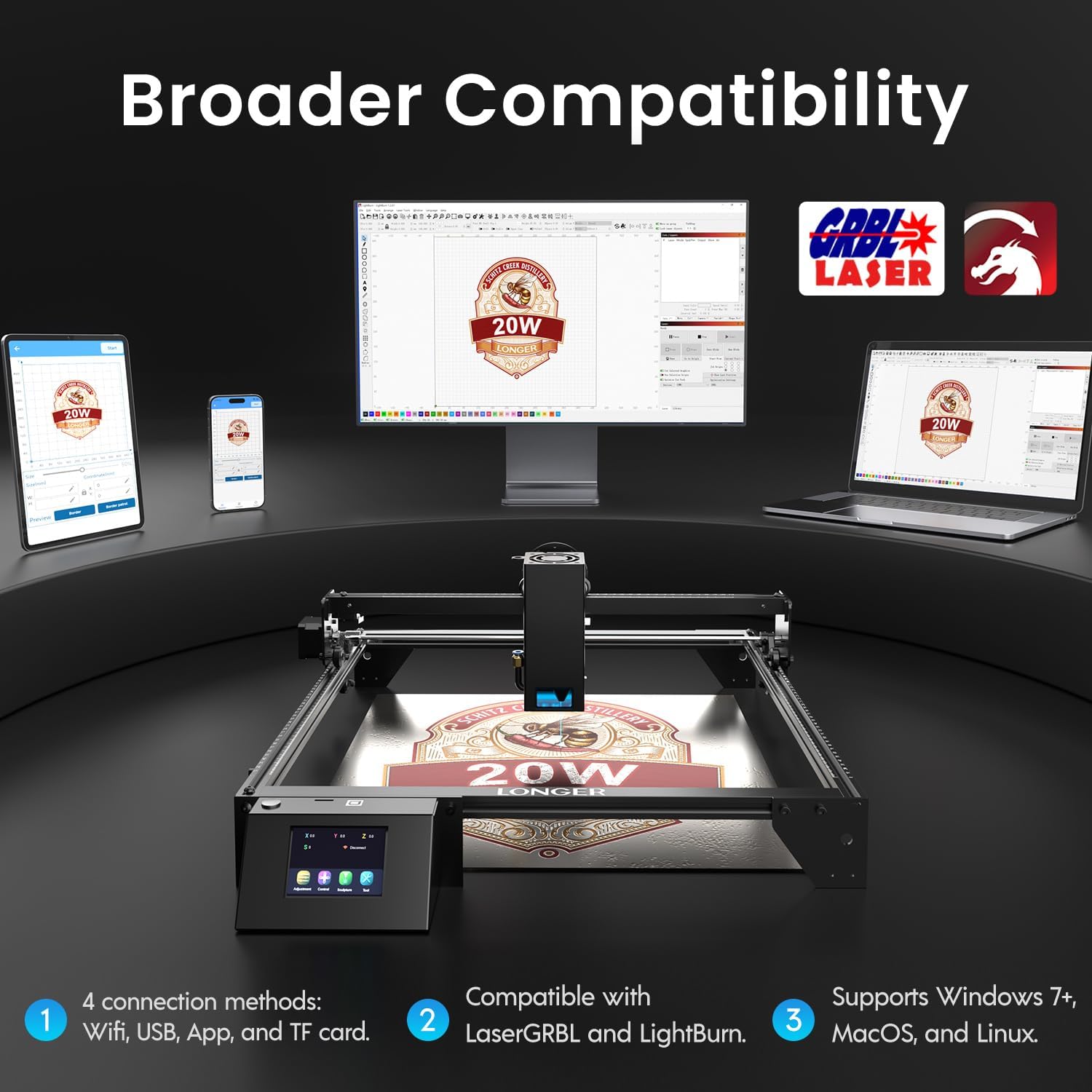
Image: Display showing the Longer Ray5's compatibility with LaserGRBL and LightBurn software, and various connection options including Wi-Fi, USB, App, and TF card across Windows, MacOS, and Linux operating systems.
2. Graverings- og skjæremuligheter
The 20W diode laser offers high-efficiency performance for various materials.
- Kutting: Capable of cutting up to 25mm of wood and 35mm of acrylic. It can also cut 0.05mm metal.
- Gravering: Engrave hundreds of colors on metallic steel and a wide range of other materials.
- Materialer: Acrylic, metal, wood, stainless steel, and more.
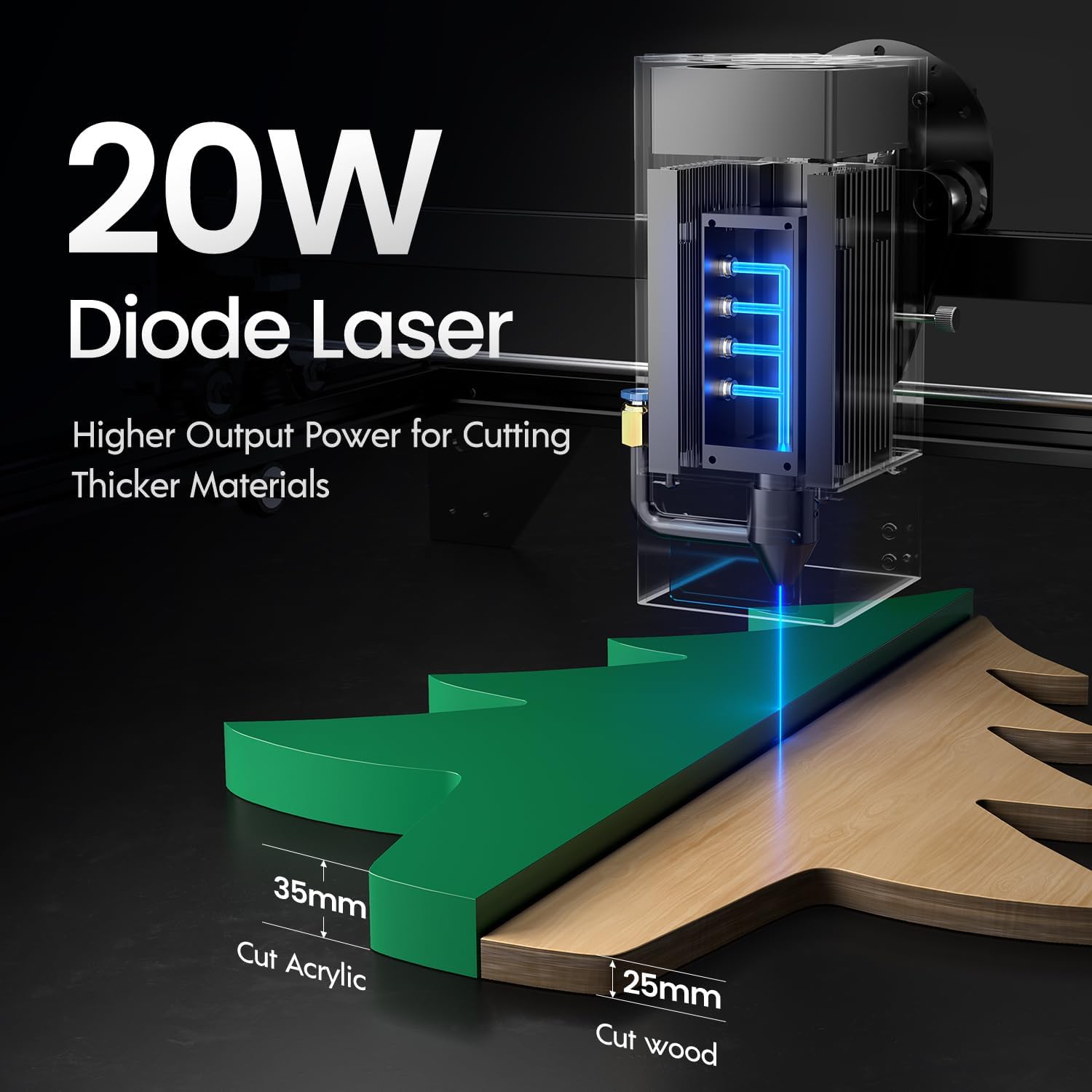
Image: Illustration demonstrating the 20W diode laser's capability to cut 25mm wood and 35mm acrylic.

Bilde: Eksamples of engraving capabilities, showcasing over 380 colors on metallic surfaces and other DIY artworks.

Image: A collection of various items demonstrating the versatile material selection for engraving and cutting, including wood, metal, and acrylic.
3. Luftassistansefunksjon
The integrated air assist kit significantly improves cutting and engraving quality.
- Enhanced Cutting: The adjustable airflow (10-30L/min) suppresses smoke and dust, preventing laser energy attenuation and ensuring cleaner, smoother edges.
- Reduced Yellowing: Air assist helps prevent charring and yellowing on materials during laser processing, especially for wood and acrylic.

Image: A visual comparison showing the benefits of air assist, resulting in cleaner cuts and reduced processing time (e.g., 12 minutes with air assist vs. 20 minutes without).
4. Kontinuerlig drift
The Longer Ray5 is designed for powerful continuous working capacity, supporting 24/7 continuous engraving. A single computer can control multiple machines.

Image: Depiction of multiple Longer Ray5 machines working simultaneously, illustrating continuous operation and the ability for one computer to control several units.
Vedlikehold
Regelmessig vedlikehold sikrer optimal ytelse og forlenger levetiden til lasergravøren din.
- Rengjør laserlinsen: Periodically clean the laser lens with a soft, lint-free cloth and lens cleaning solution to maintain beam quality.
- Fjern rusk: Remove any accumulated dust or debris from the work area and machine components.
- Sjekk belter og skinner: Inspect drive belts for tension and wear. Keep linear rails clean and lubricated as per manufacturer recommendations.
- Air Assist Filter: If your air assist pump has a filter, clean or replace it regularly to ensure efficient airflow.
- Fastvareoppdateringer: Sjekk produsentens website for any available firmware updates to improve performance or add features.
Feilsøking
Denne delen tar for seg vanlige problemer du kan støte på.
| Problem | Mulig årsak | Løsning |
|---|---|---|
| Laseren avfyrer ikke | Power not connected, software error, laser module fault. | Check power connections. Verify software settings. Contact support if laser module is suspected faulty. |
| Dårlig graverings-/skjærekvalitet | Incorrect focus, dirty lens, wrong power/speed settings, material issues, no air assist. | Adjust laser focus. Clean the laser lens. Optimize power/speed settings for the material. Ensure air assist is active. |
| Maskinen kobler seg ikke til datamaskinen | USB cable issue, driver not installed, Wi-Fi configuration error. | Try a different USB port/cable. Install necessary drivers. Reconfigure Wi-Fi connection. |
| Overdreven røyk/damp | Insufficient ventilation, air assist not active or weak. | Ensure proper ventilation. Check air assist pump and tubing for blockages. Increase air assist flow. |
Spesifikasjoner
| Trekk | Detalj |
|---|---|
| Modellnummer | RAY5 |
| Laserutgangseffekt | 20000 mW (20 W) |
| Laser type | Diodelaser |
| Cutting Depth (Wood) | Opp til 25 mm |
| Cutting Depth (Acrylic) | Opp til 35 mm |
| Metal Cutting Capability | 0.05 mm |
| Air Assist Flow | 10-30 L/min (Adjustable) |
| Berøringsskjerm | 3.5 tommer |
| Tilkobling | Wi-Fi, USB, App, TF Card |
| Kompatibel programvare | LaserGRBL, LightBurn |
| Støttet OS | Windows 7+, MacOS, Linux |
| Produsent | Lengre |
| Dato først tilgjengelig | 1. august 2024 |
Garanti og støtte
For warranty information and technical support, please refer to the official Longer webnettstedet eller kontakt kundeservicen deres direkte. Ta vare på kjøpskvitteringen som kjøpsbevis for garantikrav.
Nettressurser: Besøk Longer Store on Amazon for ytterligere produktinformasjon og støtte.