1. Introduksjon
Thank you for choosing the RIENOK S11 Portable Bluetooth Speaker. This manual provides detailed instructions on how to set up, operate, and maintain your speaker to ensure optimal performance and longevity. The RIENOK S11 is a powerful, waterproof Bluetooth speaker featuring 3 EQ modes, USB audio support, Bluetooth 5.3 connectivity, up to 24 hours of playback, stereo pairing, RGB lighting, and TF card support.

Figure 1: RIENOK S11 Bluetooth Speaker
2. Hva er i esken
- RIENOK S11 Bluetooth Speaker
- Ladekabel
- Snørebånd
- Brukerhåndbok

Figure 2: Package Contents including the speaker, charging cable, and lanyard.
3. Nøkkelfunksjoner
3.1 Powerful Bass Speaker
The 30W Bluetooth speaker is equipped with two bass radiators and a 3600mAh battery, providing 24 hours of powerful and mellow Hi-Fi sound and bass. Actual playback time may vary depending on light usage, volume level, and music type.

Figure 3: Illustrates the powerful 30W sound and rich stereo bass of the speaker.
3.2 Multiple Connection Options
The speaker supports Bluetooth, USB audio, and TF card (up to 32GB in FAT/FAT32 format). Connect to a computer via the included USB cable for optimal sound purity in USB audio mode, replacing the traditional 3.5mm AUX connection.

Figure 4: Depicts the three available playback modes: Bluetooth, Micro SD card, and USB Audio.
3.3 Three EQ Modes
The RIENOK S11 features Vocal Mode, Music Mode, and Bass Mode. These three equalization modes allow you to easily select the appropriate mode based on music type or personal preference, providing a customized listening experience.

Figure 5: Shows the speaker with icons representing Vocal, Music, and Bass EQ modes.
3.4 Stereo Pairing (TWS)
With two RIENOK S11 Bluetooth speakers, you can create a wireless stereo system for immersive surround sound (only with the same model). The RGB lights on both sides change with the melody, making the music dance with lights and colors. Double-click the play button to turn the light on or off.

Figure 6: Two RIENOK S11 speakers set up for True Wireless Stereo sound with a tablet.
3.5 IPX7 Waterproof and Portable Design
This wireless speaker is IPX7 waterproof rated, meaning it can be submerged in up to 1 meter of water for 30 minutes. With its lanyard, it is ideal for outdoor activities such as the beach, pool, travel, and cycling.

Figure 7: The RIENOK S11 speaker submerged in water, highlighting its IPX7 waterproof capability.
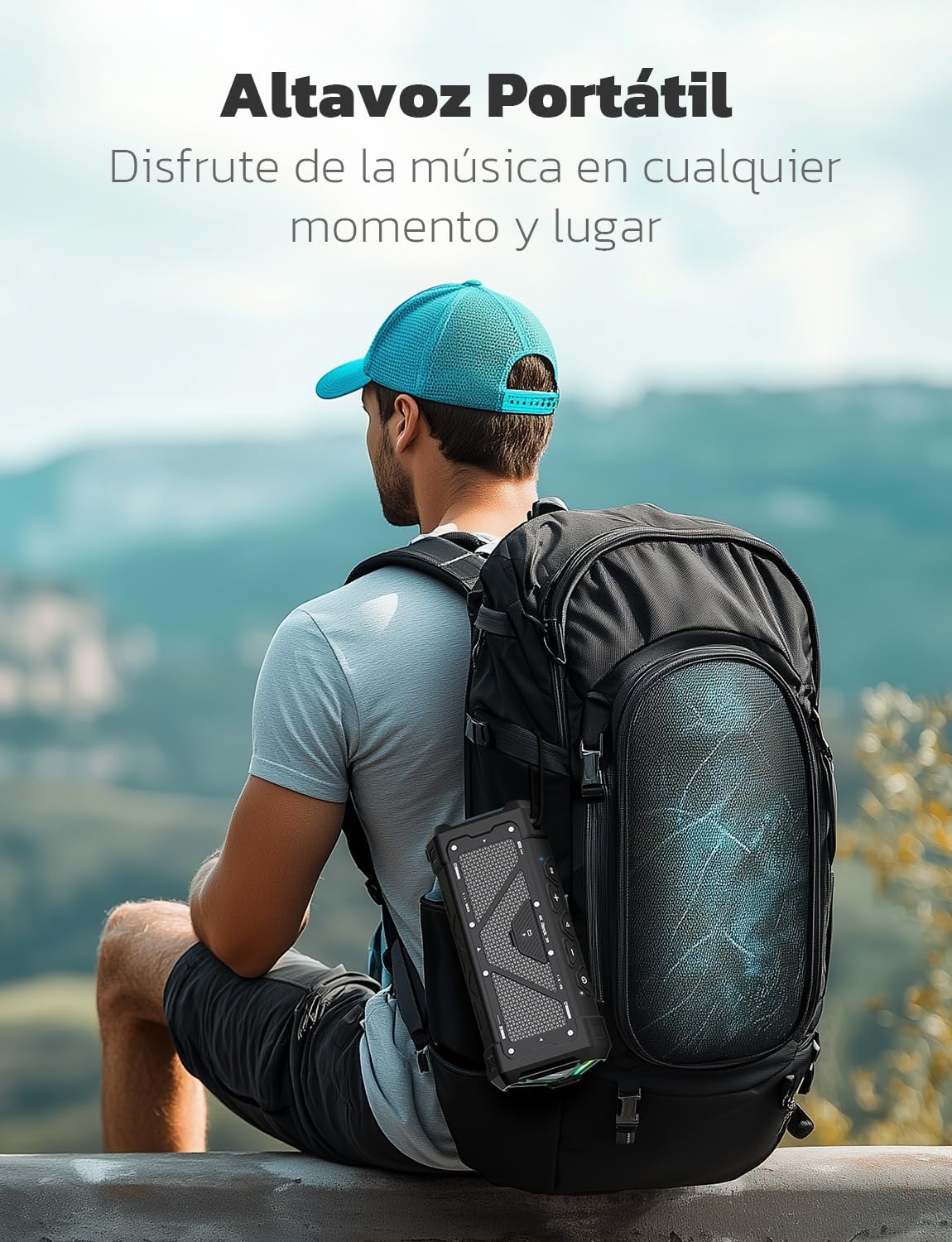
Figure 8: The portable RIENOK S11 speaker attached to a backpack, ready for outdoor use.
4. Oppsettveiledning
4.1 Lade høyttaleren
Before first use, fully charge the speaker. Connect the included USB charging cable to the speaker's charging port and the other end to a USB power adapter (not included) or a computer's USB port. The charging indicator light will show the charging status. A full charge provides up to 24 hours of playback.

Figure 9: The speaker indicating up to 24 hours of playback time on a single charge.
4.2 Strøm på/av
- To power on: Press and hold the Power button until you hear an audible prompt and the indicator lights illuminate.
- To power off: Press and hold the Power button again until the lights turn off.
4.3 Bluetooth-paring
- Sørg for at høyttaleren er slått på og i Bluetooth-paringsmodus (indikeres med et blinkende blått lys).
- Aktiver Bluetooth på enheten din (smarttelefon, nettbrett, bærbar PC) og søk etter tilgjengelige enheter.
- Select "Rienok S11" from the list of devices.
- Når den er tilkoblet, vil høyttaleren gi en hørbar bekreftelse, og Bluetooth-indikatorlampen vil lyse kontinuerlig.
4.4 USB-lydtilkobling
The RIENOK S11 supports USB audio playback, allowing for high-quality sound directly from your computer while also charging the speaker.
- Connect the included USB cable to the speaker's USB port and to your computer's USB port.
- The speaker will automatically switch to USB audio mode.
- Adjust volume and playback from your computer or the speaker's controls.

Figure 10: The speaker connected to a laptop via USB, demonstrating high-quality audio output.
4.5 Avspilling av TF-kort
Insert a TF (Micro SD) card (up to 32GB, FAT/FAT32 format) into the designated slot on the speaker. The speaker will automatically detect and play music from the card. Supported formats include MP3, WMA, WAV, FLAC, and APE.
4.6 Ekte trådløs stereo (TWS)-paring
To achieve a true stereo sound experience, you can pair two RIENOK S11 speakers together.
- Ensure both RIENOK S11 speakers are powered on and not connected to any Bluetooth device.
- On one speaker (this will be the primary speaker), press and hold the TWS button (often combined with the Play/Pause button or a dedicated button, refer to button layout). The speaker will enter TWS pairing mode.
- The two speakers will automatically connect to each other. Once connected, you will hear an audible confirmation.
- Koble nå enheten til hovedhøyttaleren via Bluetooth som beskrevet i avsnitt 4.3. Begge høyttalerne vil spille av lyd i stereo.
Video 1: Demonstrates the True Wireless Stereo pairing process and USB audio playback.
5. Bruksanvisning
5.1 Knappefunksjoner
| Knapp | Funksjon |
|---|---|
| Strømknapp | Trykk og hold inne for å slå på/av. |
| "+"-knapp | Kort trykk for volum opp. Langt trykk for neste spor. |
| "-"-knapp | Kort trykk for volum ned. Langt trykk for forrige spor. |
| Spill av/pause-knapp | Short press to Play/Pause. Double-click to turn RGB lights On/Off. |
| "EQ" Button | Short press to cycle through EQ Modes (Vocal, Music, Bass). |
5.2 EQ-moduser
The RIENOK S11 offers three distinct EQ modes to optimize your listening experience:
- Vokalmodus: Enhances vocal clarity, ideal for podcasts, audiobooks, or songs with prominent vocals.
- Musikkmodus: En balansert lydprofffile suitable for most music genres, offering clear highs and mids with decent bass.
- Bassmodus: Boosts low frequencies for a deeper, more impactful bass response, perfect for bass-heavy music.
Trykk på «EQ»-knappen for å veksle mellom disse modusene.
5.3 RGB-lyskontroll
The speaker features dynamic RGB lights that synchronize with the music. To turn the RGB lights on or off, double-click the Play/Pause button.
6. Vedlikehold og stell
- Rengjøring: Tørk av høyttaleren med en myk, damp klut. Ikke bruk skurende rengjøringsmidler eller løsemidler.
- Vannmotstand (IPX7): The speaker is IPX7 waterproof, meaning it can be submerged in up to 1 meter of water for 30 minutes. Ensure the charging port cover is securely closed before exposing the speaker to water. Do not intentionally submerge for extended periods or in depths greater than specified.
- Lagring: Oppbevar høyttaleren på et kjølig og tørt sted, unna direkte sollys og ekstreme temperaturer.
- Batteripleie: For å forlenge batterilevetiden, unngå å utlade høyttaleren helt ofte. Lad den regelmessig, selv om den ikke er i bruk over lengre tid.
7. Feilsøking
| Problem | Mulig årsak | Løsning |
|---|---|---|
| Høyttaleren slås ikke på. | Lavt batteri. | Lad høyttaleren helt opp. |
| Kan ikke pares via Bluetooth. | Høyttaleren er ikke i paringsmodus; enhetens Bluetooth er av; for langt fra enheten. | Ensure speaker is in pairing mode. Turn device Bluetooth off/on. Move speaker closer to device (within 10m). |
| Ingen lyd. | Volumet er for lavt; feil inngangsmodus; enheten spiller ikke. | Increase volume on speaker and device. Check if correct input (Bluetooth, USB, TF) is selected. Ensure music is playing on the connected device. |
| Forvrengt lyd. | Volume too high; low battery; poor connection. | Lower volume. Charge speaker. Ensure stable Bluetooth connection or try USB/TF card. |
| TWS-paring mislykkes. | Speakers already connected to another device; not the same model. | Disconnect speakers from any other Bluetooth devices. Ensure both are RIENOK S11 models. Try resetting both speakers. |
8. Spesifikasjoner
| Modellnummer | Rienok S11 |
| Merke | RIENOK |
| Høyttalerutgangseffekt | 30 watt |
| Tilkoblingsteknologi | Bluetooth, USB |
| Bluetooth-versjon | 5.3 |
| Lydutgangsmodus | Stereo |
| Spesielle funksjoner | Stereo Pairing, Portable, USB Audio Mode, LED Light, Waterproof (IPX7) |
| Anbefalt bruk | For smarttelefoner eller nettbrett |
| Kompatible enheter | Laptop, nettbrett, smarttelefon |
| Batteri | 3600mAh oppladbart batteri |
| Dimensjoner | 19.9 x 9 x 8.2 cm |
| Vekt | 660 g |
| Vanntett vurdering | IPX7 |
9. Garanti og støtte
For warranty information, technical support, or any inquiries regarding your RIENOK S11 speaker, please refer to the contact details provided on the product packaging or visit the official RIENOK webnettstedet. Ta vare på kjøpskvitteringen for garantikrav.