
1. Introduksjon
Takk for kjøpetasing the Salange HY300Pro Mini Projector. This manual provides essential information for setting up, operating, and maintaining your projector. Please read it thoroughly before use to ensure optimal performance and longevity of your device.
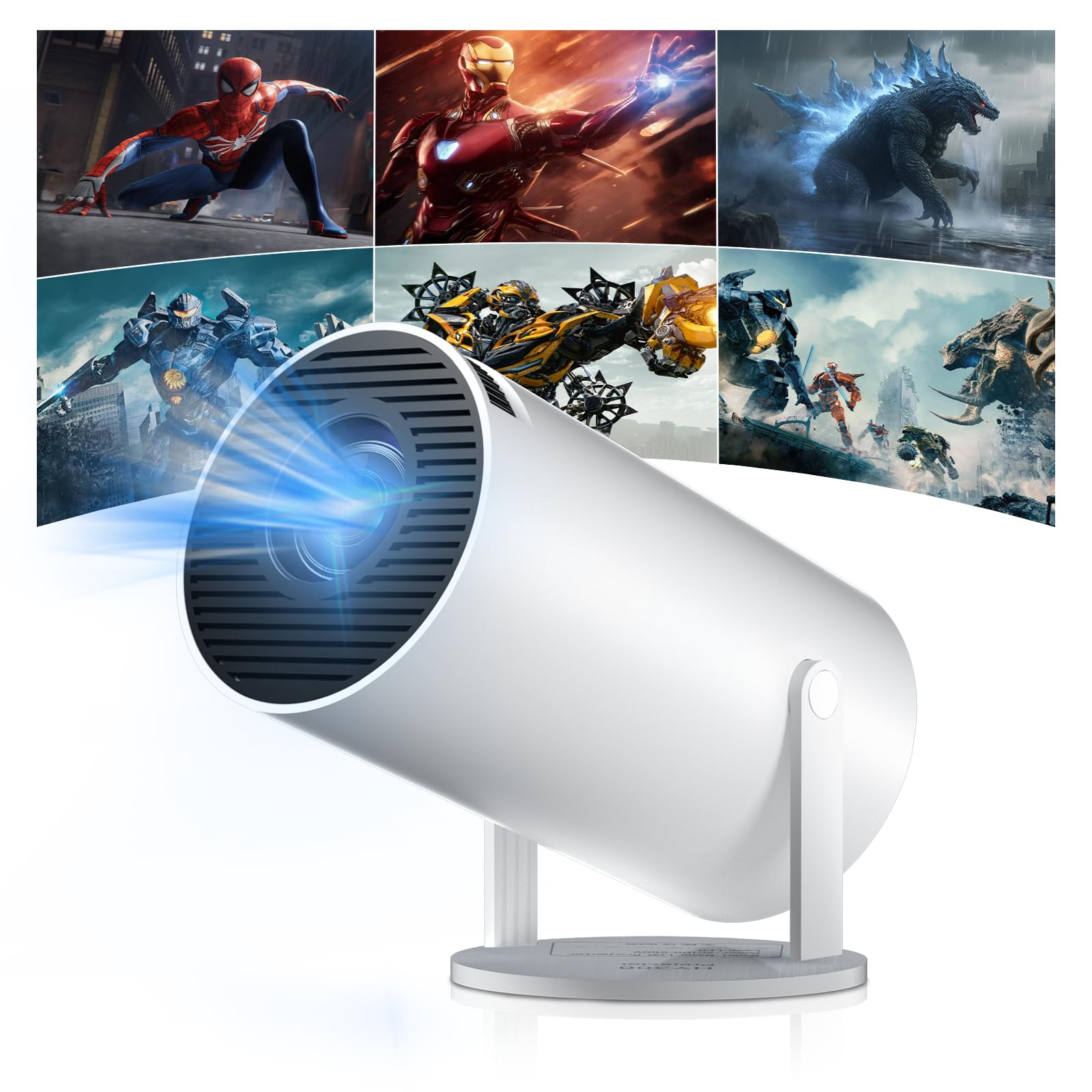
Figure 1: Salange HY300Pro Mini Projector
2. Produktet er overview
Nøkkelfunksjoner
- Dobbeltbånds WiFi 6 og Bluetooth 5.4: Ensures fast and stable network connectivity and seamless audio pairing with external speakers or headphones.
- Android 11.0 operativsystem: Supports installation of various applications directly on the projector for versatile entertainment and productivity.
- 4K Support & Native 720P Resolution: Delivers clear and vibrant images, supporting 1080P and 4K video playback.
- 180° rotasjon: Flexible projection angles for various setups, including ceiling, wall, or angled surfaces.
- Automatic Keystone Correction & Manual Focus: Intelligently corrects image distortion and allows for fine-tuning clarity.
- Kompakt og bærbar design: Weighs only 700g, making it easy to transport for outdoor activities or different rooms.

Figur 2: Overview of Salange HY300Pro features including 8K support, WiFi 6, Bluetooth 5.4, 180° rotation, and auto keystone correction.
Hva er i esken
- 1 x Salange HY300Pro Projector
- 1 x brukerhåndbok
- 1 x strømkabel
- 1 x fjernkontroll

Figure 3: Contents of the Salange HY300Pro package.
3. Oppsett
3.1 Utpakking og plassering
- Fjern forsiktig alle komponenter fra emballasjen.
- Plasser projektoren på en stabil, flat overflate. Sørg for tilstrekkelig ventilasjon rundt enheten.
- The projector's 180° rotation feature allows flexible placement. Adjust the projector's angle to project onto a wall, ceiling, or screen as desired.

Figure 4: Projector demonstrating 180-degree rotation for various projection surfaces.
3.2 Strømtilkobling
Connect the provided power cable to the projector's power input and then to a power outlet.
3.3 Førstegangs oppstart og fokusjustering
- Trykk på strømknappen på projektoren eller fjernkontrollen for å slå på enheten.
- The projector features automatic keystone correction. It will intelligently detect and correct image distortion to ensure a square image.
- For fine-tuning the image clarity, use the manual focus adjustment ring on the projector.

Figure 5: Illustration of automatic keystone correction and manual focus adjustment.
3.4 Nettverkstilkobling (WiFi)
- Navigate to the 'Settings' menu on the projector's home screen.
- Select 'Network & Internet' and enable Wi-Fi.
- Choose your desired Wi-Fi network from the list and enter the password if prompted. The projector supports dual-band 2.4G + 5G WiFi 6 for fast and stable connections.

Figure 6: Visual representation of the projector's WiFi 6 capabilities for ultra-fast streaming.
3.5 Bluetooth-paring
- From the 'Settings' menu, select 'Connected Devices' or 'Bluetooth'.
- Aktiver Bluetooth og søk etter tilgjengelige enheter.
- Velg Bluetooth-høyttaleren eller hodetelefonene fra listen for å pare.

Figure 7: Projector connected to various Bluetooth audio devices.
3.6 Koble til eksterne enheter
The projector supports HDMI and USB connections.
- HDMI: Connect your laptop, game console, Blu-ray player, or TV stick using an HDMI cable. Select the corresponding HDMI input source from the projector's input menu.
- USB: Sett inn en USB-stasjon for å spille av medier files directly. Access the files through the media player application on the Android OS.
4. Bruksanvisning
4.1 Navigering i Android OS
The Salange HY300Pro runs on Android 11.0, providing a smart TV experience.
- Use the remote control to navigate through the home screen, applications, and settings.
- The interface is intuitive, similar to an Android smartphone or tablet.

Figure 8: Projector displaying the Android OS home screen with various streaming apps.
4.2 Appadministrasjon
You can install and manage applications directly on the projector.
- Access the app store (e.g., Google Play Store) to download streaming services, games, and productivity tools.
- To uninstall an app, go to 'Settings' > 'Apps' and select the desired app.
4.3 Skjermspeiling
Mirror your smartphone or tablet screen to the projector wirelessly.
- Sørg for at både enheten og projektoren er koblet til samme Wi-Fi-nettverk.
- On the projector, select the screen mirroring function (e.g., 'Miracast', 'AirPlay', or 'Screen Share').
- On your smartphone/tablet, enable screen mirroring and select the projector from the list of available devices.
4.4 Innstillinger for bilde og lyd
Adjust various settings to optimize your viewopplevelse.
- Bildeinnstillinger: Access 'Settings' > 'Display' to adjust brightness, contrast, color, and aspect ratio.
- Lydinnstillinger: Access 'Settings' > 'Sound' to adjust volume, sound mode, and output device.

Figure 9: Projector displaying a large image, illustrating its ability to create a home cinema experience.
5. Vedlikehold
5.1 Rengjøring av linsen
Bruk en myk, lofri klut som er spesielt utviklet for optiske linser til å tørke forsiktig av projektorlinsen. Ikke bruk slipende rengjøringsmidler eller overdreven kraft.
5.2 Ventilasjon
Ensure the projector's ventilation vents are clear of dust and obstructions. Blocked vents can lead to overheating and reduced performance. Periodically clean the vents with a soft brush or compressed air.
5.3 Oppbevaring
Når projektoren ikke er i bruk over lengre tid, bør den oppbevares kjølig og tørt, unna direkte sollys og ekstreme temperaturer. Bruk originalemballasjen eller et beskyttelsesetui for å forhindre støvopphopning og skade.
6. Feilsøking
| Problem | Mulig årsak | Løsning |
|---|---|---|
| Ingen bilder vises | Power cable disconnected; Incorrect input source; Projector in standby mode. | Check power connection; Select correct HDMI/USB input; Press power button to wake up. |
| Bildet er uklart | Fokus ikke justert; Projektoren er for langt unna/nær lerretet. | Adjust manual focus ring; Ensure projector is within optimal projection distance. |
| Ingen lyd | Volume too low; Muted; Incorrect audio output selected; Bluetooth device not paired. | Increase volume; Unmute; Check audio settings; Re-pair Bluetooth device. |
| Problemer med Wi-Fi/Bluetooth-tilkobling | Feil passord; Utenfor rekkevidde; Interferens. | Verify password; Move closer to router/device; Reduce interference from other electronics. |
| Fjernkontrollen virker ikke | Dead batteries; Obstruction; Not paired. | Skift batterier; Fjern hindringer; Koble fjernkontrollen på nytt om nødvendig. |
7. Spesifikasjoner
| Trekk | Detalj |
|---|---|
| Merke | Salange |
| Modellnummer | X-HY300PRO |
| Serie | Salange Mini Beamer |
| Farge | Hvit |
| Visningstype | LCD |
| Innfødt oppløsning | 1280 x 720P |
| Maksimal skjermoppløsning | 3840 x 2160 (4K Supported) |
| Tilkoblingsteknologi | Bluetooth, Wi-Fi (WiFi 6) |
| Maskinvaregrensesnitt | Bluetooth, HDMI, USB |
| Kompatible enheter | Smartphones, Laptops, Game Consoles, Blu-ray Players, Media Players |
| Varedimensjoner (L x B x H) | 9.5 x 9.5 x 15.7 centimeter |
| Spesielle funksjoner | Wi-Fi Compatible, Digital Keystone Correction, Lightweight, Portable, 180° Rotation |
| Anbefalt bruk | Business, Home Cinema, Gaming, Education |
| Formfaktor | Bærbar |
| Monteringstype | Bordfeste |
8. Garanti og støtte
For warranty information and technical support, please refer to the documentation included with your purchase or visit the official Salange webnettstedet. Ta vare på kjøpsbeviset for garantikrav.