
Introduksjon
Thank you for choosing the Vieta Pro Way 4 Headband Headphones. These headphones are designed to provide a superior audio experience with advanced features such as Bluetooth 5.4 connectivity, an integrated microphone, a dedicated gaming mode, and dual pairing capabilities. This manual will guide you through the setup, operation, and maintenance of your new headphones.
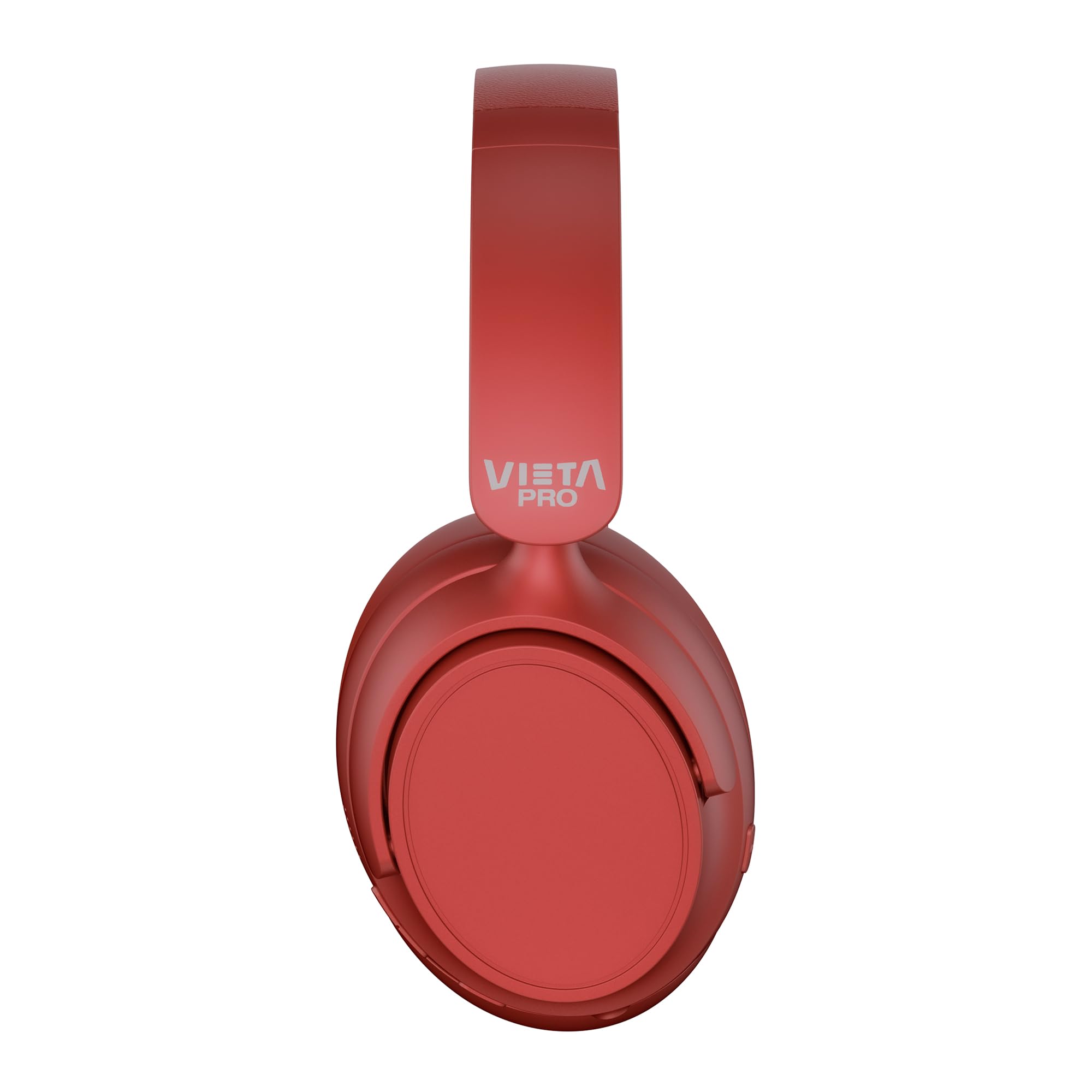
Bilde: Foran view of the Vieta Pro Way 4 Headband Headphones in red.
Pakkeinnhold
Vennligst sjekk at alle varene er til stede i pakken:
- Vieta Pro Way 4 hodetelefoner med hodebånd
- USB ladekabel
- 3.5mm Audio Cable with integrated microphone
- Brukerhåndbok (dette dokumentet)
Produkt overview
Gjør deg kjent med de ulike delene og kontrollene på hodetelefonene dine.

Image: Right earcup with power button, volume controls, USB-C charging port, and 3.5mm audio jack.
- Strømknapp: Brukes til å slå av/på og starte Bluetooth-paring.
- Volum opp/Neste spor-knapp: Press briefly to increase volume, press and hold for next track.
- Volum ned/Forrige spor-knapp: Press briefly to decrease volume, press and hold for previous track.
- Multifunksjonsknapp: For play/pause, answer/end calls, activate voice assistant.
- USB-C ladeport: For lading av hodetelefoner.
- 3.5 mm lydkontakt: For kablet tilkobling med den medfølgende lydkabelen.
- Integrert mikrofon: For calls and voice assistant commands.

Image: Left earcup and adjustable headband of the Vieta Pro Way 4 headphones.
Oppsett
1. Lading av hodetelefonene
Lad hodetelefonene helt opp før første gangs bruk.
- Koble USB-ladekabelen til USB-C-porten på hodetelefonene.
- Koble den andre enden av kabelen til en USB-strømadapter (ikke inkludert) eller en datamaskins USB-port.
- The LED indicator will show charging status (e.g., red for charging, blue/off for fully charged).
- En full lading gir opptil 50 timers avspilling.
2. Slå på/av
- For å slå på: Trykk og hold inne av/på-knappen i omtrent 3 sekunder til LED-indikatoren blinker.
- Slik slår du av: Trykk og hold inne av/på-knappen i omtrent 3 sekunder til LED-indikatoren slukkes.
3. Bluetooth-paring
Koble hodetelefonene til enheten din for trådløs lyd.
- Sørg for at hodetelefonene er slått av.
- Trykk og hold inne av/på-knappen i omtrent 5–7 sekunder til LED-indikatoren blinker rødt og blått vekselvis, noe som indikerer paringsmodus.
- Aktiver Bluetooth på enheten din (smarttelefon, nettbrett, datamaskin) og søk etter tilgjengelige enheter.
- Select "Vieta Pro Way 4" from the list of found devices.
- Når den er tilkoblet, vil LED-indikatoren blinke sakte blått eller lyse konstant blått.
4. Dobbel paring
The Vieta Pro Way 4 headphones support dual pairing, allowing simultaneous connection to two devices (e.g., phone and computer).
- Pair the headphones with the first device as described in "Bluetooth Pairing".
- Deaktiver Bluetooth på den første enheten. Hodetelefonene vil gå inn i paringsmodus på nytt.
- Par hodetelefonene med den andre enheten.
- Aktiver Bluetooth på nytt på den første enheten. Hodetelefonene skal koble seg til begge enhetene automatisk.
- Lyd vil spilles av fra enheten som aktivt sender.
5. Wired Connection (Aux-in)
Use the included 3.5mm audio cable for a wired connection. This is useful when the battery is low or for devices without Bluetooth.
- Connect one end of the 3.5mm audio cable to the Aux-in port on the headphones.
- Koble den andre enden til 3.5 mm lydkontakten på enheten din.
- The headphones will automatically switch to wired mode. The integrated microphone on the cable can be used for calls in this mode.
Bruksanvisning
Musikkavspilling
- Spill av/pause: Trykk på multifunksjonsknappen én gang.
- Volum opp: Trykk på Volum opp-knappen én gang.
- Volum ned: Trykk på Volum ned-knappen én gang.
- Neste spor: Trykk og hold inne Volum opp-knappen.
- Forrige spor: Trykk og hold volum ned-knappen.
Samtalehåndtering
- Svar/avslutt samtale: Trykk på multifunksjonsknappen én gang.
- Avvis anrop: Trykk og hold inne multifunksjonsknappen i 2 sekunder.
- Ring siste nummer på nytt: Dobbelttrykk på multifunksjonsknappen.
Stemmeassistent
- Aktiver stemmeassistenten (Siri, Google Assistant osv.): Trykk tre ganger på multifunksjonsknappen.
Spillmodus
Activate Gaming Mode to reduce Bluetooth latency for an optimized gaming experience.
- Aktiver/deaktiver spillmodus: Press the Power button twice quickly. The headphones will provide an audio cue.
Vedlikehold
- Rengjøring: Tørk av hodetelefonene med en myk, tørr klut. Ikke bruk slipende rengjøringsmidler eller løsemidler.
- Lagring: Store the headphones in a cool, dry place. The foldable design allows for compact storage.
- Batteripleie: For å forlenge batterilevetiden, unngå å lade hodetelefonene helt ut ofte. Lad dem opp regelmessig.
- Vannmotstand: Disse hodetelefonene er ikke vanntette. Unngå eksponering for vann eller overdreven fuktighet.

Image: The Vieta Pro Way 4 headphones in their foldable configuration, demonstrating portability.
Feilsøking
| Problem | Mulig årsak | Løsning |
|---|---|---|
| Hodetelefonene slår seg ikke på. | Lavt batteri. | Lad hodetelefonene helt. |
| Kan ikke pares via Bluetooth. | Hodetelefonene er ikke i paringsmodus; Bluetooth deaktivert på enheten; for langt fra enheten. | Ensure headphones are in pairing mode (flashing red/blue). Enable Bluetooth on your device. Move headphones closer to the device (within 10 meters). |
| Ingen lyd eller lavt volum. | Volume too low on headphones or device; incorrect audio source selected; headphones not connected. | Increase volume on both headphones and device. Check Bluetooth connection or 3.5mm cable connection. Ensure the correct audio output is selected on your device. |
| Mikrofonen virker ikke. | Microphone muted on device; incorrect input device selected; issue with 3.5mm cable microphone. | Check device settings to ensure microphone is not muted and "Vieta Pro Way 4" is selected as input. If using wired connection, ensure the cable's microphone is enabled/functional. |
| Audio delay in games. | Gaming Mode is not activated. | Activate Gaming Mode by double-pressing the Power button. |
Spesifikasjoner
| Modellnavn | Vieta Pro Way 4 |
| Modellnummer | Stillhet 3 |
| Tilkobling | Bluetooth 5.4, 3.5mm Aux-in |
| Batterilevetid | Opptil 50 timer |
| Mikrofon | Integrated (for Bluetooth), In-line (for 3.5mm cable) |
| Spesielle funksjoner | Gaming Mode, Dual Pairing, Foldable Design, Passive Noise Reduction |
| Impedans | 32 Ohm |
| Øreplassering | Over-ear (Circumaural) |
| Materiale | Plast |
| Vannmotstand | Ikke vanntett |
| Kompatible enheter | Mobile devices, computers, game consoles |
Garanti og støtte
For warranty information and technical support, please refer to the warranty card included in your product packaging or visit the official Vieta Pro webnettstedet.
Vennligst ta vare på kjøpsbeviset for eventuelle garantikrav.