
1. Introduksjon
This manual provides detailed instructions for setting up, operating, and maintaining your THOMSON 40-inch FHD Fire TV. Please read this manual thoroughly before using the television to ensure proper functionality and safety. Keep this manual for future reference.
2. Sikkerhetsinformasjon
Følg alltid grunnleggende sikkerhetsregler når du bruker dette produktet for å redusere risikoen for brann, elektrisk støt og skade.
- Ikke utsett TV-en for regn eller fuktighet.
- Ikke blokker ventilasjonsåpningene.
- Sørg for riktig jording av strømstøpselet.
- Trekk ut støpselet til TV-en under tordenvær eller når den ikke brukes over lengre tid.
- Overlat all service til kvalifisert servicepersonell.
3. Pakkens innhold
Bekreft at alle varene er inkludert i pakken din:
- THOMSON 40-inch FHD Fire TV
- Fjernkontroll (med batterier)
- Strømledning
- TV-stativ (2 stk.)
- Skruer til TV-stativ
- Brukerhåndbok (dette dokumentet)

Image: The product box illustrating the TV, remote control, and various features like Fire TV, Alexa, and Dolby Audio.
4. Produktet er overview
Familiarize yourself with the components and connections of your THOMSON Fire TV.
4.1 Foran View

Image: The front of the TV, showcasing its slim bezel and the Fire TV smart interface with popular streaming applications.
4.2 Side View og dimensjoner
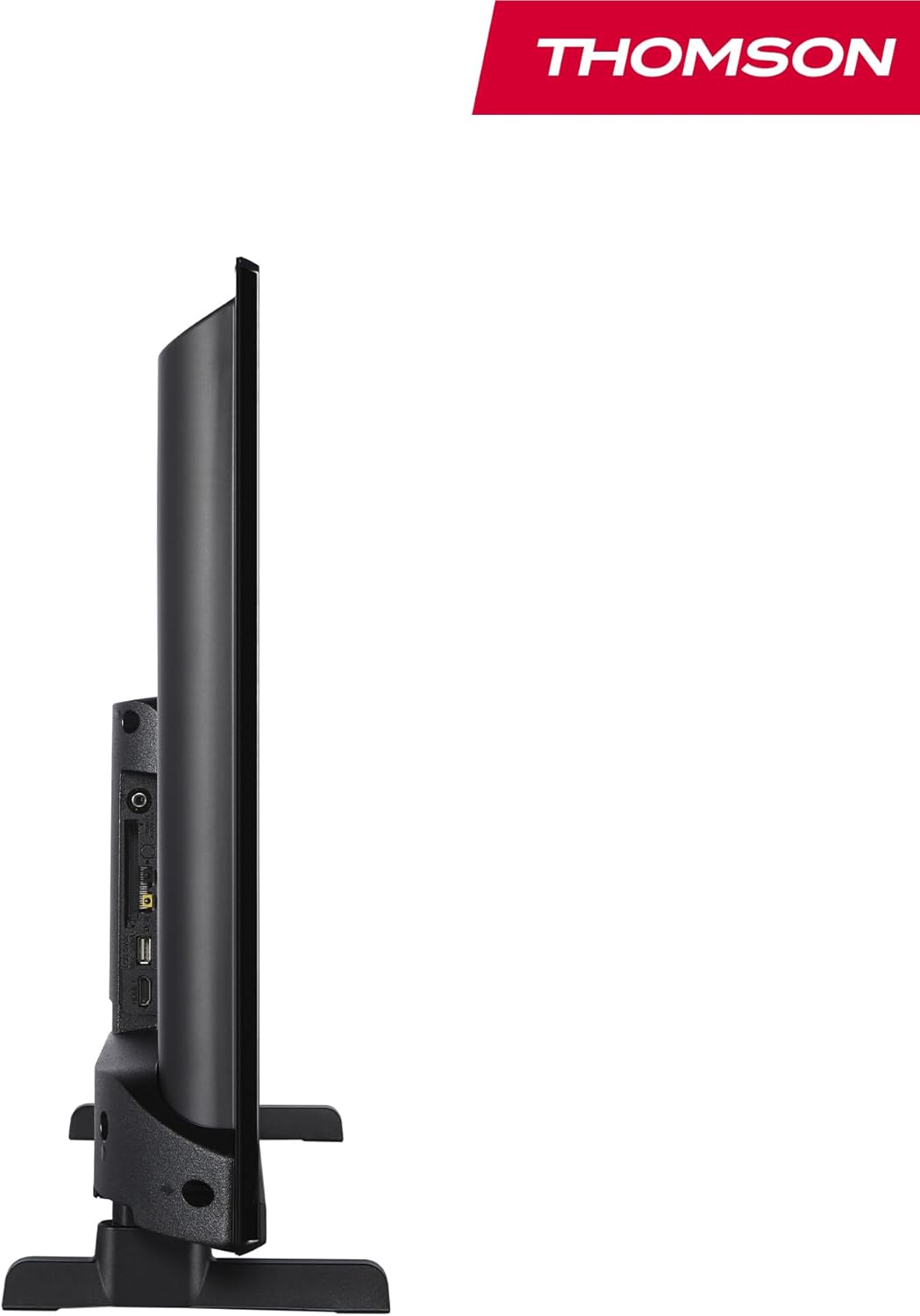
Bilde: En side view of the television, demonstrating its thin profile.

Image: A diagram illustrating the physical dimensions of the TV, including width, height, and depth with the stand.
4.3 Bak View og havner
The rear panel of your TV features various input and output ports for connecting external devices.

Bilde: En detaljert view of the TV's rear panel, highlighting all connectivity ports such as HDMI, USB, Audio Out, CI+, and antenna inputs.
- Lyd ut: For tilkobling av eksterne lydsystemer.
- CI+: Common Interface Plus-spor for moduler for betinget tilgang.
- Hodetelefoner: 3.5 mm-kontakt for privat lytting.
- AV IN: For tilkobling av eldre enheter med komposittvideo og stereolyd.
- USB 2.0: For avspilling av media fra USB-stasjoner.
- HDMI 1.4 (x2): High-Definition Multimedia Interface for connecting Blu-ray players, game consoles, etc.
- Antenne: For connecting a terrestrial antenna (DVB-T2).
- Satellitt: For connecting a satellite dish (DVB-S2).
- LAN: Ethernet-port for kablet nettverkstilkobling.
5. Oppsett
5.1 Feste TV-stativet
- Plasser TV-en forsiktig med forsiden ned på en myk, flat overflate for å unngå skade på skjermen.
- Juster stativdelene med de tilsvarende sporene på undersiden av TV-en.
- Fest stativene med de medfølgende skruene.
5.2 Første oppstart og nettverkstilkobling
- Koble strømledningen til TV-en og en stikkontakt.
- Trykk på av/på-knappen på TV-en eller fjernkontrollen for å slå den på.
- Follow the on-screen instructions for initial setup, including language selection and network connection (Wi-Fi or Ethernet).
- Log in with your Amazon account to activate Fire TV features.
5.3 Tuner Setup (Triple-Tuner)
Your TV is equipped with a triple-tuner for DVB-C (cable), DVB-S2 (satellite), and DVB-T2 (terrestrial) reception.

Image: The DVB-T2/C/S2 tuner inputs, allowing connection to various broadcast sources.
- Connect your antenna or satellite cable to the appropriate input on the TV.
- Navigate to the TV settings and select 'Channel Scan' or 'Tuner Setup'.
- Choose your broadcast type (Antenna, Cable, or Satellite) and follow the prompts to scan for available channels.
6. Bruksanvisning
6.1 Fire TV-grensesnitt
The Fire TV interface provides easy access to your favorite streaming services, apps, and live TV.
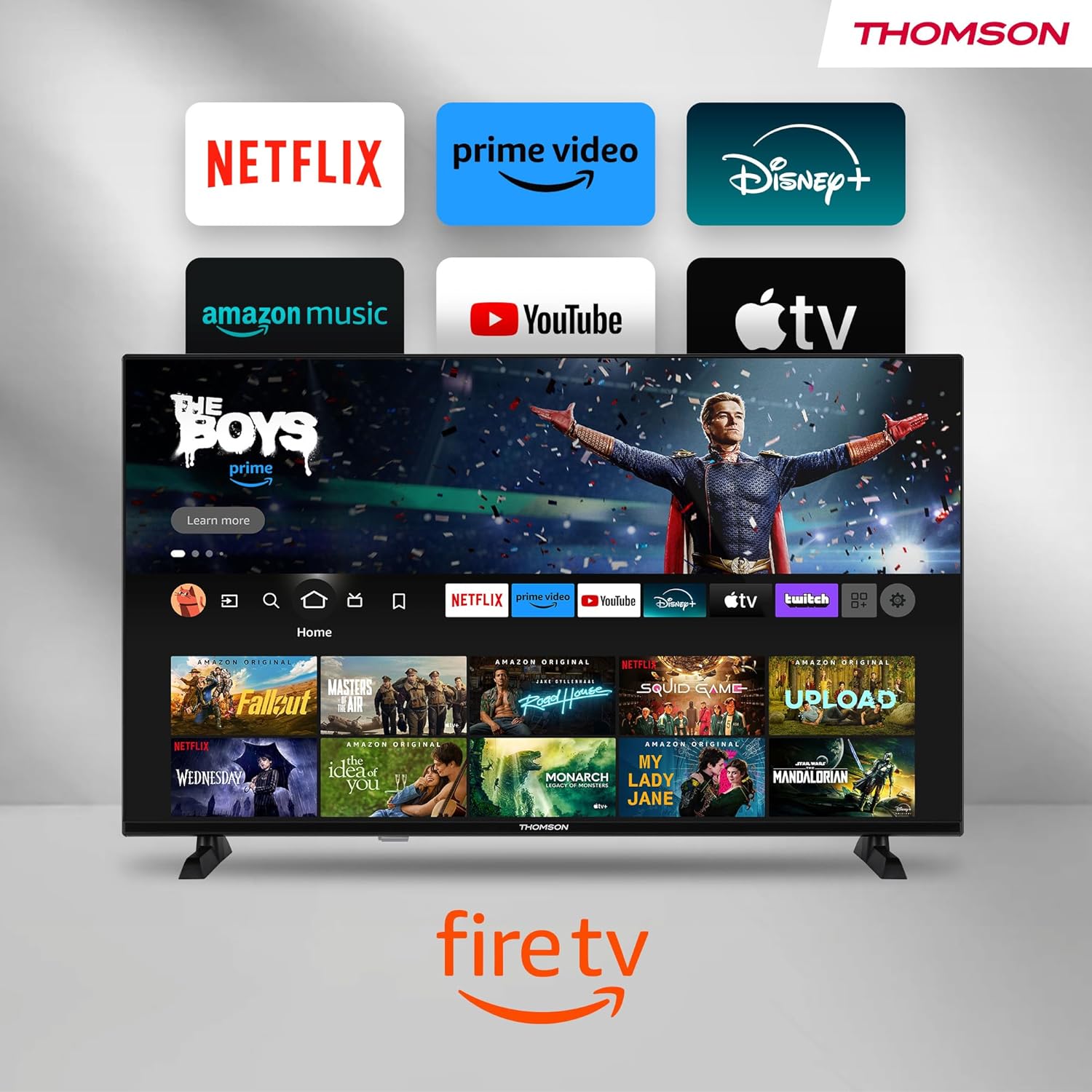
Image: The Fire TV home screen, showing a selection of popular streaming apps and content recommendations.
Navigate using the remote control's directional pad. The home screen provides personalized recommendations and quick access to your installed applications.
6.2 Alexa stemmekontroll
Use the integrated Alexa voice control for hands-free operation.
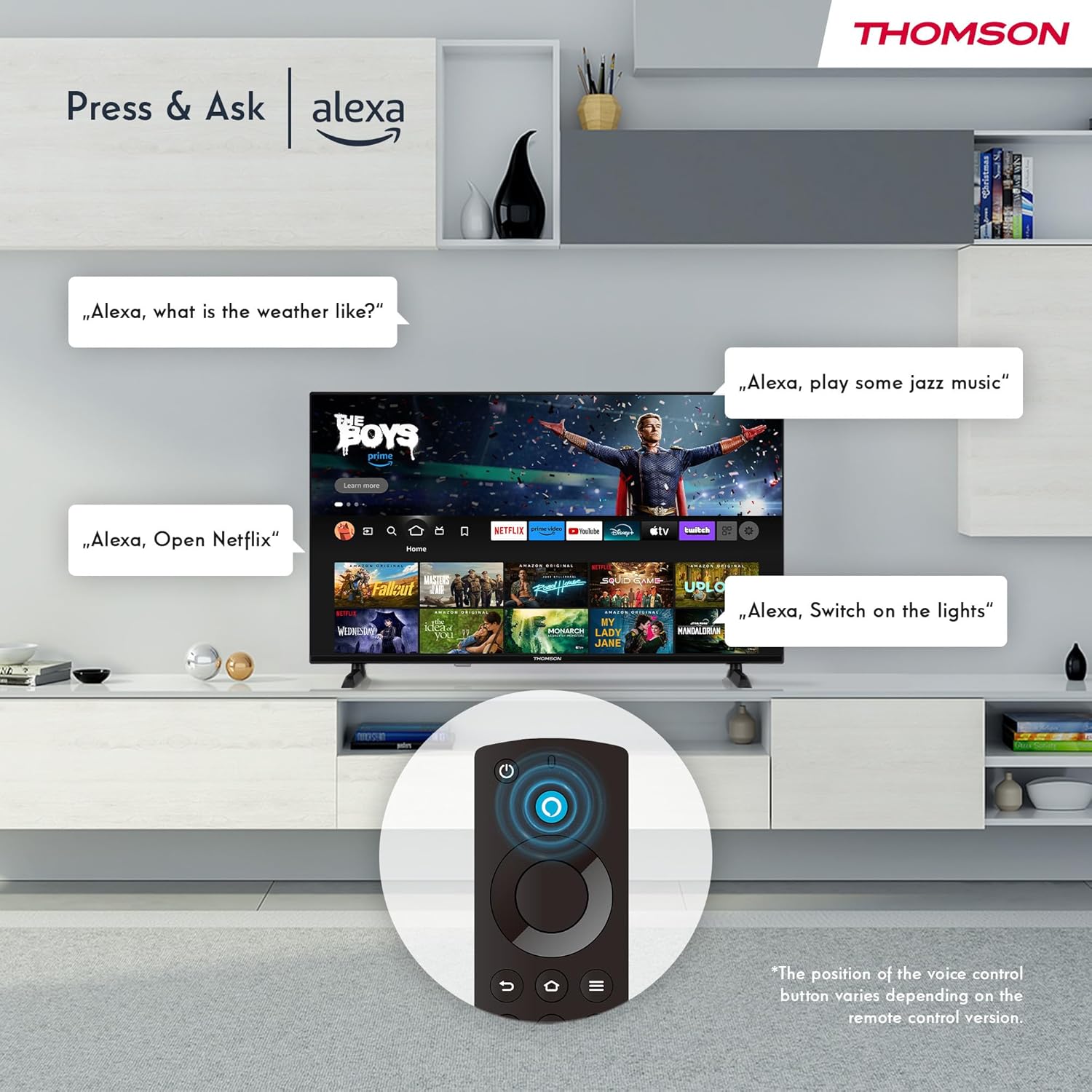
Image: Demonstrating Alexa voice commands for controlling the TV, searching content, and managing smart home devices.
Trykk på Alexa-knappen på fjernkontrollen og si kommandoen din. Du kan be Alexa om å:
- Søk etter filmer eller TV-serier.
- Start applikasjoner.
- Control playback (pause, play, skip).
- Sjekk været eller nyhetene.
- Kontroller kompatible smarthusenheter.
6.3 Smarthjem-integrasjon
Manage your connected smart home devices directly from your TV's integrated dashboard.

Image: The Smart Home dashboard, providing a centralized control panel for various smart devices in your home.
Access the Smart Home dashboard to monitor and control devices such as cameras, lights, and plugs.
6.4 AirPlay Functionality
Stream content directly from your Apple devices (iPhone, iPad, Mac) to your THOMSON Fire TV using AirPlay.

Image: A demonstration of Apple AirPlay, showing content being mirrored from an iOS device to the television screen.
Ensure both your Apple device and the TV are connected to the same Wi-Fi network. Select the AirPlay icon on your Apple device and choose your THOMSON TV from the list of available devices.
6.5 Creating User Profiles
Lag flere brukere profiles for personalized content recommendations and settings.

Image: The user profile selection screen on Fire TV, allowing different users to have their own personalized viewopplevelse.
From the Fire TV home screen, navigate to the profile selection to add or switch profiles. Hver profffile can have its own watch history and app preferences.
6.6 HDR10 og Dolby Audio
Experience enhanced picture quality with HDR10 and immersive sound with Dolby Audio.

Image: A visual comparison demonstrating the improved contrast and color vibrancy offered by HDR10 technology.

Image: A graphic illustrating the immersive sound experience provided by Dolby Audio.
HDR10 provides a wider range of colors and contrasts, while Dolby Audio delivers rich, clear, and powerful sound.
6.7 Fjernkontroll
The ergonomic Bluetooth remote control provides easy navigation and direct access to key features.
- Alexa-knapp: Press and hold to activate voice commands.
- Navigasjonsplate: For moving through menus and selecting items.
- Netflix/Prime Video-knapper: Direct access to these streaming services.
- Amazon Silk Button: Direkte tilgang til web nettleser.
7. Vedlikehold
For å sikre at TV-en din varer lenge og har optimal ytelse, bør du følge disse vedlikeholdsretningslinjene:
- Rengjøring av skjermen: Tørk forsiktig av skjermen med en myk, lofri klut. For gjenstridige merker, bruk en skjermrens som er spesielt utviklet for TV-er, påført kluten, ikke direkte på skjermen.
- Rengjøring av kabinettet: Bruk en myk, tørr klut til å tørke av TV-kabinettet. Ikke bruk slipende rengjøringsmidler eller løsemidler.
- Ventilasjon: Sørg for at ventilasjonsåpningene på baksiden av TV-en ikke er blokkert for å forhindre overoppheting.
- Strømledning: Sjekk strømledningen regelmessig for skader. Hvis den er skadet, må den byttes ut umiddelbart.
8. Feilsøking
Hvis du støter på problemer med TV-en, kan du se følgende vanlige problemer og løsninger:
| Problem | Mulig årsak/løsning |
|---|---|
| Ingen strøm | Check if the power cord is securely plugged into the TV and the wall outlet. Ensure the outlet is active. |
| Ikke noe bilde, men det er lyd | Check input source. Ensure external devices are properly connected and powered on. |
| Ingen lyd, men bildet er der | Check volume level. Ensure Mute is not activated. Check audio cables for external devices. |
| Fjernkontrollen virker ikke | Check batteries. Ensure there are no obstructions between the remote and the TV. Re-pair the Bluetooth remote if necessary. |
| Kan ikke koble til Wi-Fi | Ensure Wi-Fi is enabled on the TV. Check Wi-Fi password. Restart your router. Move TV closer to router. |
| Apper er trege eller fryser | Restart the TV. Clear app cache or data in settings. Ensure sufficient internet speed. |
Hvis problemet vedvarer, vennligst kontakt kundestøtte.
9. Spesifikasjoner
| Trekk | Detalj |
|---|---|
| Modellnummer | 40FF2S34 |
| Skjermstørrelse | 40.0 tommer (100 cm) |
| Skjermteknologi | LED |
| Oppløsning | 1080p (Full HD) |
| Oppdateringsfrekvens | 60 Hz |
| Aspektforhold | 16:9 |
| Tilkobling | Wi-Fi, Bluetooth 5.0, 2x HDMI 1.4, USB 2.0, AV IN, Audio Out, CI+, LAN |
| Tunere | DVB-C, DVB-S2, DVB-T2 |
| Spesielle funksjoner | Fire TV, Alexa Voice Control, AirPlay, HDR10, Dolby Audio, Smart Home Dashboard, User Profiles |
| Dimensjoner (med stativ) | 90.2 x 55.4 x 17.5 cm (B x H x D) |
| Vekt | 9 kg |
| Energieffektivitetsvurdering | E |
| Inkluderte komponenter | Fjernkontroll |
| Støttede språk | Spanish, French, English, Italian, Germanic languages |
10. Garanti og støtte
Your THOMSON Fire TV comes with a manufacturer's warranty. Please refer to the warranty card included in your package for specific terms and conditions.
For technical support, troubleshooting assistance, or warranty claims, please visit the official THOMSON support website or contact their customer service line. Keep your purchase receipt and model number (40FF2S34) handy when contacting support.
Online støtte: www.thomsonconsumer.com/support