
1. Introduksjon
Takk for kjøpetasing the RUIZU X66 64GB MP3 Player. This portable digital audio player is designed for high-quality music playback, featuring Bluetooth 5.3 connectivity, a built-in voice recorder, FM radio, and a convenient clip design. This manual provides detailed instructions on how to set up, operate, and maintain your device.
Video: Overview of RUIZU X66 MP3 Player features.
2. Pakkens innhold
Vennligst kryss av i boksen for følgende elementer:
- RUIZU X66 MP3-spiller
- Kablede hodetelefoner
- USB-C adapterkabel
- Gaveeske
- Brukerhåndbok

Bilde: Innholdet i pakken med RUIZU X66 MP3-spiller.
3. Enhetsoppsett
Familiarize yourself with the buttons and ports on your RUIZU X66 MP3 Player.

Bilde: Overview of the RUIZU X66 MP3 Player's multi-functional features and layout.
- Skjerm: Shows menus, track information, and settings.
- Kontrollknapper: Navigation, play/pause, volume up/down.
- USB Type-C-port: For charging and data transfer. Features a magnetic cap.
- 3.5 mm hodetelefonkontakt: For tilkobling av kablede hodetelefoner.
- Recording Slide Button: Quick access to voice recording.
- Klipp: For attaching the player to clothing or bags.
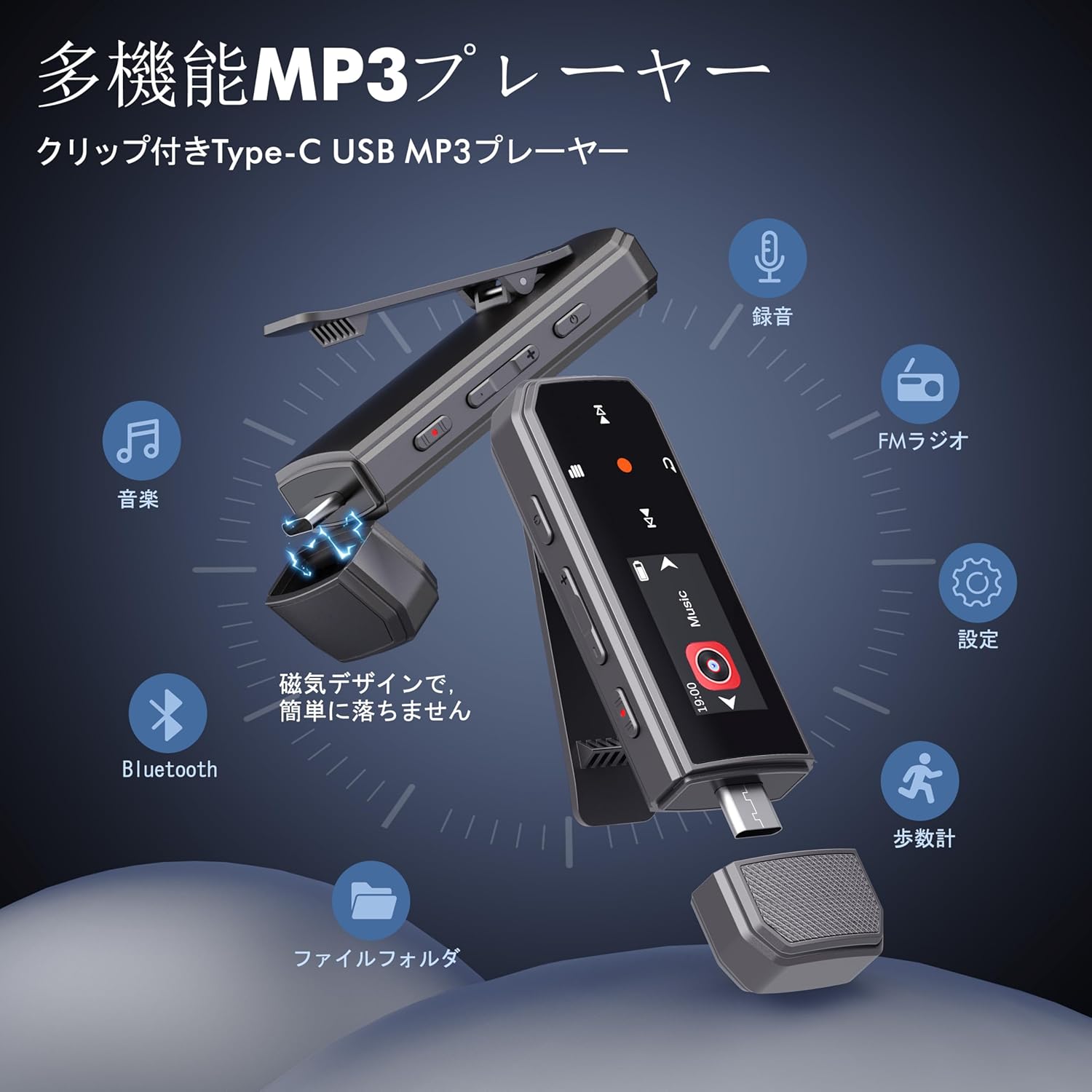
Image: RUIZU X66 MP3 Player highlighting its compact dimensions and clip.
4. Komme i gang
4.1. Lading av enheten
Before first use, fully charge your MP3 player. The device has a built-in rechargeable battery that provides up to 20 hours of playback time on a 2-hour charge.
- Remove the magnetic cap from the USB Type-C port.
- Connect the included USB-C adapter cable to the player.
- Koble den andre enden av kabelen til en USB-strømkilde (f.eks. datamaskin, veggadapter).
- Batteriikonet på skjermen vil indikere ladestatus.

Image: Magnetic cap of the RUIZU X66 MP3 Player.
4.2. Overføring av musikk Files
The RUIZU X66 has 64GB of internal storage. You can transfer music files from your computer or compatible smartphone.
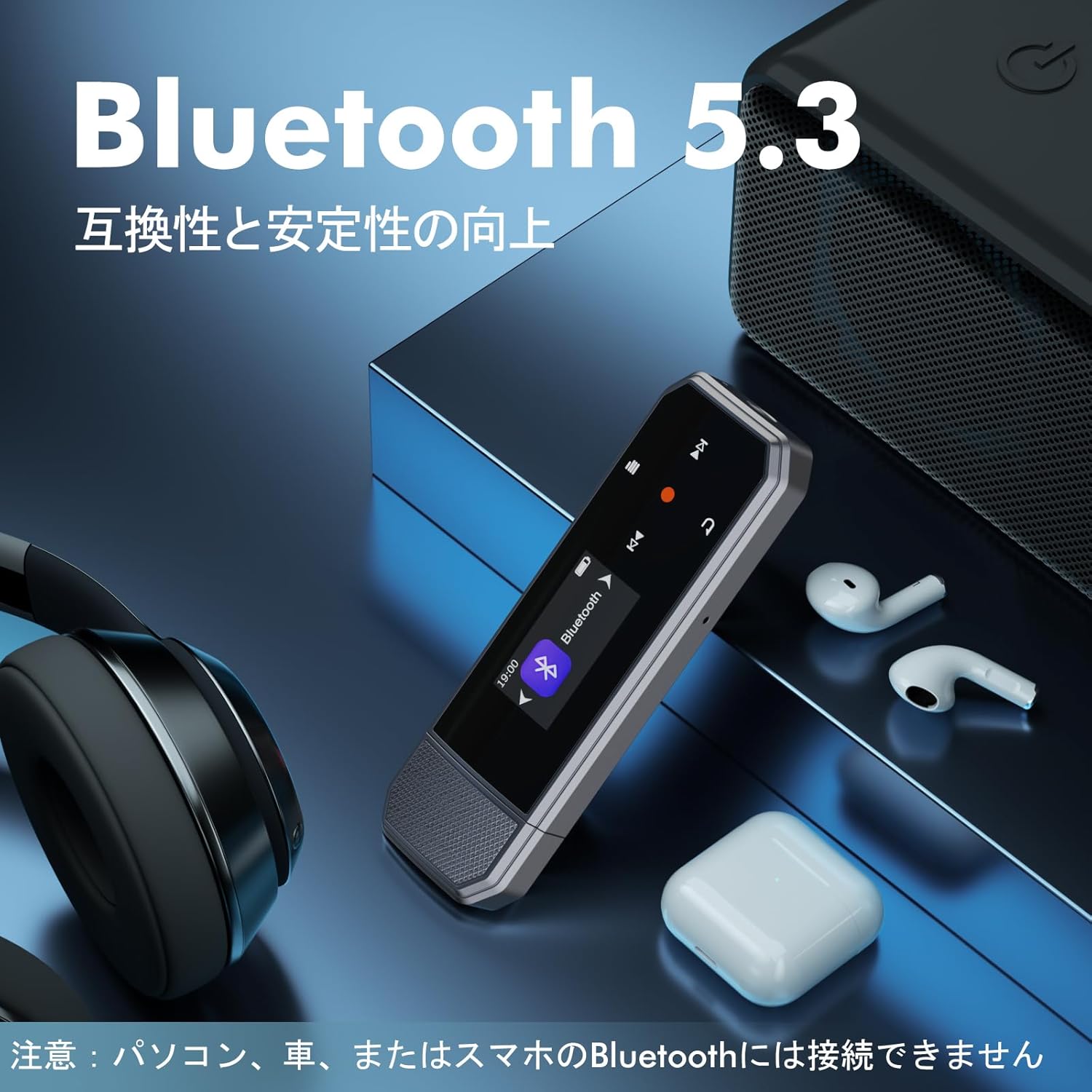
Image: Key specifications of the RUIZU X66 MP3 Player.
4.2.1. Via Computer (USB Connection)
- Connect the MP3 player to your computer using the USB-C adapter cable.
- Spilleren vil vises som en flyttbar diskstasjon.
- Dra og slipp musikken din files (MP3, WMA, APE, FLAC, WAV, M4A, OGG) into the player's storage.
- Koble enheten fra datamaskinen på en sikker måte før du kobler den fra.
4.2.2. Via Smartphone (OTG Function)
The player supports OTG (On-The-Go) for direct file transfer from compatible Android smartphones.
- Connect the MP3 player directly to your Android smartphone's Type-C port.
- Your phone will recognize the player as external storage.
- Use your phone's file manager to transfer music files.
Note: OTG file transfer is not supported on iOS devices. Batch transfer is limited to 1GB at a time.

Bilde: File transfer options for the RUIZU X66 MP3 Player.
5. Grunnleggende betjening
5.1. Slå på/av
- Slik slår du på: Trykk og hold inne av/på-knappen til skjermen lyser opp.
- Slik slår du av: Trykk og hold inne av/på-knappen til enheten slår seg av.
5.2. Musikkavspilling
- Navigate to the 'Music' menu using the control buttons.
- Select a song or folder to play.
- Bruk Play/Pause-knappen for å starte eller sette avspilling på pause.
- Bruk Neste/Forrige-knappene for å hoppe over spor.
5.2.1. Avspillingsmoduser
The player supports various playback modes:
- Sequential Playback: Plays songs in order.
- Stokket avspilling: Spiller sanger i tilfeldig rekkefølge.
- Gjenta en: Repeats the current song.
- Gjenta alle: Repeats all songs in the current folder/playlist.
5.3. Volumkontroll
Use the dedicated Volume Up and Volume Down buttons on the side of the device to adjust the audio level.
5.4. Bluetooth-tilkobling
Connect your RUIZU X66 to Bluetooth headphones or speakers for wireless audio.

Image: RUIZU X66 MP3 Player demonstrating Bluetooth 5.3 connectivity.
- Slå på Bluetooth-hodetelefonene eller -høyttaleren og sett dem i paringsmodus.
- Gå til «Bluetooth»-menyen på MP3-spilleren.
- Velg 'Søk etter devices' or 'Pair new device'.
- Choose your device from the list to connect.
Note: The RUIZU X66 cannot connect to car Bluetooth, computer Bluetooth, or smartphone Bluetooth for audio output.
6. Avanserte funksjoner
6.1. Stemmeopptak
The RUIZU X66 features a one-button recording function.

Image: Activating the voice recording function on the RUIZU X66 MP3 Player.
- To start recording: Slide the red recording button on the side of the device upwards.
- To save recording: Slide the red recording button downwards.
- Innspilt files are saved in the 'Record' folder and can be played back from the device.
6.2. FM-radio
Lytt til dine favoritt FM-radiostasjoner.

Image: Using the FM radio feature with wired headphones.
- Connect wired headphones to the 3.5mm jack (they act as the antenna).
- Navigate to the 'FM Radio' menu.
- Use the auto-tune function to scan for available stations or manually tune.
6.3. skritteller
Track your steps during exercise.
- Navigate to the 'Pedometer' menu to start tracking.
- The device records step count, distance, and time.
- Review your activity history within the pedometer menu.
6.4. Andre funksjoner
- Equalizer: Juster lydprofffiles etter din preferanse.
- Bokmerker: Mark specific points in audio files for quick return.
- Volumgrense: Set a maximum volume level to protect hearing.
- File Mapper: Organize and browse your music by folders.
- Minnepenn: The device can also function as a portable USB storage drive.
7. Vedlikehold
- Rengjøring: Bruk en myk, tørr klut til å rengjøre enheten. Unngå flytende rengjøringsmidler.
- Lagring: Oppbevar spilleren på et kjølig og tørt sted, unna direkte sollys og ekstreme temperaturer.
- Batteripleie: For å forlenge batterilevetiden, unngå å utlade batteriet helt ofte. Lad det regelmessig.
- Skjermbeskyttelse: The screen is susceptible to scratches. Handle with care.
8. Feilsøking
| Problem | Mulig løsning |
|---|---|
| Enheten slås ikke på. | Sørg for at batteriet er ladet. Koble til en strømkilde og prøv på nytt. |
| Kan ikke overføre files til enheten. | Check USB cable connection. Ensure the device is properly recognized by your computer/phone. For OTG, confirm your phone is Android and supports OTG. |
| Bluetooth connection unstable or not pairing. | Ensure your Bluetooth accessory is in pairing mode and within range. Restart both devices. Remember, the player cannot connect to car, PC, or phone Bluetooth for audio output. |
| Ingen lyd fra hodetelefonene. | Sjekk hodetelefontilkoblingen. Sørg for at volumet ikke er dempet eller for lavt. Test med andre hodetelefoner. |
| FM-radioen fungerer ikke. | Wired headphones must be connected as they act as the antenna. Ensure you are in an area with good signal reception. |
9. Spesifikasjoner
- Merke: RUIZU
- Modell: X66
- Minne lagringskapasitet: 64 GB
- Tilkoblingsteknologi: Bluetooth 5.3, USB Type-C, 3.5mm AUX
- Støttede lydformater: MP3, WMA, APE, FLAC, WAV, M4A, DRM, ACELP, OGG
- Batterilevetid: Opptil 20 timer (avspilling)
- Ladetid: Omtrent 2 timer
- Vekt: 26 g
- Dimensjoner: 8.1 x 2.5 x 1.3 cm
- Funksjoner: FM Radio, Voice Recorder, Pedometer, Equalizer, Clip Design
10. Garanti og støtte
RUIZU offers a 1-year warranty for product defects or malfunctions from the date of purchase. For any product issues, please contact our customer support for free refunds or exchanges.
If you have any questions about the product, please feel free to contact us. Refer to the "Product Packaging" for detailed contact information.